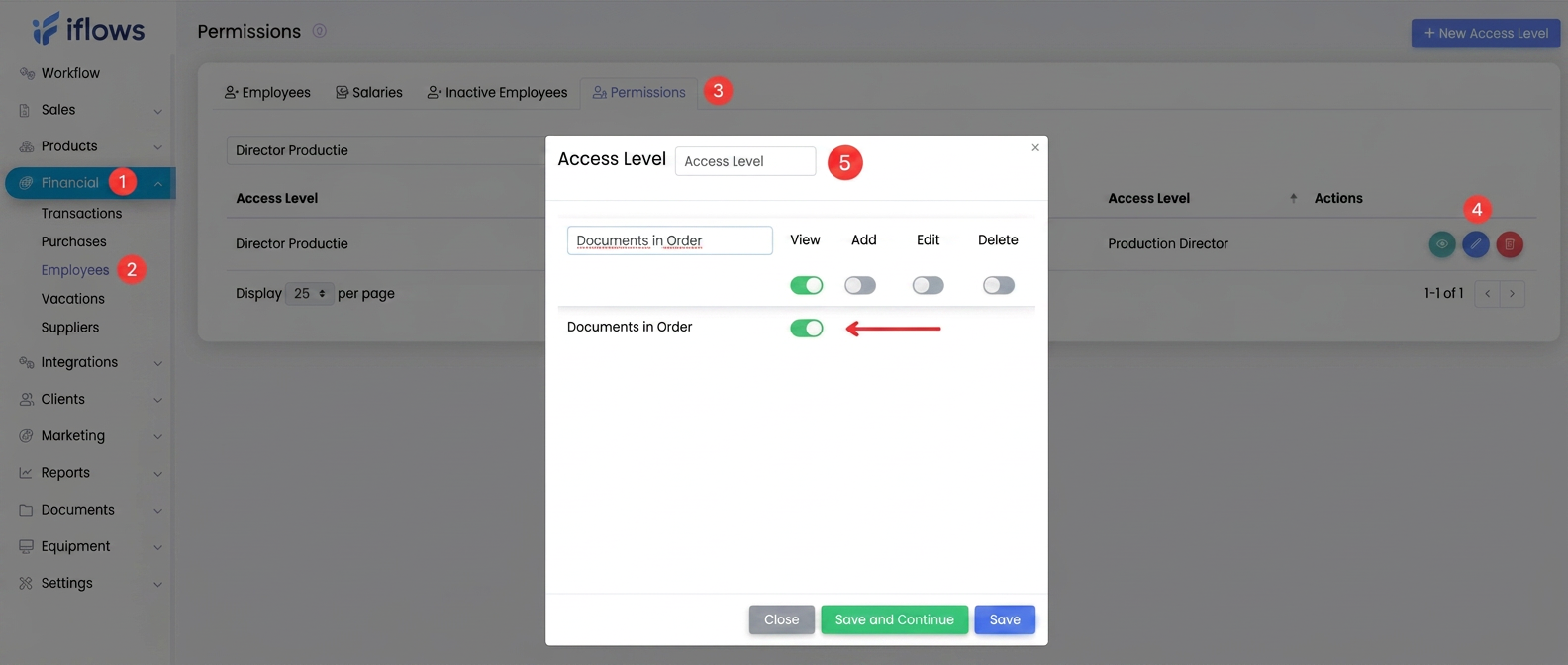
- Access the "Financial" section from the main menu.
- Select the "Employees" sub-section.
- Open the "Permissions" tab.
- Edit the access level corresponding to your role or department.
- Enable the "View" option for the "Documents in Order" section.
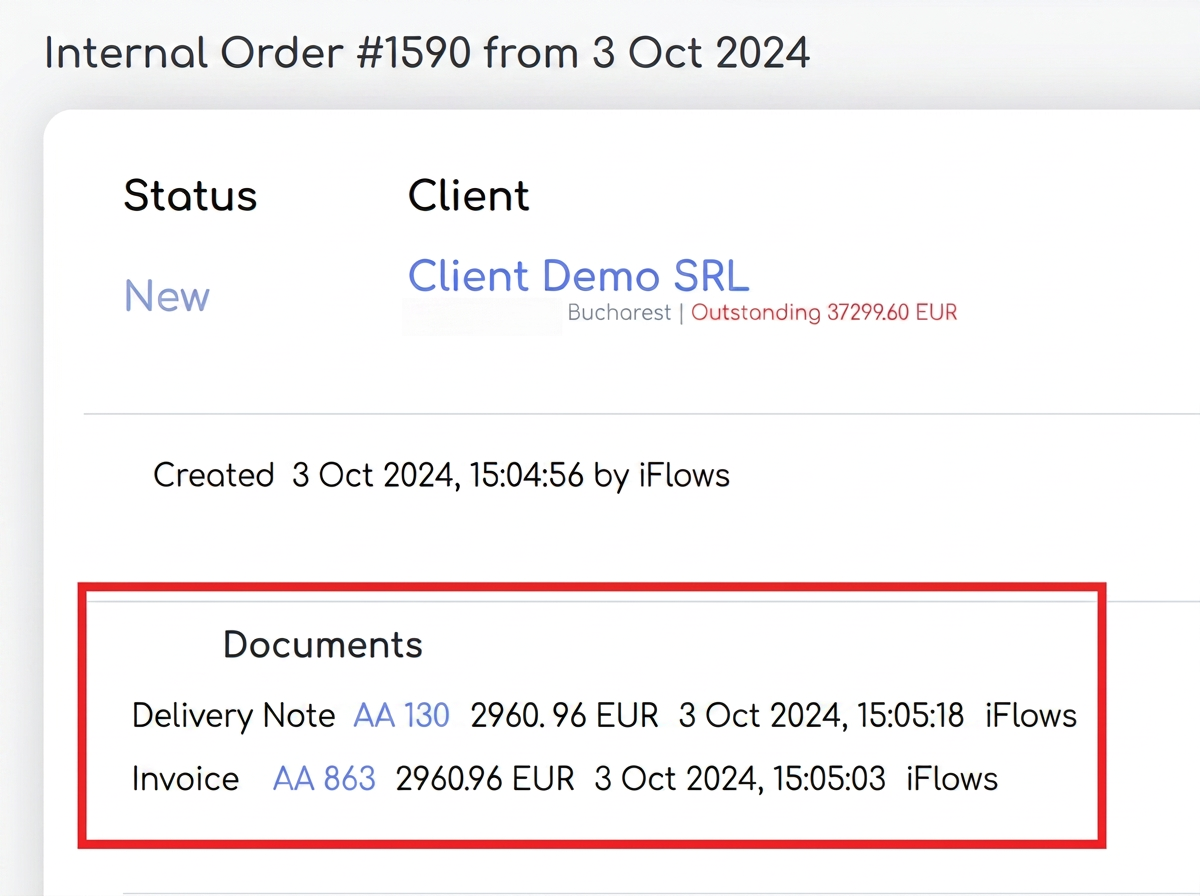
Once this permission is enabled, you will have full access to the documents associated with each order, directly from the respective order interface.