
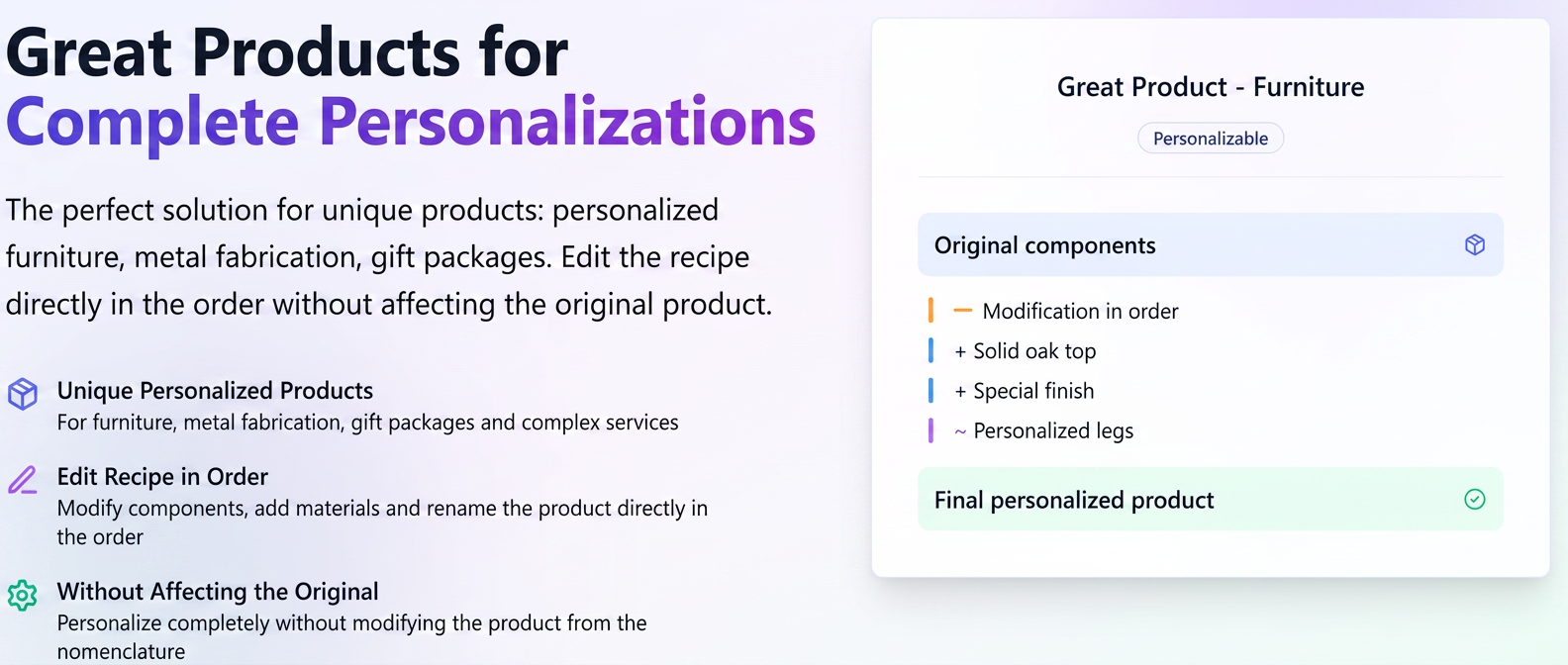
The Unique Products Problem
Many businesses, whether they produce furniture, metal structures, gift packages, or offer complex services, face a common challenge: the customer wants a unique, personalized product that is manufactured or assembled only once.
The Dilemma:
- If you create a new product in the catalog for every unique order, the product list quickly becomes cluttered and difficult to manage.
- If you don't create a recipe (bill of materials), you cannot correctly track components consumed from stock and cannot generate detailed documents.
The iFlows Solution: Use a Super Product (generic or otherwise) and edit the recipe directly in the order.
Any Super Product in the system – whether generic or already existing – can be fully customized directly in the order or quote.
You can modify the recipe, replace components, add materials, rename the finished product, and import material lists without affecting the original product in the catalog.
Part 1: What is a "Super Product"?
A Super Product is, simply put, a finished product that is composed of other products or services. The latter are called components, and their list forms the product's recipe.
Diverse Examples:
- Physical Product: A "Chair" (Super Product) consists of "Wood", "Upholstery", and "Screws" (components).
- Service Package: An "Accounting Subscription" (Super Product) may include "1 hour Accounting Services" and "1 hour Human Resources Services" (components).
- Mixed Package: An ”Air Conditioning Installation Kit” is composed of: „1 External AC Unit”, „1 Internal AC Unit”, ”1 set Cables and brackets”, „2h Home Installation”, „1h Equipment Testing and Calibration” (components).
Part 2: Step-by-Step Guide
We will use the example of a furniture manufacturer who needs to create a unique chair for a customer.
Option 1: Use a generic product created specifically as a template
First, we create a generic product in the system, which we will use as a template for all custom orders.
- Navigate to Products in the left menu.
- Press the blue + Add Product button at the top right.
- Fill in the basic fields. For Name, choose a generic name, such as "Custom Chair".
- Scroll down to the "Super Product" section.
- Press the green + Add Product button within this section. The first line of the recipe will open.
- Add a basic, minimal recipe. It can even contain a single general component (e.g., "Chipboard"). This is just a starting point.
- Complete the rest of the necessary details (price, inventory management, etc.) and press Save.
Now you have a template product in your catalog, ready to be customized in orders.
Option 2: Select any existing Super Product and modify its recipe and name directly in the order. Thus, personalization is performed directly within the order.
Suppose a customer orders a unique chair with a different type of wood and different upholstery.
- Navigate to Sales -> Orders.
- Press the blue + New Order button.
- Select the customer and fill in the order data.
- In the products section, under Choose Product, search for and select the template created earlier: "Custom Chair" or another existing Super Product.
- Note: iFlows will automatically add both the main product ("Custom Chair") and the components from its basic recipe to the order, displayed as indented lines beneath it.
Now you can completely customize the recipe only for this order
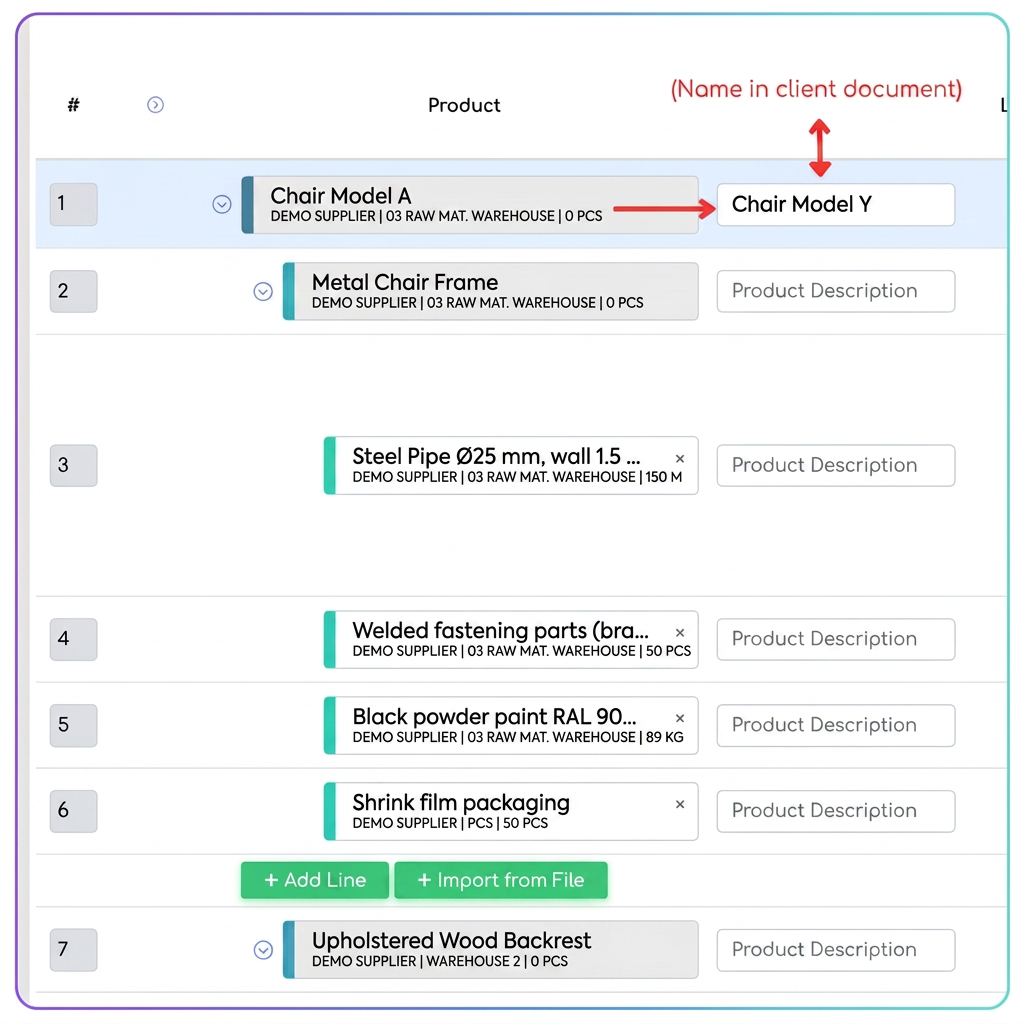
- A. Renaming the Finished Product:
- Next to the main product ("Custom Chair"), fill in the "Product Description" field with the specific name for the customer (e.g., "Living Room Chair Model Y - Solid Oak"). This name will appear on the customer's documents without changing the template name in the system.
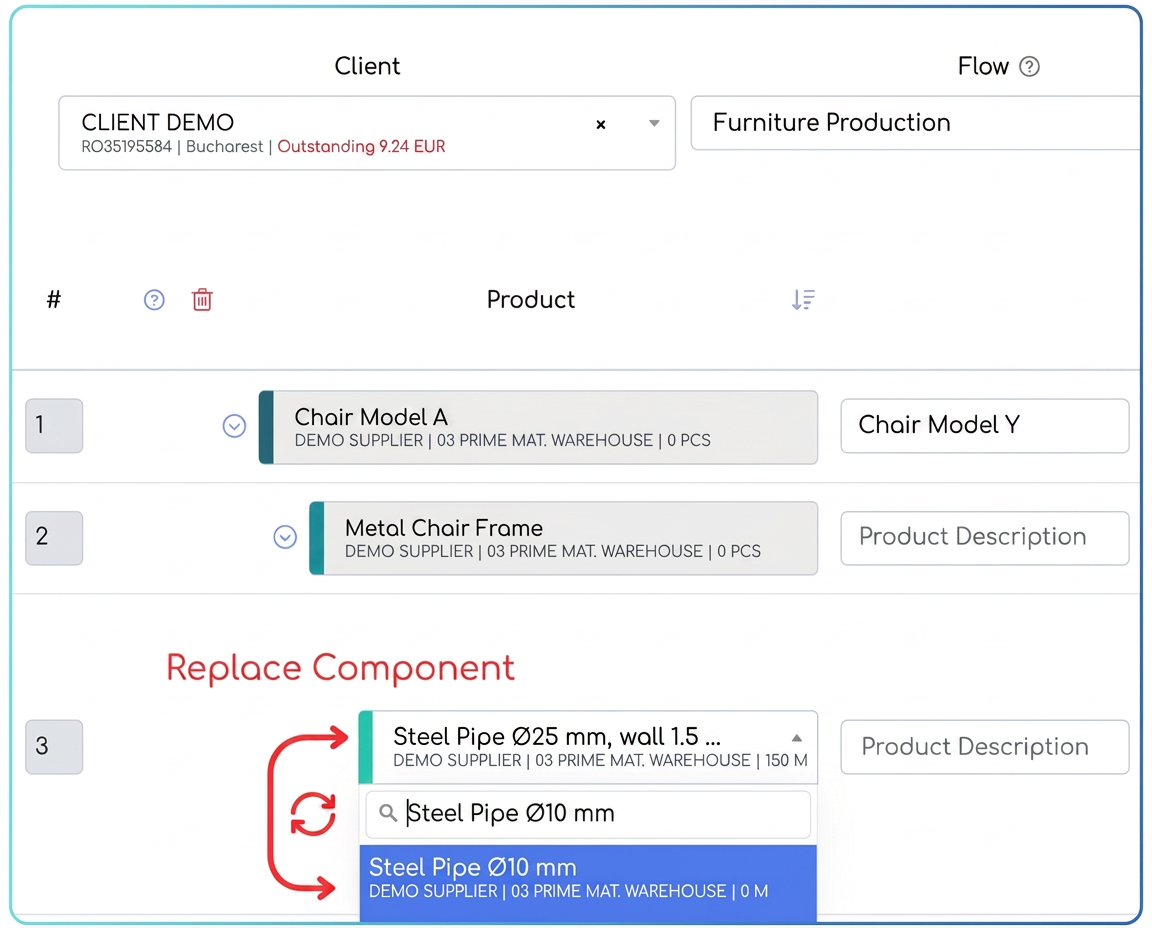
- B. Replacing a Component:
- Let's say the basic recipe had "Fir Wood". Click directly on the "Fir Wood" name. The field becomes editable. Search for and select the new material, for example, "Solid Oak". The component has been replaced.
- C. Deleting a Component:
- If the custom chair does not require a certain component from the template (e.g., "Nails"), simply press the red trash can icon at the end of that line.
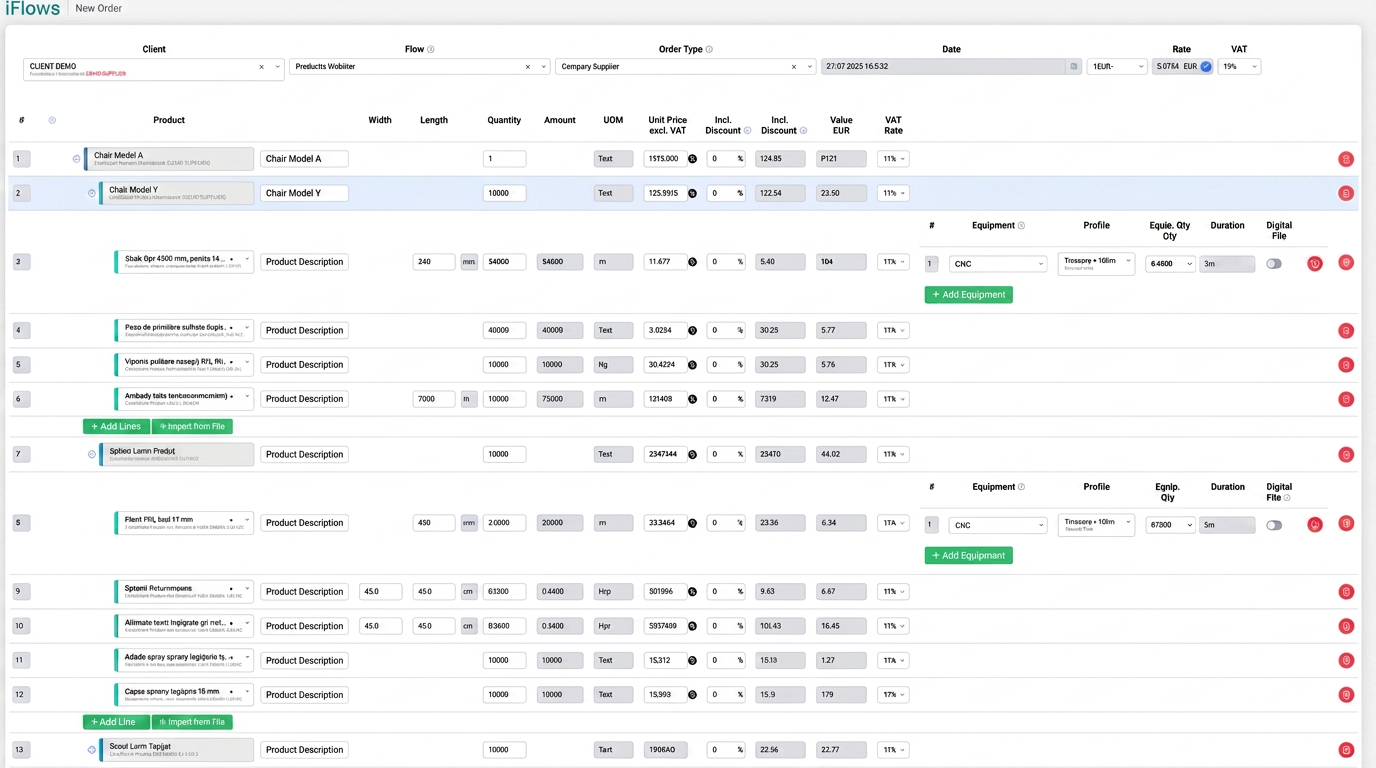
- D. Adding a New Component:
- Below the list of existing components, you will see a green + Add Line button. Press it to add an empty line to the recipe, where you can add a new component (e.g., "Metal Leg Set").
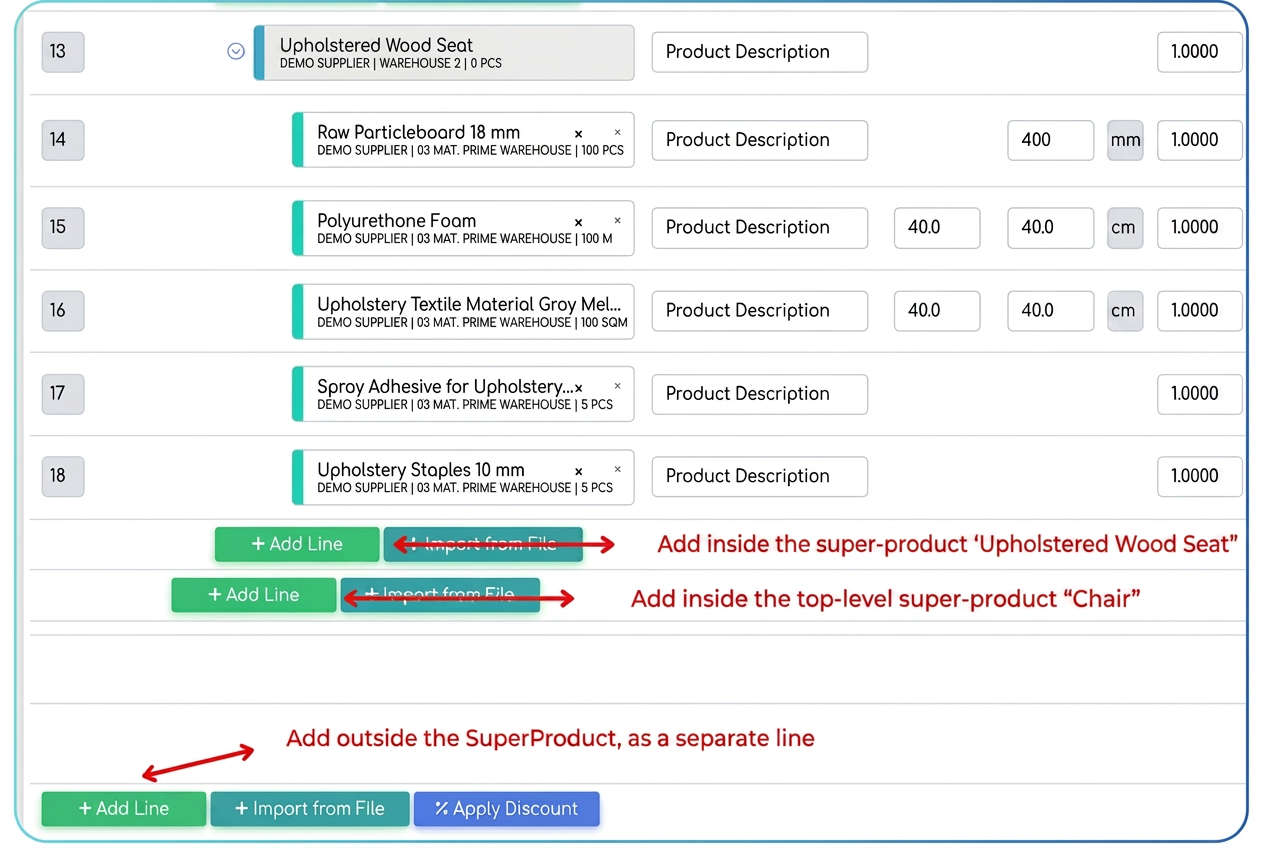
- E. Importing Components from a File (Optional):
- If you have a complex estimate (a material list) in an Excel file, you can use the + Import from File button (the one below the main product) to quickly upload all components into the recipe.
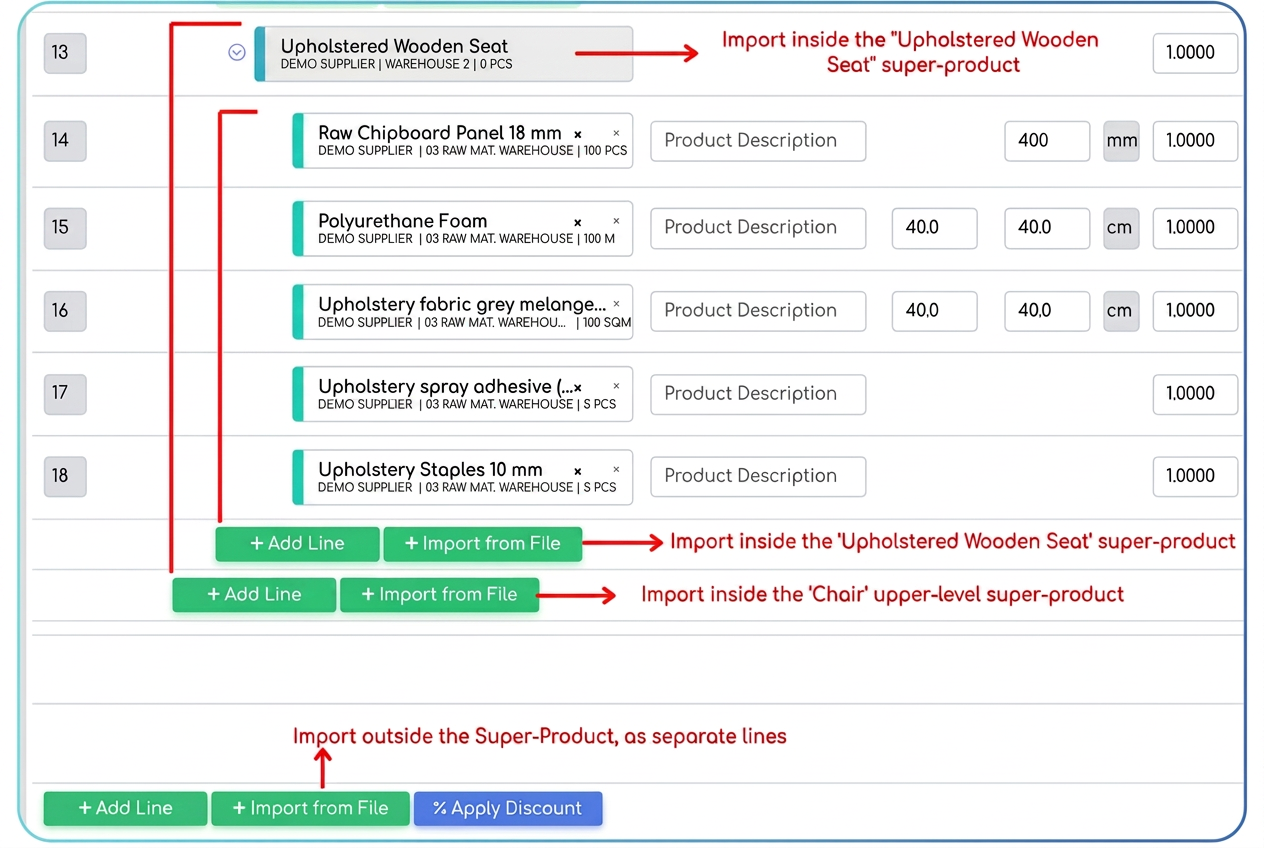
Important: All these modifications (A, B, C, D, E) are valid only within this order/quote and will not alter the template recipe of the "Custom Chair" in the product catalog.
Key Benefits
By using this method, you benefit from:
- Maximum Flexibility: Adapt any recipe on the fly to perfectly fit the unique requirements of each customer.
- Clean and Organized Catalog: No more need to create hundreds of products for orders that will not be repeated.
- Correct Inventory Management: Even if the recipe is customized, iFlows will deduct from stock exactly the components you used in that specific order.
- Efficiency: Save precious time by eliminating the need to create new products from scratch for every custom order.