
To add additional characteristics, there is a flexible solution through the use of labels.
What are labels?
Labels are customizable fields that can contain any type of information specific to your needs. For example:
- Quality_Premium
- Thickness_2mm
- Color_Red
- Type_Glossy
- ISO9001_Certified
- Outdoor_Use
Step-by-step setup:
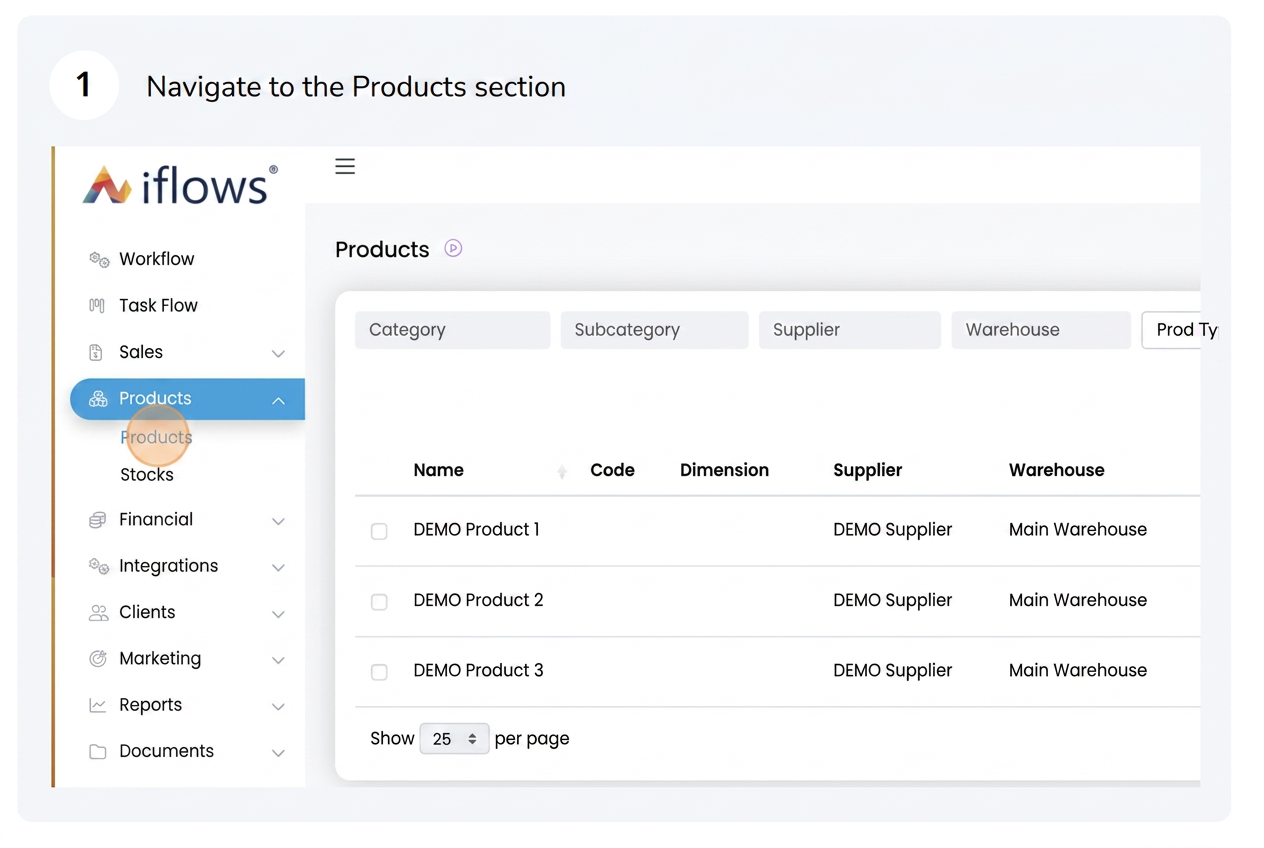
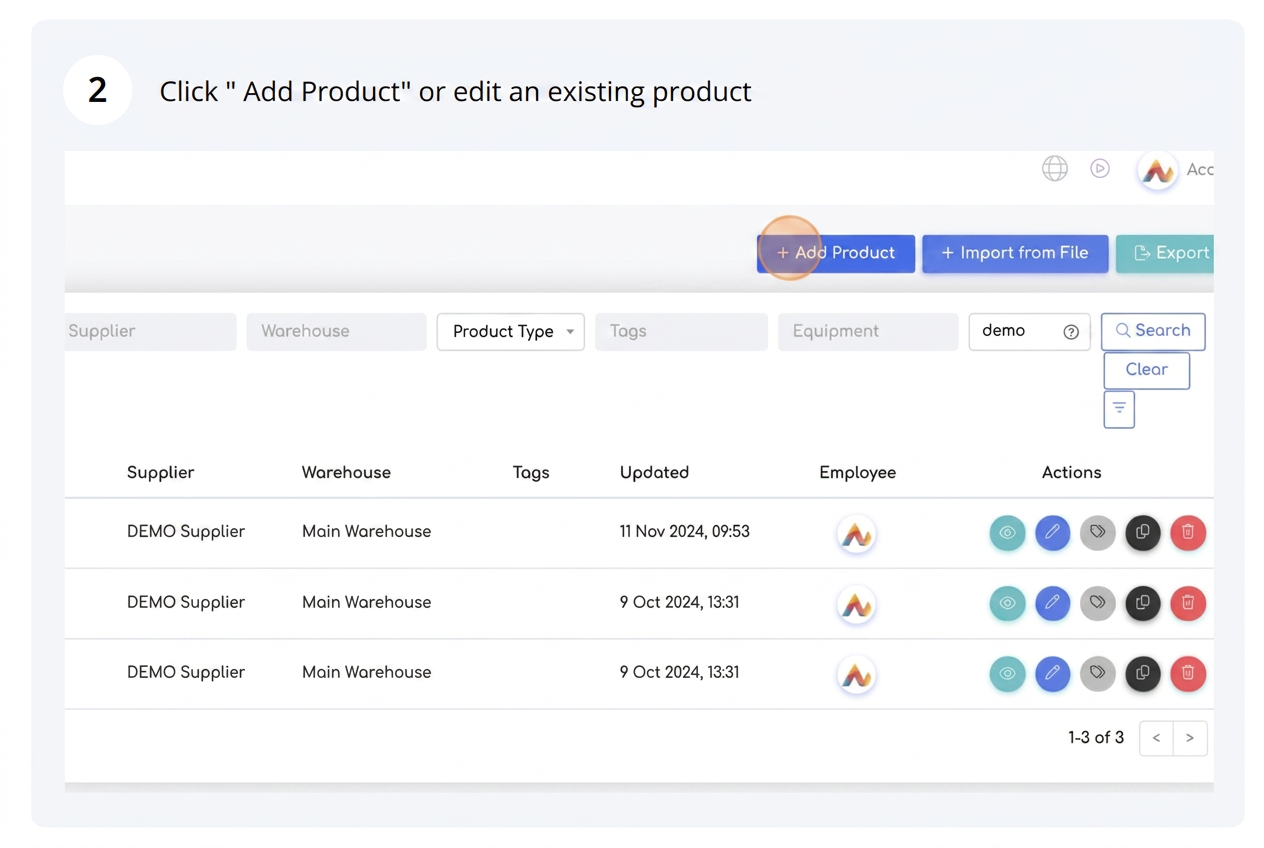
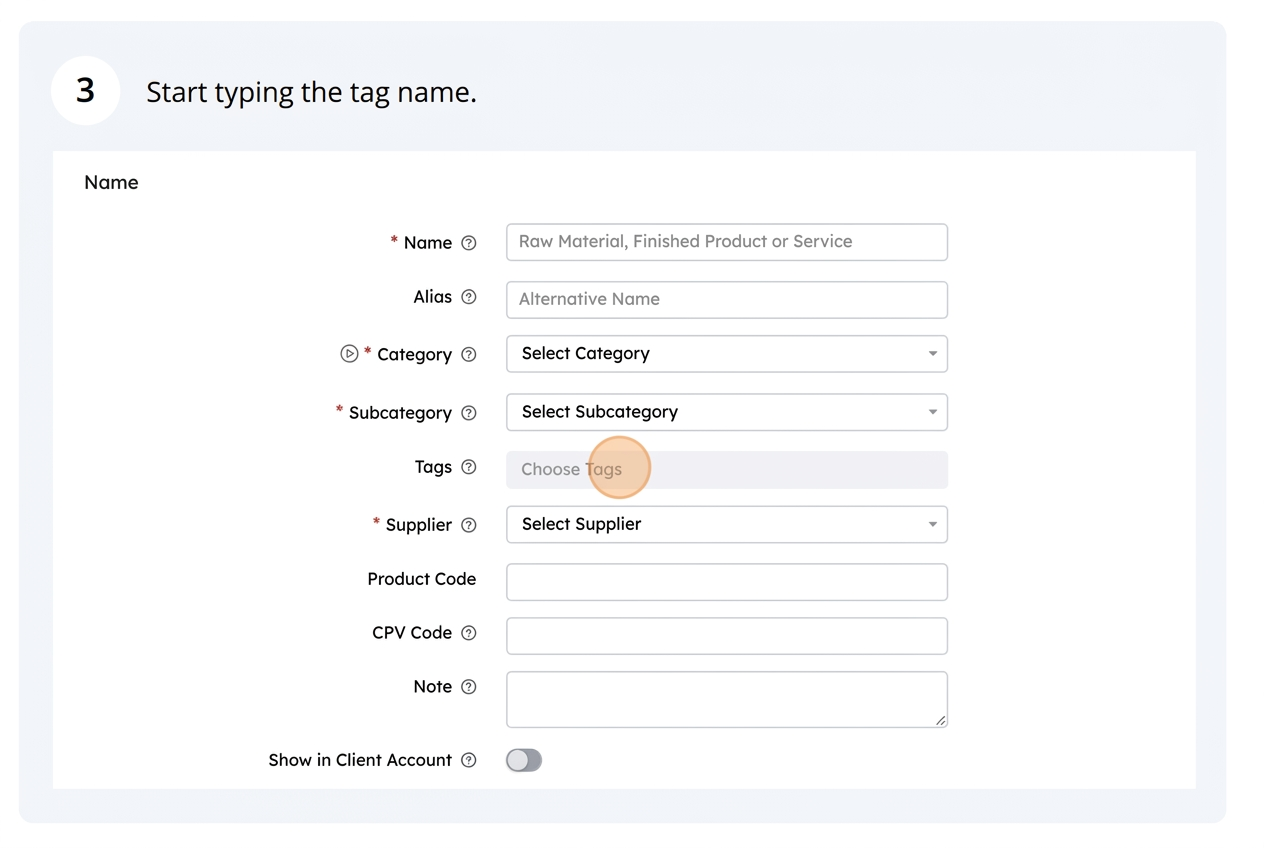
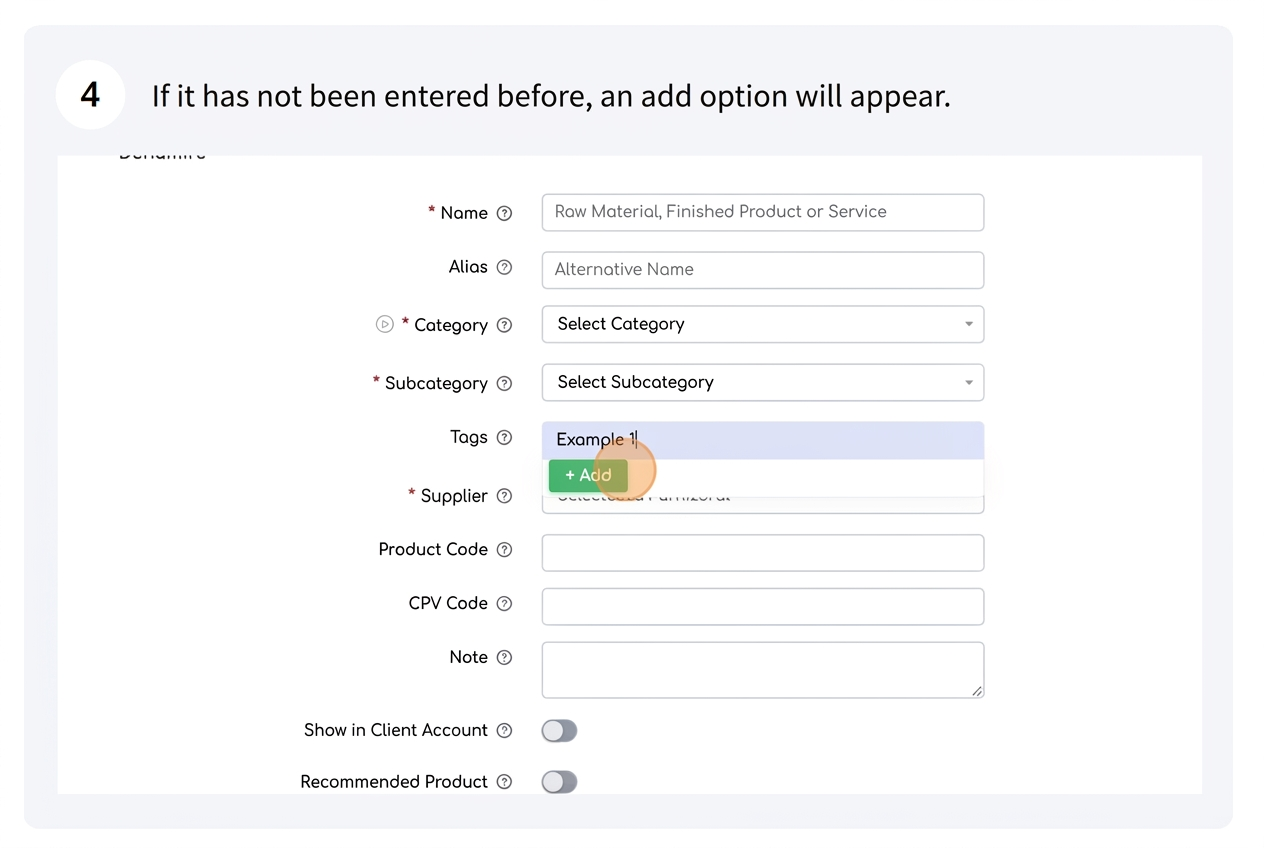
Add as many labels as you wish: You can assign multiple labels to a product to reflect various characteristics.
Use labels in searches and reports: After products have been labeled, you can filter, sort, or generate reports based on these labels.
Benefits of labels:
- Flexibility: Add or modify information whenever needed.
- Efficient organization: Manage detailed product characteristics without affecting the system structure. This means you will not have the same fields applicable to all products. For example, the "Thickness" characteristic may only be relevant for certain products, while "Material" or "Certifications" are important for others. Thus, you can adapt labels for any type of product, covering various needs, without unnecessarily cluttering the data of other products that do not require this information.
- Quick analysis: Use labels to group and analyze products by relevant criteria.