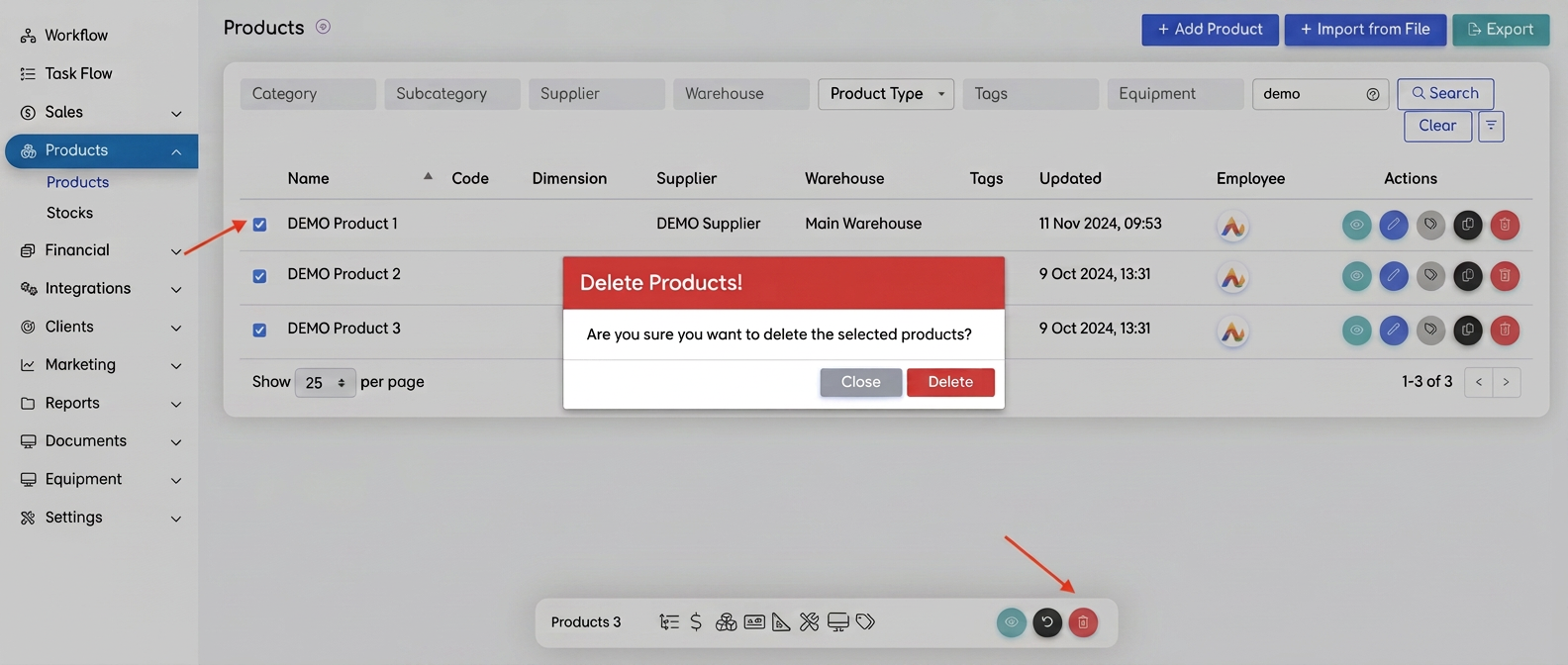
To delete all products from the incorrectly imported database, follow the steps below:
- Access the "Products" module:
- Select the products:
- Check the box next to each product you want to delete.
- To quickly select all products in a range, press:
- The first product's checkbox, then
- Hold down the Shift key and select the last checkbox.
- Bulk Delete:
- After selection, a multi-action menu will appear at the bottom of the screen.
- Click on the Trash can icon (the delete symbol).
- Confirm deletion:
- In the confirmation window, select Delete to remove the products.
- Check for multiple pages:
- If the database contains multiple pages, repeat the process for each page.