
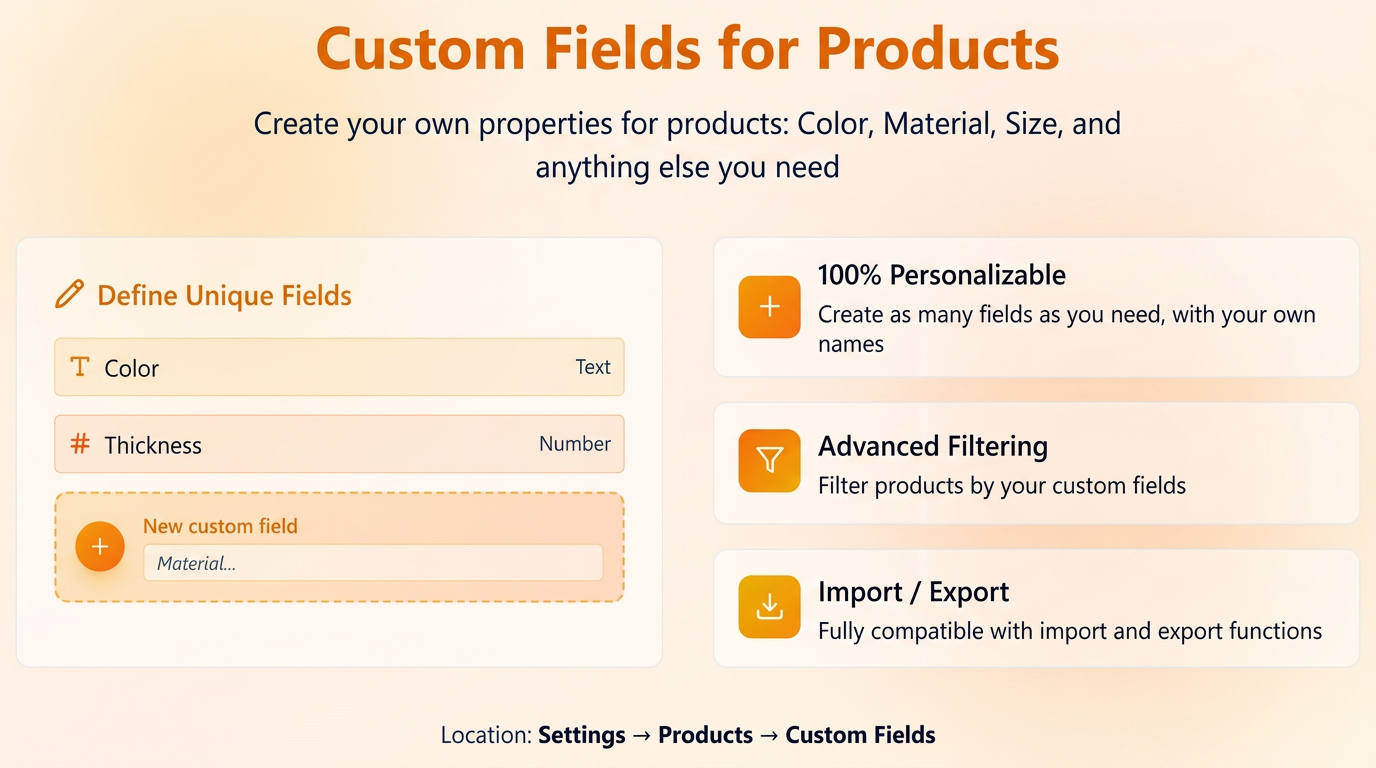
This feature allows you to add specific characteristics to your products that are not covered by the standard fields in iflows (for example: Color, Thickness, Material, Caliber, etc.).
Configuration and Usage:
- Defining fields:
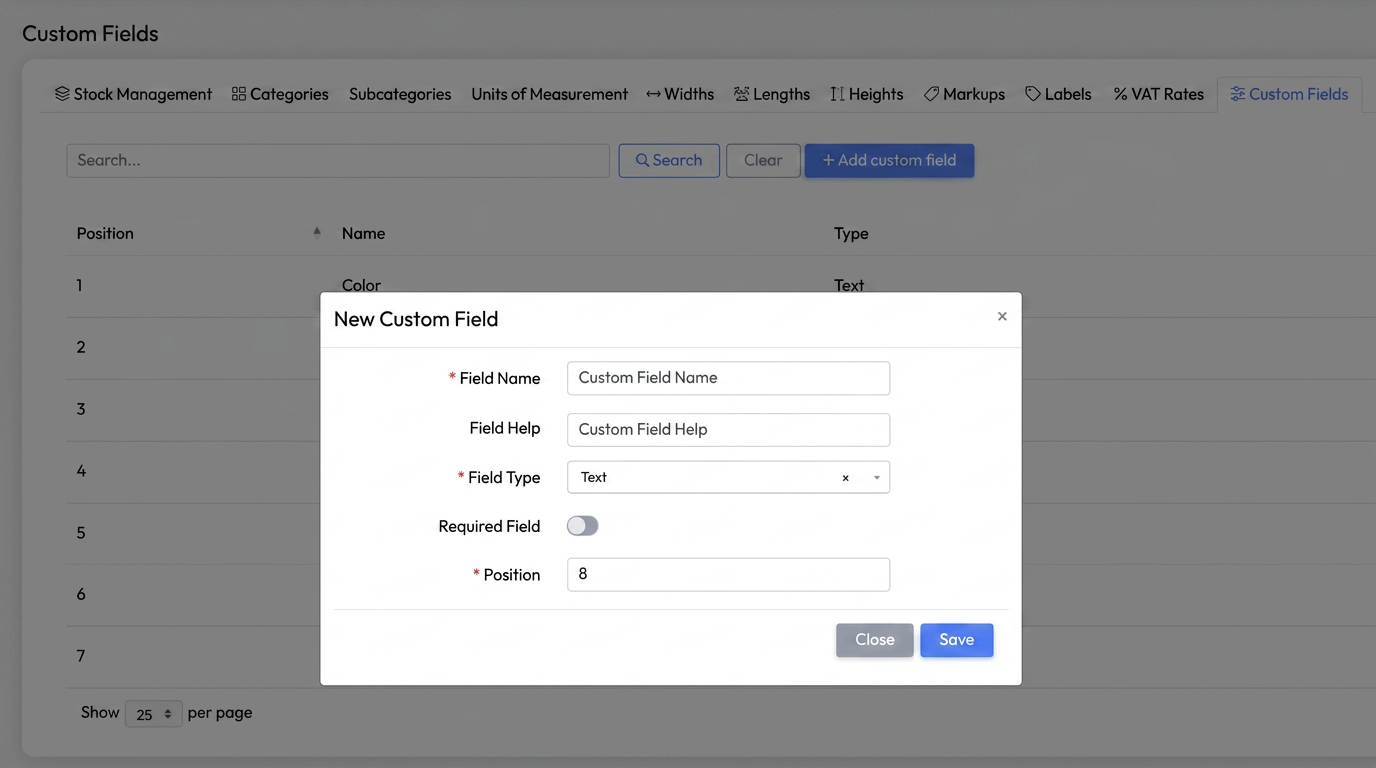
- Access the Settings -> Products -> Custom Fields tab.
- Click the "Add new field" button and fill in the details:
- Name: The name of the characteristic.
- Help text (Tooltip): A short description to guide the user regarding the information to be entered.
- Field type: Select between Text, Integer, or Decimal number.
- Position: Sets the display order in the list.
- Required: Check this if you want this field to be mandatory when saving a product.
- Operation:
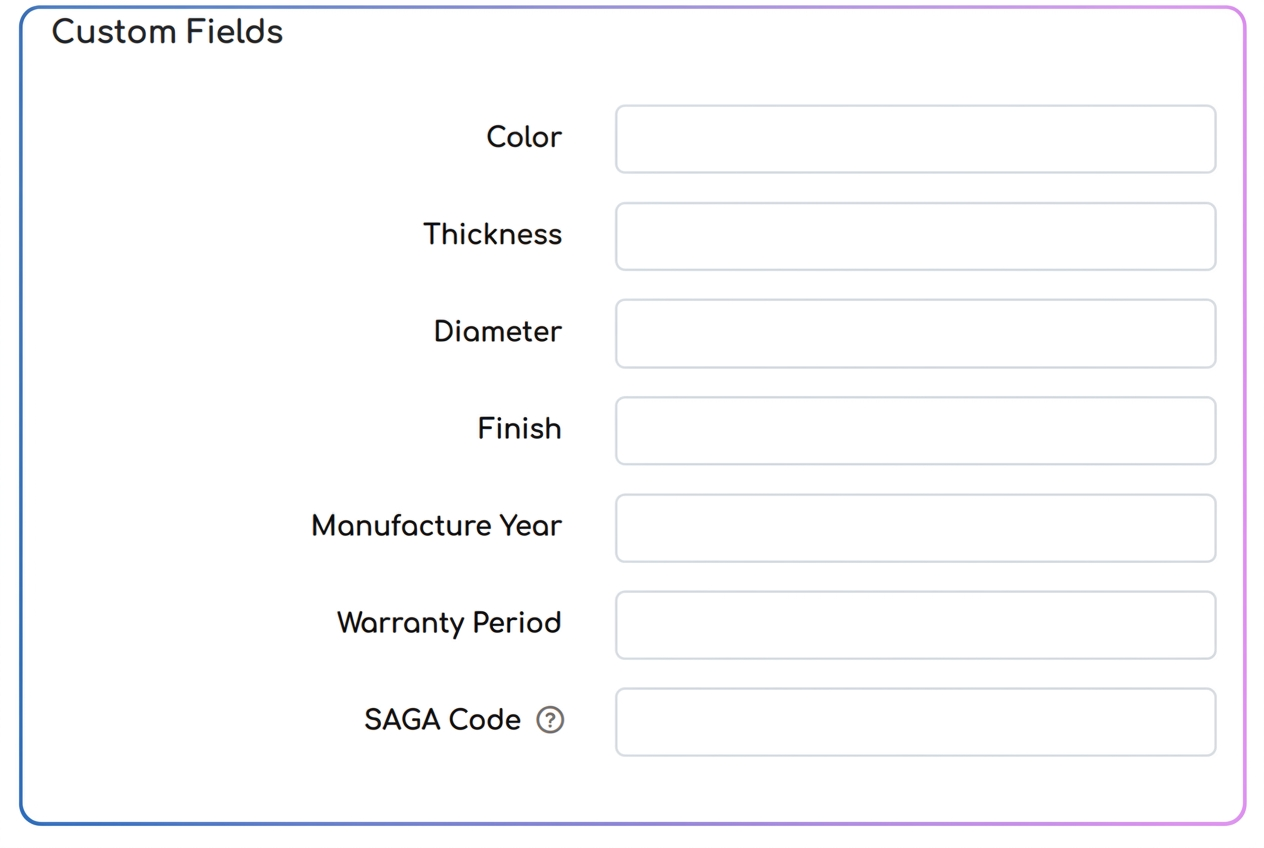
- Once created, the field will automatically appear on the editing page of each product.
-
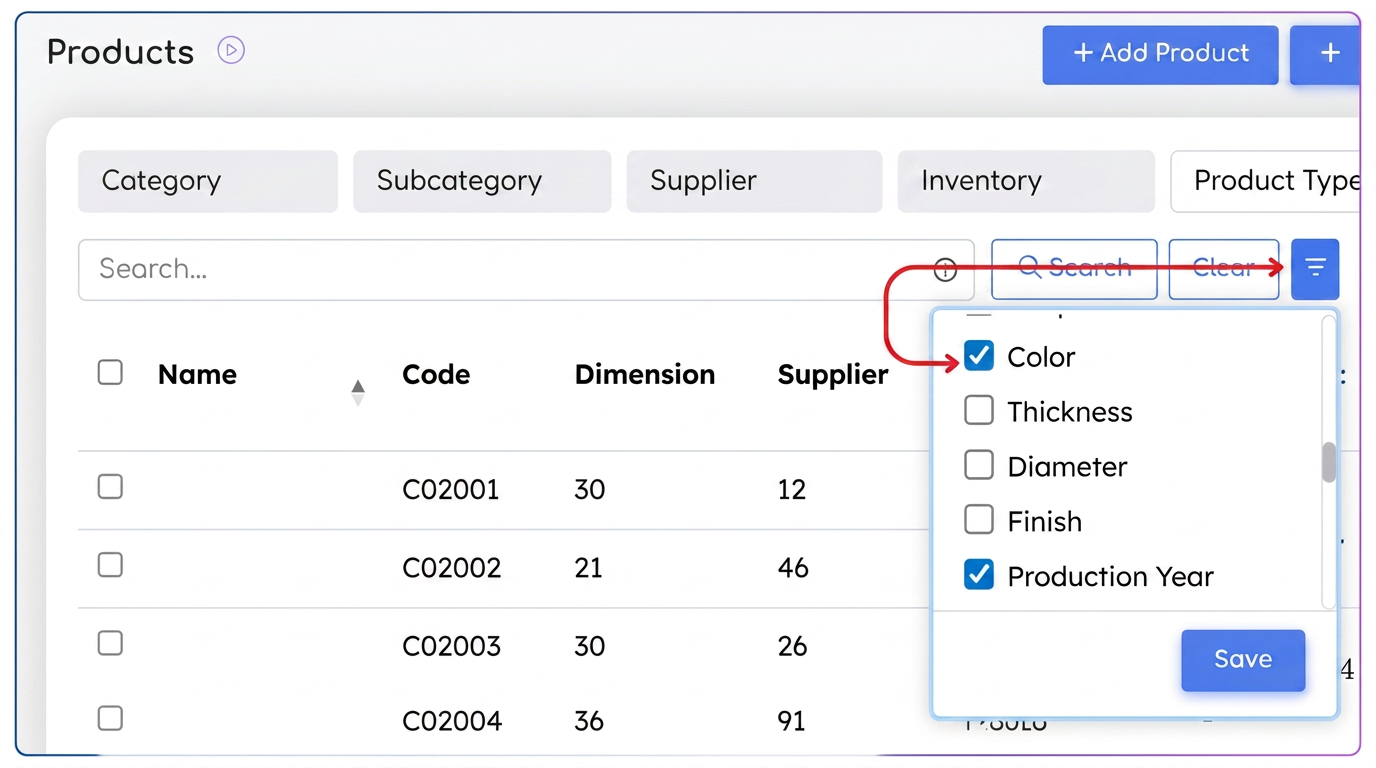
- Filtering: You have the possibility to filter the product list by these new characteristics (the filter must be activated after the field is created).
-
- Import/Export: The information stored in custom fields is compatible with the Data Import and Export functions.
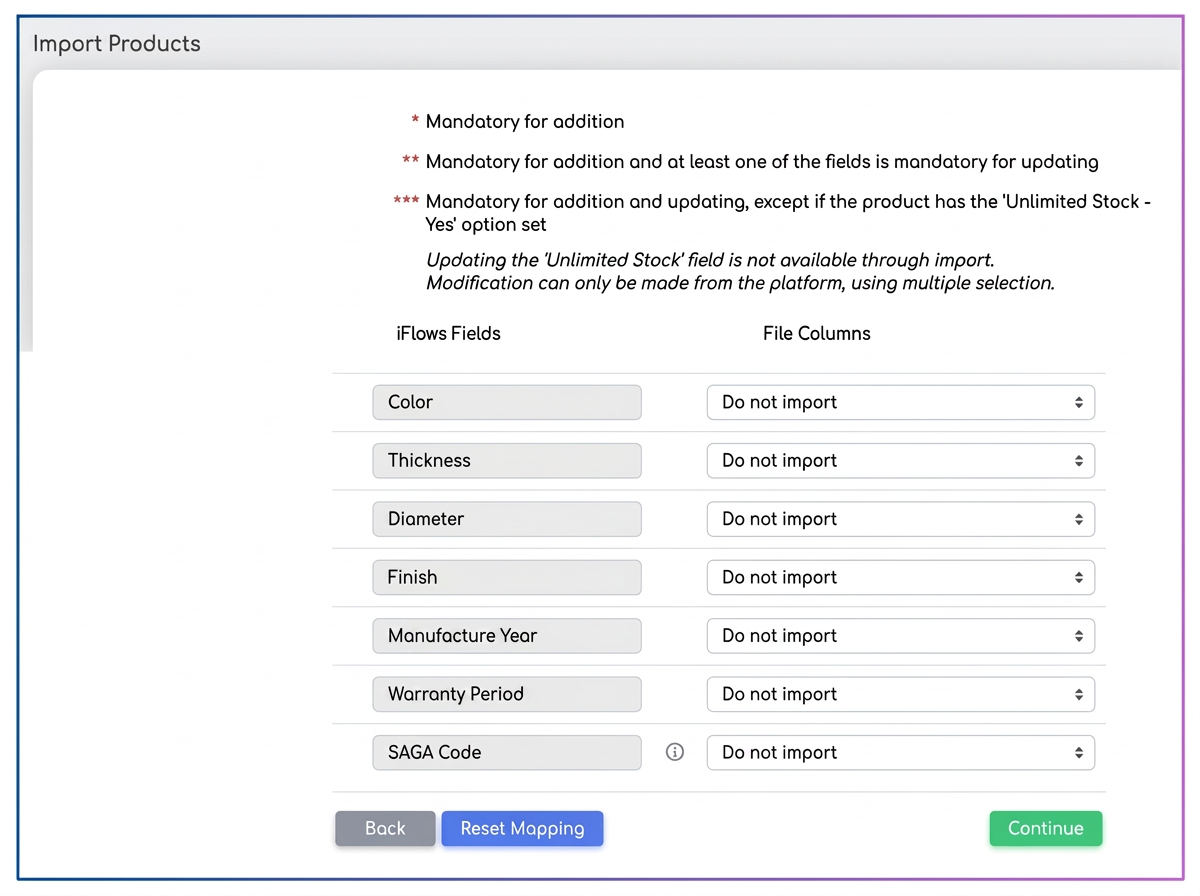
During import, all custom fields defined in iflows will automatically appear in the mapping list, in the same section as the standard fields. Thus, you can directly associate them with the corresponding columns in the uploaded file.
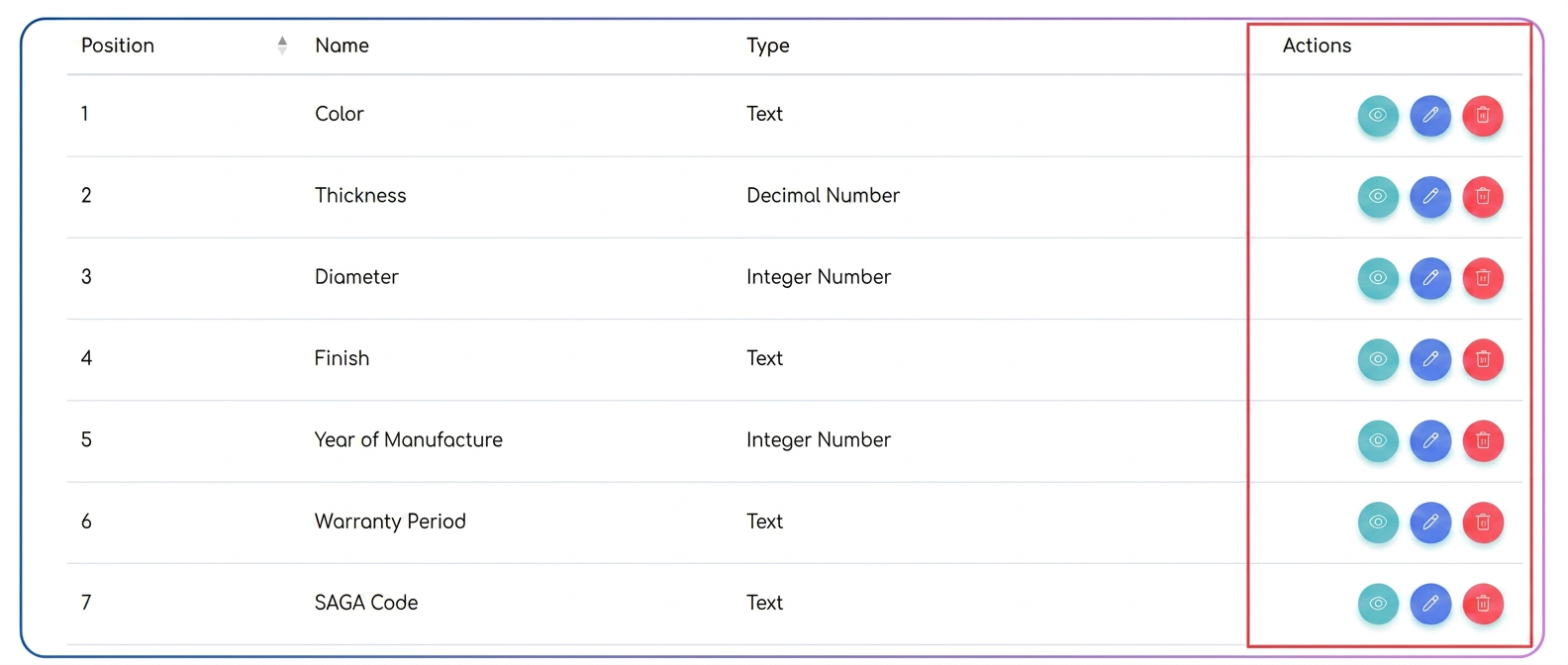
Edit and Delete:
Custom fields can be modified or removed at any time from the area.
• Editing the name, type, or position applies instantly to all products where the field is used.
• When deleting a field, information previously entered in products will be lost, as the field is permanently removed from the product structure.
• Reordering fields can be done at any time by changing the position.
Limitations and functional behavior
Custom fields are strictly informative and do not influence calculations, automatic price rules, or any other operational logic within the platform.
These characteristics are defined at a global level and apply to all products in iflows, regardless of category, type, or class. They cannot be configured distinctly by product category and cannot have differentiated behaviors across segments of the catalog.