
What problem does it solve?
Until now, to include complex details in an offer (images, technical specifications, extended descriptions), you had two options:
- To have them predefined in the product sheet within the nomenclature. This approach did not cover scenarios for customized or ad-hoc created products.
- To add them at the level of the entire document. In the case of multiple products, the details were not directly associated with a specific product.
The new "Additional Details" option completely eliminates these barriers. Now you have the flexibility to add rich content (text, images, tables) directly at the level of each product line in the offer, for specific situations where you need to detail certain products and that information does not apply to the standard.
Step-by-step User Guide
The process is intuitive and takes place entirely within the offer creation or editing page.
1. Access the details option
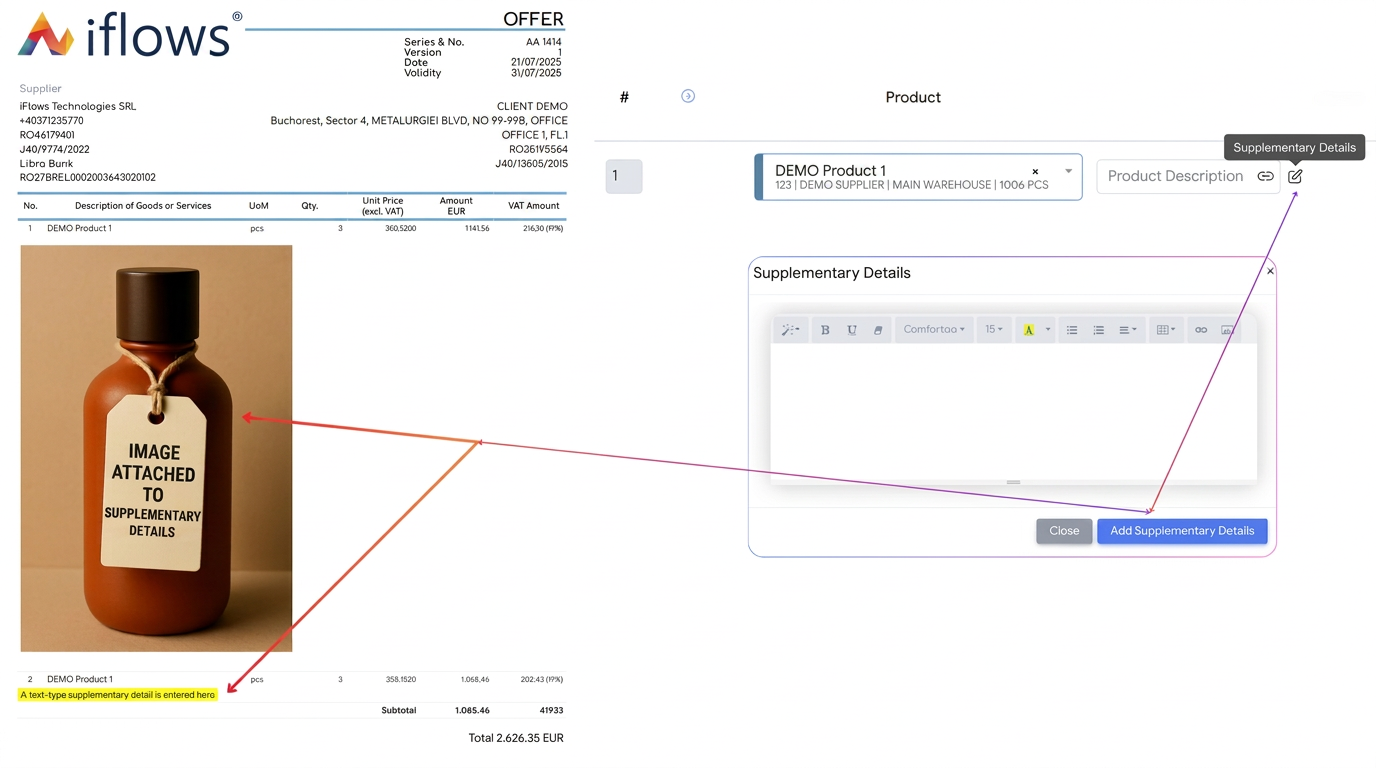
After adding a product to the offer, you will notice a new icon shaped like a page with a pencil (📝) called Additional Details, located next to the "Product Description" field. Click on it to open the editing window.
2. Add rich and personalized content
In the window that opens, you have a full text editor at your disposal, where you can:
- Write and format text: Add technical specifications, detailed descriptions, lists of benefits, or any other relevant information.
- Insert images: Upload product images, technical schemes, or diagrams to provide strong visual context. You can freely combine text and images to create complete presentations.
- Create tables: Structure complex data, such as feature lists or comparisons.
3. Resize and align images
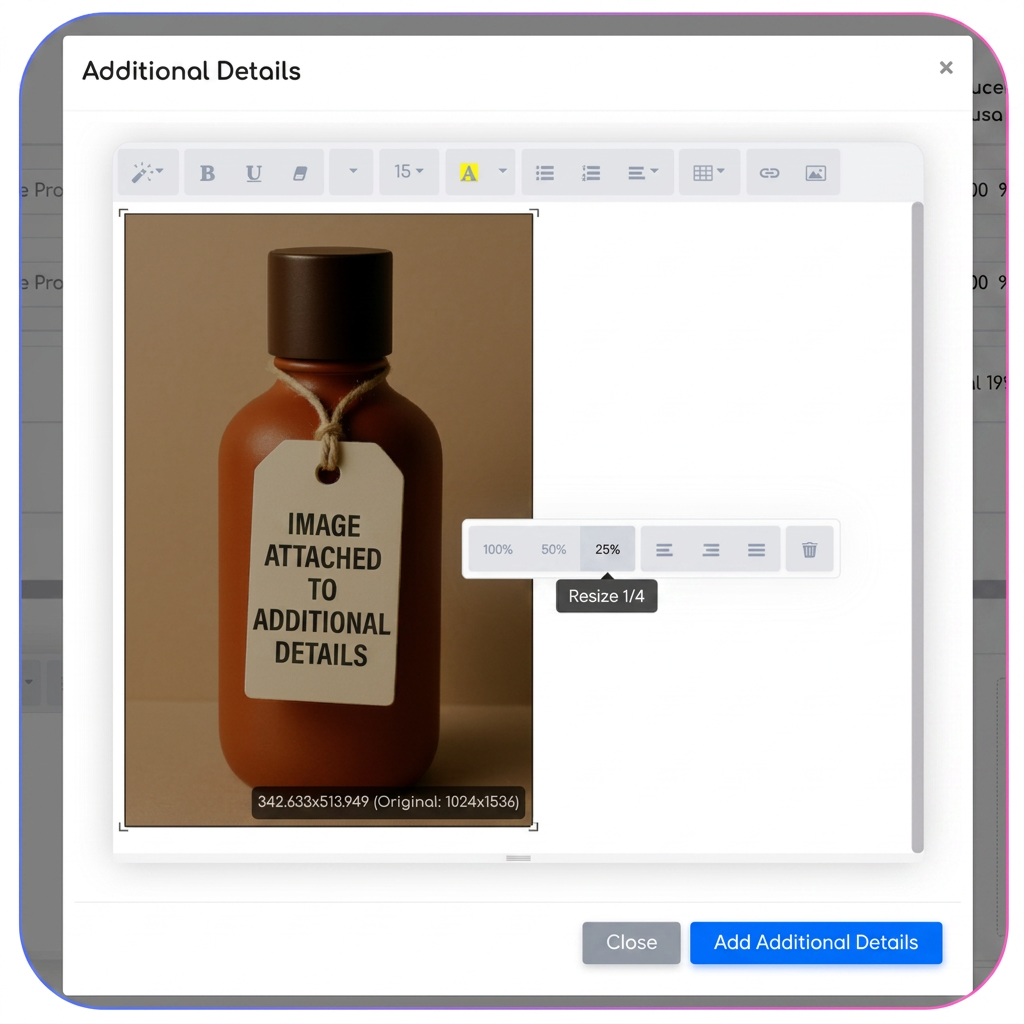
Once an image is inserted into the editor, you can click on it to access formatting options. From here, you can:
- Resize the image: Choose a predefined size (100%, 50%, 25%) to fit perfectly on the page.
- Align the image: Position the image to the left, right, or center for an aesthetic arrangement alongside the text.
4. Save and view the result
After you have finished, press the Add Additional Details button. The content will be saved for that specific product line. When generating the PDF document, these details will be elegantly displayed immediately below the corresponding product line.
Key Benefits
- Total flexibility for customized products: Ideal for made-to-order products. You can add unique specifications and images for each client without overloading the product nomenclature.
- Much more convincing offers: Enrich offers with visual support and thorough descriptions to help the client fully understand the value of the product and eliminate any lack of clarity.
- Granular control over details: You can use the same generic product in different offers, but with completely different additional details, perfectly adapted to the context of each sale.
Note: The "Additional Details" functionality will also be available in the order form, allowing the addition of text, images, and tables directly at the level of each product line, exactly like in the Offers module.