
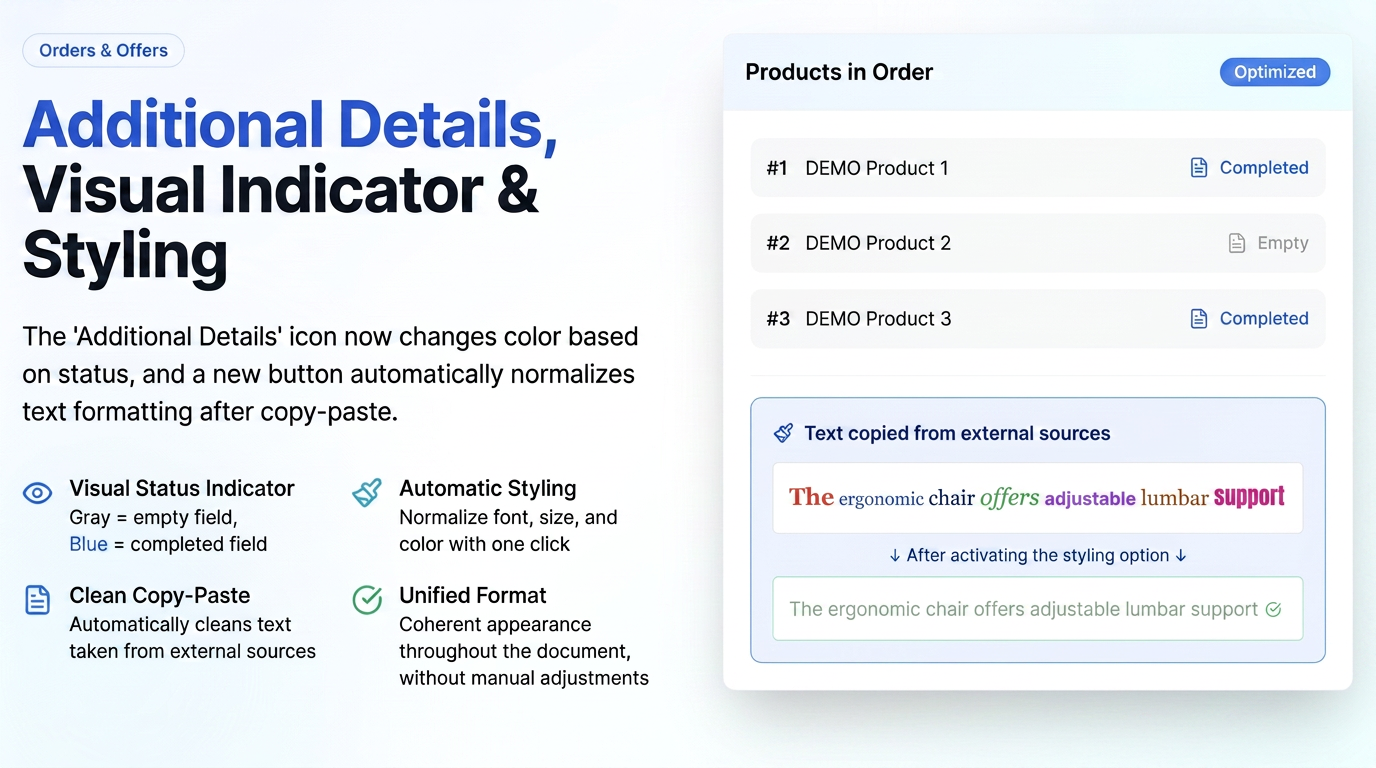
The "Additional Details" field available for each product in Orders and Offers has been improved with a visual status indicator and a dedicated button for normalizing text formatting.
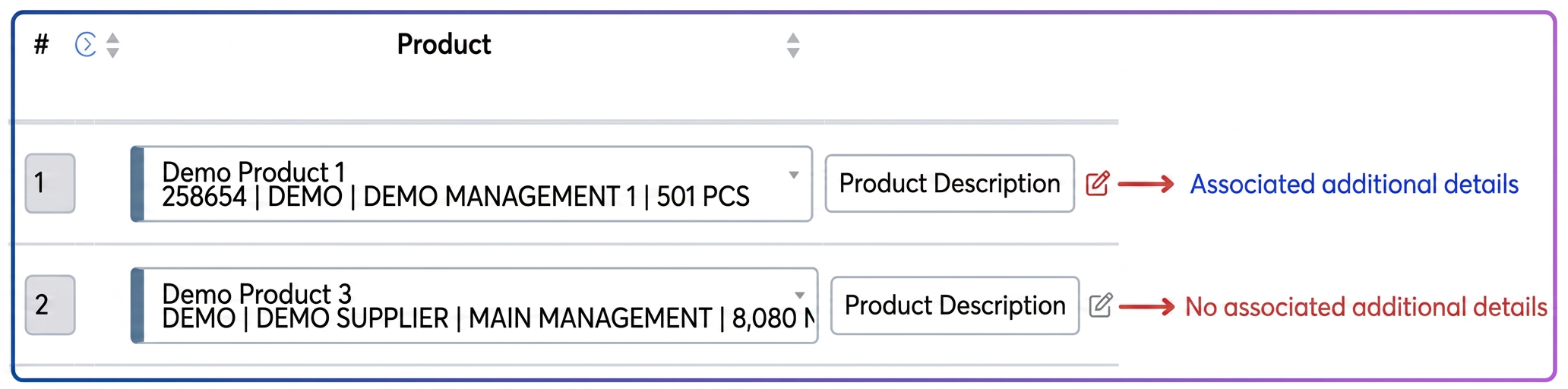
- The "Additional Details" icon next to each product changes color based on its status: gray = empty field, blue = completed field.
- New "Style Additional Details" button in the text editor — when pressed, it normalizes text formatting (uniform font, size, and color), especially useful after copy-pasting from Word or email.
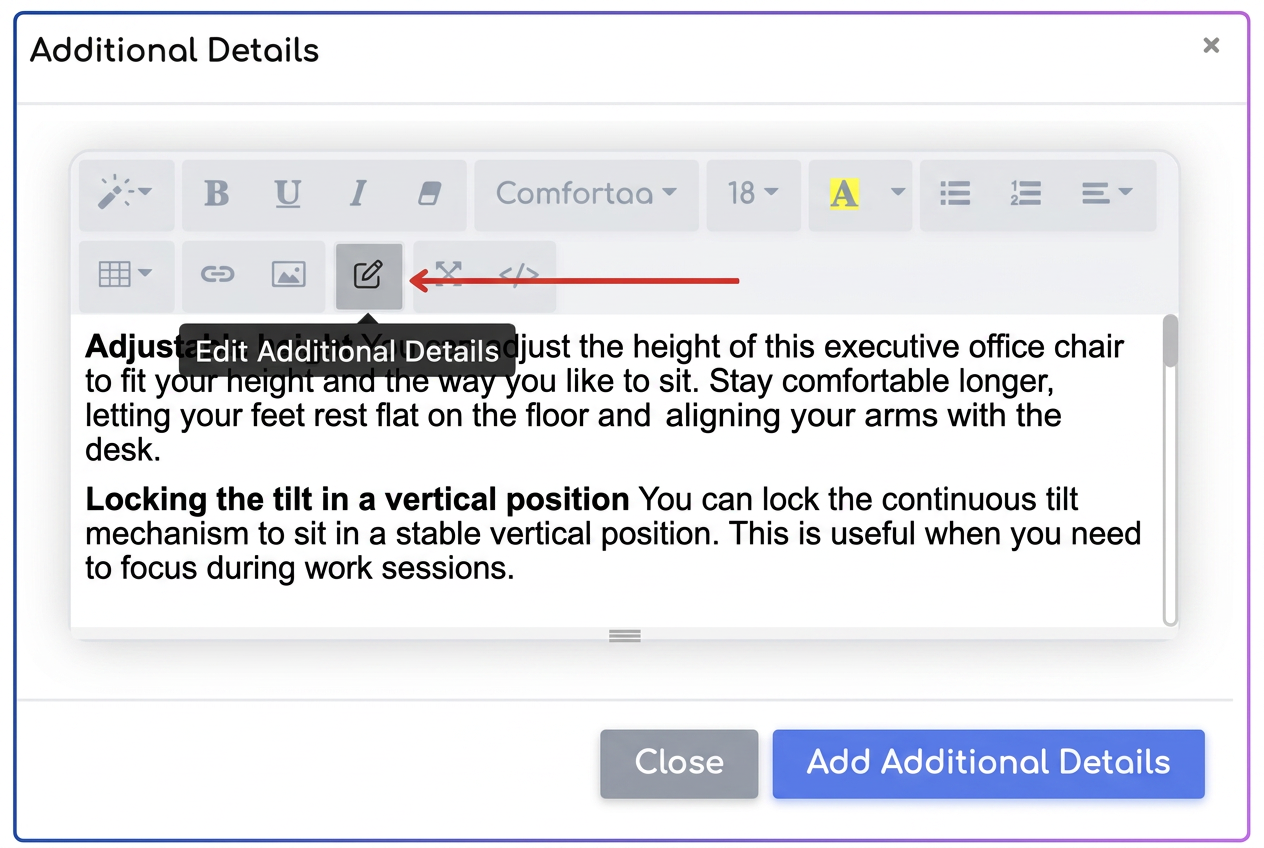
The "Style Additional Details" button automatically cleans text taken from websites or PDF documents, removing fonts, sizes, and colors imported from the original source and applying the application's standard format; thus, it is no longer necessary to manually identify which font and size should be used to maintain consistency with the rest of the document, as the system automatically uniformizes the content for a cohesive look.
Practical example
A user copy-pastes from an email into the Additional Details field — the text carries over different fonts and colors from the original source.
→ Click the "Style Additional Details" button — the text becomes uniform in font and size with the rest of the document.
→ The icon next to the product turns blue, indicating that there is saved content in the field.