
To view files uploaded to the workflow and associated with an order, you have two main access methods:
1. Access from the workflow:
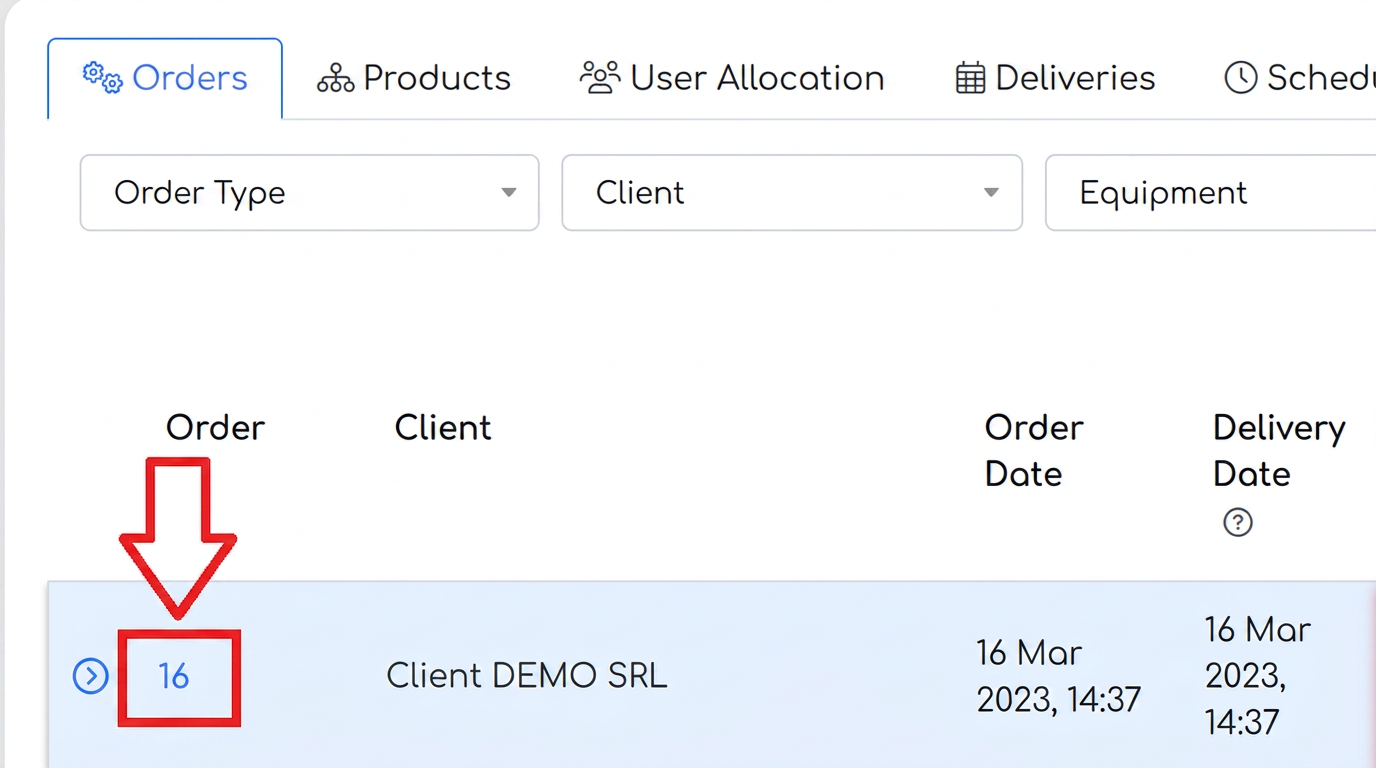
- In the workflow, click on the order number. This is a hyperlink that will open the order details.
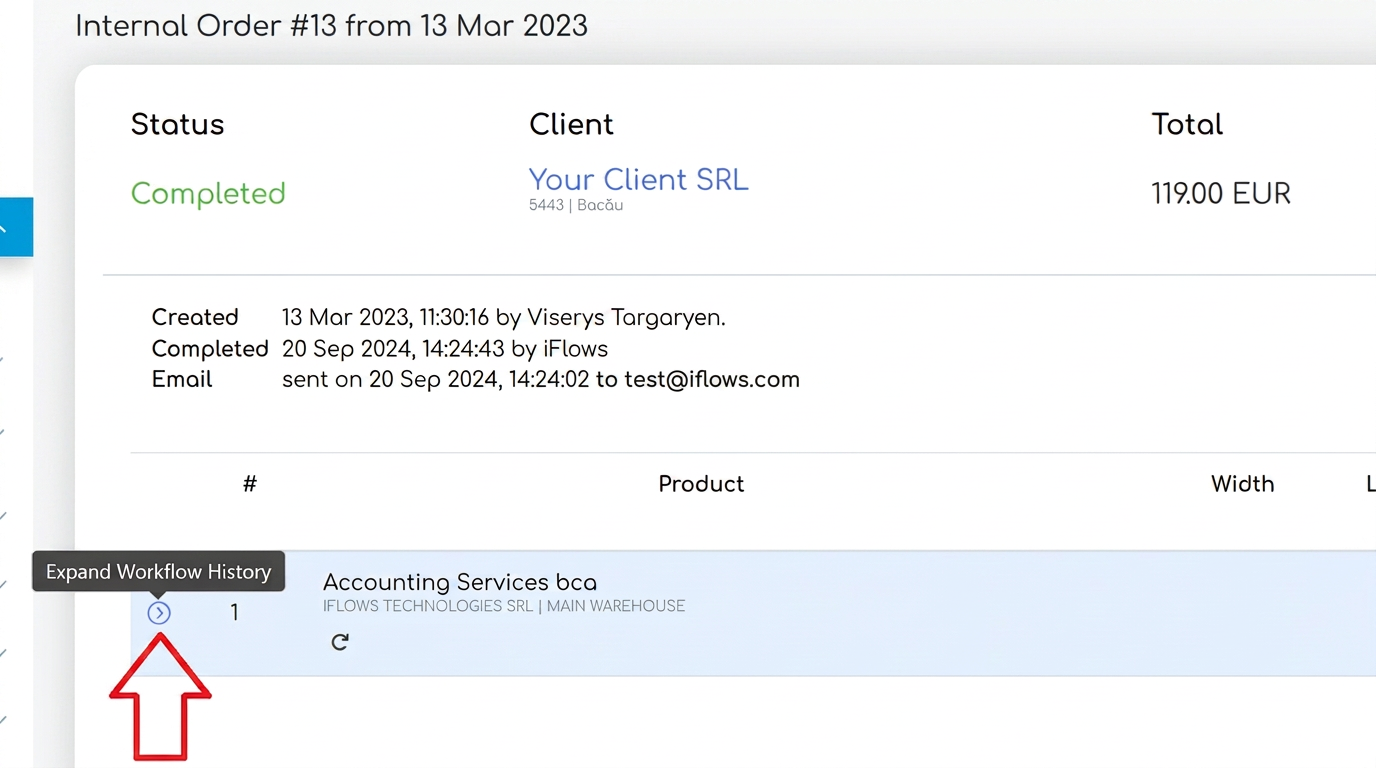
- In the window that opens, next to each product, there is an arrow on the left side. Click that arrow to expand the history.
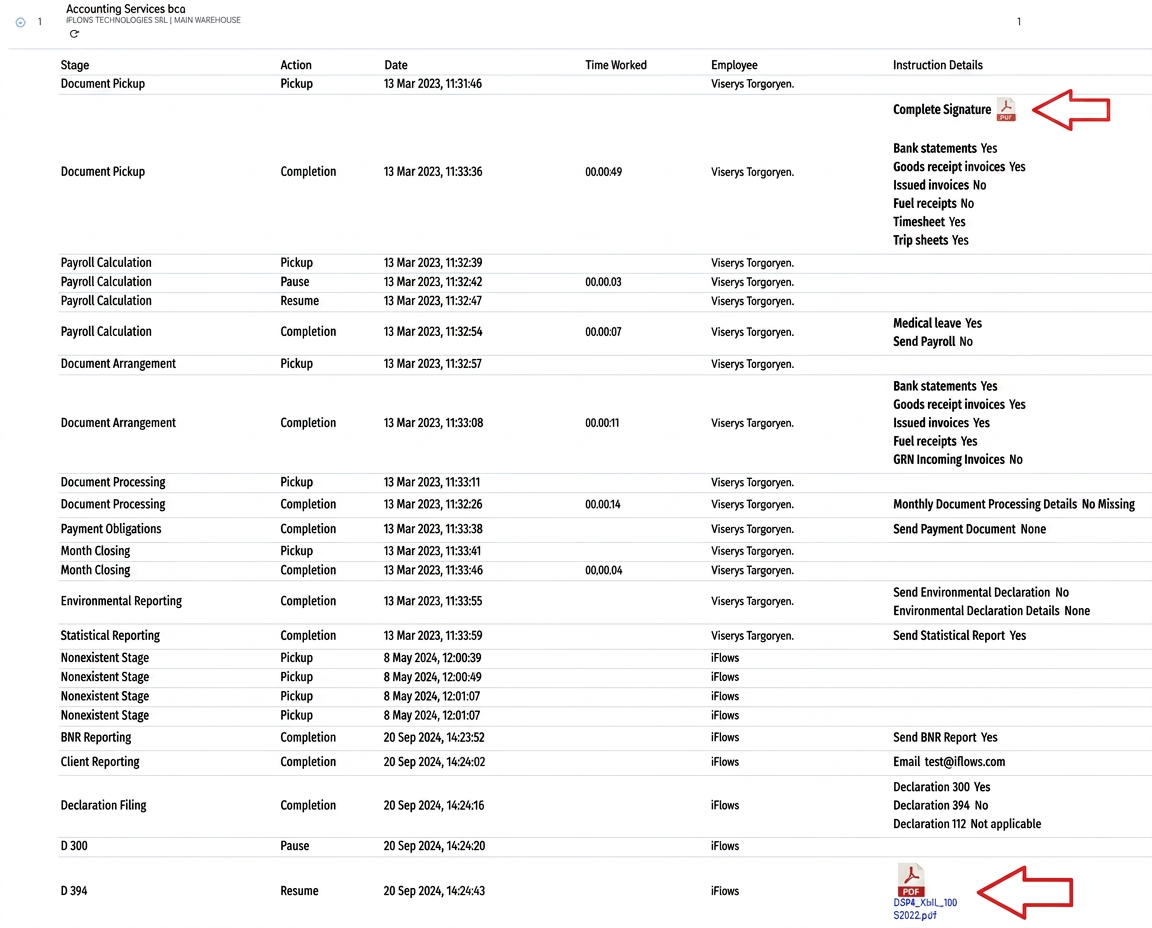
- In this mode, you will be able to access all order details for each individual stage, including the uploaded files.
2. Access from the "Sales" - "Orders" section:
- Go to the Sales section and select Orders.
- Find the desired order and, on the right side in the actions section, click on the eye icon. This represents the order details option.
- You will be able to view all information and uploaded documents, regardless of whether the order is active or completed.
- By clicking this symbol, you will be able to see the order details and all uploaded documents.