
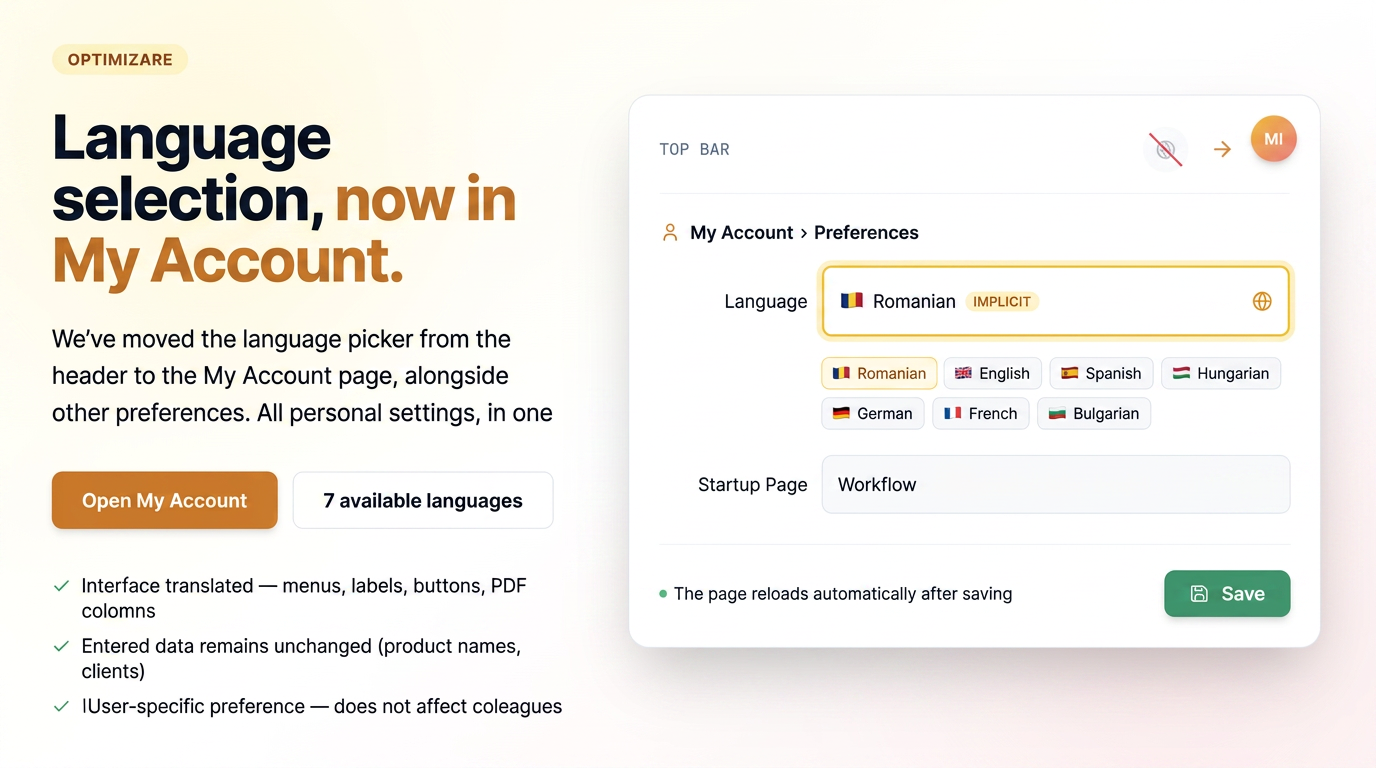
The option to change the language has been moved from the top bar (globe icon in the header) to the My Account page, alongside other user preferences. This move groups personal settings in a single place, making them easier to find.
Reminder: changing the language affects the application interface, not the data you have entered. Menus, titles, labels, buttons, and document column headers are translated. User-entered content remains unchanged — product names, customer names, units of measurement, and your own texts are kept exactly as they were entered.
How to use
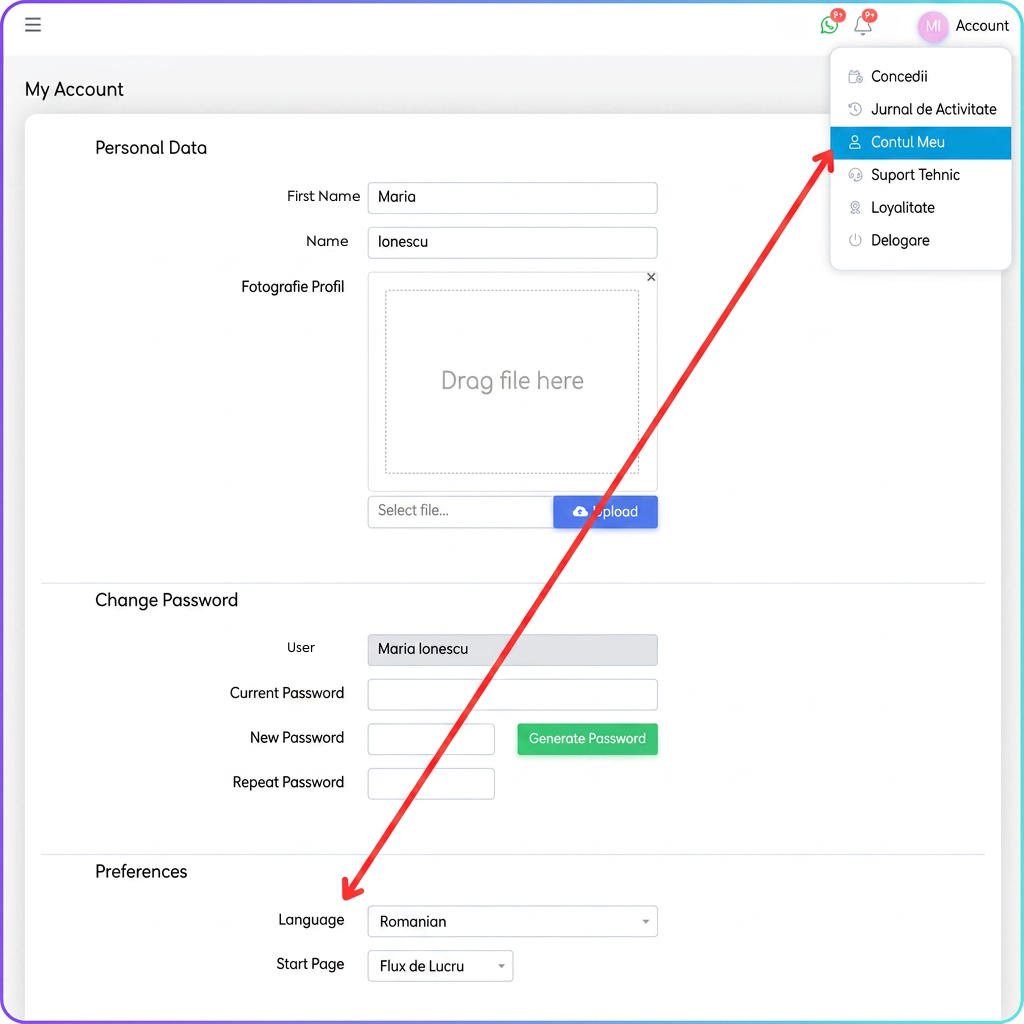
- Open My Account — from the user menu (avatar in the top right).
- Go to the Preferences section — at the bottom of the page.
- Select the desired language from the Language field.
- Press Save.
How the change is applied
The new language is applied after saving: upon pressing the Save button, the page reloads automatically and appears directly in the chosen language. No re-authentication is required.
Notes
- The setting is a per-user preference — it only modifies the interface of your account and does not affect other users in the organization.
- Available languages (7): Romanian (default), English, Spanish, Hungarian, German, French, and Bulgarian.