
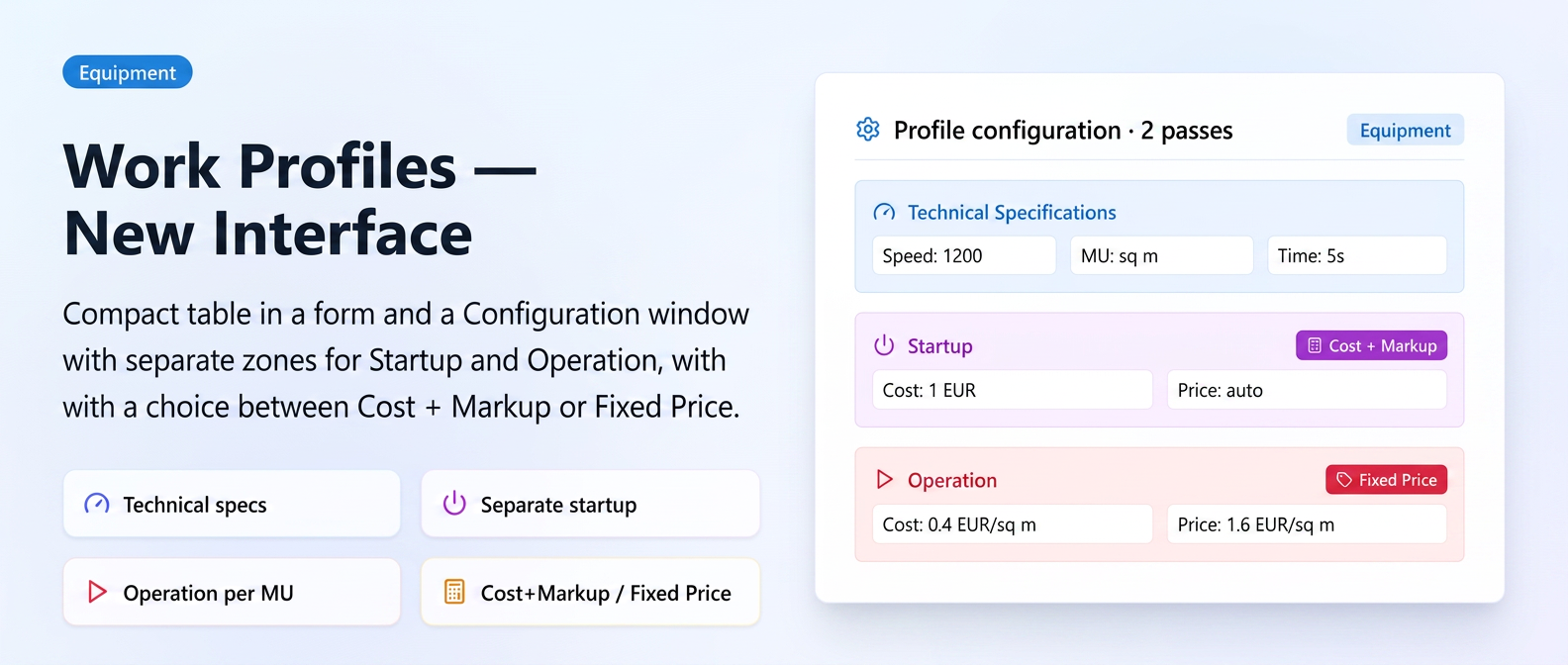
The working profiles configuration area in the add/edit equipment form has received a complete redesign for a clearer and more intuitive experience.
How it is organized now
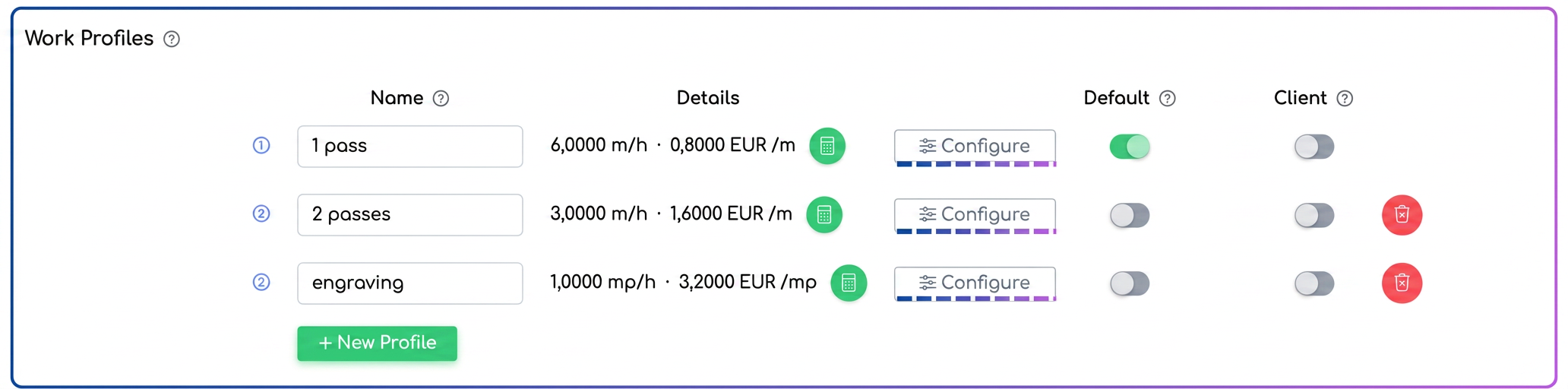
On the equipment page, the Working Profiles section displays a compact table with basic information for each profile — name, speed, and units of measurement — visible at a glance. Extended settings (costs, prices, startup time, margins) are no longer exposed directly in the form, but are accessed via the Configuration button of the respective profile.
The Configuration window is divided into three visually distinct areas:
- Technical Specifications — speed, unit of measurement, and time, on the same row.
- Startup — the cost and price applied once when starting the equipment.
- Operation — the actual operating cost and price, applied per unit.
In each of the two areas (Startup and Operation), the selling price can be calculated in two ways — Cost + Markup (the price results automatically from applying configured margins over the cost) or Fixed Price (you enter the value directly, while the cost remains used for profitability reports). Thus, the visual separation of the two pairs (Startup vs. Operation) and the two calculation modes (Cost + Markup vs. Fixed Price) makes it immediately clear what the internal cost of the equipment is and what the actual price charged to the client is.
How to use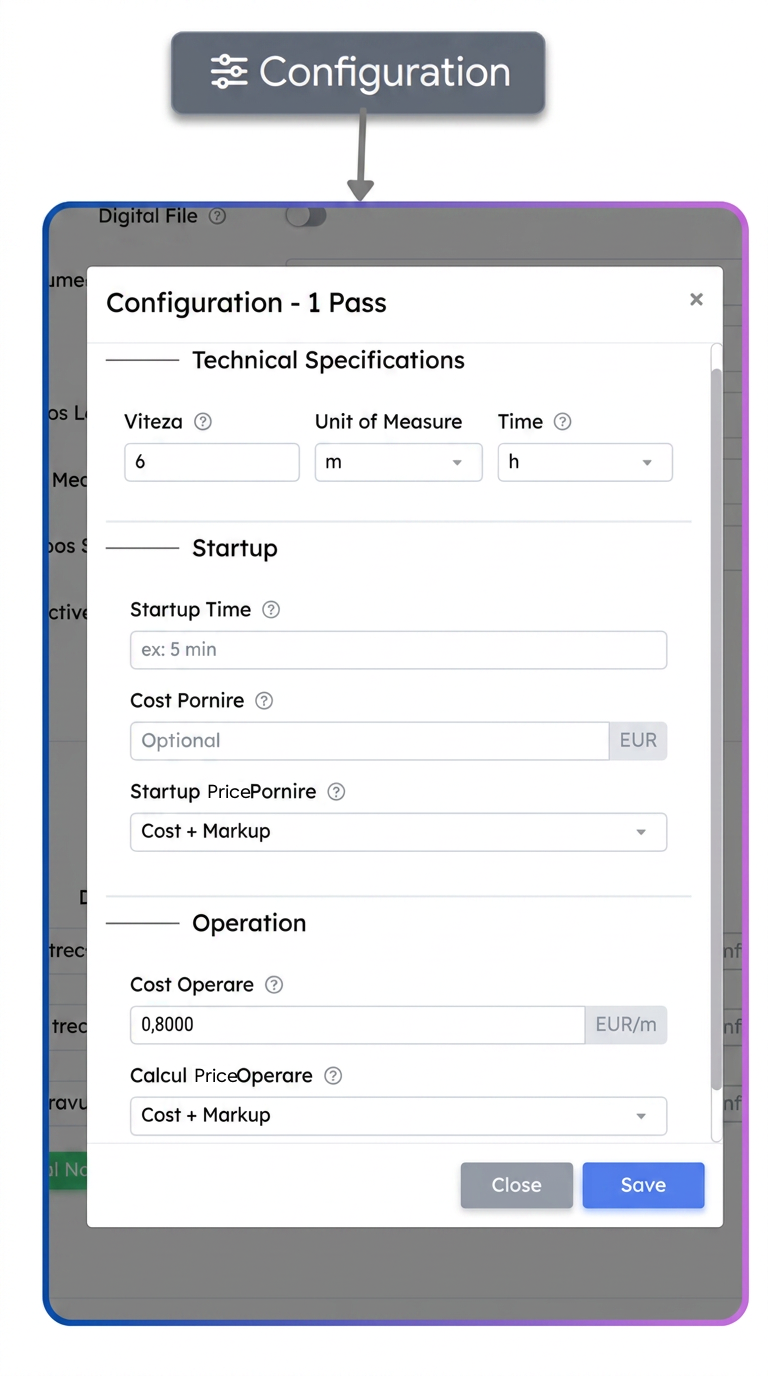
- Go to and open the add or edit form for a piece of equipment.
- In the Working Profiles section, click the Configuration button for the desired profile.
- Fill in the technical specifications (speed, UM, time).
- In the Startup and Operation areas, choose the price calculation mode for each — Cost + Markup or Fixed Price — and complete the relevant fields.
- Press Save in the configuration window, then save the equipment form as well.
Practical example
A printing company configures a printing machine with two working profiles — one for standard prints and one for premium prints. The operator wants the price for the standard profile to be calculated automatically from the cost (for flexibility with material fluctuations), and for the premium profile, the price to be fixed (
→ For the Standard profile, in the Operation area, they choose Cost + Markup — the system automatically applies the configured margins per client level
→ For the Premium profile, in the Operation area, they choose Fixed Price and enter the desired value — margins are ignored, but the cost is still used for profitability calculations
→ When adding the equipment to a quote, the system automatically applies the correct rule based on the chosen profile