
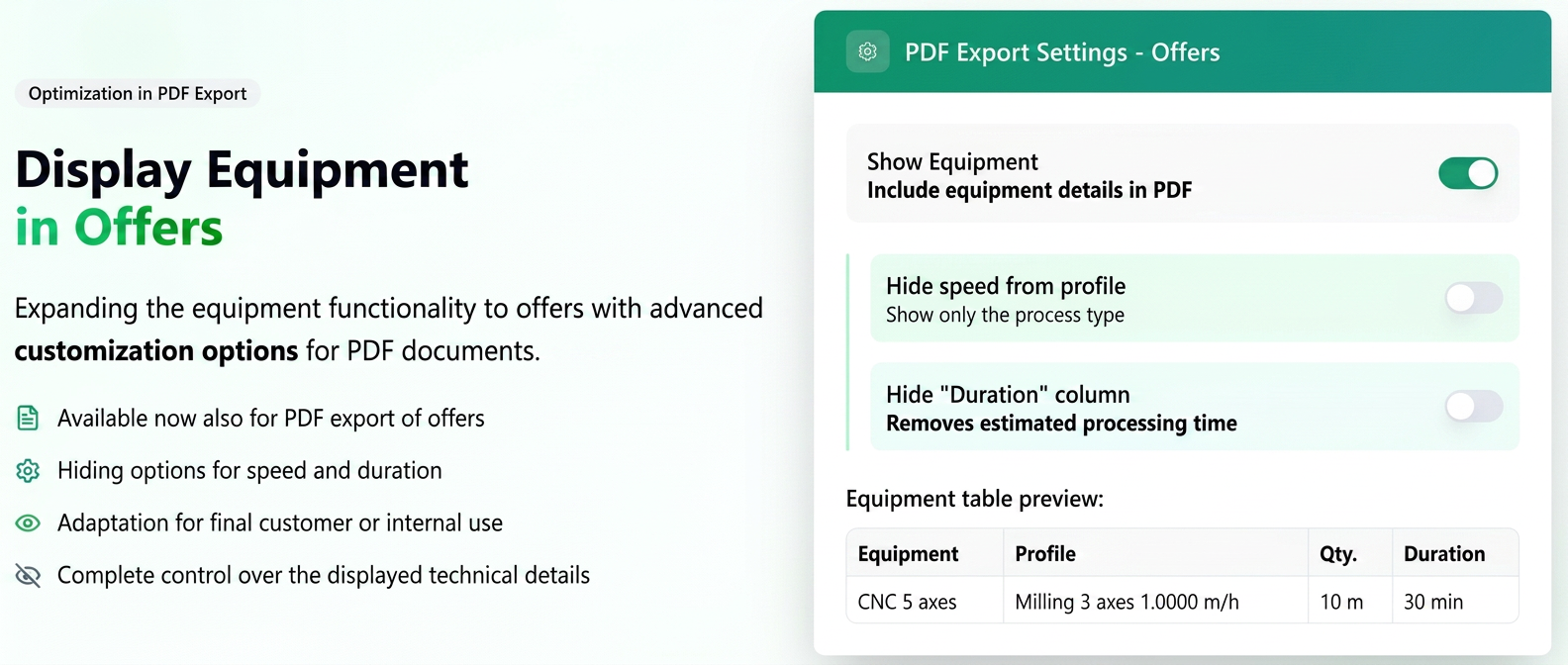
- Extension of the "Display Equipment" option to Quotes
– previously available exclusively for Orders, the functionality is now also available in the PDF export for Quotes. - Introduction of two additional options for customizing displayed details:
- Hide speed from profile – displays only the process type (e.g., "3-axis Milling"), without the working speed.
- Hide "Duration" column – completely removes the column regarding the estimated processing time on the equipment.
With these options, PDF quotes and orders can be adapted based on the audience:
- for the end customer → simplified documents, without technical parameters or production times;
- for internal/technical use → detailed documents, with all operational information.
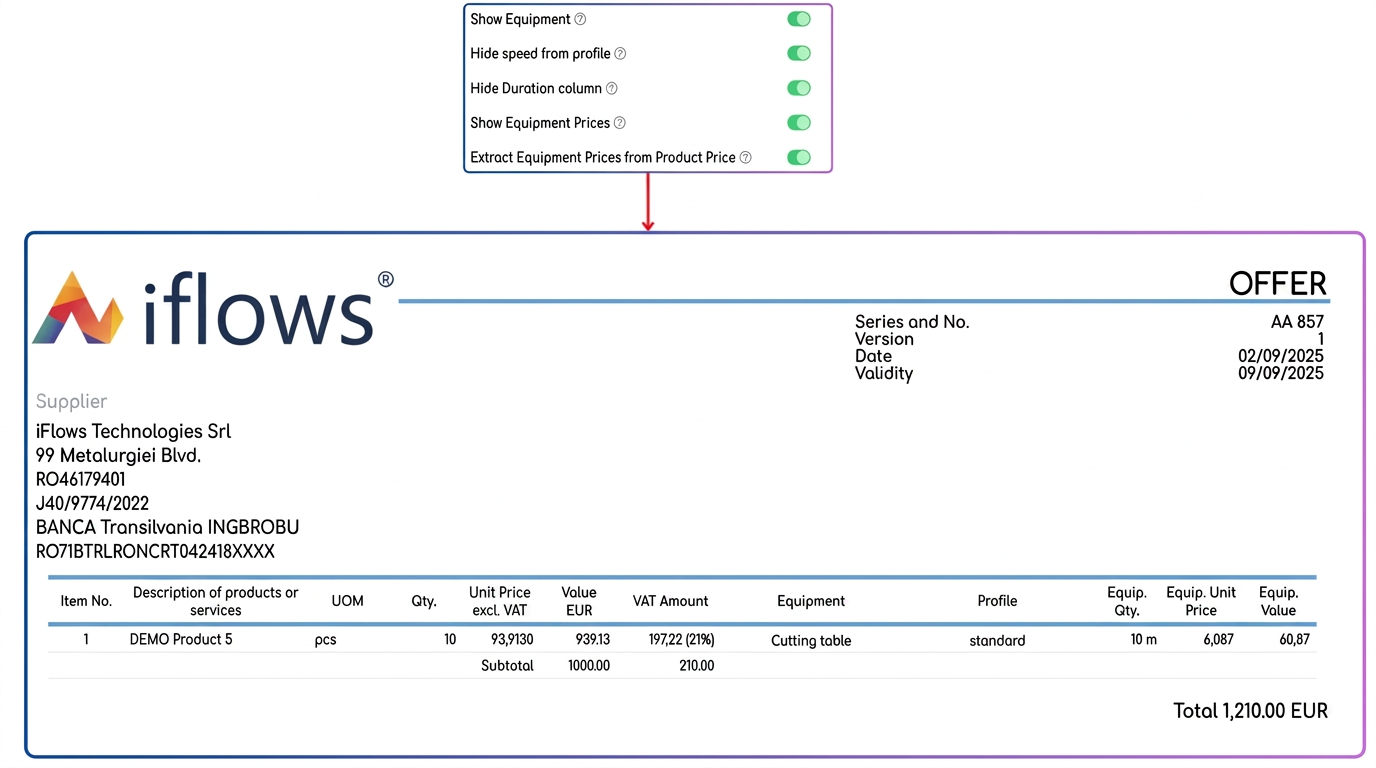
When the "Display Equipment" option is enabled, the PDF document will include additional details regarding the processes and equipment used to create the product/service.
In this case, the following new settings become available:
1. Hide speed from profile (new)
- Role: controls how the technological profile is displayed.
- If OFF (default): both the profile name and the working speed are displayed (e.g., "3-axis Milling 1.0000 m/h").
- If ON: only the profile name is displayed (e.g., "3-axis Milling"), without the speed detail.
- Recommendation: useful when you do not want to expose technical parameters in documents sent to the customer.
2. Hide "Duration" column (new)
- Role: completely removes the "Duration" column from the table.
- What the "Duration" column represents: the estimated time required to process the indicated quantity on that specific equipment.
- Example: if 10 m of material are processed on a "5-axis CNC" at the defined speed, the calculated time appears in the column (e.g., "30 min").
- If OFF (default): the "Duration" column is visible in the PDF.
- If ON: the "Duration" column disappears completely.
- Recommendation: ideal when the quote is intended for the end customer, to keep the document simple and not expose production times.
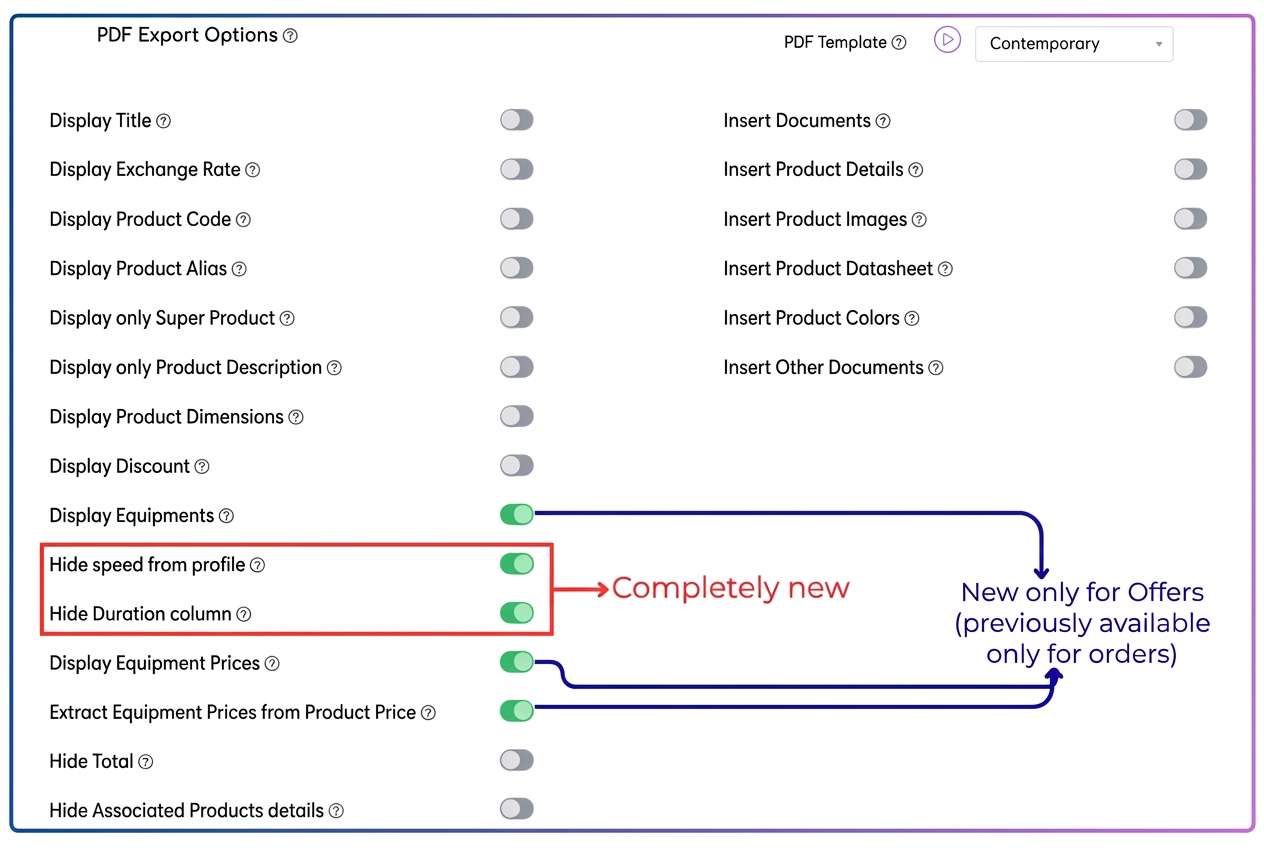
| Setting | ON | OFF (default) |
| Display Equipment | The table includes equipment details: Equipment, Profile, Equip. Qty, Equip. Unit Price, Equip. Value, Duration. | Equipment does NOT appear in the PDF. |
| Hide speed from profile (new) | Only the process name appears in the Profile column (e.g., "3-axis Milling"). | Name + speed appear in the Profile column (e.g., "3-axis Milling 1.0000 m/h"). |
| Hide "Duration" column (new) | The Duration column is completely removed from the table. | The Duration column is visible (e.g., "25 min", "0.1 h"). |
| Display Equipment Prices | The Equip. Unit Price and Equip. Value columns are displayed with the rates related to the equipment. | Equipment appears only as a technical list, without prices. |
| Extract Equipment Prices from Product Price | The product price is automatically reduced by the value of the equipment and displayed next to the equipment. | The product price includes the equipment cost. |