
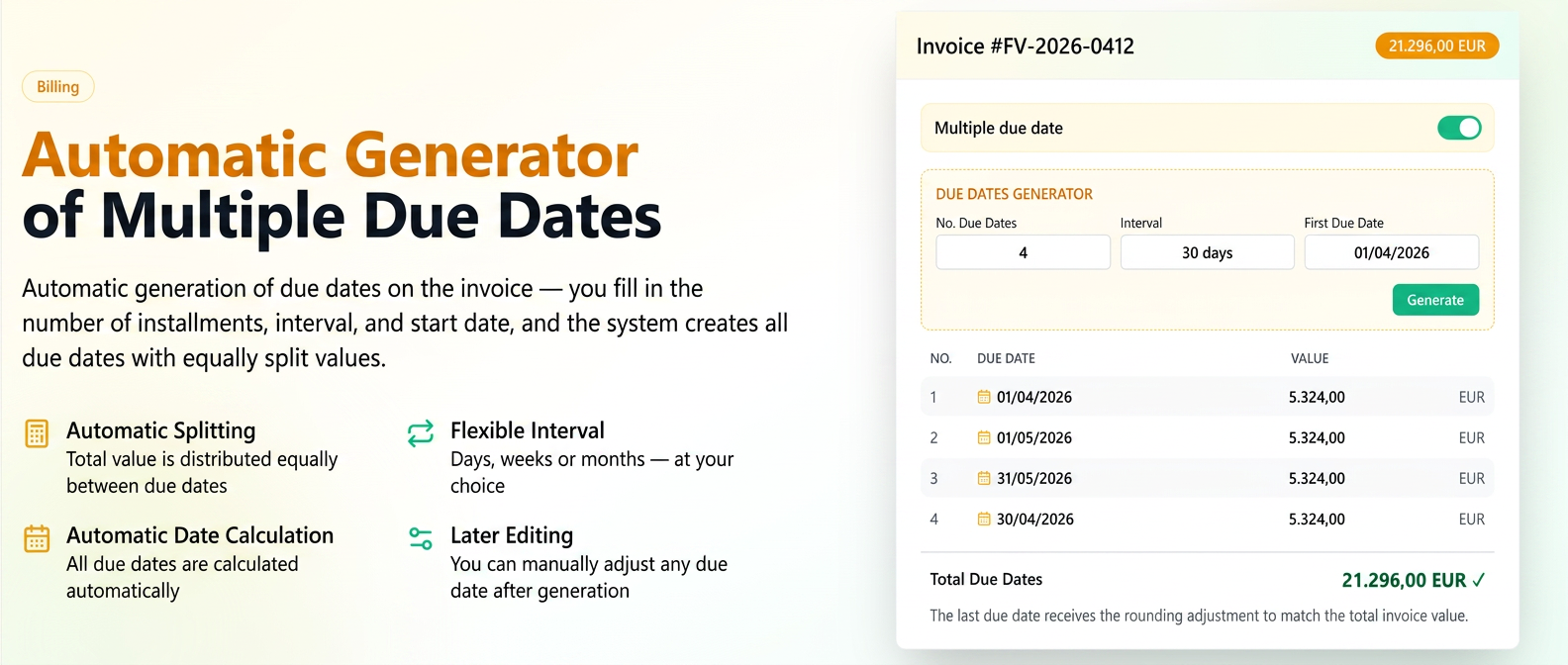
Upon activating the "Multiple due dates" option on an invoice, an automatic due date generation function has been added, eliminating the need to manually enter each date and value individually.
Features:
- "Due date generator" option available when activating multiple due dates.
- The total value of the invoice is automatically divided equally among the generated due dates.
How to use
- Activate the "Multiple due dates" toggle on the invoice.
- In the Due Date Generator section, fill in: the number of installments, the interval (days / weeks / months), and the first due date.
- Click on "Generate" — the due dates are automatically created with the calculated dates and values.
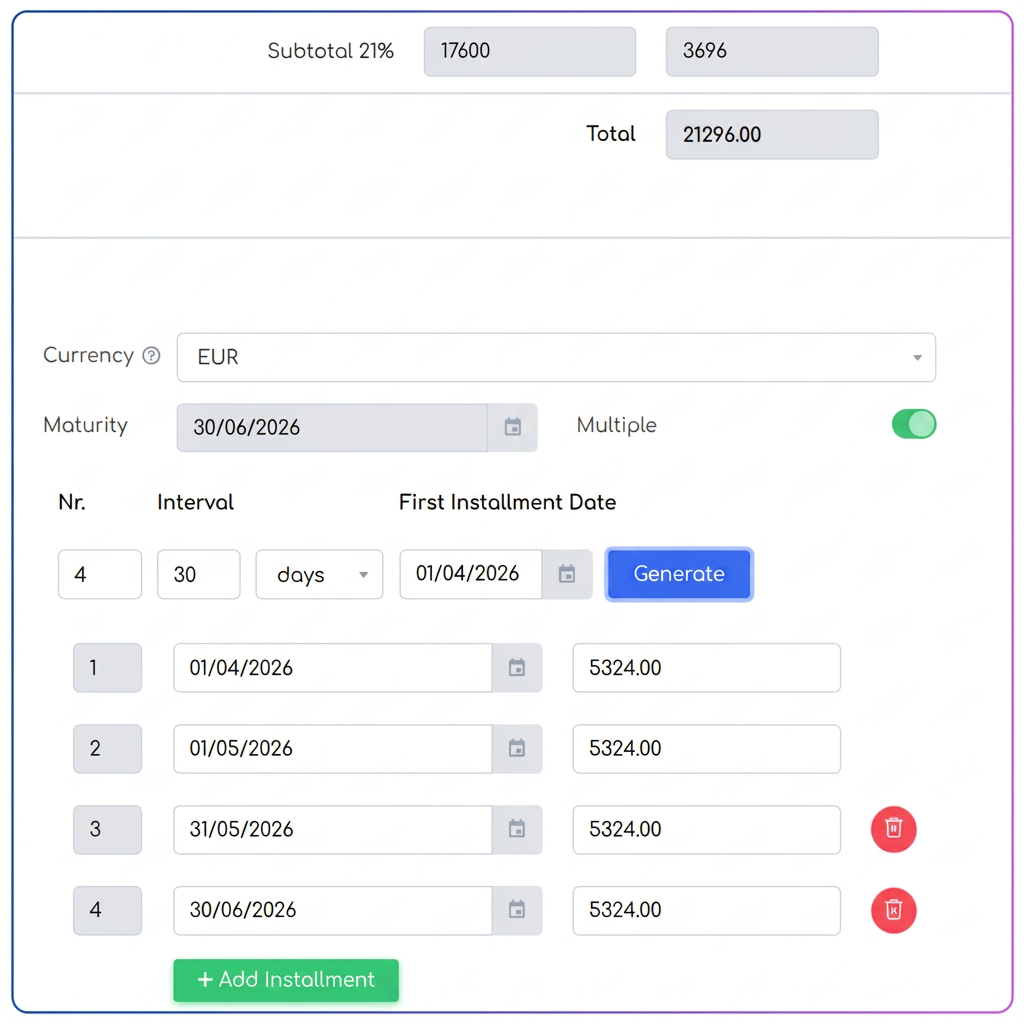
Practical example
Invoice with a total value to be divided into 25 installments, every 5 weeks, starting from 01.01.2026.
→ The system automatically generates 25 due dates with the calculated dates and equally divided values.
→ The user can manually adjust any due date after generation.
Note: Values are divided as equally as possible, but the last due date receives the rounding adjustment, so that the sum of all installments matches the invoice total. Not all rows are always mathematically identical at the 4th decimal place; upon display/rounding, the last line may differ slightly.