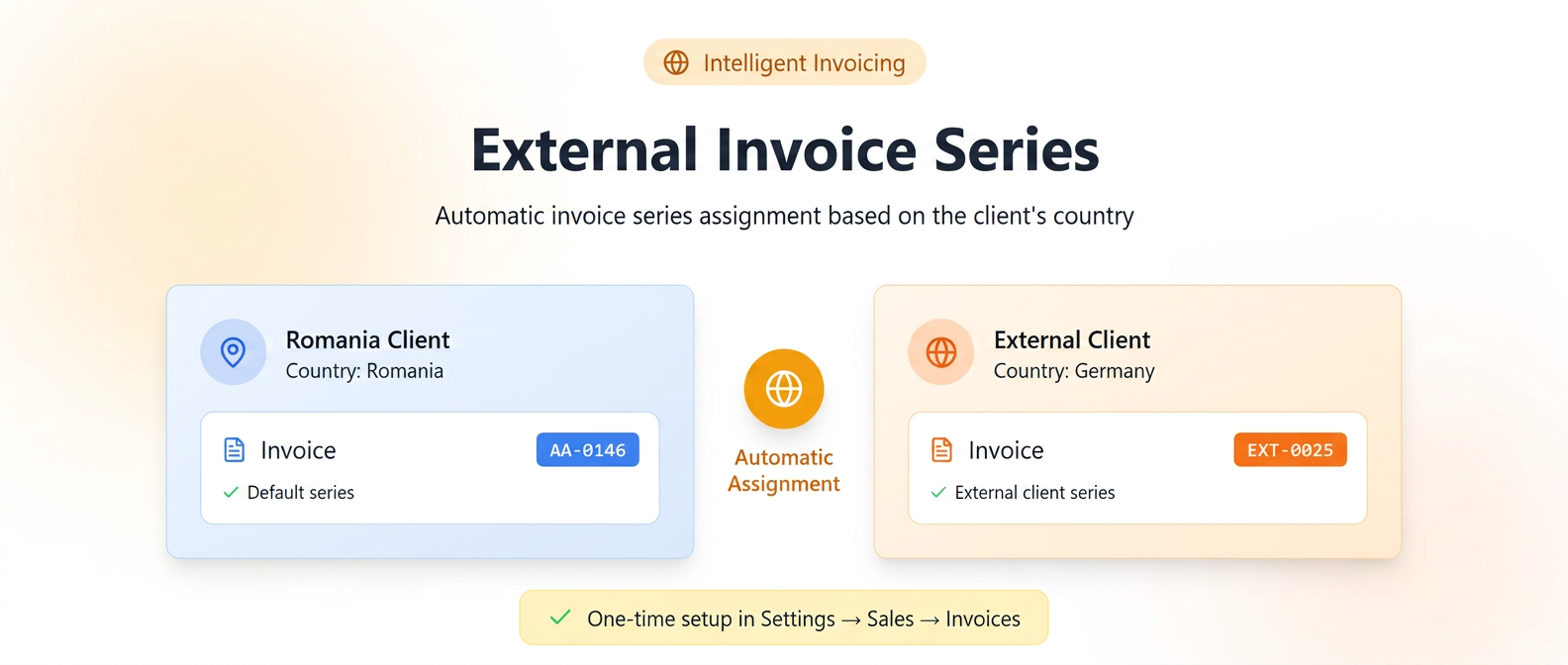
In iFlows, invoices can be issued using different series and numbering, and the system automatically assigns the correct series based on the country set in the client's file.
When issuing an invoice, the user does not manually select the series. iFlows automatically checks the client's country and applies the corresponding series:
- if the client's country is Romania, the default series is used;
- if the client's country is any other than Romania, a different series, configured in settings, is used.
How to activate and configure
Configuration is done in the settings area and is required only once.
Configuration steps
- Go to .
- Identify the existing default series.
- Select the Add series option.
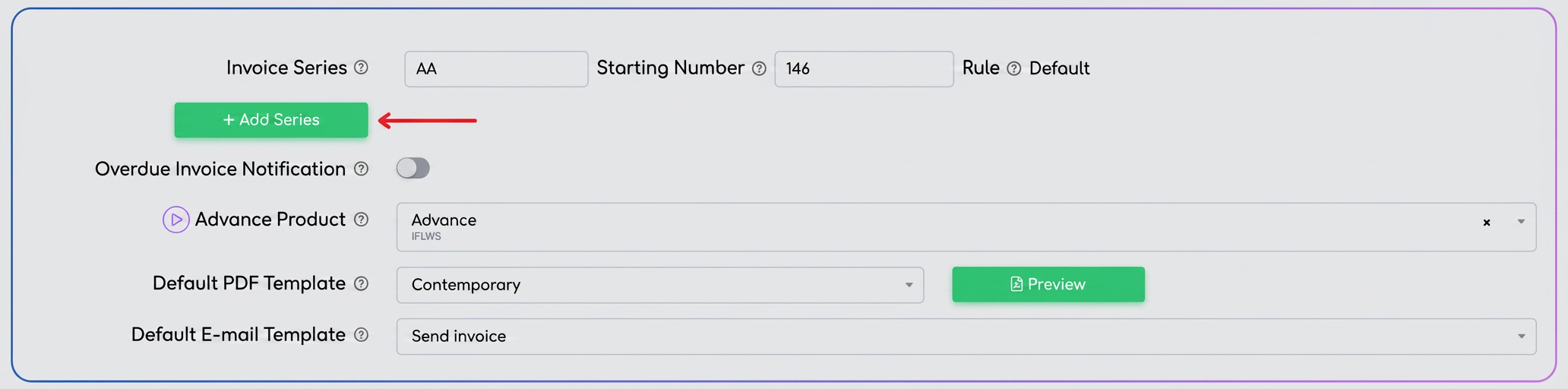
- Complete the series parameters (name, prefix, initial numbering).

- Save the configuration.
The configured series becomes active and is used automatically according to the allocation rule.
Issuing invoices
During the issuance process:
- the user generates the invoice without manually selecting the series;
- the system identifies the client's country;
- the invoice series and number are automatically assigned according to the defined rule.
Operational constraints
- Series immutability
After saving the invoice, the series and numbering cannot be modified. - Dependency on client data
The "Country" field in the client file must be filled in correctly prior to issuing the invoice.
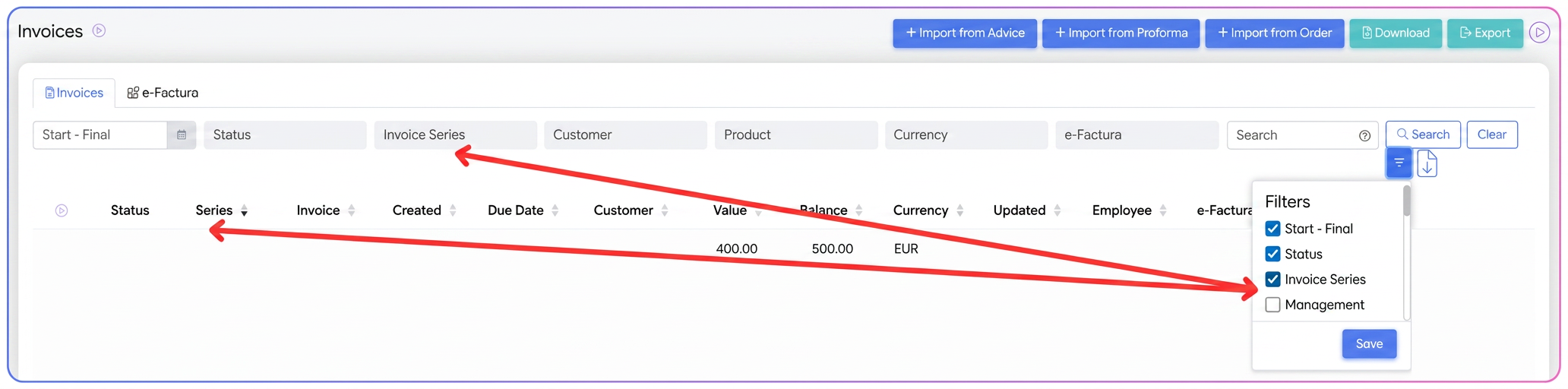
iFlows allows filtering invoices by invoice series directly from the invoice list, if this option is activated from the "Filters" button:
- the "Invoice Series" column is displayed in the invoice table;
- the "Invoice Series" field can be activated from the column selector;
- the user can filter the list to view exclusively:
- invoices issued on the default series (Romania clients);
- invoices issued on series dedicated to external clients.