
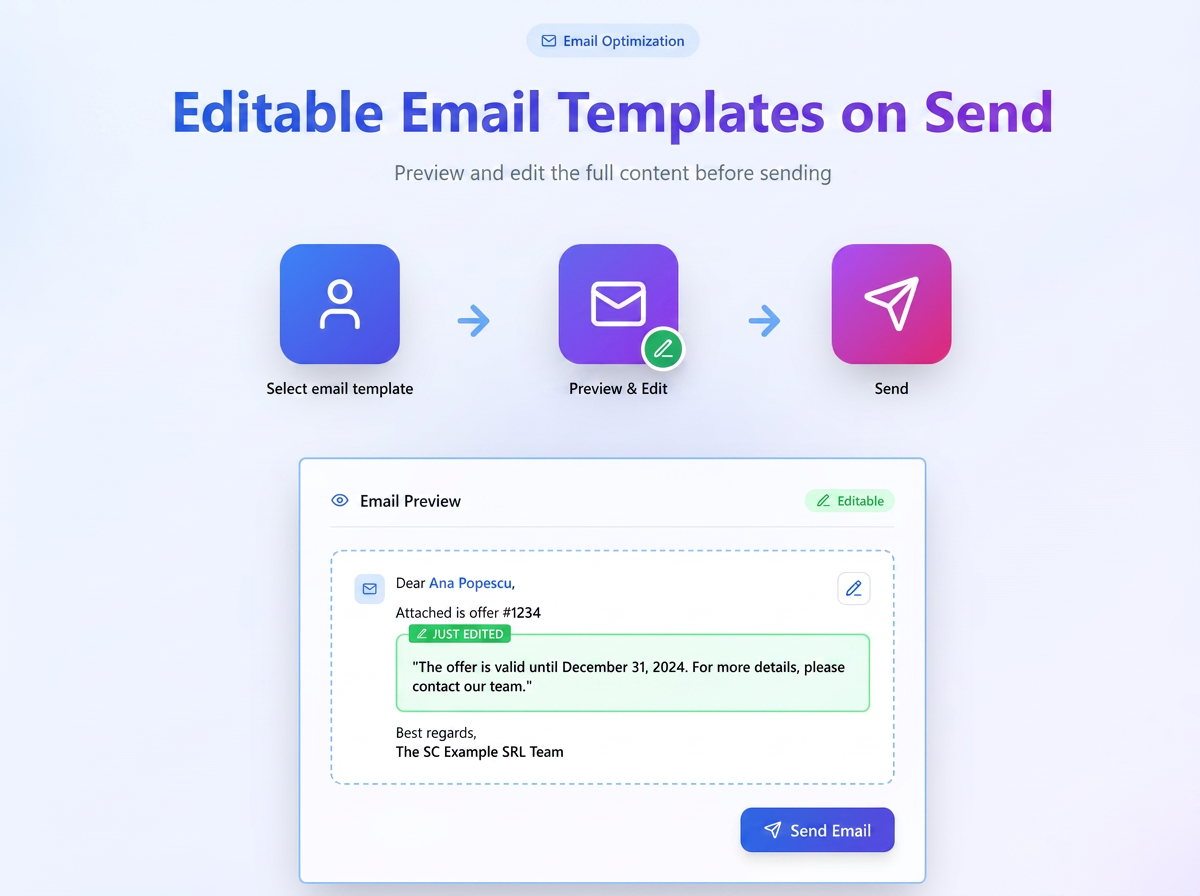
A new option has been introduced that allows editing the full content of an email template directly in the sending window.
Through the new "Editable text at sending" option, users can adapt the content before sending without modifying the base template in the system.
This novelty completely replaces the old {informatii} variable, offering a modern and more intuitive solution.
How it works
Activating the option
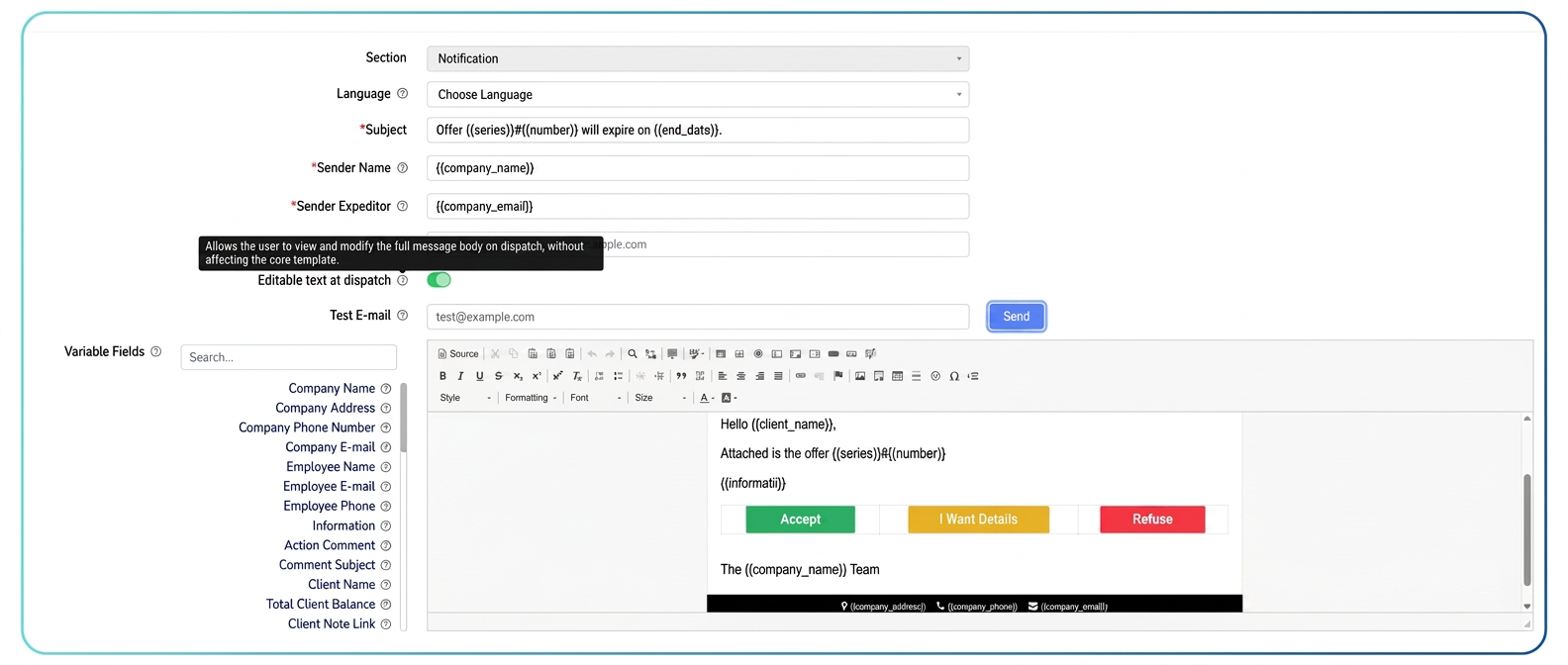
The function is available at the template level:
In the configuration editor, a new option has been added: "Editable text at sending"
Activating it allows users to freely modify the message content at the time of sending.
When the option is active:
- the entire body of the message becomes editable at sending;
- changes made at sending do not affect the base template;
- the original formatting (font, colors, layout, buttons, etc.) is automatically preserved.
Backward compatibility
To ensure a smooth transition, all existing templates that used the old {informatii} variable have been automatically updated:
- the "Editable text at sending" option is activated by default;
- the behavior remains identical to the previous one, but in a more visual and controlled way;
- no manual intervention is required from the users.
How to use when sending the email
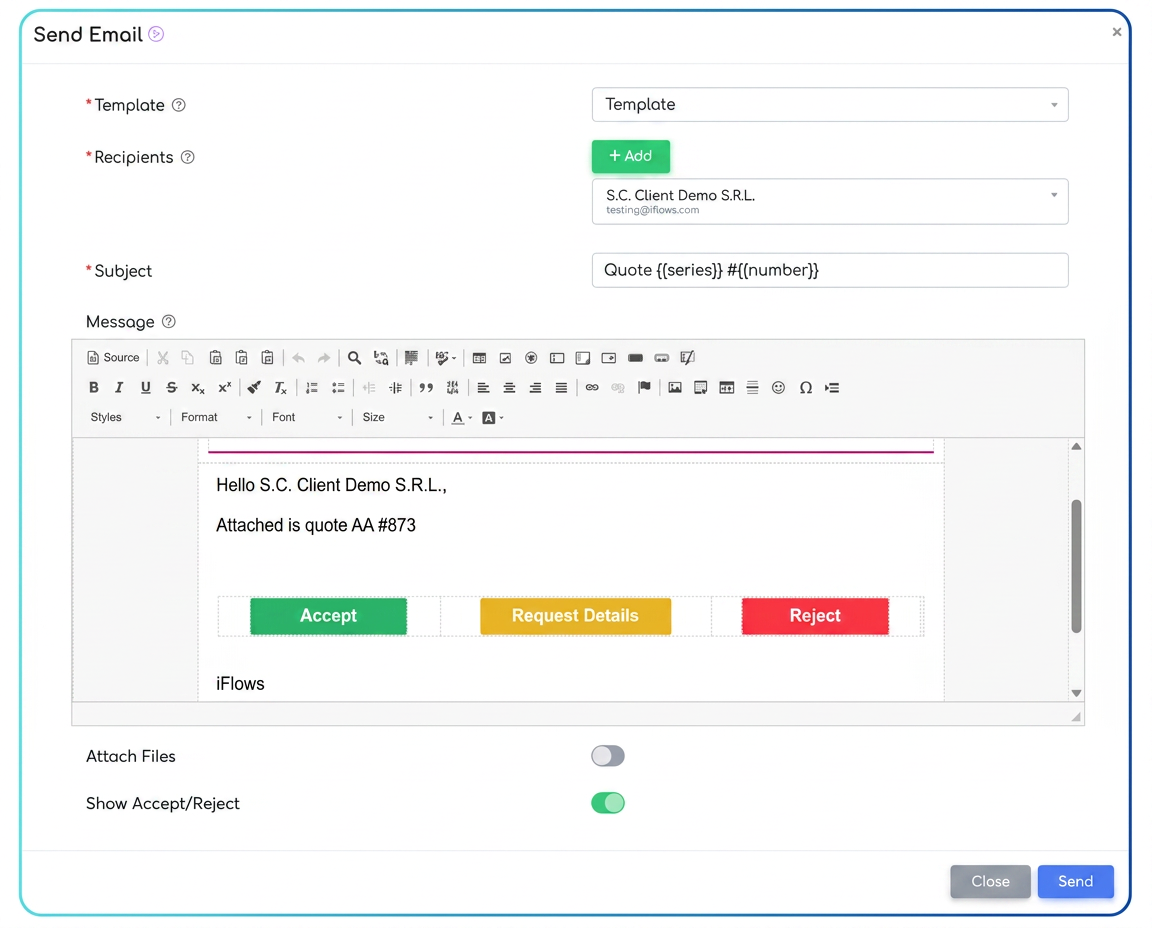
When the user selects a template for which the option is active:
- The full content of the message is loaded directly into the visual editor of the "Send email" window.
- The text is fully editable — sections can be added, deleted, or reformulated without affecting the graphic structure.
- Changes apply only to the current message, keeping the original template intact.
- Manually entered text automatically inherits the formatting style (font, size, color, alignment) of the rest of the email.
🔒 Limitations and rules
- The option applies individually to each email template.
- Templates without this option active will remain non-editable (text is locked at sending).
- The function is only available to users with email sending rights.