
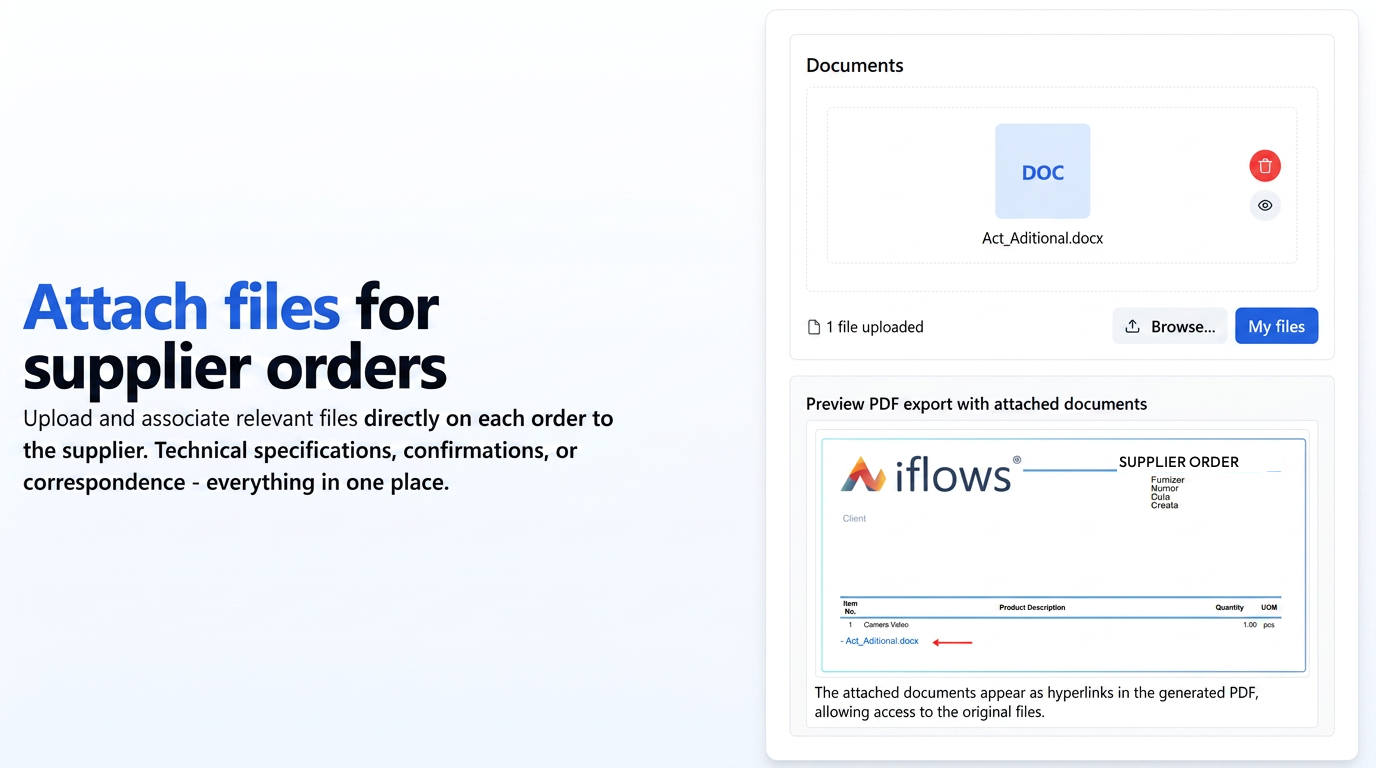
This optimization brings document attachment functionality to the Purchase Orders section. You can now upload and associate relevant files (e.g., technical specifications from the supplier, external order confirmations, relevant correspondence) directly to each Purchase Order.
The functionality includes a dedicated "Documents" field in the order form, where you can drag-and-drop files or select them conventionally from your computer ("Browse...").
When generating the Purchase Order PDF document, you now have the export option "Insert Documents" in the PDF export settings. By enabling this option, files attached to the order will be mentioned in the generated PDF either as a hyperlink (e.g., "- Additional_Act.docx") or directly in the document, allowing access to the original file stored in the iflows cloud.