
Minimum stock and maximum stock are essential values for inventory management, providing control and automation in the procurement process. Within the iflows platform, these values not only help with inventory planning but are also integrated with advanced functionalities, such as automated notifications and generating supplier orders.
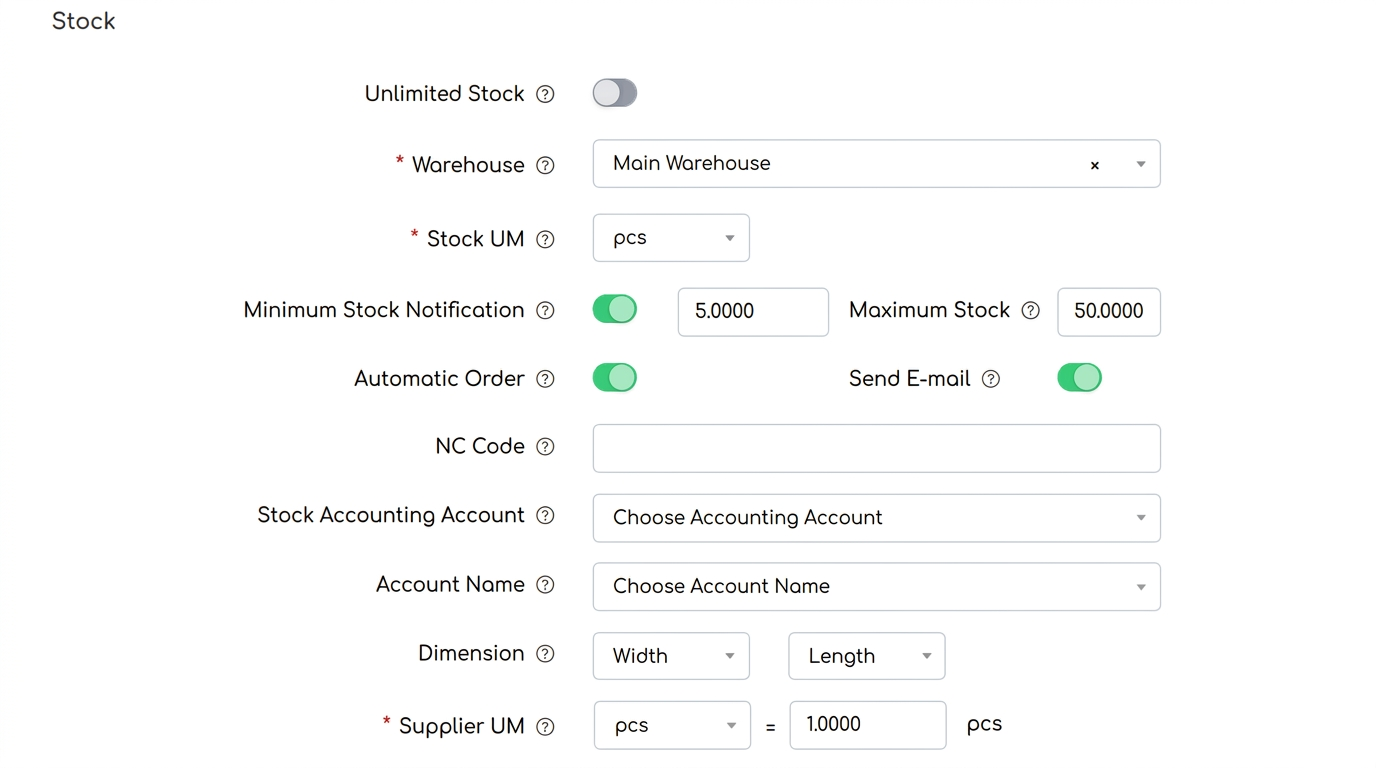
Minimum stock: The safety threshold
Minimum stock represents the minimum quantity of a product required to prevent operational disruptions. When stock falls below this level, the system takes action to ensure replenishment.
Associated functionalities:
-
Automated notification: You receive an email or an alert directly in the platform when stock falls below the minimum.
-
Replenishment recommendation: The notification includes the exact quantity of product needed to bring the stock back to the maximum level.
The recommended quantity is calculated as follows: Maximum stock - Current stock = Quantity to order.
Automated supplier orders:
-
If you have activated the automated order option, the system automatically generates the order for the supplier using the formula above.
-
Example: If the current stock is 8 units and the maximum stock is 50, the system will automatically generate an order for 42 units.
Maximum stock: The upper ceiling
Maximum stock defines the limit of the recommended product quantity, preventing overstocking.
Note: Maximum stock limits the automated order to prevent overstocking.