
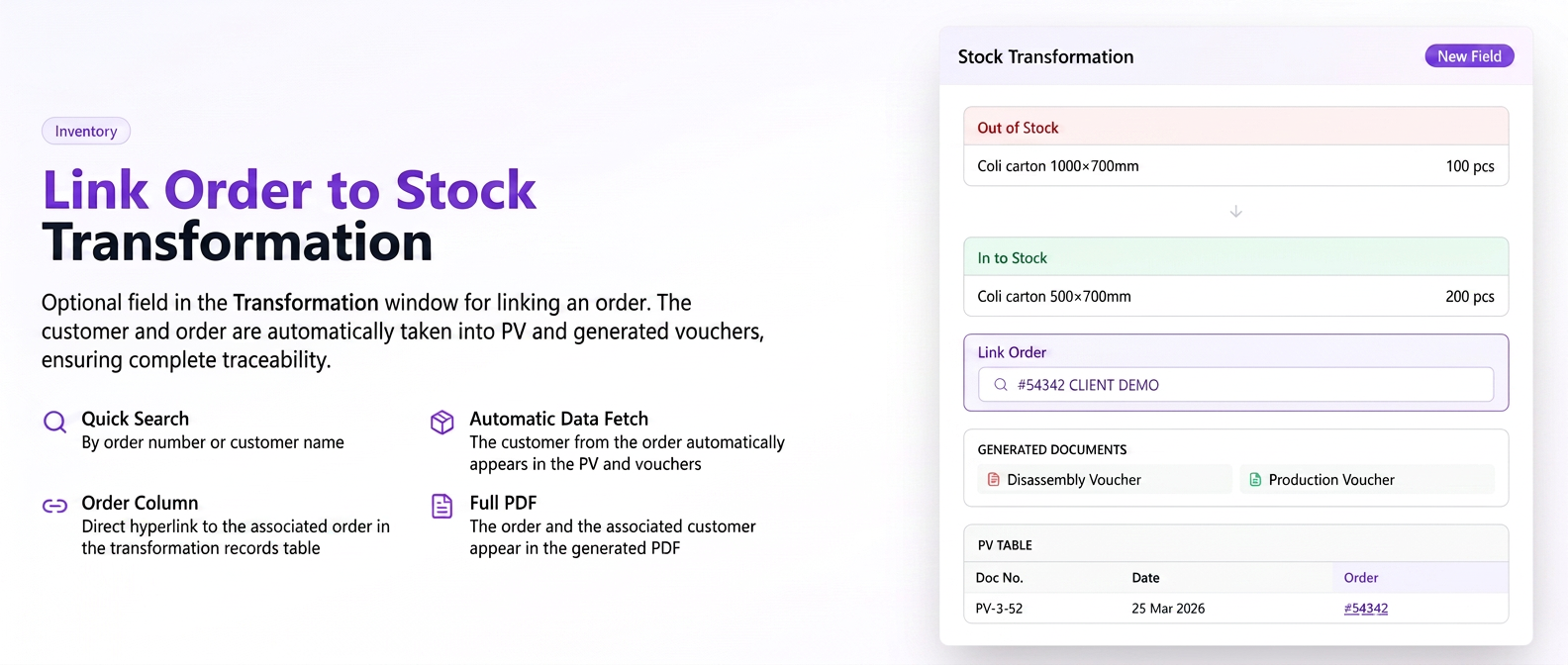
An optional field for associating an order has been added to the Stock Transformation window. The selected customer and order are automatically transferred to the generated PV (Proces-Verbal/official report) and slips, ensuring traceability in the stock history.
News and functionalities
- New "Associate Order" field in the Transformation window — search by order number or customer name, optional field.
- The customer from the associated order is automatically transferred to the PV and the generated slips (consumption, production, disassembly).
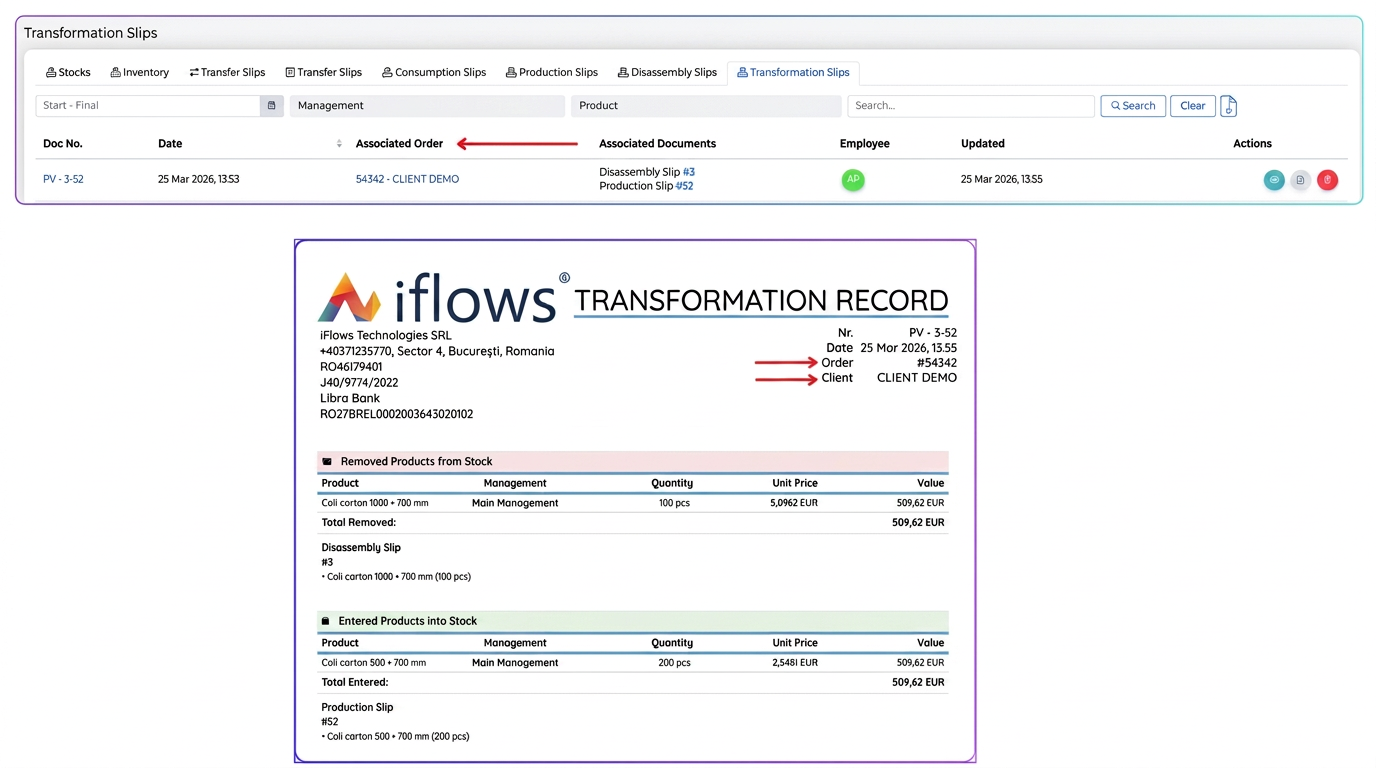
- A new "Order" column appears in the PV table, with a hyperlink to the associated order.
- The generated PDF displays the associated order and customer.
How to use
- Access Transformation and fill in the products.
- In the "Associate Order" field, search for and select the desired order (optional).
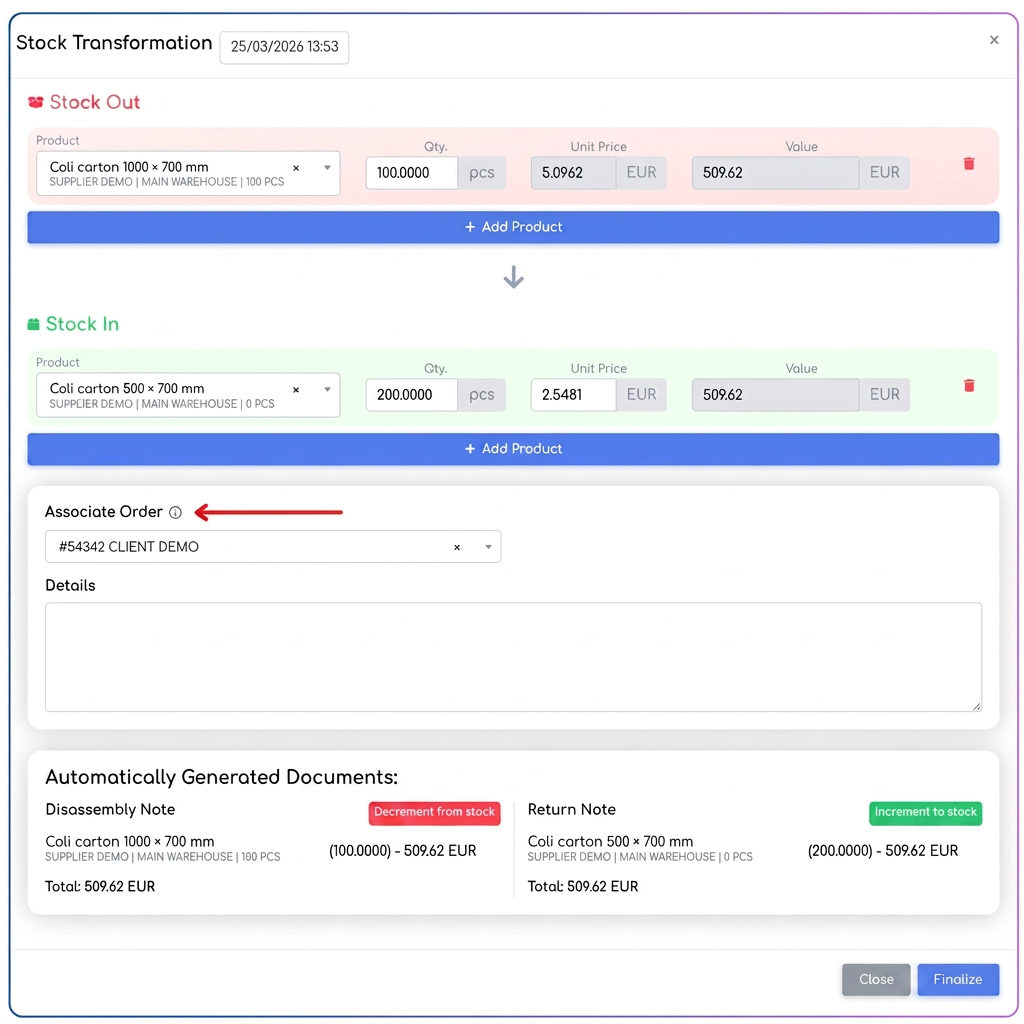
- Confirm the transformation — the PV and the generated slips will be automatically associated with the customer from the order.
Practical example
A raw material transformation is associated with Order #123- CLIENT DEMO SRL.
→ The official report and the generated consumption/production slips have the customer CLIENT DEMO SRL automatically associated.
→ The slips are now visible directly in the details of Order #123, under the "Associated Documents" section
→ In the stock history, the Partner column displays CLIENT DEMO SRL instead of your own company
→ On hovering over the stock movement, "Associated Order: #123 – CLIENT DEMO SRL" appears