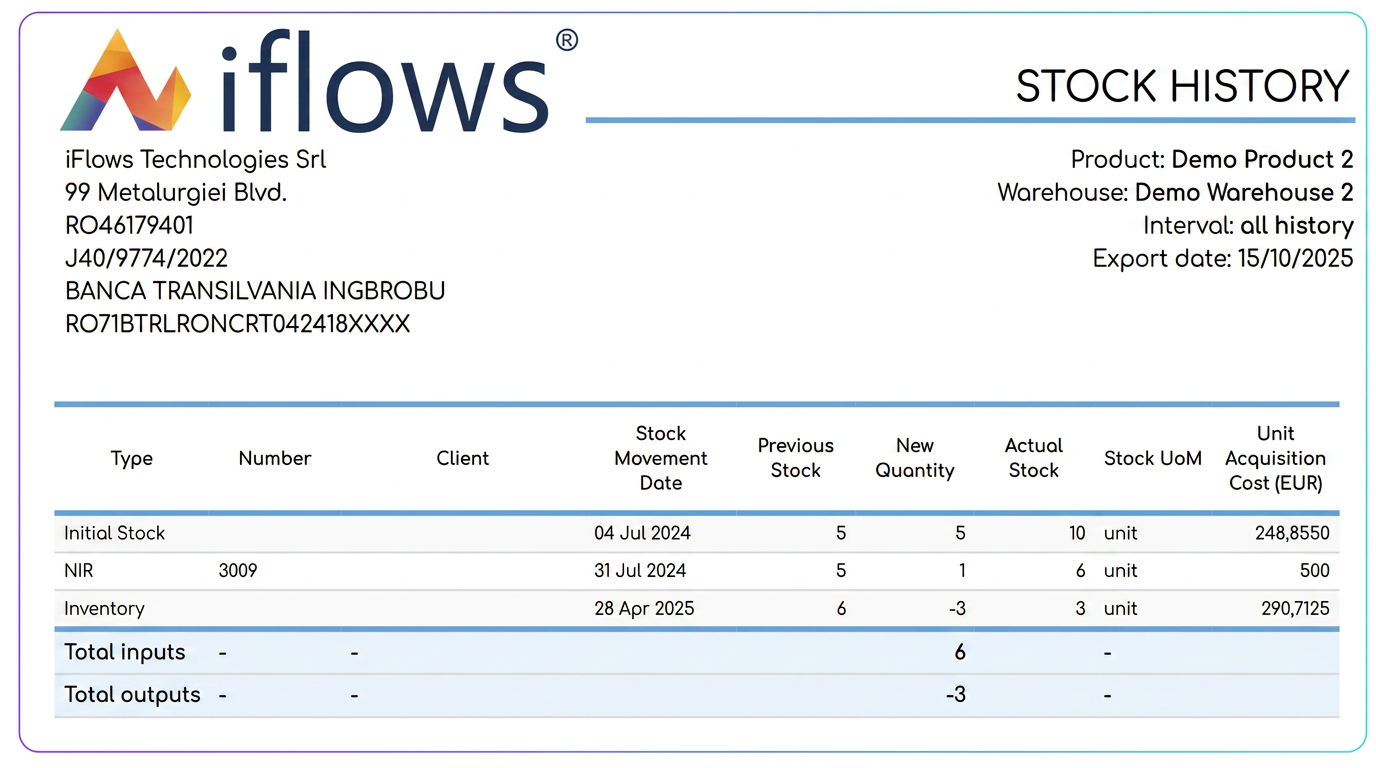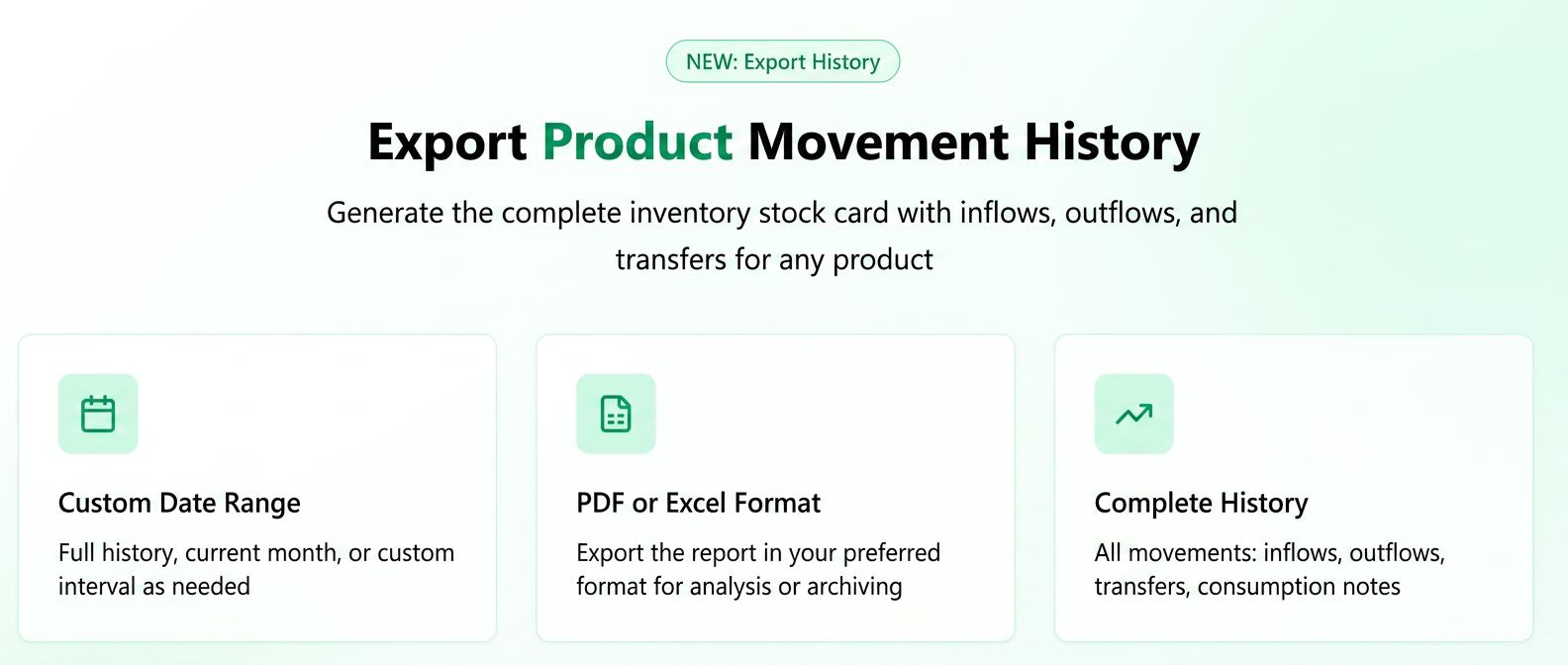
The functionality allows for a detailed export of all stock movements for a single product. This report, also known as a "Product Sheet/Warehouse Sheet" (Fișă de Produs/Fișă Magazie), provides a complete overview of inflows and outflows.
Stock exports are generally performed at a global level, covering all products. However, this feature allows the generation of a detailed report, in PDF or Excel format, which centralizes the complete history of movements (inflows, outflows, transfers, consumption notes, etc.) for an individual product.
How to use it?
- Navigate to the Stocks section: Access the menu Products -> Stocks.
- Identify the product: Use the search fields or filters to locate the specific product for which you want to generate the report.
- Access the export option: Next to the desired product, in the "Actions" column, you will find a new button: "Export Stock History".
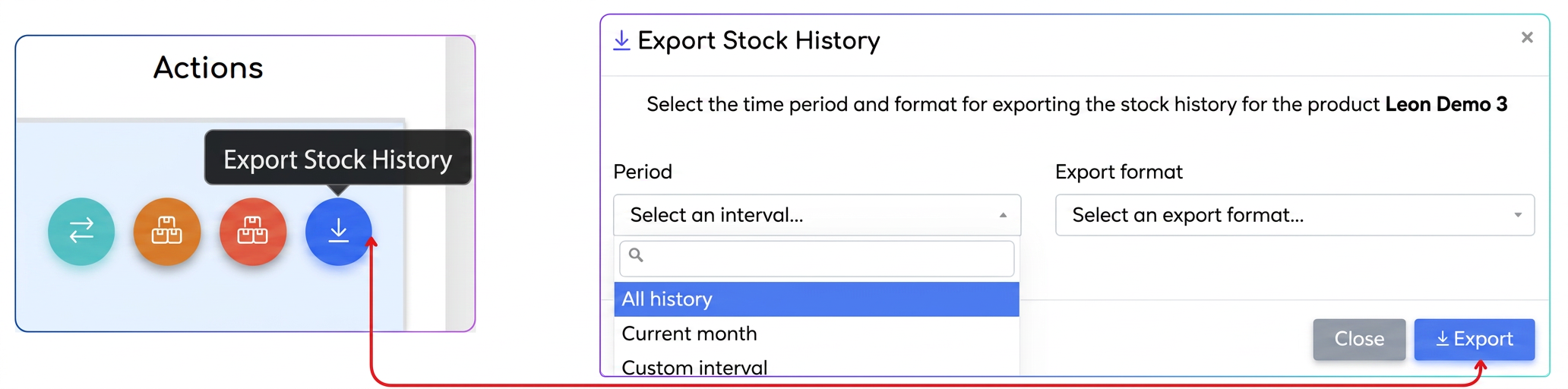
- Configure the report: Clicking the button will open a configuration window where you can select:
- Period: Choose the time interval for which you want to generate the report. Options include "All history", "Current month" or a "Custom interval" selected by you.
- Report format: Select the desired file format, PDF or Excel.
- Generate the file: Press the "Export" button. The file will be automatically generated and downloaded.
Report Content (Product Sheet)
The exported document is structured to provide a clear and complete overview, including:
- Header: Identification details such as Product Name, Product Code, Management/Warehouse, the selected time interval, and the date the export was generated.
- Detailed movement table: Each row in the table represents a stock movement and contains essential information:
- and document number that generated the movement (Invoice, NIR - Reception and Inspection Note, Consumption Note, Delivery Note, etc.).
- associated partner.
-
- movement type.
- Previous stock, Moved quantity (plus for inflows and minus for outflows) and Current Stock.
-
- purchase price at the time of the movement.
• Summary: At the end of the report, the values "Total inflows" and "Total outflows" are displayed for the selected period, providing a quick balance of the product flow.