
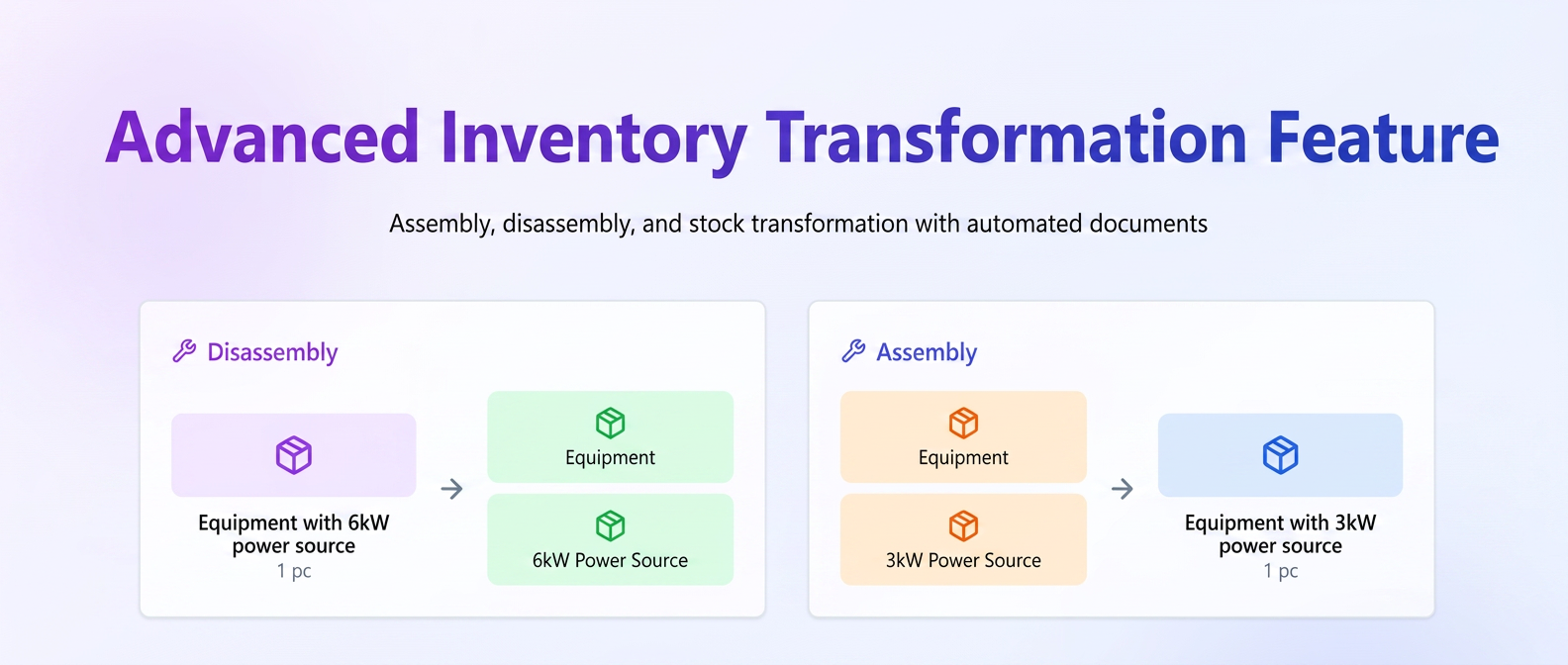
The Stock Transformation function has been completely redesigned to cover complex management scenarios where products existing in stock are converted, combined, or disassembled into other products.
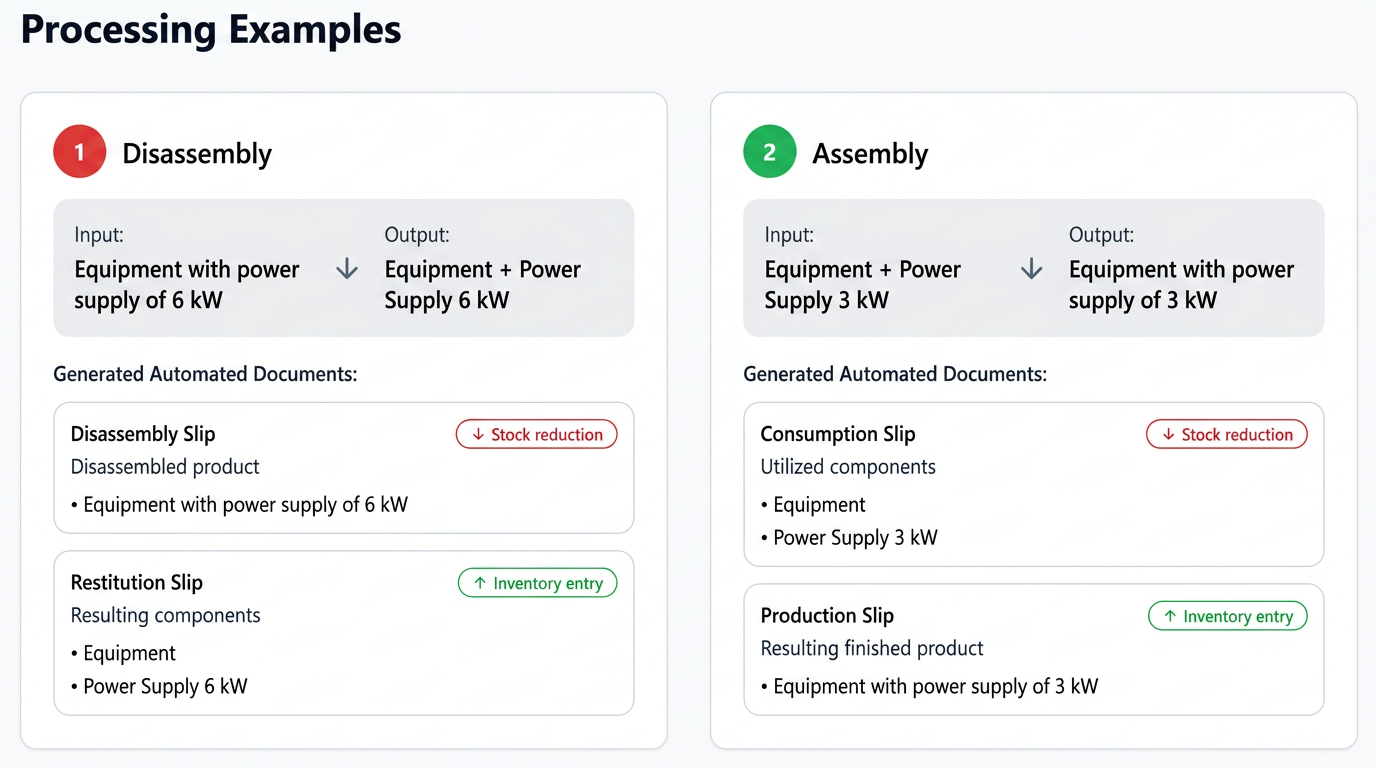
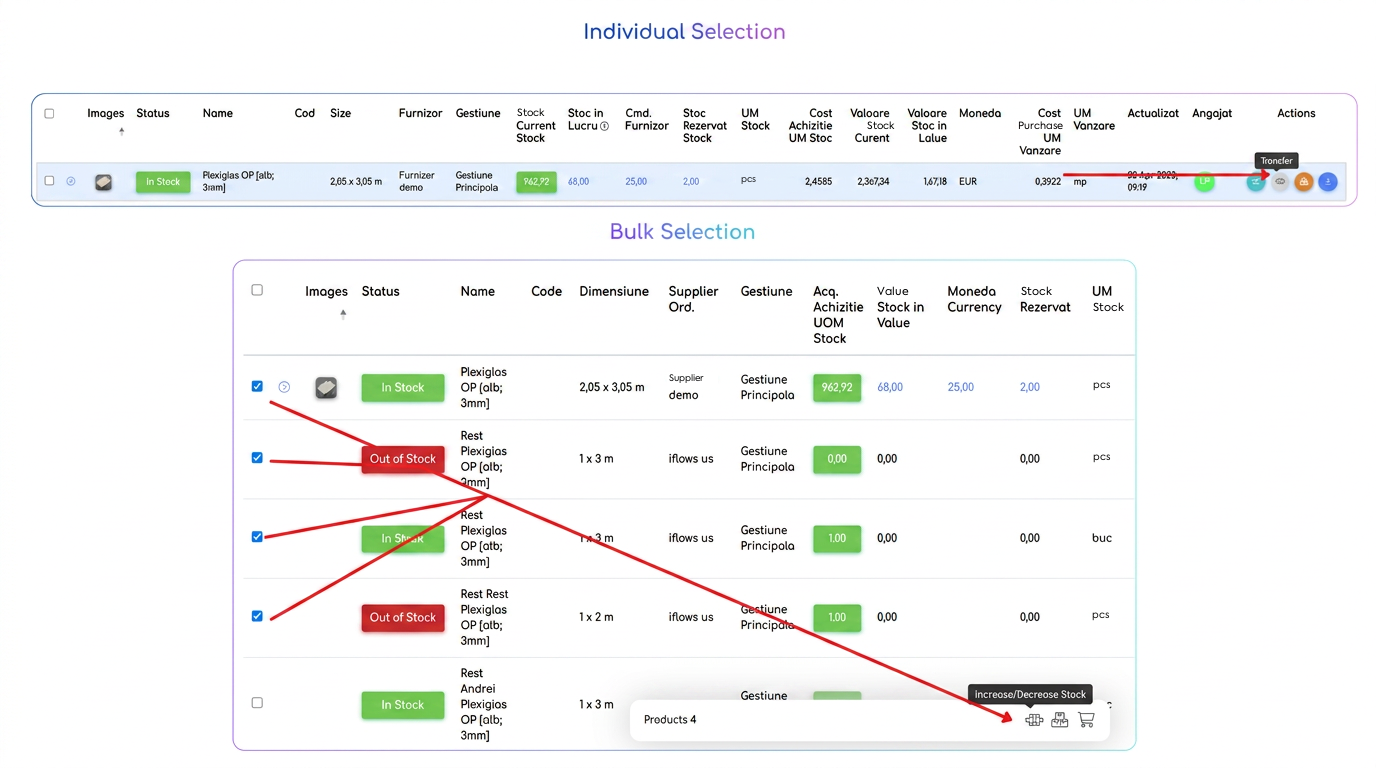
How to access
The function is available from the menu:
a) Individual Transformation
Press the "Transformation" button 🔁 next to the desired product.
b) Bulk Transformation
Check multiple products, then select the "Transformation" action from the bulk actions bar.
Steps of the transformation process
🔹 Step 1 – Configuring output products
Selected products are automatically added to the "Stock Out" area.
Here, the items to be subtracted from inventory are defined — raw material, disassembled products, or components used.
For each output product:
- Quantity is automatically filled according to the selection but can be adjusted.
- Unit Value is retrieved automatically.
- Total Value (quantity × unit price) is calculated in real-time and represents the total output value.
🔹 Step 2 – Adding resulting products (Stock In)
In this section, products obtained from the transformation are entered — either components or the resulting finished product.
For each entered product:
- Quantity is filled in manually.
- Unit Price is automatically filled by the system.
- Total Value is calculated automatically.
➡️ The user can manually modify the unit price or total value, so that:
Total Input Value = Total Output Value
This adjustment allows for cost redistribution among resulting products without altering the overall balance of the operation.
The system automatically recalibrates all values upon saving to maintain accounting consistency.
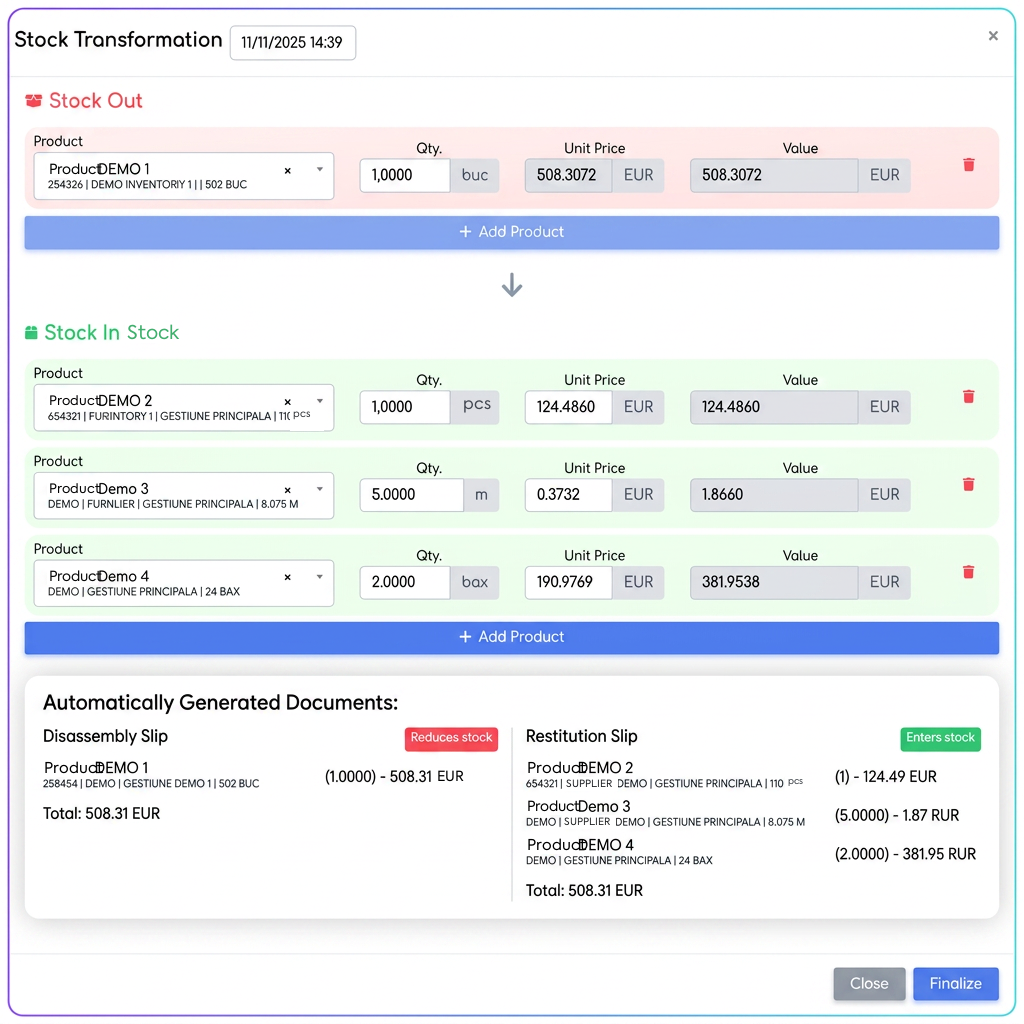
🔹 Step 3 – Verifying value balance
The bottom part of the window displays in real-time the correspondence between:
- total output products (subtracted from stock),
- total input products (added to stock).
We recommend validating the operation only when the balance is perfectly equalized.
🔹 Step 4 – Document generation
Upon completion, the system automatically generates:
- Bon de Dezasamblare / Consum (Disassembly / Consumption Slip),
- Bon de Restituire / Producție (Return / Production Slip),
- Proces Verbal de Transformare (PV) (Transformation Minutes),
all numbered and interconnected.
Documents are automatically filled with values corresponding to each movement, ensuring complete cost traceability.
Document Management
After completion, all documents can be viewed in:
For each record, the following are displayed:
- the Transformation Minutes (PV) number,
- date and time of the operation,
- responsible employee,
- direct link to Disassembly / Return / Production Slips.

Important Rules:
- Associated slips cannot be deleted individually.
- Deleting the main Transformation Minutes (PV) will automatically remove all associated documents.
- The system always ensures full traceability between products, slips, and inventory management.
⚖️ Structural Balance Principle
In addition to value balance, the system always maintains the structural balance of the transformation:
On one side (output or input) there will be a single product, and on the other side one or more products.
Thus, the transformation correctly reflects a unitary flow:
- either a finished product is disassembled into several components,
- or several components are assembled into a single finished product.