
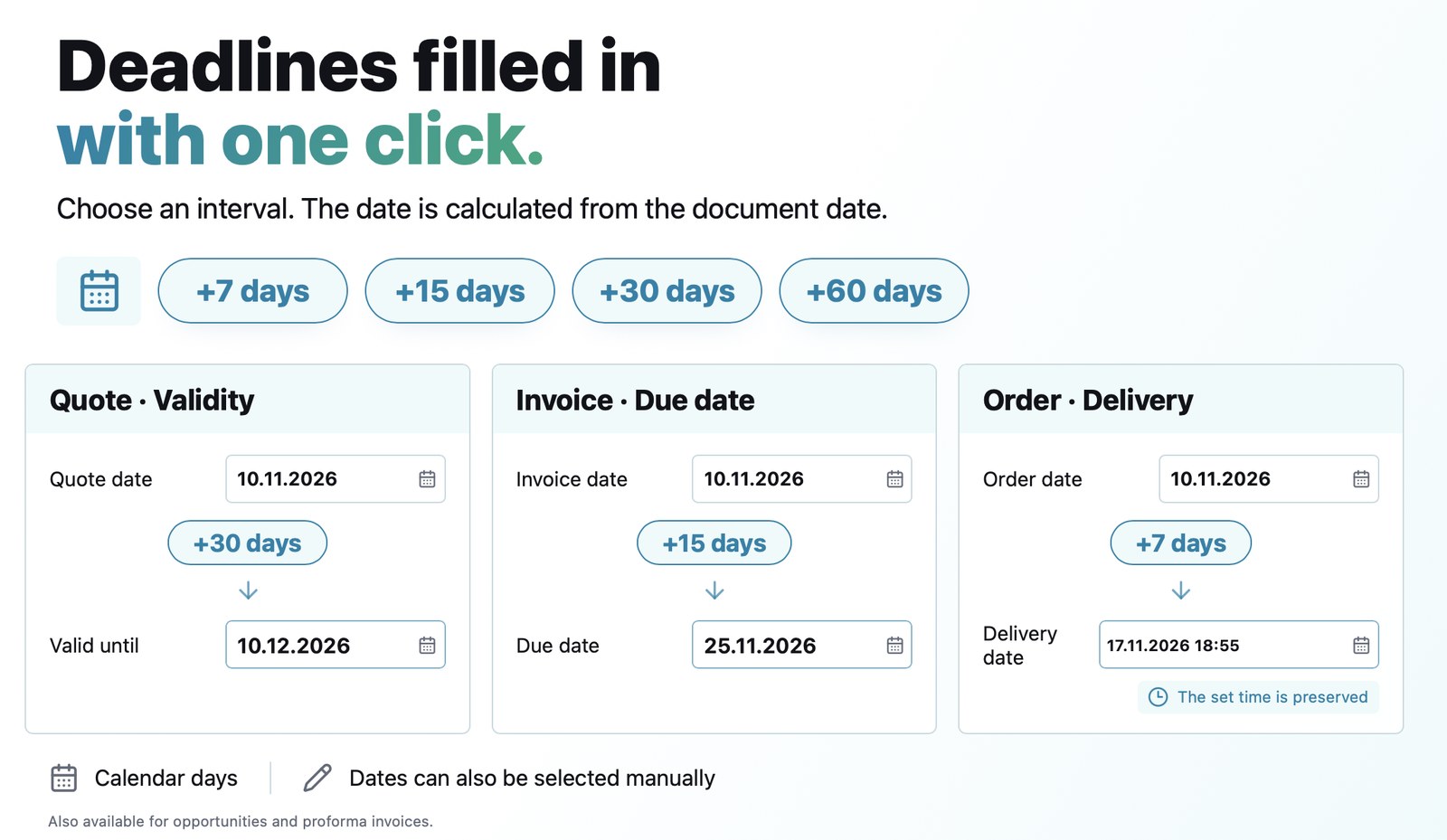
The validity of a quote, the due date of an invoice or the delivery date of an order usually follow fixed rules: 30 days, 15 days, one week. You no longer need to count days in the calendar. The date fields now have four buttons, +7, +15, +30 and +60 days, which instantly fill in the document date plus the chosen number of days.
The result
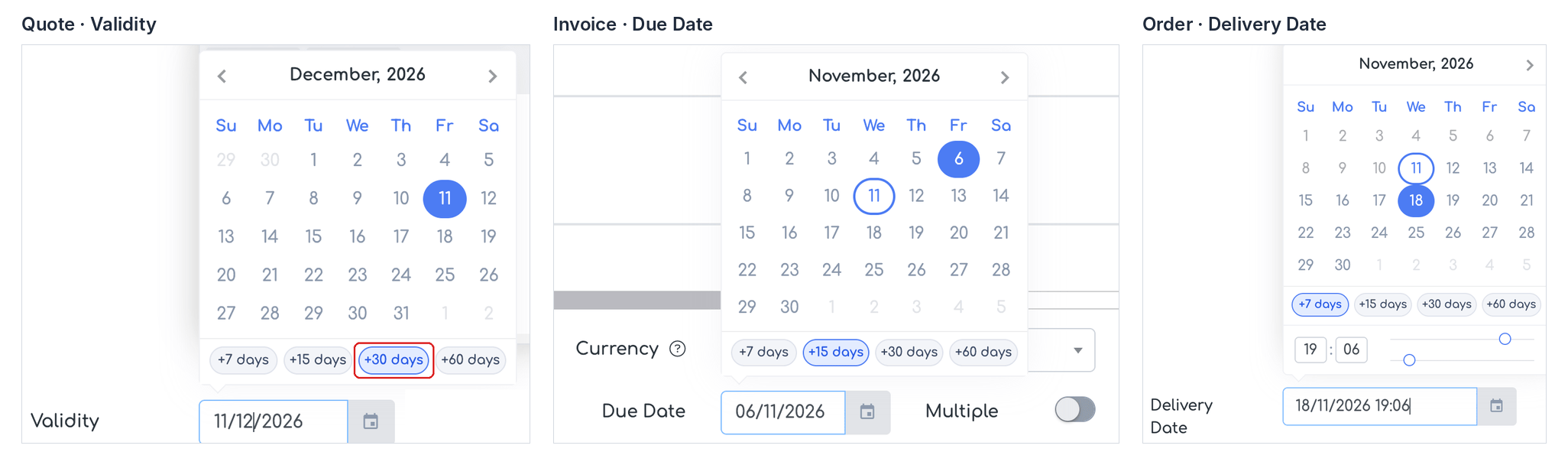
The interval buttons in the calendar of the quote, the invoice and the order.
Where it applies
The buttons appear in the calendar of the following fields:
- Opportunity — Validity, counted from the opportunity date;
- Quote — Validity, from the quote date;
- Invoice — Due Date (also in the due date edit window on the invoice page), from the invoice date;
- Proforma Invoice — Due Date, from the proforma date;
- Order — Delivery Date, from the order date (the time already set is kept).
How to use it
Step 1. Click in the date field (for example Validity on a quote). Below the calendar you will see the buttons +7 days, +15 days, +30 days and +60 days.
Step 2. Click the button you want. The date is filled in and the calendar closes.
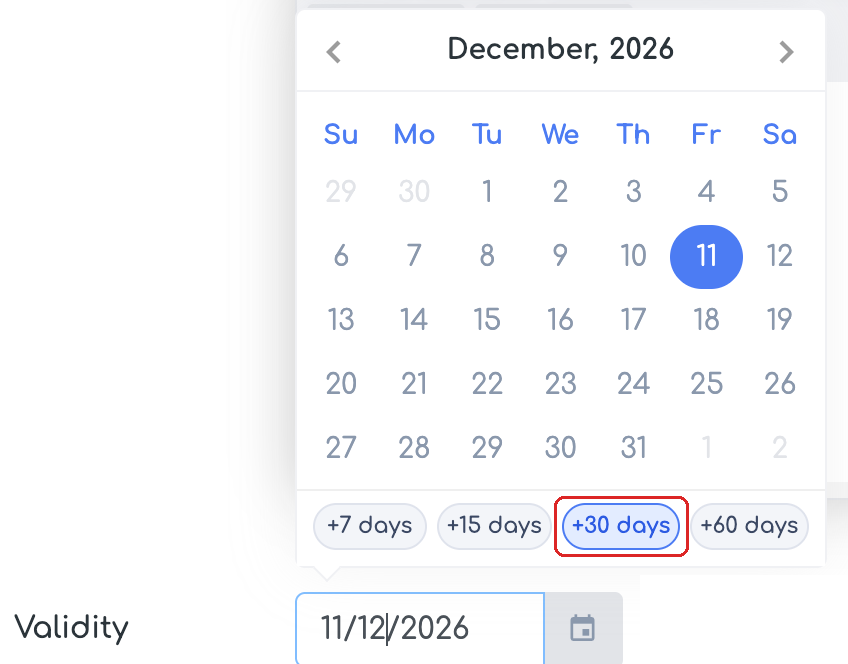
Quote: a 30-day validity, filled in with the +30 days button.
Step 3. When you open the calendar again, the button that matches the current value is highlighted. For example, an invoice dated 22/10 with the due date on 06/11 has +15 days highlighted.
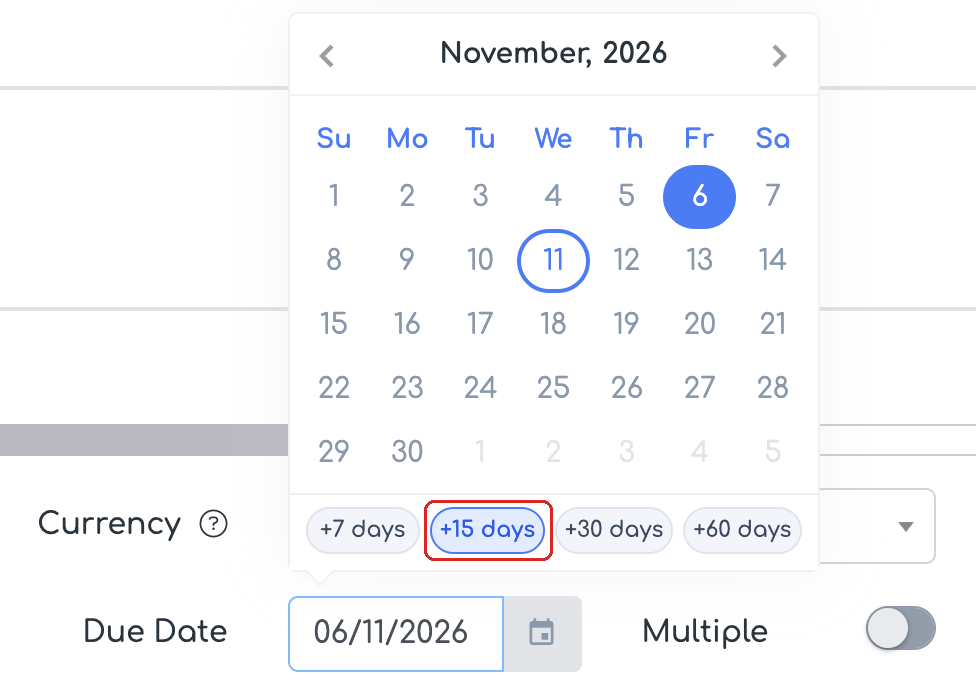
Invoice: the 15-day due date, recognised automatically.
Step 4. On an order, the buttons fill in the Delivery Date and keep the time already set. Choosing a button has the same effect as picking the date manually: the deadlines of the workflow stages are recalculated.
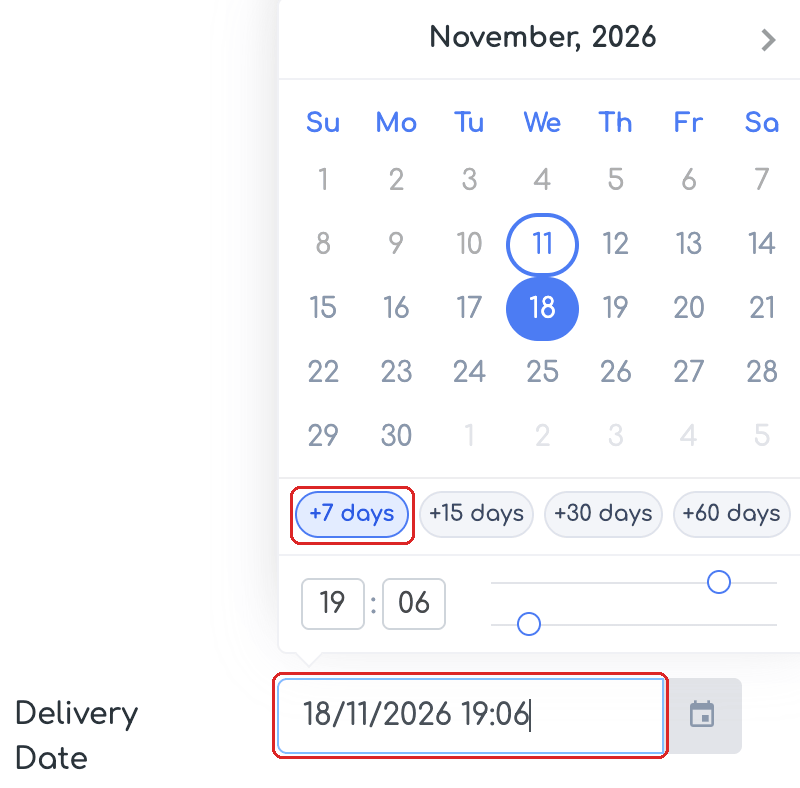
Order: the delivery date 7 days later, with the time kept.
Good to know
- Days are counted as calendar days: weekends and public holidays are not excluded.
- Picking a day in the calendar manually or typing the date works as before.
- Changing the document date does not recalculate a date that is already filled in; the buttons use the new date the next time you choose one.
- The buttons can also be used from the keyboard: Tab moves to the buttons, Enter or Space applies a button, Escape returns to the field.
- The intervals are fixed; there are no new settings or permissions.
Frequently asked questions
Can I add +45 or +90 days too?
No. The intervals are fixed: +7, +15, +30 and +60 days. For other terms, pick the date in the calendar.
Are weekends and public holidays skipped?
No. Days are counted as calendar days.
I changed the document date. Why did the due date not move as well?
A date that is already filled in is not recalculated automatically. Click the button you want again, and the date is calculated from the new document date.