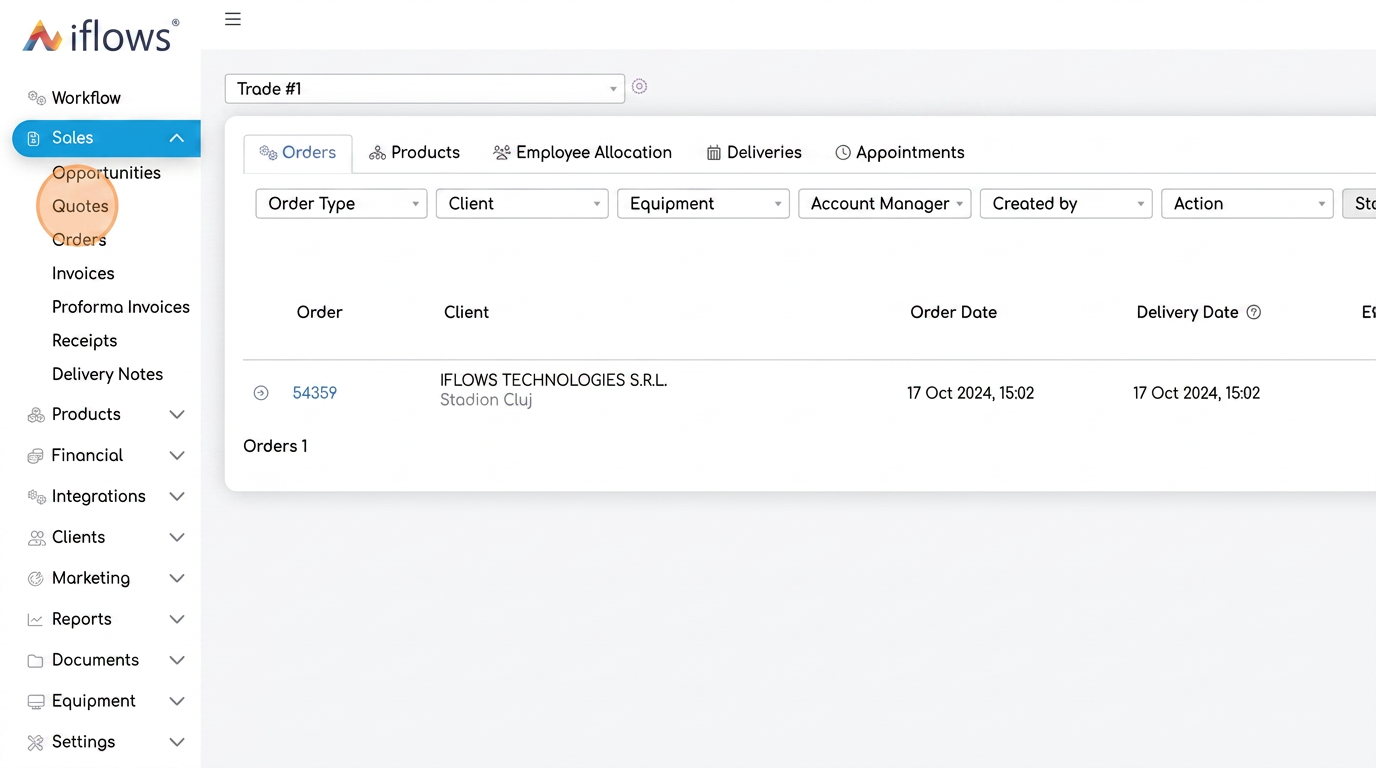
1. Access the main menu and select "Quotes"
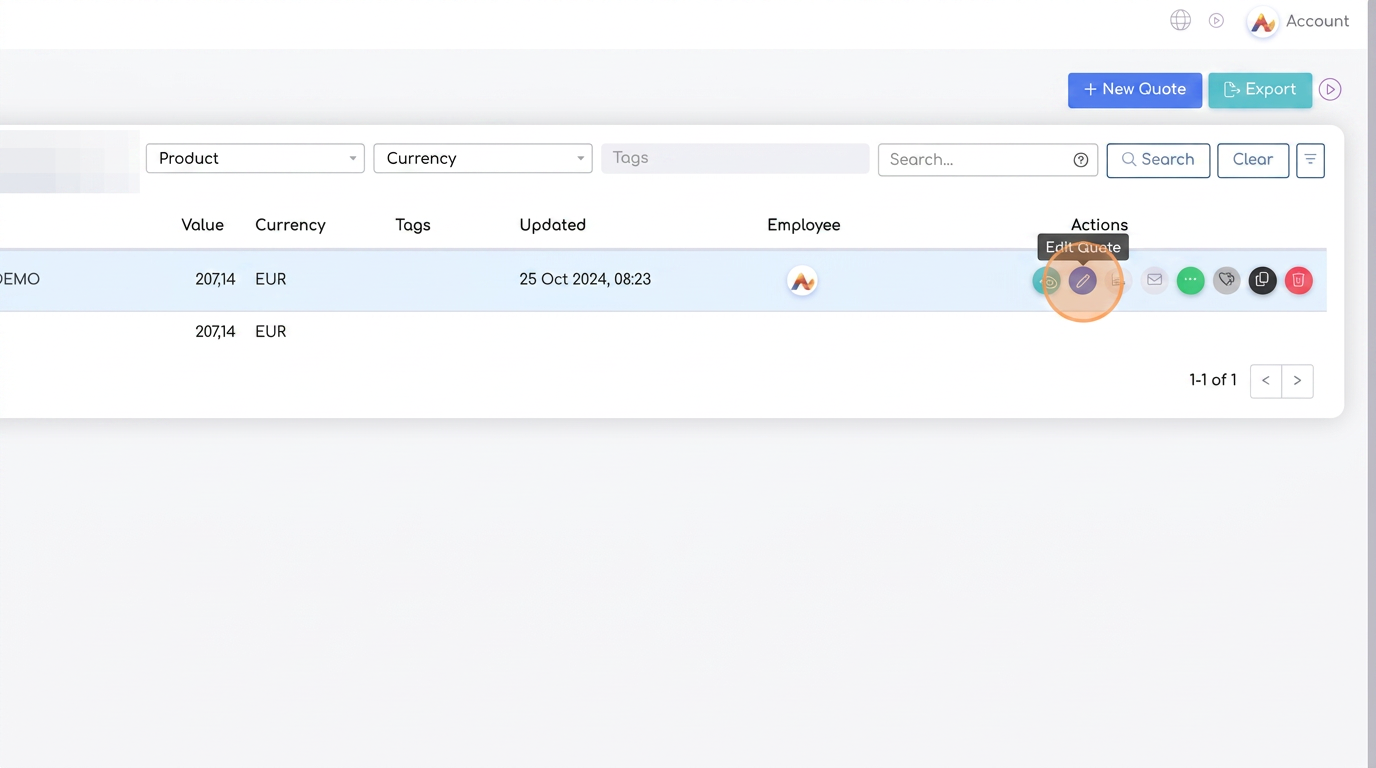
2. Choose the quote you want to modify. Use the "Edit" button available next to each listed quote.
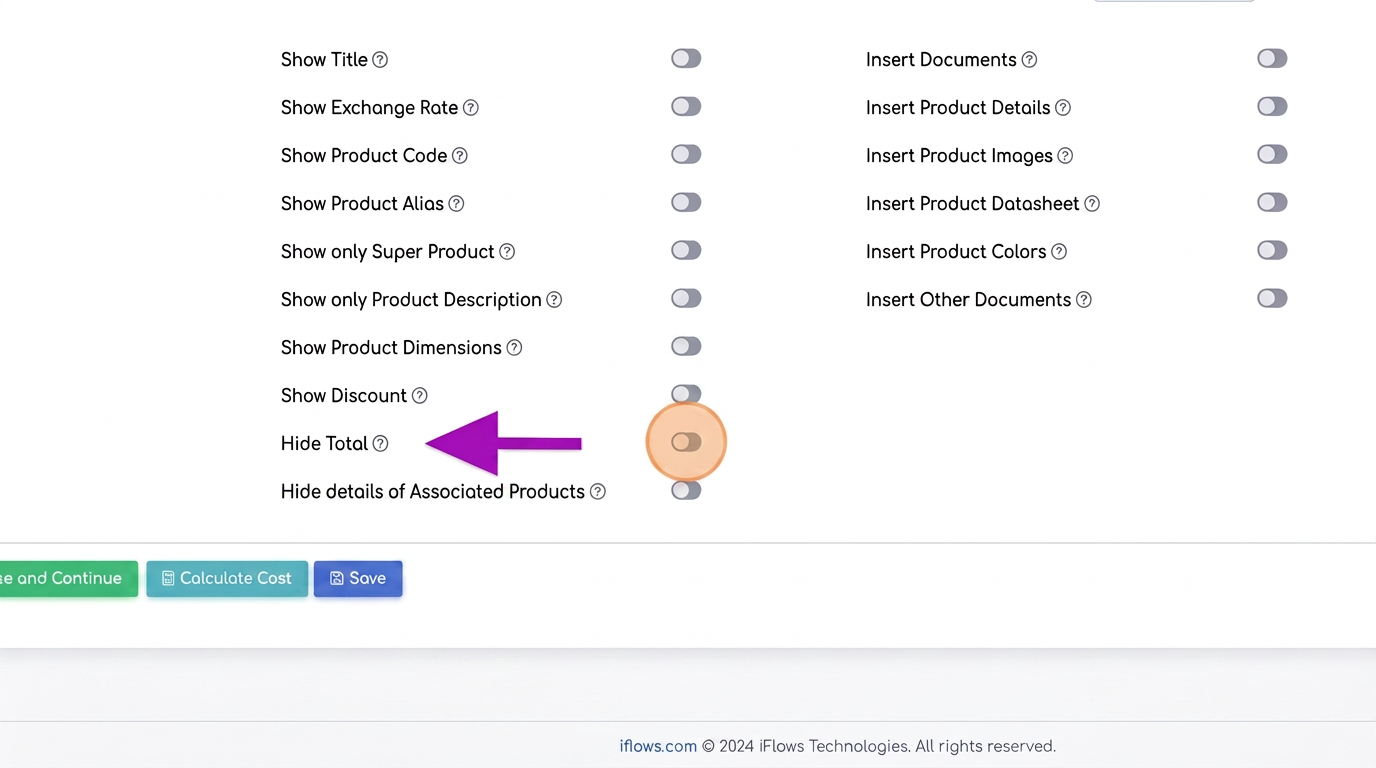
3. Enable the "Hide Total" option at the bottom of the quote. Check this option to automatically hide the calculated total from the quote view.
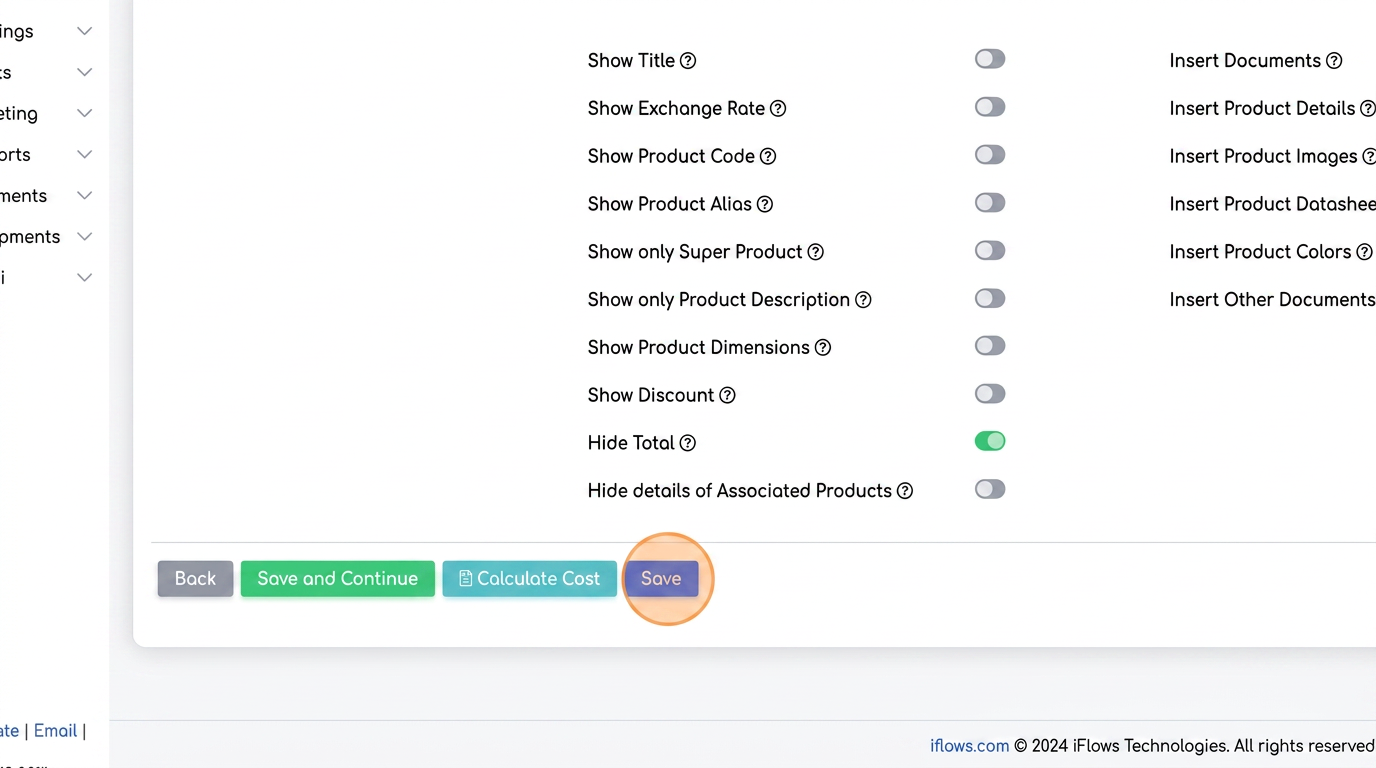
4. Save the changes. This action finalizes the settings and updates the quote view.