
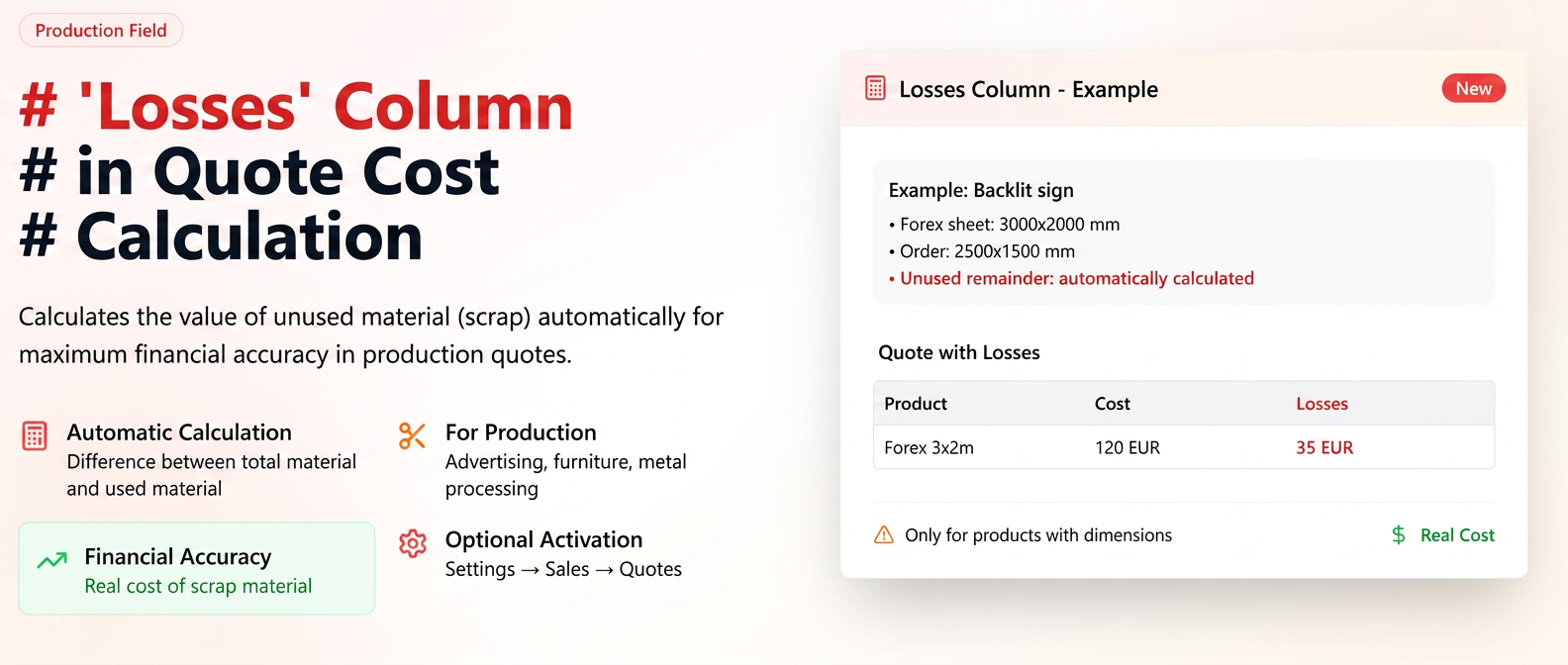
In the Quotes module, the product cost is calculated only for the area actually used (the dimensions specified in the order). In many manufacturing industries (advertising, furniture, metal processing, etc.), raw materials may come in fixed-size sheets/panels/slabs. When the finished product uses only a portion of the material, there is a possibility that a remnant remains that can no longer be reused and becomes scrap.
Utility:
- Specifically dedicated to manufacturing companies where remnants cannot be reused.
- Ensures greater financial accuracy when calculating the quote cost.
Application examples:
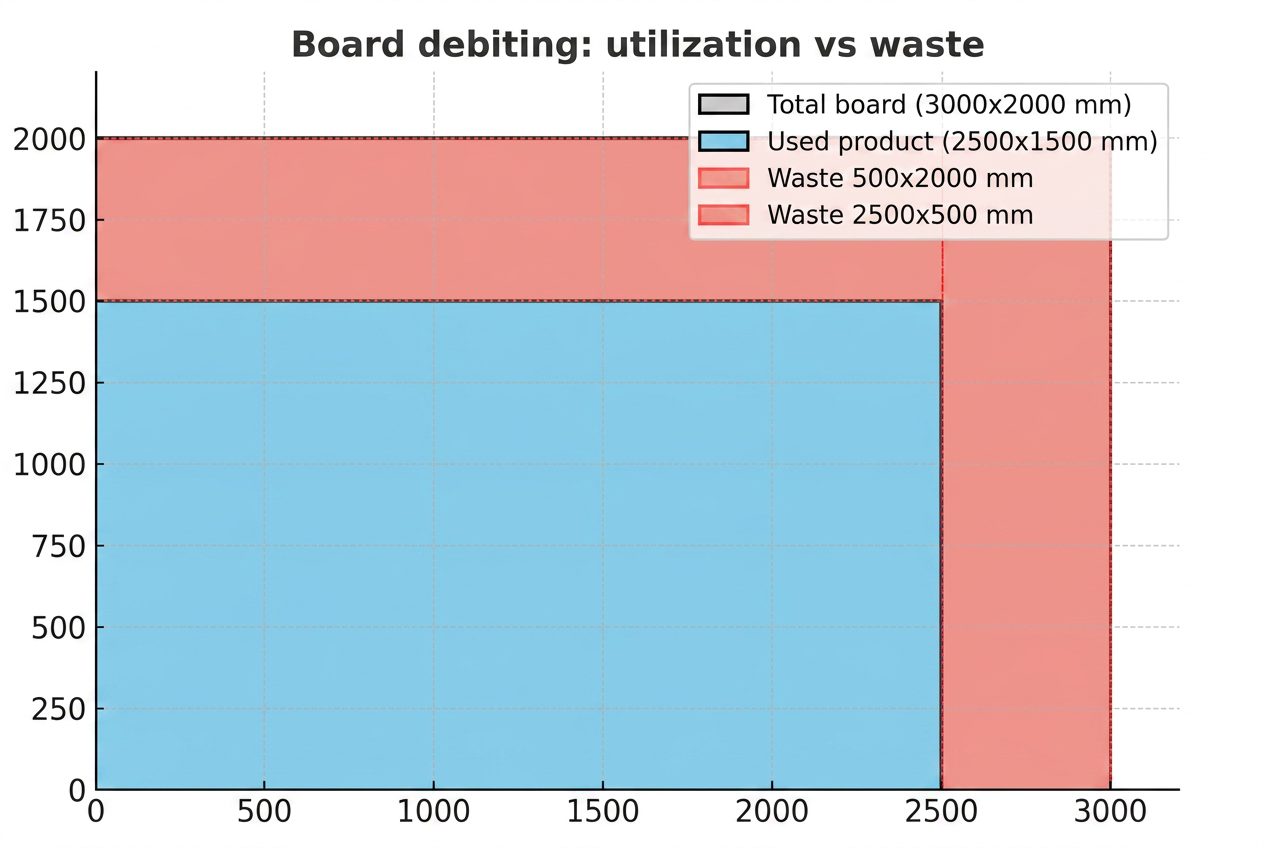
- Advertising production: Creating a light box. Raw material: 3000x2000 mm Forex sheet. Order: 2500x1500 mm. The remaining material (500x2000 + 2500x500 mm) can no longer be used, so a loss cost occurs. In the quote, the "Losses" column will show the value of these remnants.
- Furniture production: Manufacturing a kitchen countertop from 2800x2070 mm chipboard. The customer orders a 2400x600 mm countertop. The rest of the panel (unsuitable for other jobs) is scrap and will be highlighted in the "Losses" column.
Note: The "Losses" column is intended exclusively for companies that cannot reuse material remnants resulting from cutting and consider them scrap. For organizations that reuse remaining materials, activating this functionality is not necessary, as in their case, remnants do not constitute losses. In this situation, it is recommended to use the existing "Usable Remnant" option from the Workflow settings, which allows for highlighting and capitalizing on remaining remnants.
Activating the "Losses" function in Quotes
To use the "Losses" column in the quote cost calculation, it is necessary to activate this functionality from:
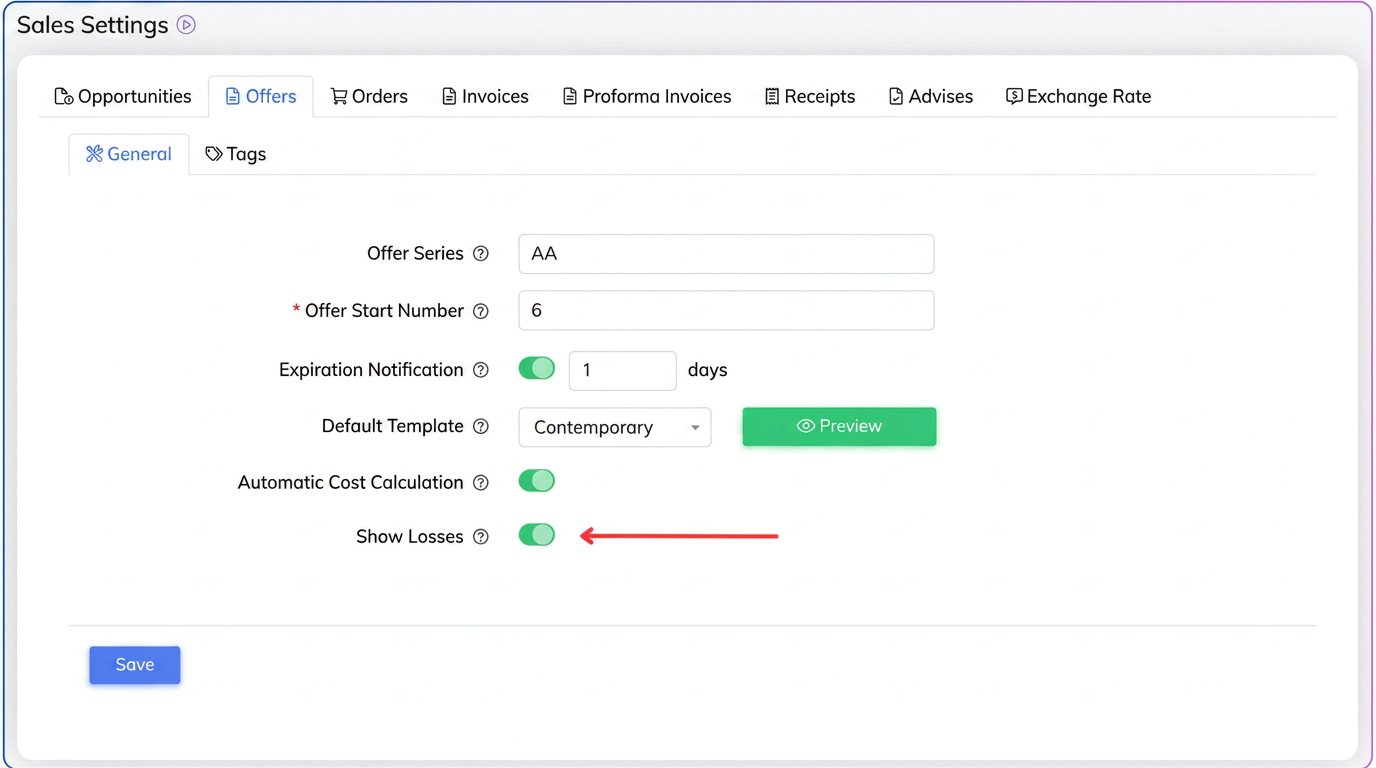
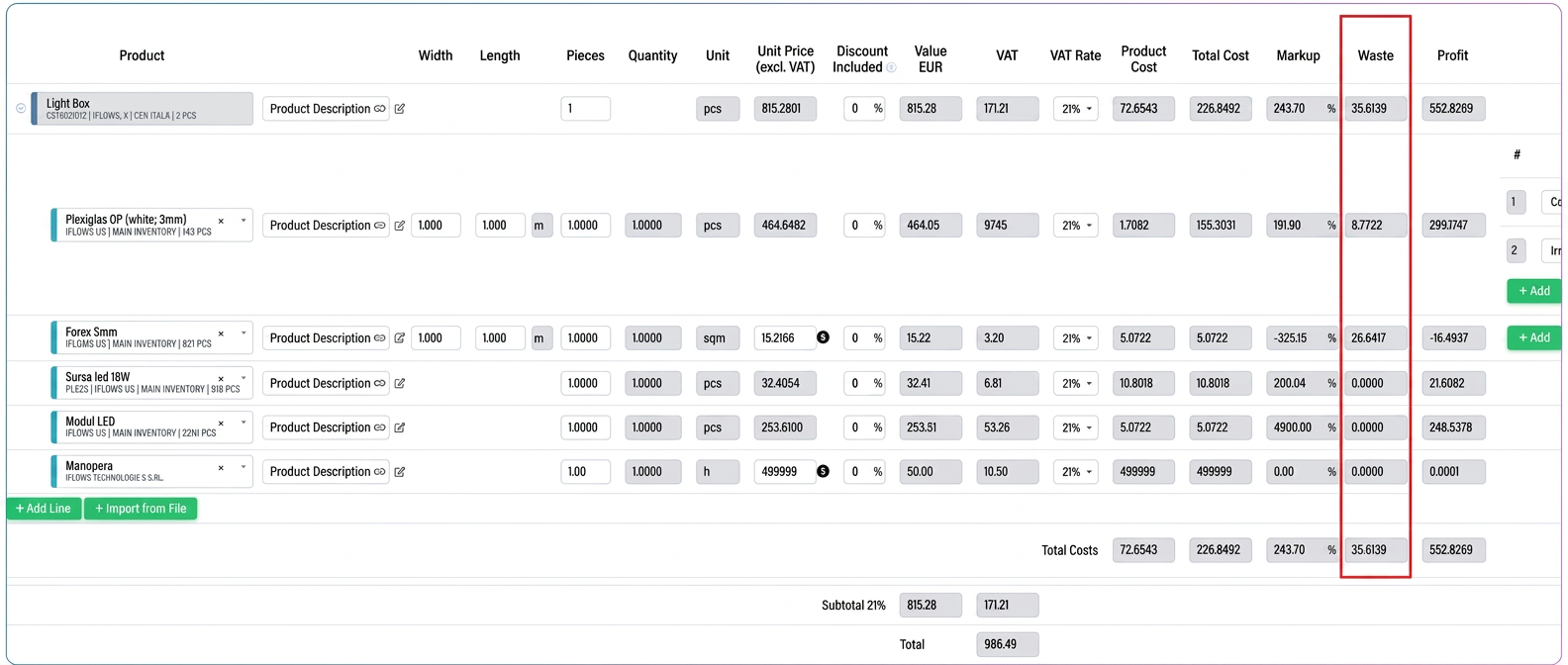
Once the option is activated, when a quote is generated, the calculation table will automatically display the "Losses" column, which indicates the value of the unused material (considered scrap).
⚠️ Attention:
- Loss is calculated and displayed only for products where stock is kept by "piece" and have defined dimensions (e.g., sheets, panels, countertops).
- For products without dimensions or for those where stock is kept in other units of measurement (kg, m, sqm), the column will have no effect.
1. Does the "Losses" column apply to all products?
No. It only applies to products where:
- stock is kept by "piece";
- dimensions are defined (length, width, thickness, etc.).
2. Can I see the "Losses" column in all quotes?
Only if it has been activated from . By default, it is deactivated.
3. What happens if the product does not have defined dimensions?
The column will not display any value, as the loss cannot be calculated.
4. Is the loss automatically calculated for any material difference?
Yes, but only based on the dimensions entered. If the product uses a portion of the sheet/panel/slab, the unused difference will be calculated and displayed as a loss.
5. What is the method for calculating losses?
Losses are calculated automatically as the difference between total material and used material.