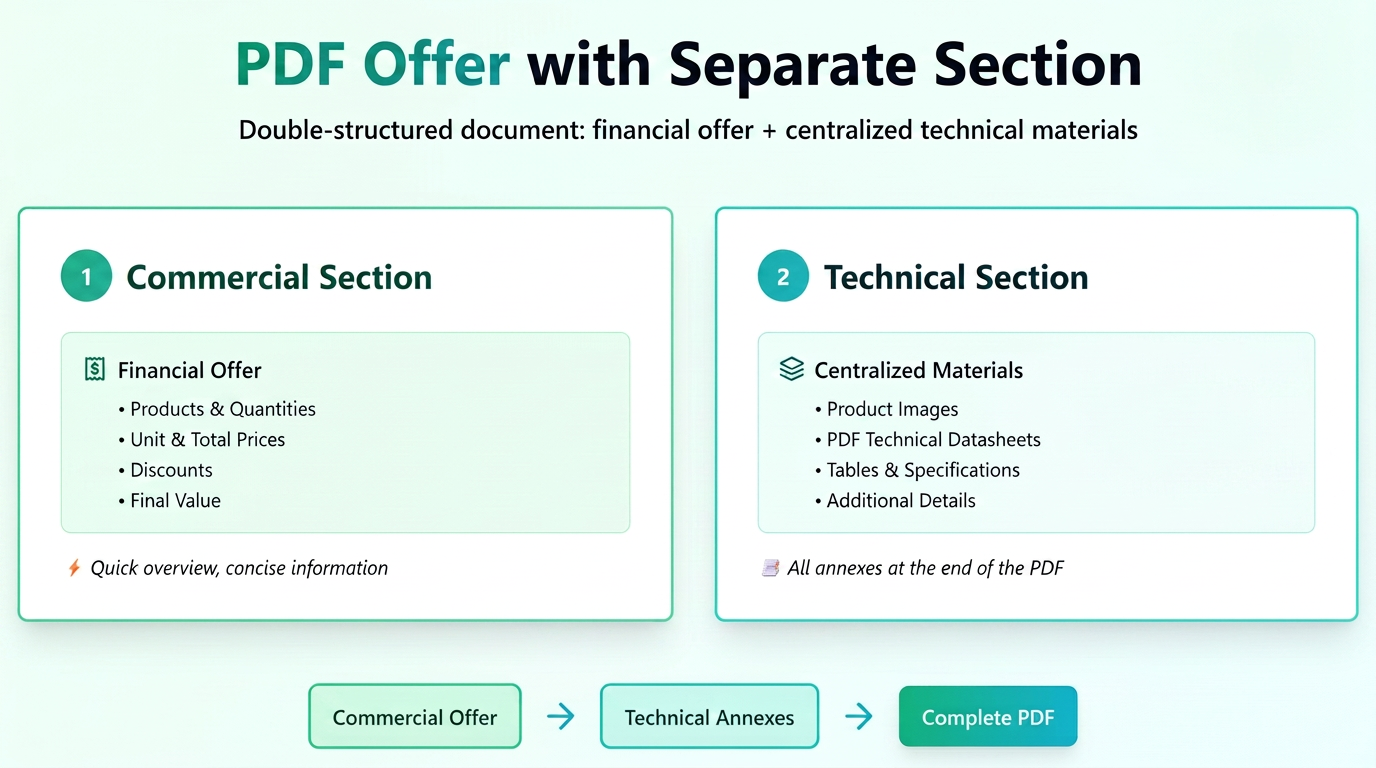
The "Product Information Centralization in Quote" functionality introduces a new logical structure for the PDF document, dividing the quote into two distinct sections for a clearer presentation:
1. Main Section – Commercial Quote
This remains concise and focused on essential data:
- product names,
- quantities,
- unit and total prices,
- any discounts and the final value.
The goal is for the first part of the document to be quickly scanned by the client, providing a clear picture of the economic offer.
2. Secondary Section – Centralization of technical and visual information
In this part, each product from the quote is repeated individually as a subtitle (e.g.: Product: LED Advertising Panel 120x240 cm), followed by all attached materials:
- product images,
- PDF technical sheets,
- detailed tables or specifications,
- texts added via the "Additional Details" functionality.
Thus, all documents associated with the products are centralized and presented at the end, providing a clear structure between the commercial and the technical/informational parts.
In short, the new centralization mode transforms the quote into a dual-structured document:
📄 first part – the financial offer,
📑 second part – the sheets and annexes related to each product.
Where to find the settings:
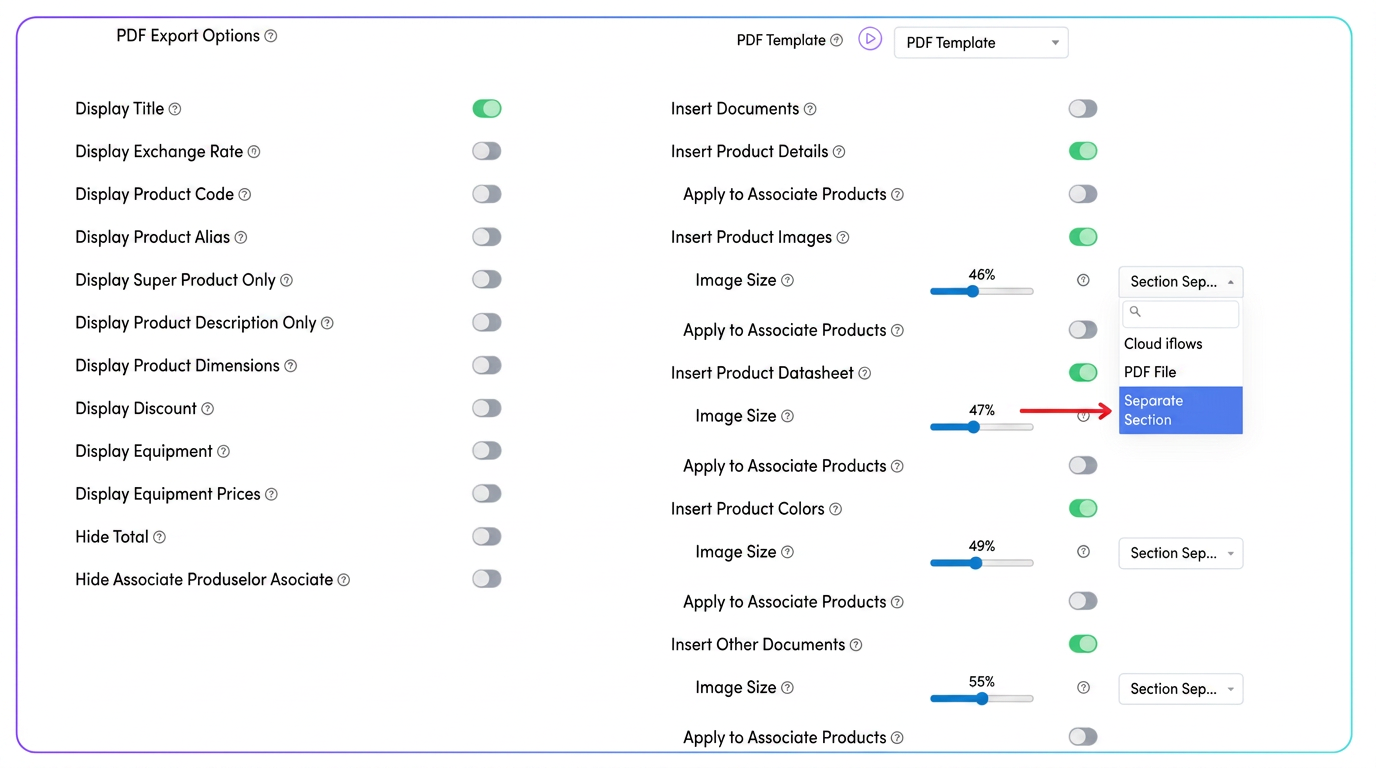
In the "PDF Export Options" section, you will find all categories of information that can be included in the quote:
- Insert Product Images
- Insert Product Technical Sheet
- Insert Product Colors
- Insert Other Documents
For each type of information, there is a drop-down menu that allows choosing the display mode:
🔸 1. PDF File
This is the classic version — information is inserted directly into the body of the quote, immediately below the respective product.
🔸 2. iflows Cloud
In this mode, materials (images, sheets, documents) are stored in the iflows cloud and are accessible to the client via links.
✔ Recommended when file sizes are large or you want a more compact PDF.
🔸 3. Separate Section
The new option — allows all materials related to the products to be automatically centralized at the end of the PDF, in a dedicated section.
✔ The first part of the document will contain the financial offer (products, quantities, prices).
✔ In the second part, each product is repeated, followed by the related images, sheets, and documents.