
e-Factura and e-Transport Quick Button
With the new Integrations button, you can quickly access the e-Factura and e-Transport submission options directly from the Sales – Invoices section.
Step-by-step guide:
- Navigate to the Sales -> Invoices section.
- In the Actions column, identify the new Integrations button.
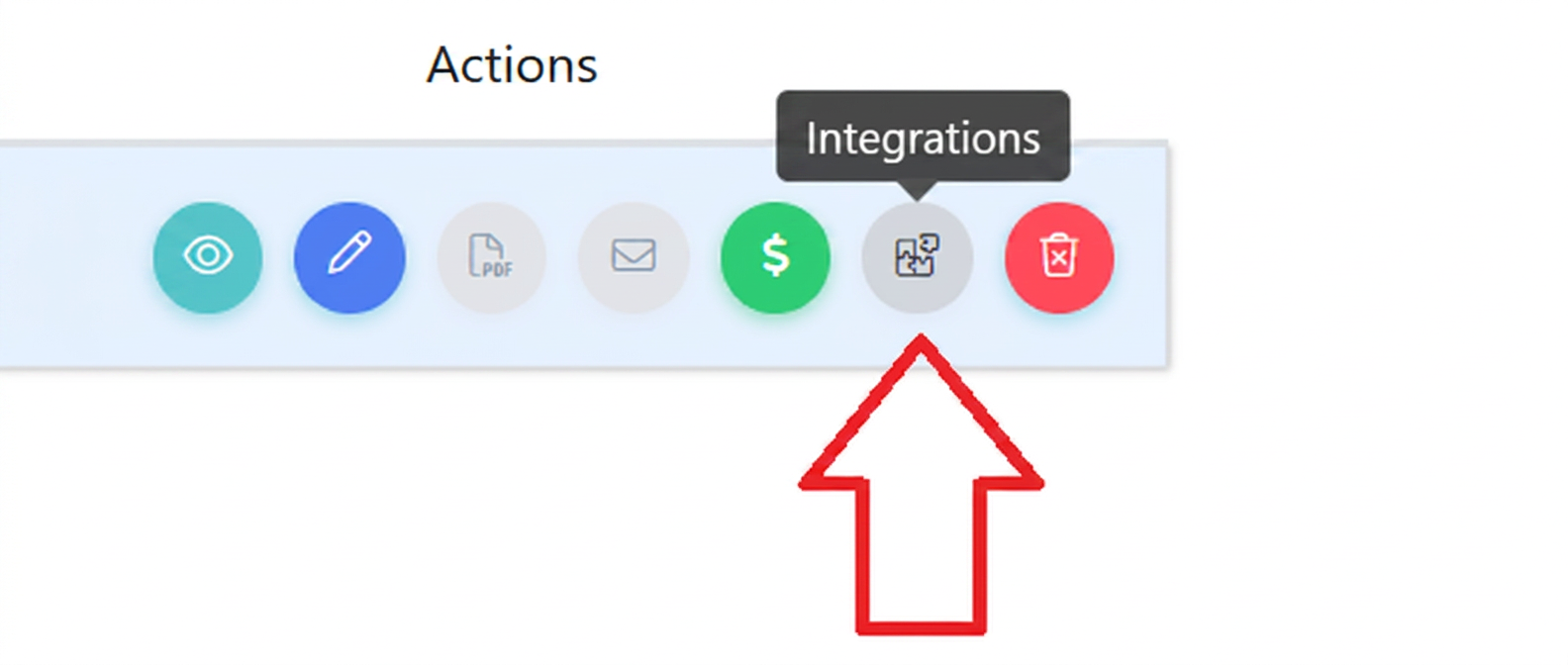
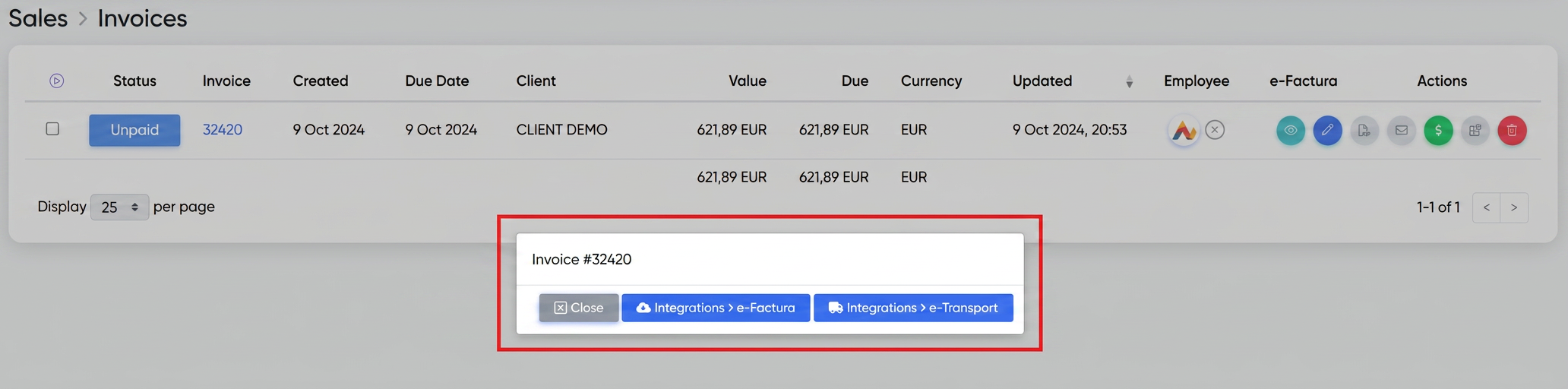
- Click on the Integrations button. Two options will appear: e-Transport and e-Factura.
- Select the desired option to initiate document submission.
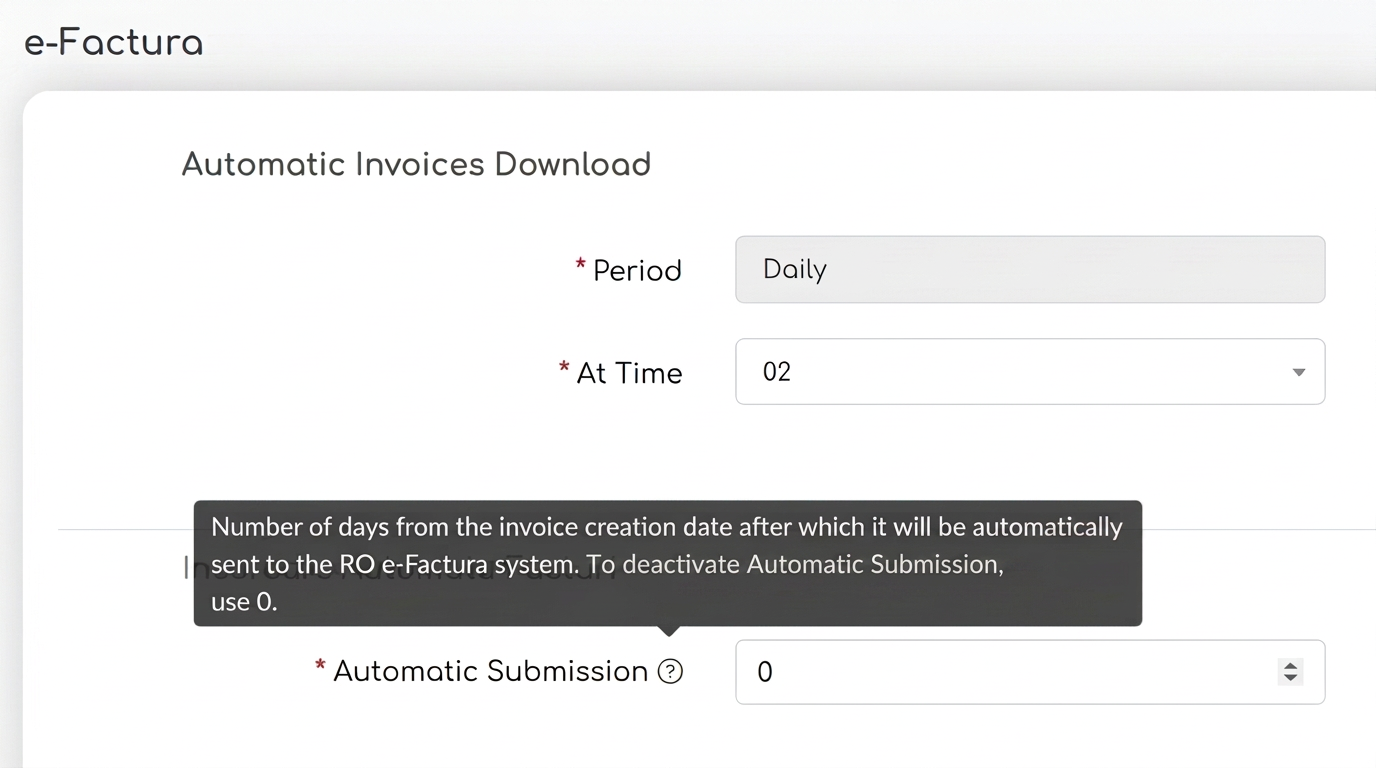
Note: To automate the process of sending invoices to SPV, go to Settings -> Integrations -> Edit e-Factura and configure the automatic submission interval, thus eliminating the need for manual intervention for each invoice.
Show/Hide Discount Option in PDF
This functionality allows the user to decide whether to include applied discounts in the PDF or to display only the final discounted price as the full price.

Step-by-step guide:
- When generating a document (order, offer, or invoice), access the PDF Export Options section.
- Enable or disable the Show Discount option, depending on your preferences.
- Enabled: The PDF will display the discounts applied for each product.
- Disabled: The final discounted price will be displayed without highlighting the applied discount.
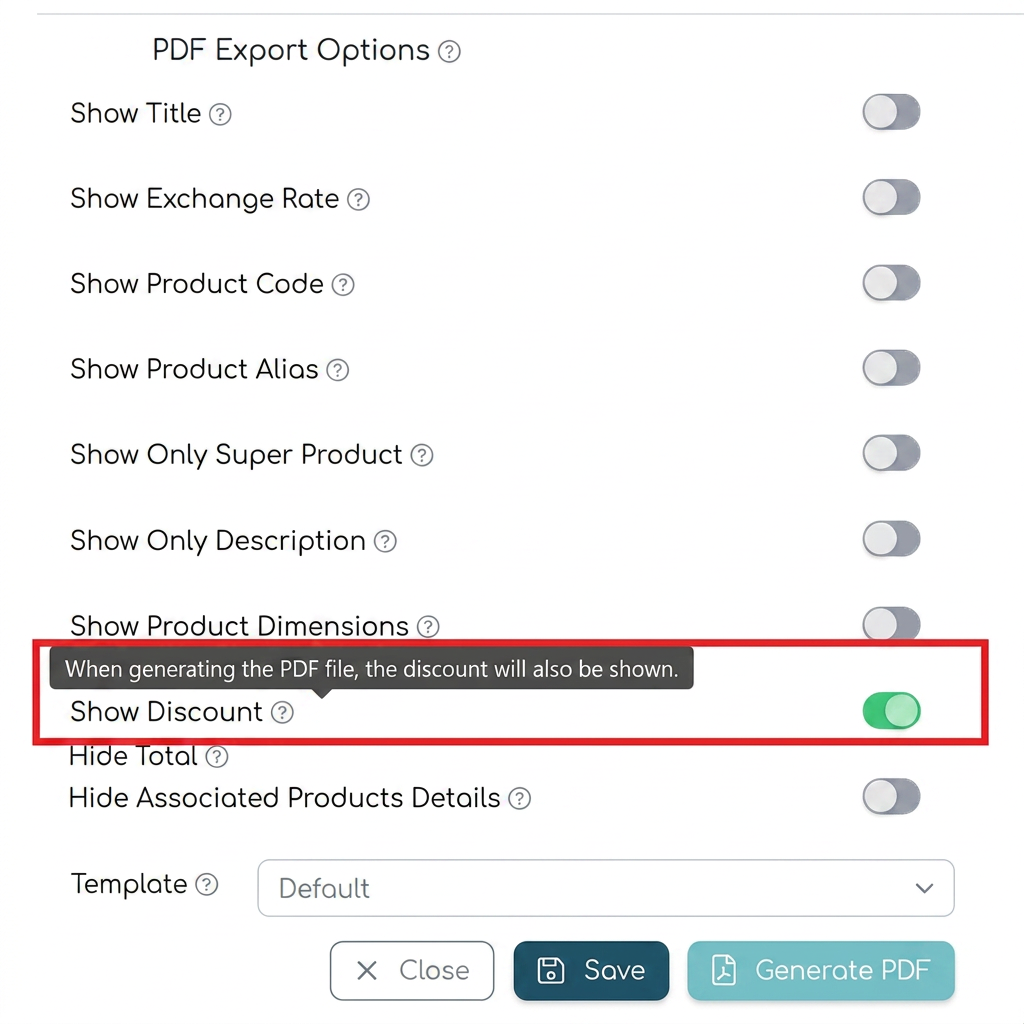
- After configuring this option, generate the PDF document according to the established settings.
Note: If you use templates with preset settings, and the company policy is consistent regarding showing or hiding discounts, it is recommended to edit the most frequently used template and set the desired option as default.