
The iflows platform is regularly updated for improvements and new functionalities.
Multi-Contact Delivery Alerts
The updated functionality of the "Delivery Details" instruction now allows for the specification of multiple customer contacts who can be notified at the time the order is finalized.
When an order reaches the delivery stage in the workflow, this "Delivery Details" instruction generates and sends notifications - either via SMS or email - to the customer, informing them that their products are ready and will be delivered via the method chosen by the operator (such as personal pickup from the headquarters or courier delivery).
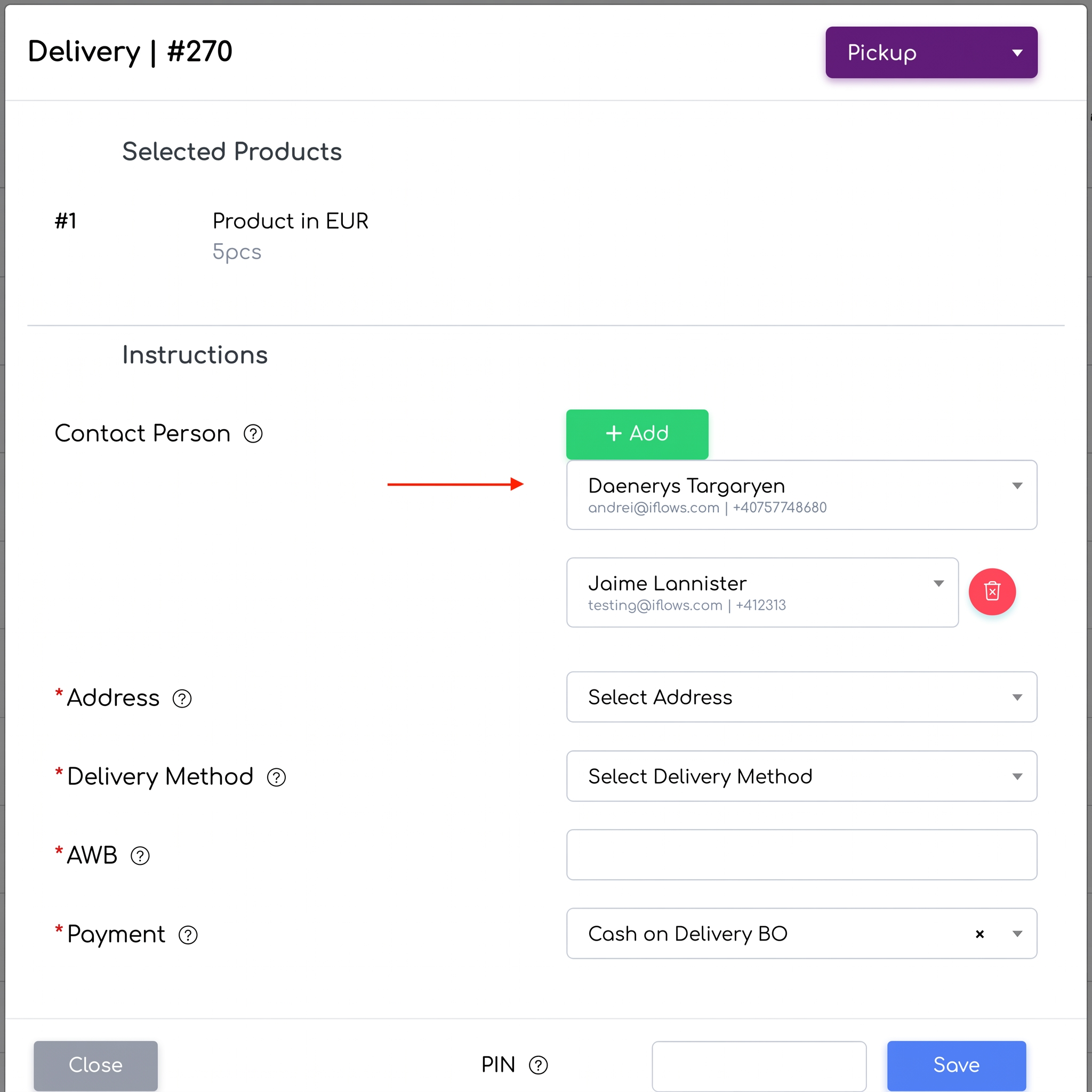
Photo Size Control in PDF Quotes
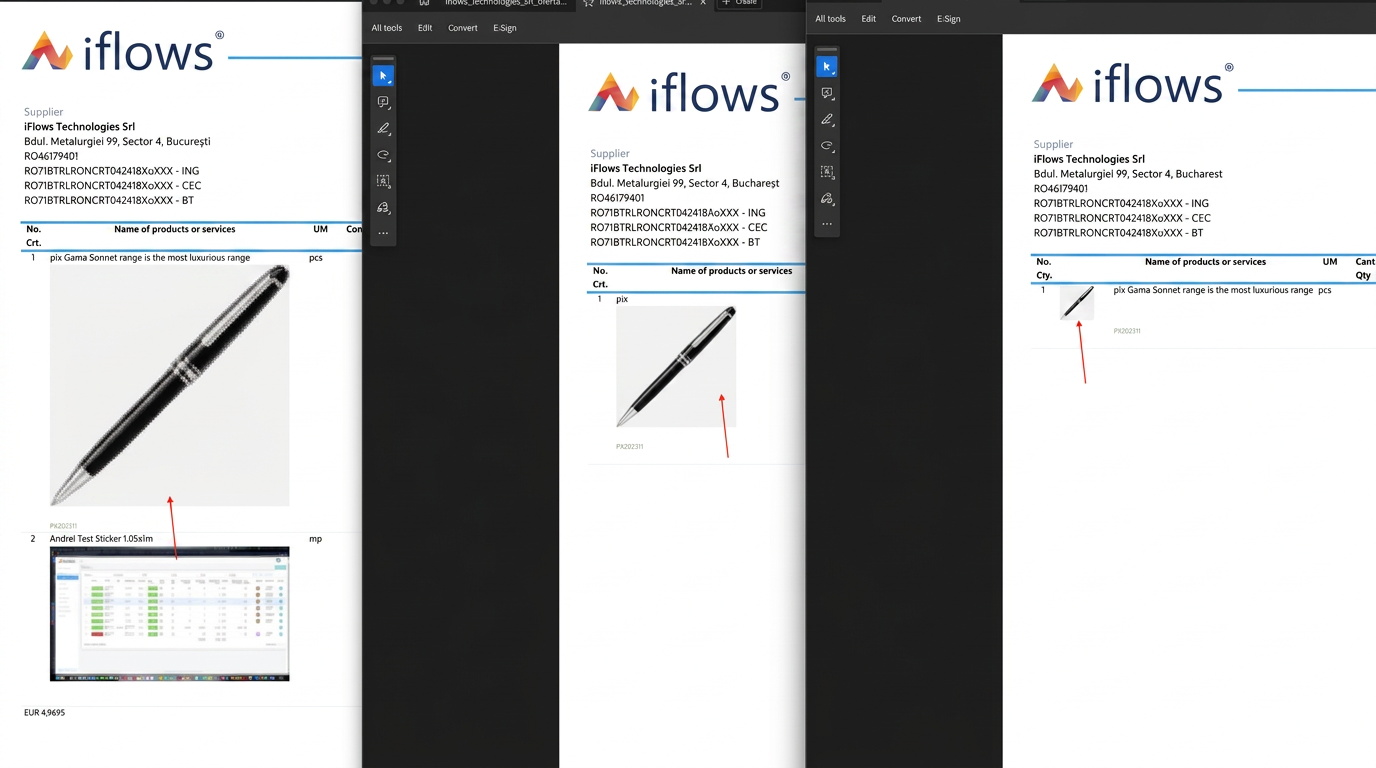
iflows allows users to select the size of product images when generating quotes in PDF format. In practice, users have the option to choose between small, medium, or large sizes for the product photos that will be included in the exported PDF documents.
To access and use this functionality in iflows, the user must follow these steps:
- Access the quote creation or editing section within the iflows platform.
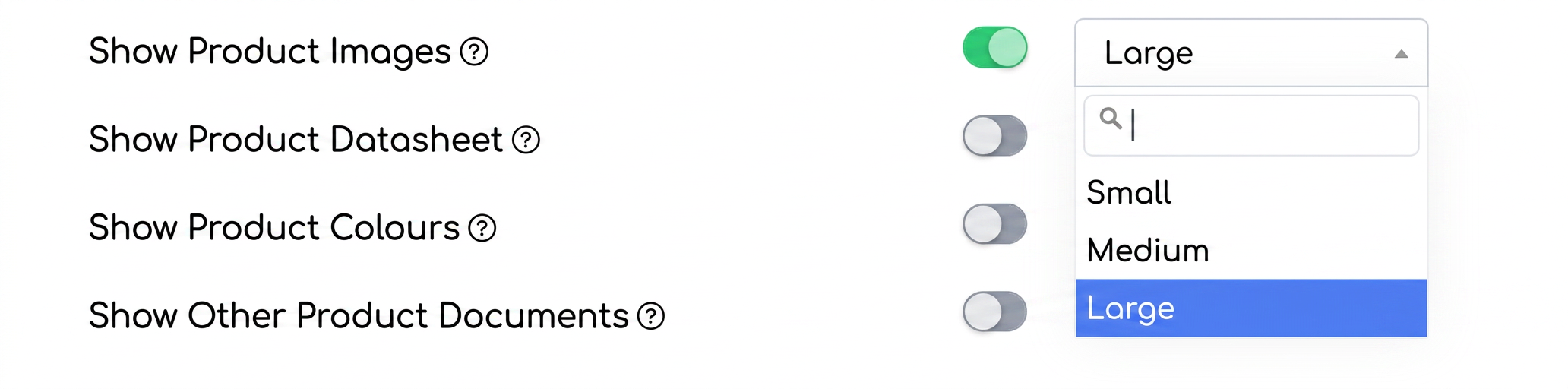
- After configuring the quote, navigate to the bottom of the page where you will find the menu for adjusting quote settings. Here, you will find the "Show Product Images" option which, once activated, will allow you to choose the desired size for the images.
- Select the desired size from the "Small", "Medium", or "Large" options in the dropdown menu.
- After adjusting the settings, proceed with creating or finalizing the quote and export the document in PDF format with your preferred visual settings.
Bank Register: Manual Transaction Addition
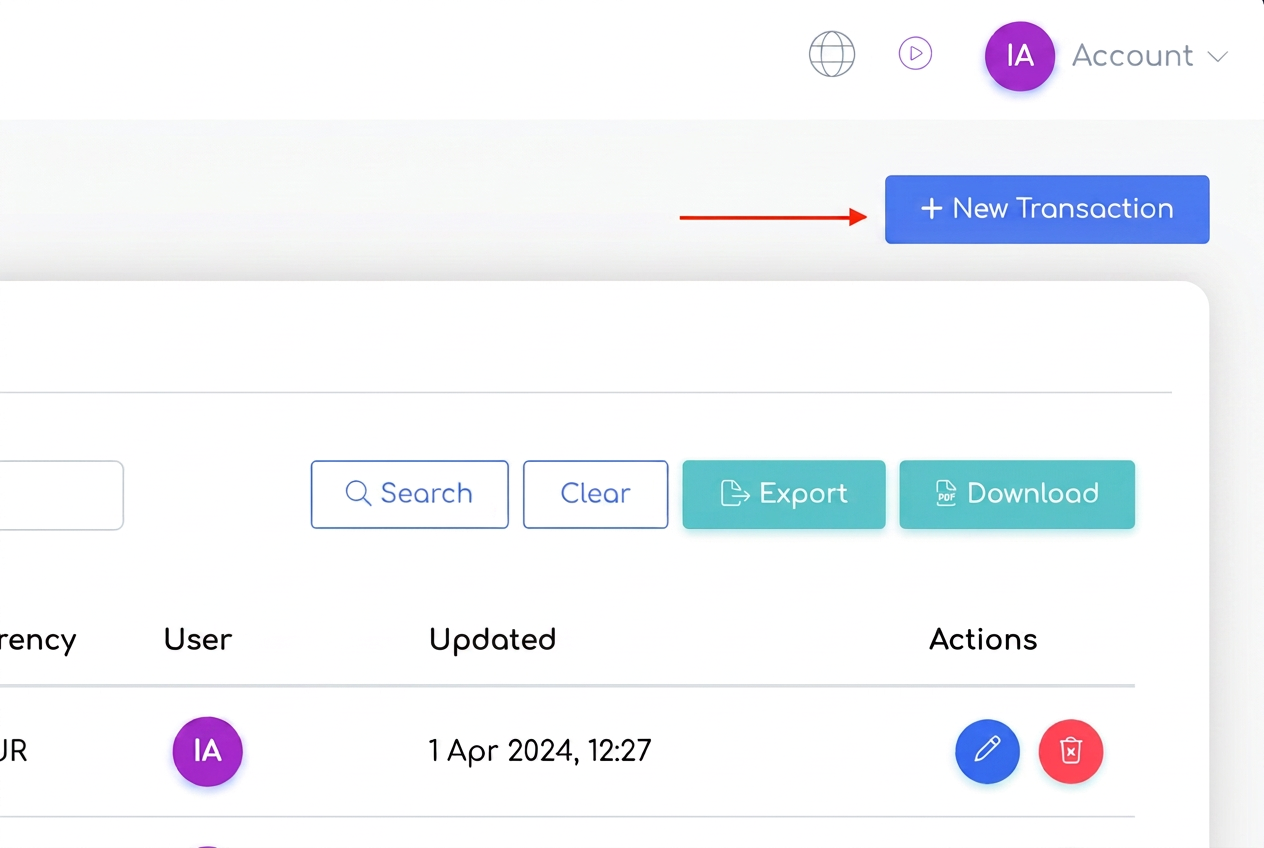
A new feature in iflows allows users to manually add transactions to the bank register. To manually register a transaction in the bank register, go to "Financial" > "Transactions" and select the "Bank Register" tab, then use the "+ New Transaction" option.
Duplicate Check for Incoming Invoices
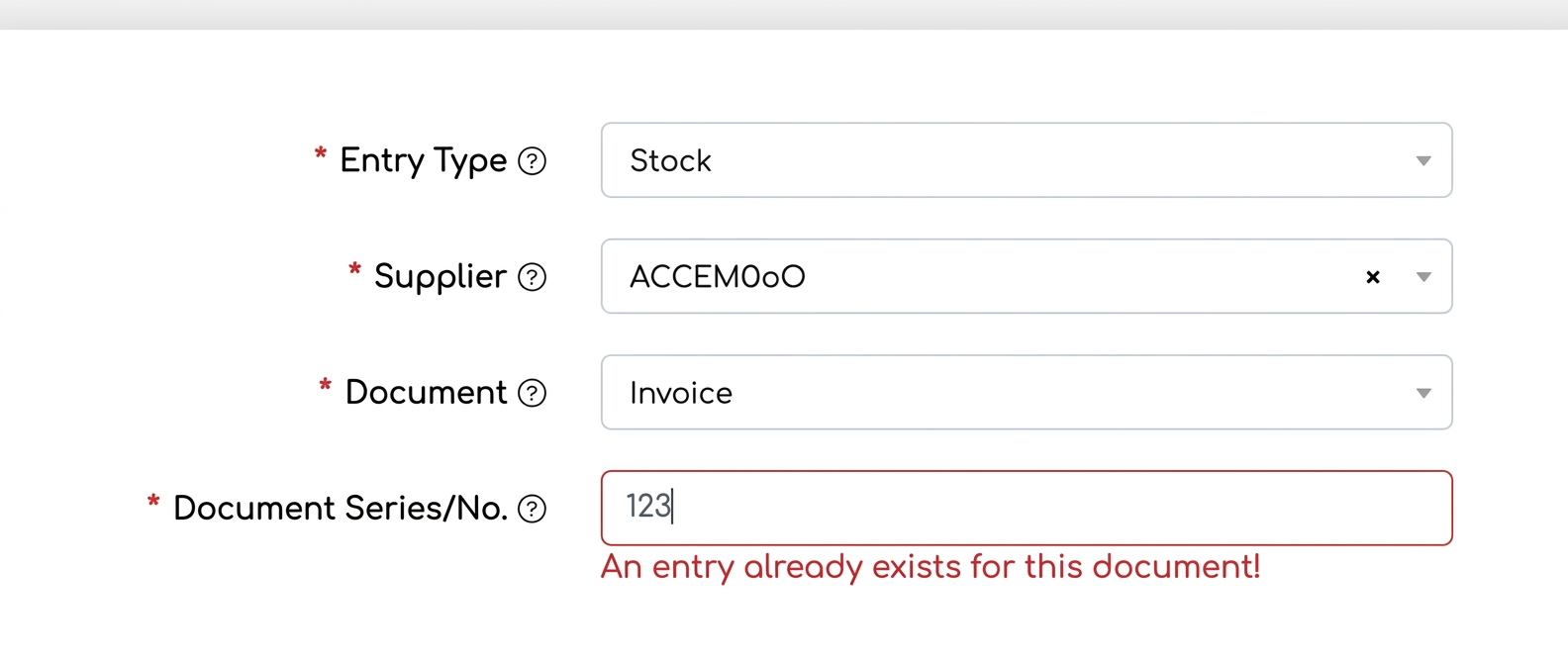
iflows ensures that when entering a new stock intake, the system automatically checks the database to determine if an entry already exists for the specified document. If a document with the same series and number has already been used for a previous entry, the system will warn the user. This prevents the entry of duplicate data and ensures the accuracy of stock records.
If you have suggestions or ideas that could bring improvements to the iflows platform, we encourage you to send us feedback. We are dedicated to continuous improvement and assure you that all suggestions will be carefully evaluated.