
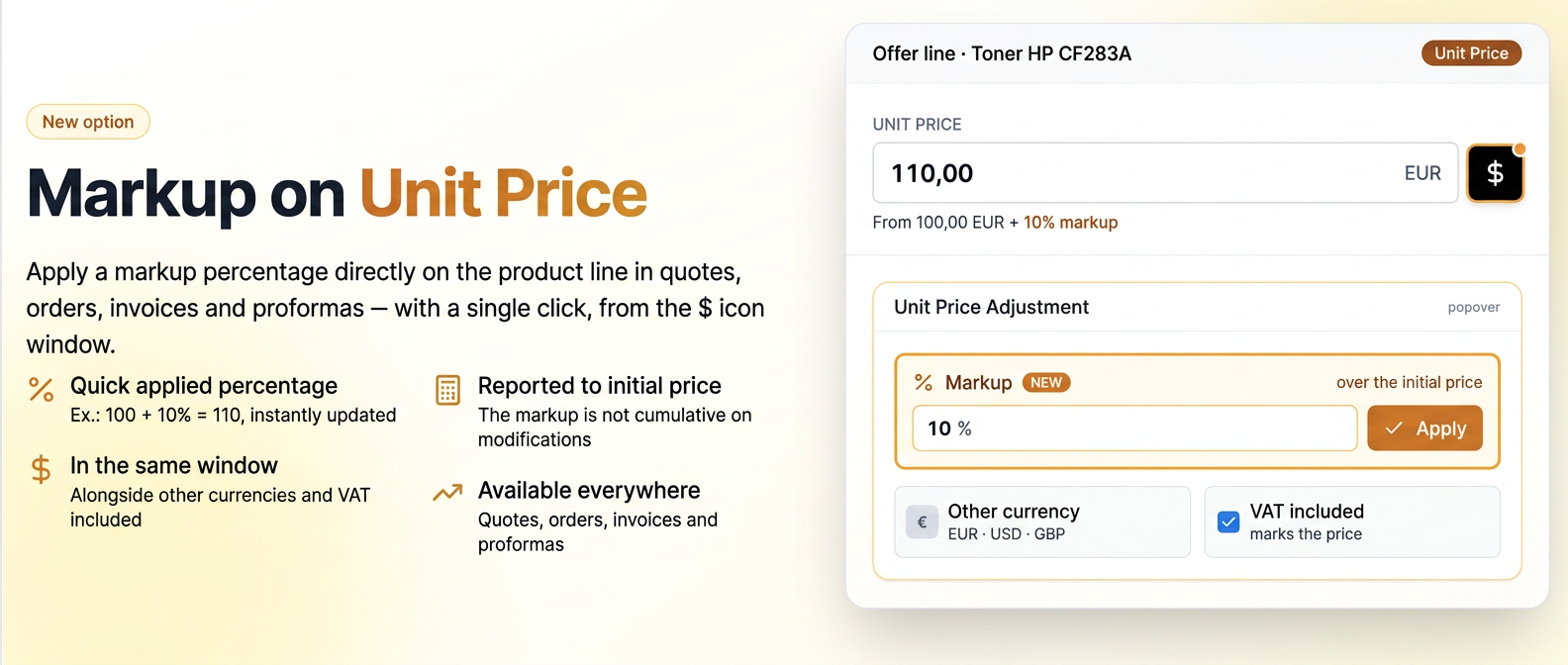
1. Feature description
On each product line in offers, orders, invoices and proforma invoices, the unit price can be entered directly in the Unit Price field. Next to the field, the black $ icon opens a window with additional price adjustment options, where the Markup option has now been added.

The $ icon next to the Unit Price field.
2. Markup Option
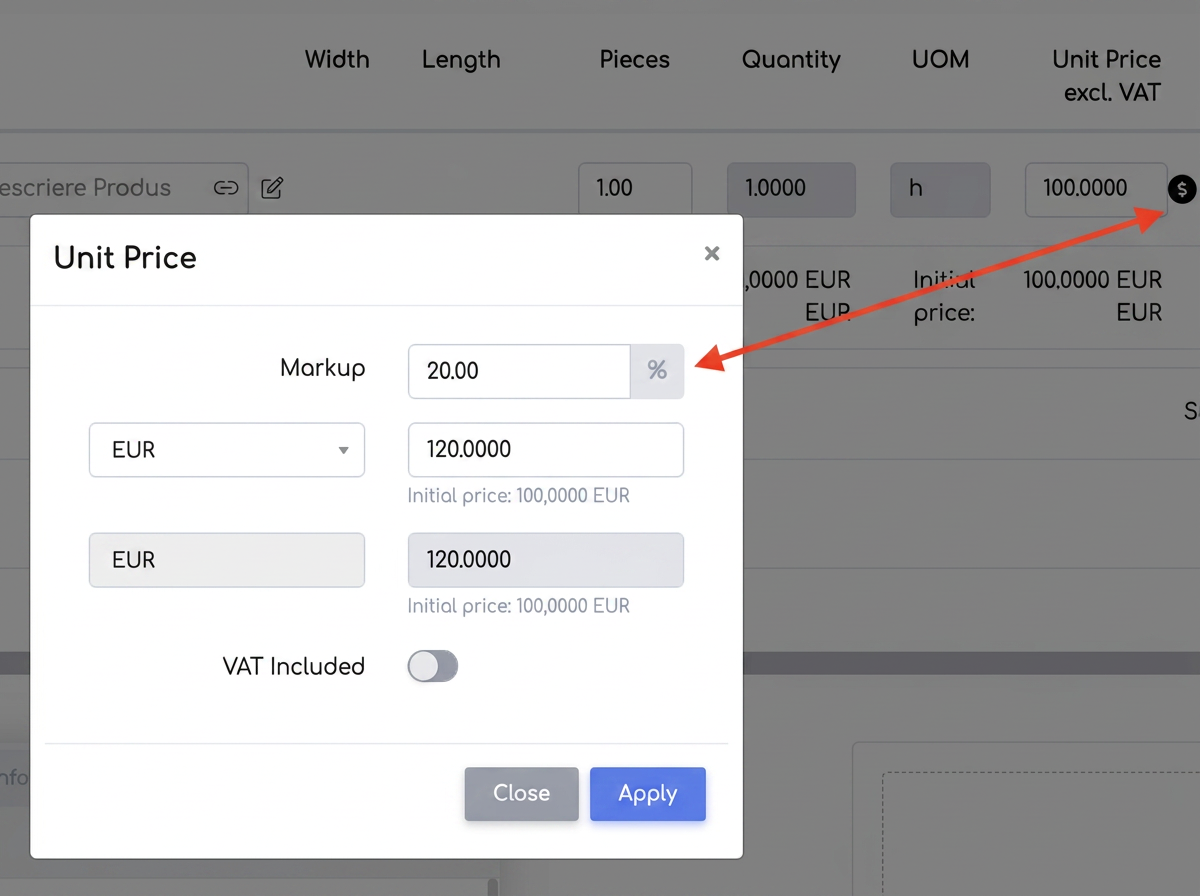
The Unit Price window, with the Markup option.
Markup is a percentage added on top of the unit price (for example, 100 + 10% = 110). Enter the percentage and press Apply — the price on the line updates with the markup included. Also from this window, you can set the price in another currency or mark VAT included.
Notes:
- The markup is always calculated relative to the initial price, not the already increased value, so changing the percentage recalculates the price from the same base (it is not cumulative).
- You cannot enter a negative markup; to reduce the price, use the discount option. Also from this window, you can set the price in another currency or mark VAT included.
Related articles
Discounts on documents — the line discount (Optimization)TutorialsService — Standard Documents on the equipment pageTutorialsDiscounts on documents — the global discount by supplier, category or subcategoryTutorialsStandard Documents — creating a template by importing a Word file (.docx)TutorialsEmployees — tracking documents with an expiry date and generating standard documentsTutorials