
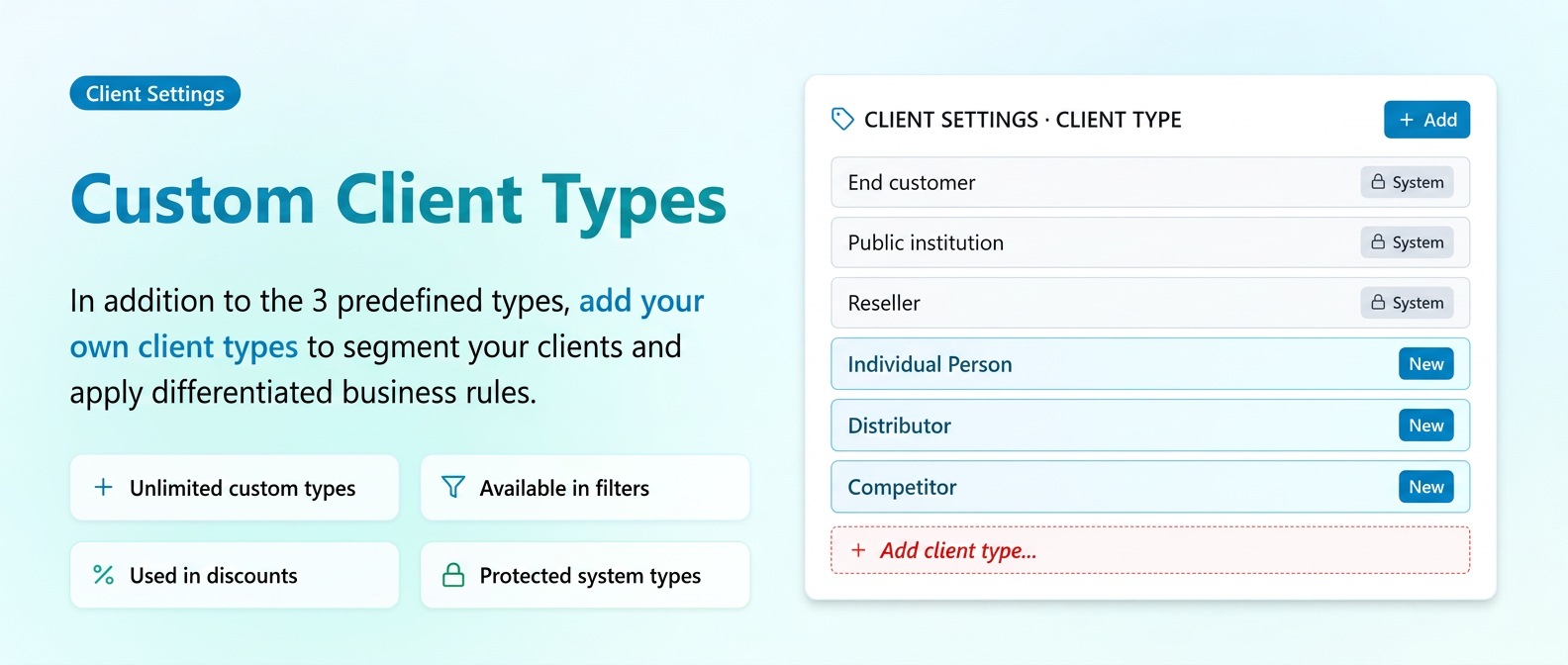
In addition to the predefined customer types (End Client, Public Institution, and Reseller), you now have the possibility to add your own customer types. This allows you to segment your customers according to your company's needs and apply differentiated commercial rules.
New types are added from Customer Settings and can be used in the customer profile, in filters, and when applying discounts.
How to use
Customer types are managed in Customer Settings, under Customer Type (after Level and Status).
- Access Customer Settings and open the Customer Type section.
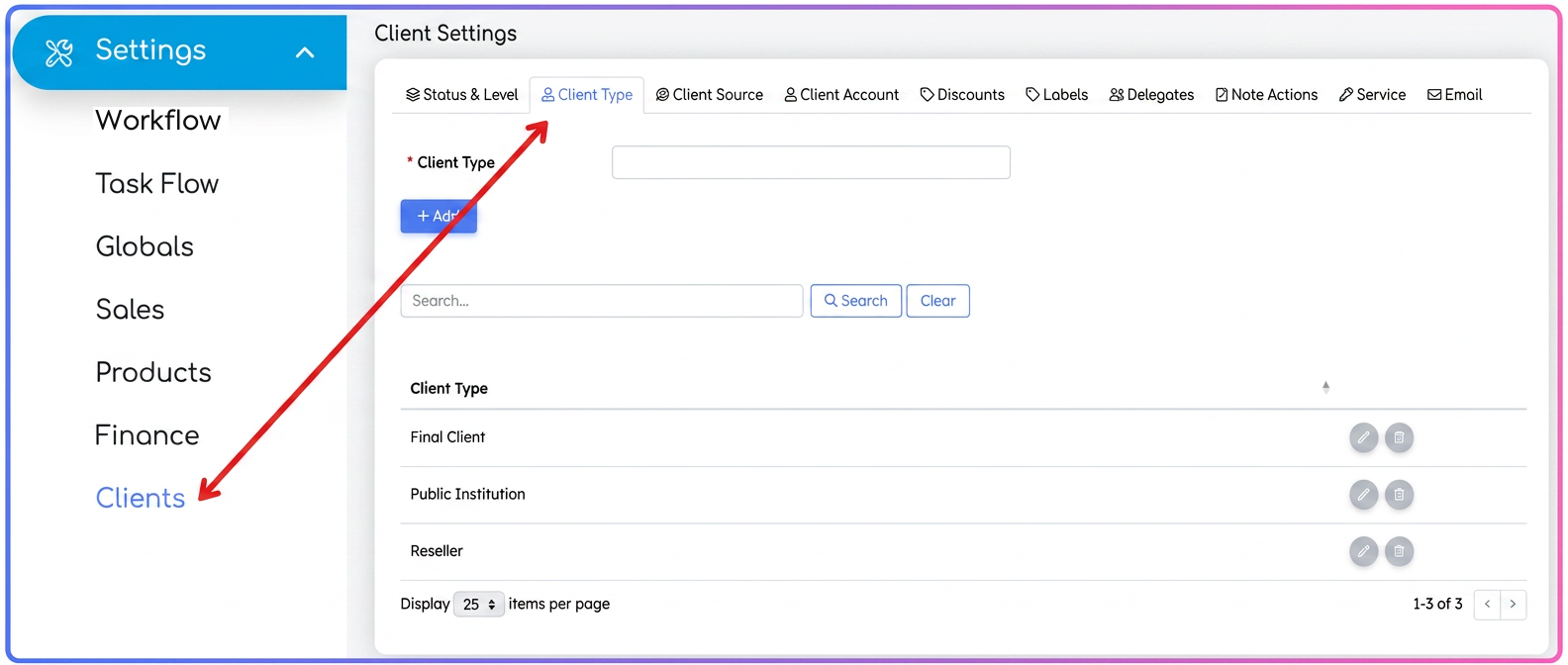
- Add a new type — fill in the desired name and save.
- Use the type in the customer profile — when editing a customer, select the appropriate type from the list of available types.
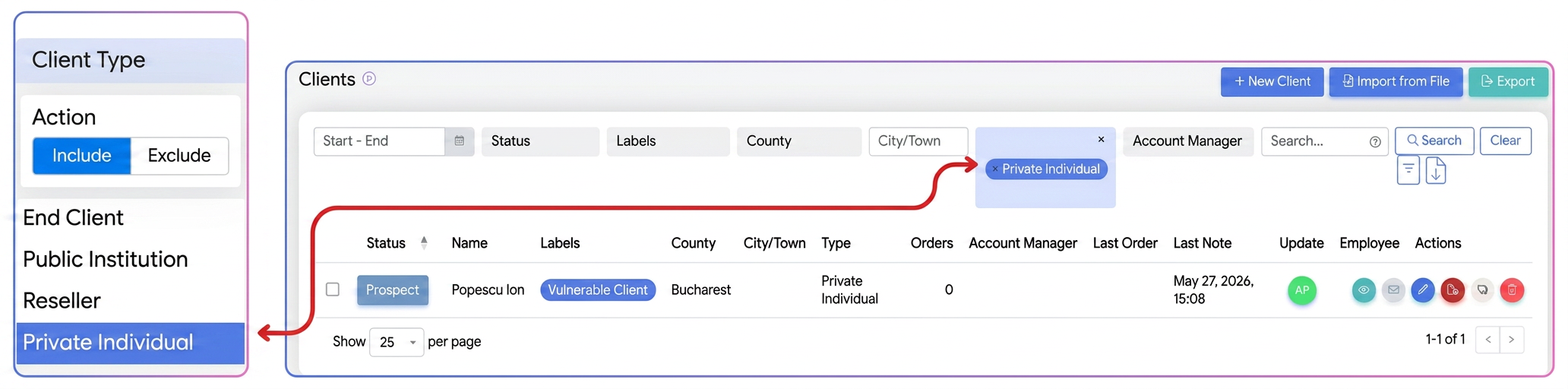
- Filter by type — use the new types to filter customers in areas where filtering by customer type is available.
- Add discounts by type
Particularities
- Public Institution behavior — the predefined Public Institution type has special behavior when transmitting to e-Factura. This behavior remains strictly for the system type and is not transferred to new types you add.
Functionality
- Custom types — you can create as many new customer types as you need, depending on how you want to organize your customers.
- Protected system types — the three predefined types (End Client, Public Institution, Reseller) remain available and cannot be modified or deleted.
- Available everywhere — new types automatically appear in all areas where selection or filtering by customer type is available.
- Used in discounts — new types can be selected in the discounts module to apply discounts based on the customer type.
- Accepted for import — new types can also be used when importing customers.
Related articles
Customers: Inactive / Active status - specific term established per customerTutorialsCustomer: Unpaid Invoices StatusTutorialsCustomer Report - Balance, Overdue Balance and Unallocated Balance columnsTutorials“Orders” and “Quotes” Tabs in the Customer ProfileTutorialsArchiving Customers and FormsTutorials