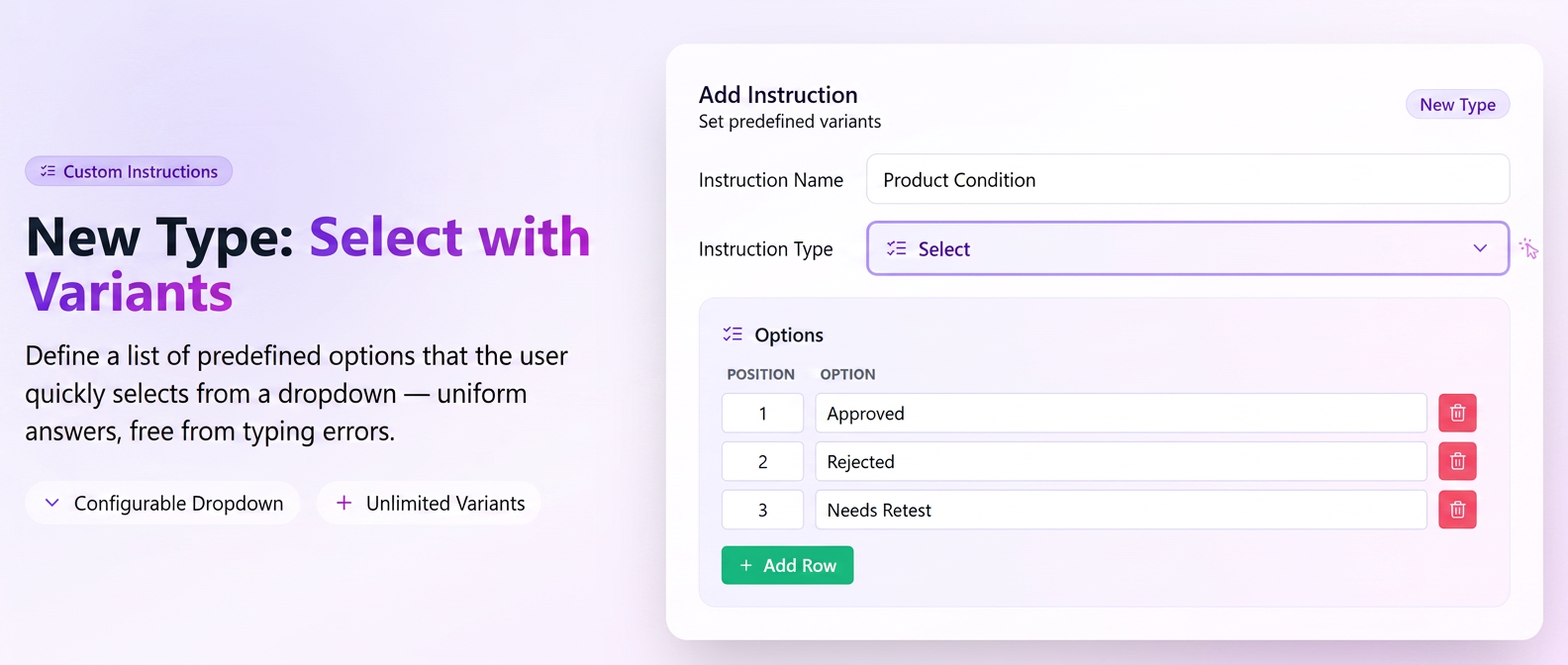
In addition to the existing custom instruction types — Text and Yes/No — users can now create Select type custom instructions with personalized answer options. This functionality offers more flexibility in workflow configuration, allowing the definition of predefined answer lists for recurring situations.
News and Features
- New instruction type — Select — alongside the existing Text and Yes/No options.
- Custom options — when configuring the instruction, define your own list of possible answers (e.g., "Compliant / Non-compliant / Requires adjustments").
- Quick selection during execution — the operator chooses the answer from a dropdown instead of typing text — saving time and ensuring data consistency.
- Useful for uniform reporting — predefined answers facilitate subsequent analysis and the generation of standardized reports, as values are limited to the configured options.
How to use
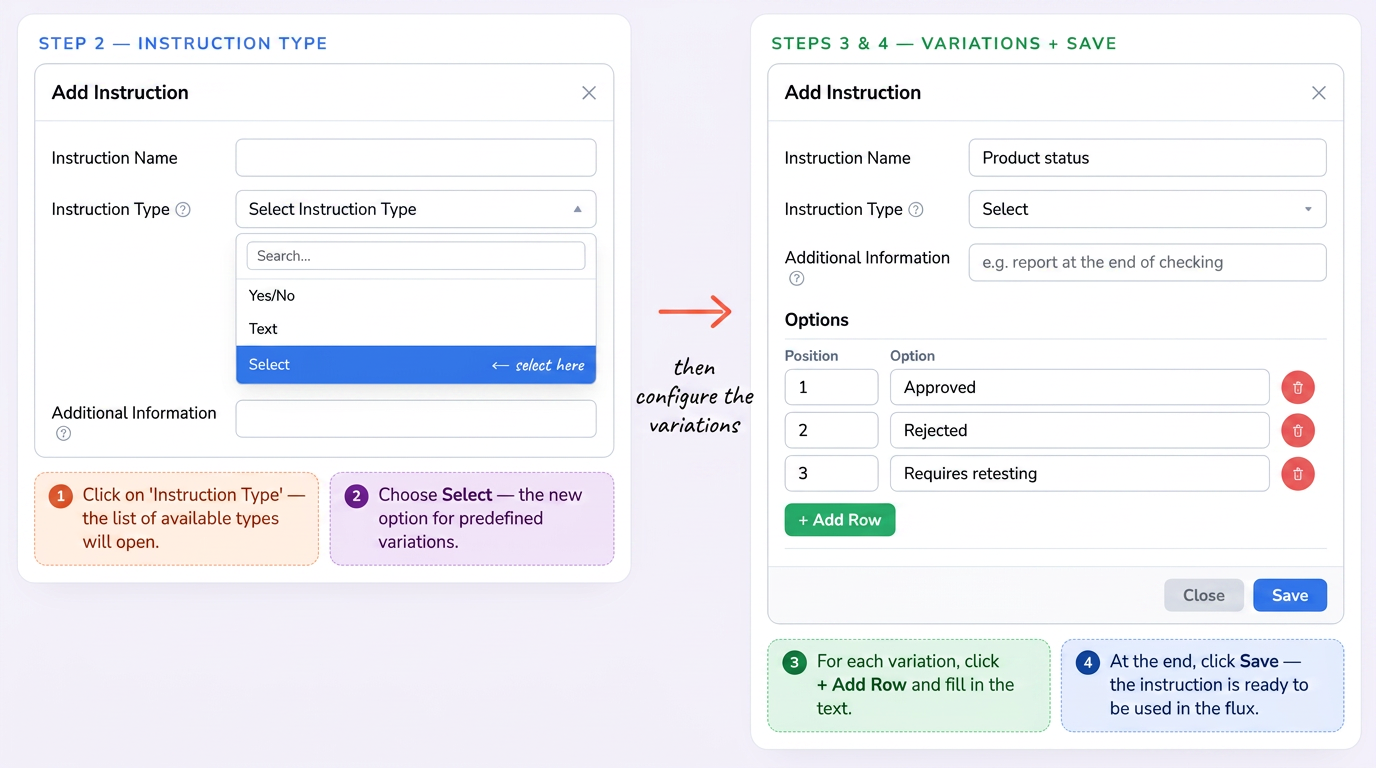
- Navigate to the workflow settings and add a new Custom Instruction.
- Select the Select type.
- Define the desired answer options (for example: "Compliant", "Non-compliant", "Requires adjustments").
- Save the instruction — during execution, the operator will choose one of the predefined options.
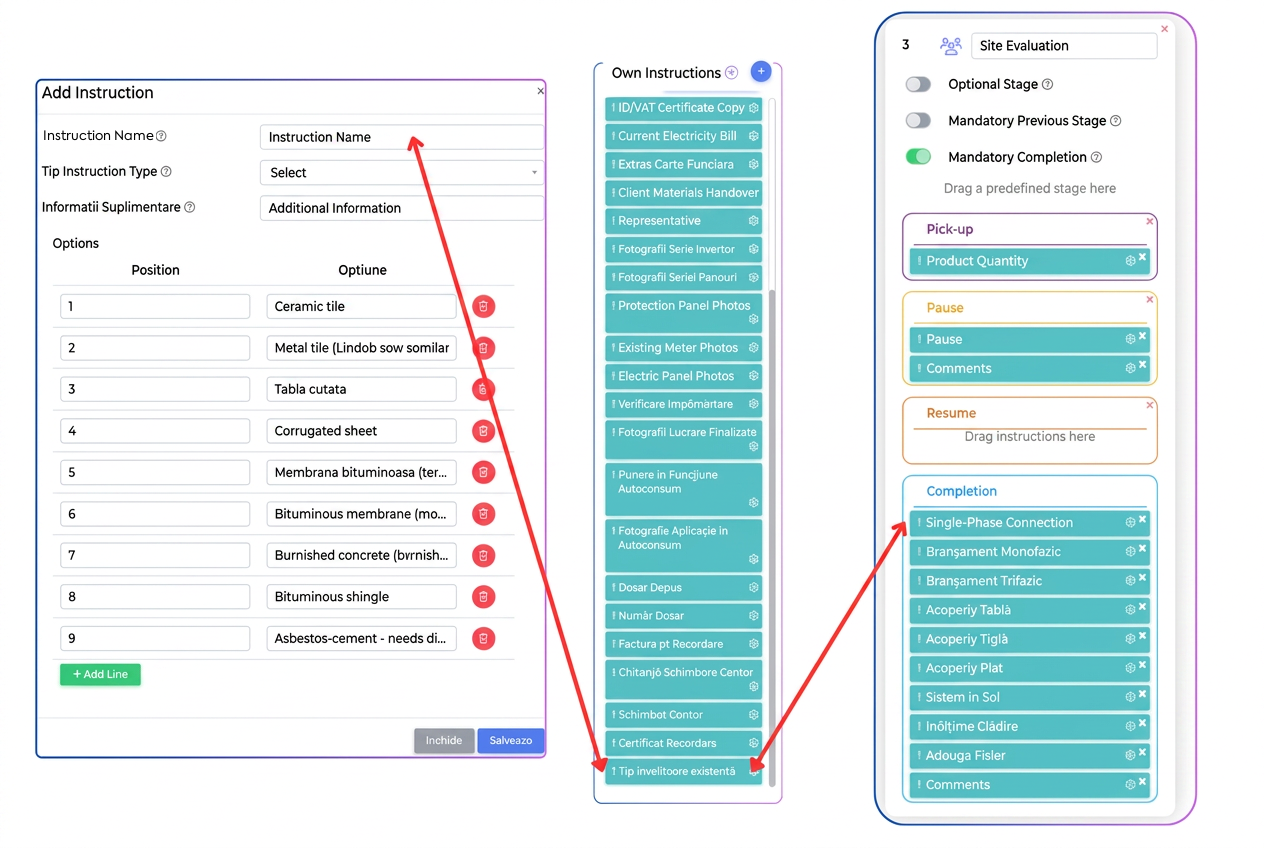
Practical Example
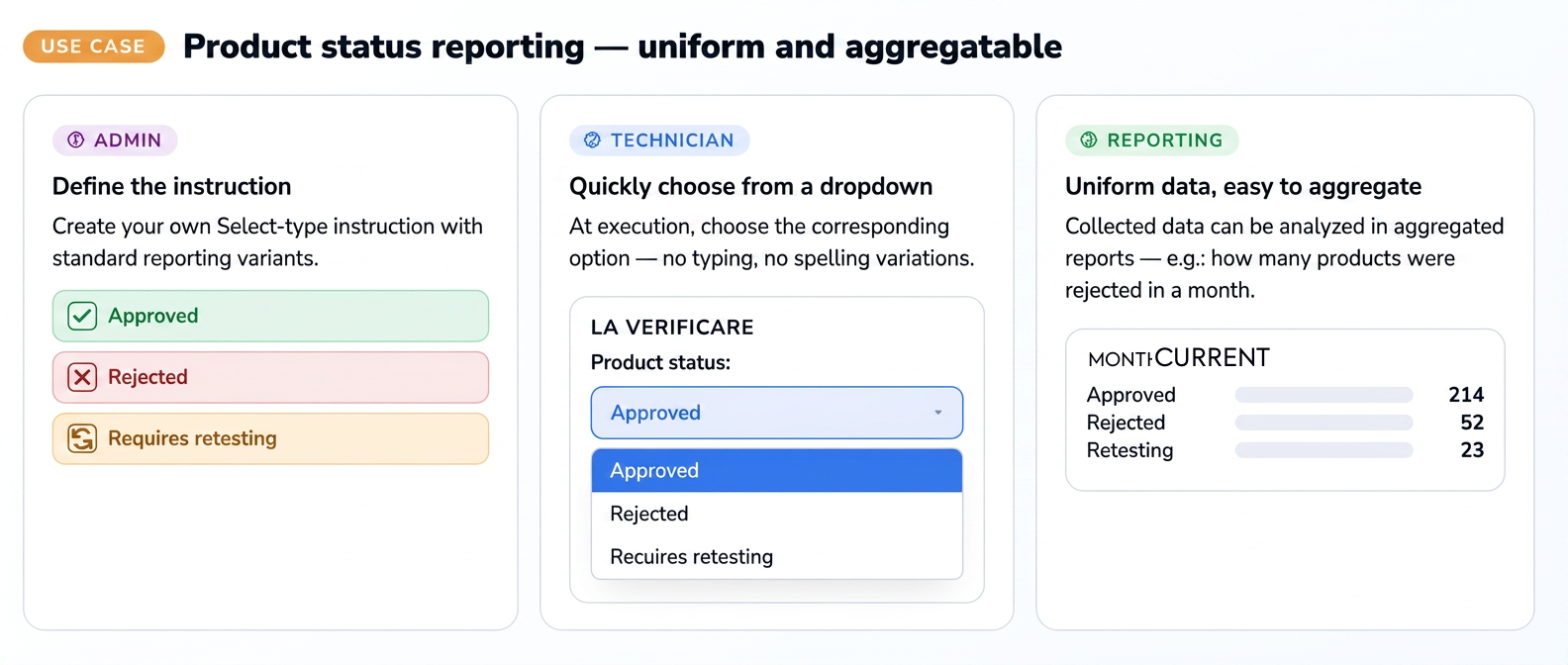
A quality control firm wants the technician to report the status of a product at the end of an inspection, using standard reporting options.
→ The admin creates a Select type custom instruction with the options "Approved", "Rejected", and "Requires retesting"
→ During execution, the technician quickly chooses the corresponding option from the dropdown without typing text
→ The collected data is uniform and can be analyzed later in aggregate reports (e.g., how many products were rejected in a month)