
To modify the "Editable price" setting for multiple products simultaneously, follow these steps:
- Access the "Products" section from the main menu of the platform.
- Select the desired products using the checkboxes located to the left of each product. You can select as many products as you want at once to make the bulk change.
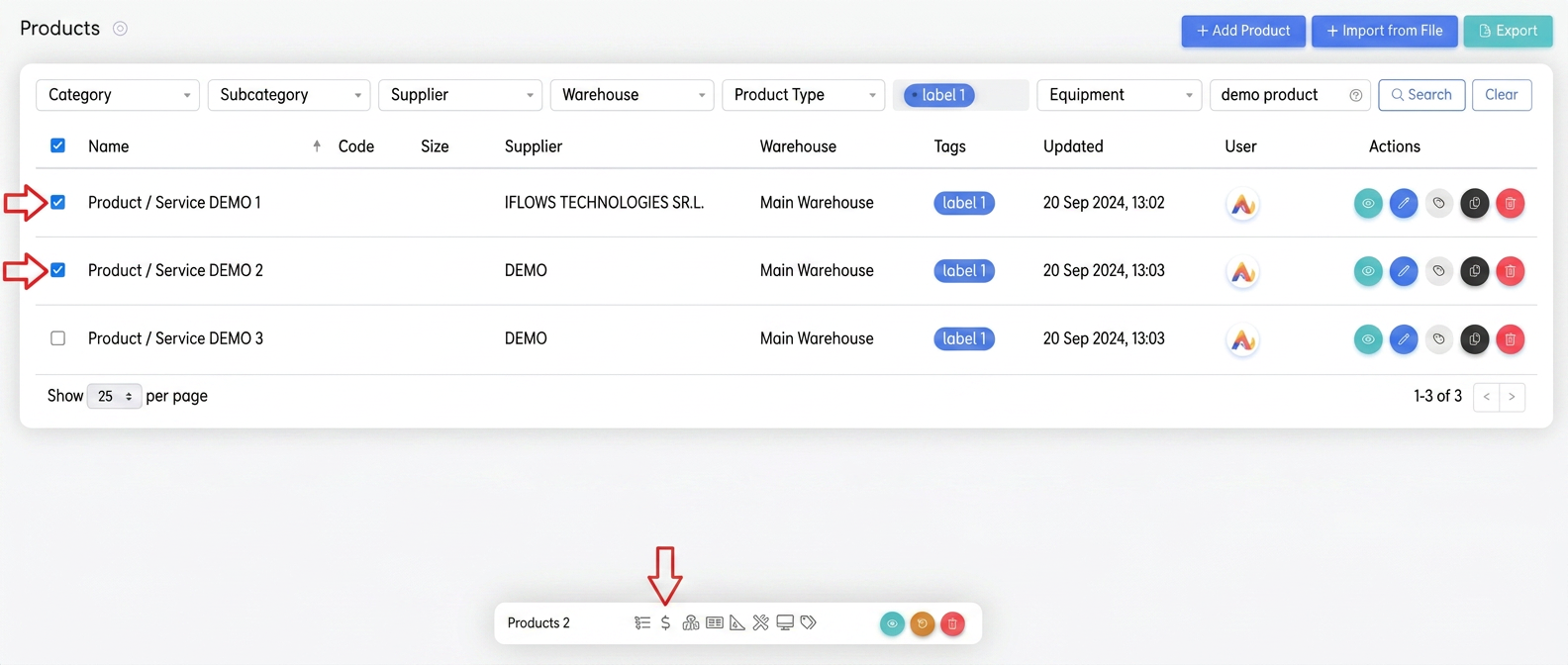
- After selecting the targeted products, an action bar with various options will appear at the bottom of the screen.
- Click on the icon with the "$" symbol, which represents price-related options.
- In the pop-up window that appears, select "Enable editable price option" for all selected products.
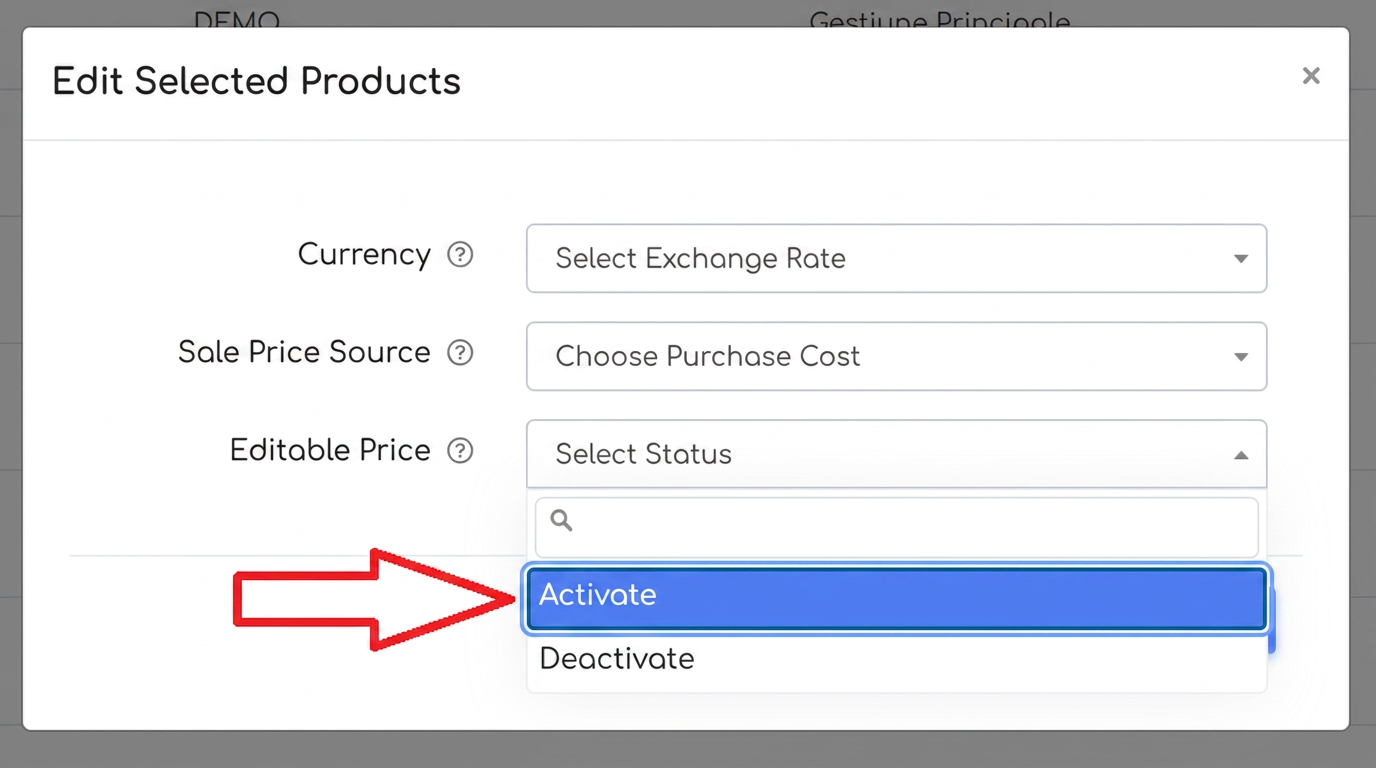
Confirm the change to apply the editable price setting to all selected products.