We are introducing an automatic price verification mechanism when saving quotes, orders, and invoices, aimed at preventing sales below the acquisition cost. When a selling price lower than the product cost is detected, the system requests a mandatory justification from the user before the document can be saved.
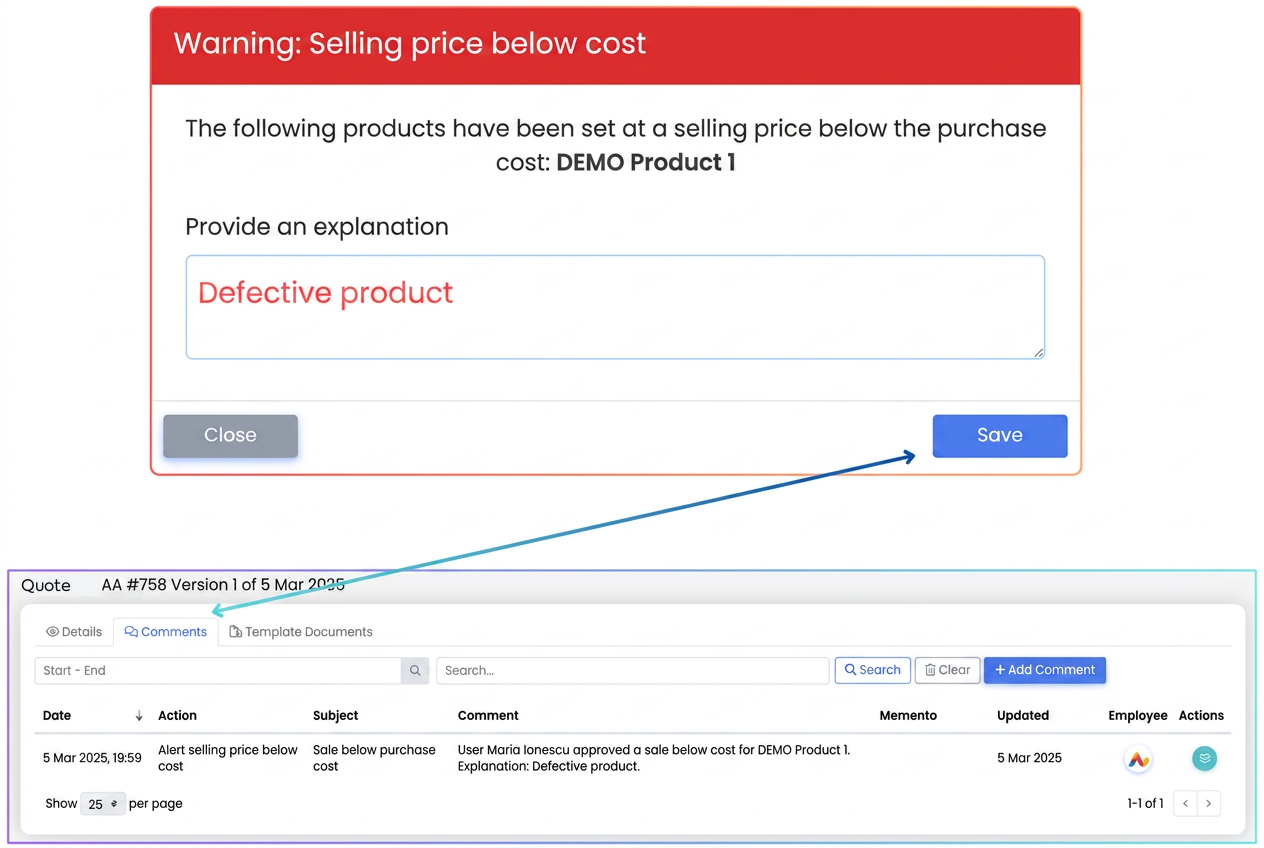
How It Works:
- Detection of prices below cost
- Upon clicking the "Save" button, iflows automatically checks all products in the document (quote, order, or invoice).
- If one of the products has a selling price below the acquisition cost, an alert pop-up appears.
- Entering the justification
- The pop-up lists the products with prices below cost and provides a mandatory field for an explanation (e.g., "Damaged product", "Stock clearance campaign", etc.).
- Without completing this justification, the document cannot be saved.
- Saving and viewing the justification
- For quotes and orders, the entered explanation is stored in the Comments tab of the document, visible to all users with access to it. This comment CANNOT BE DELETED.
- Notifications for other users
- If other team members have notifications configured for this alert, they will receive a message in iflows when a document with products below cost is saved.
- The notification includes details about the document (number, type, date) and the products in question.
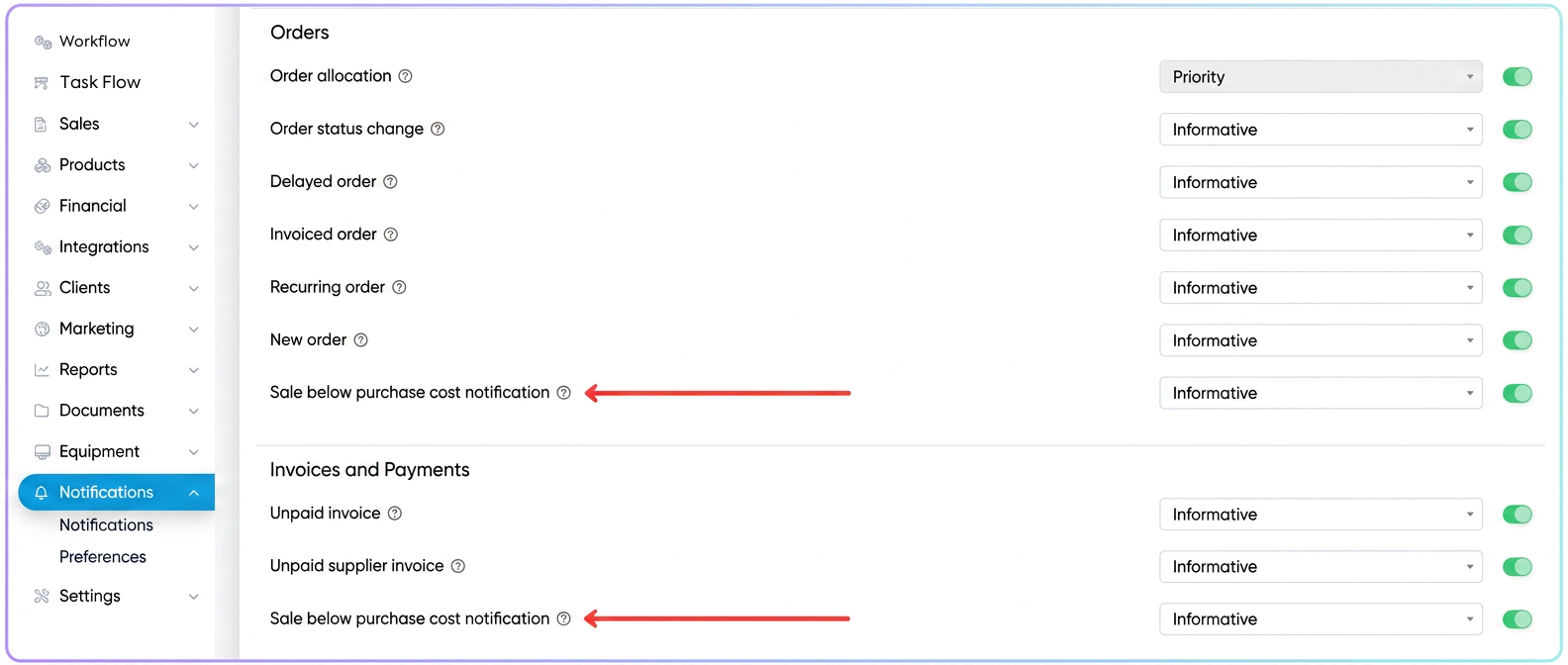
Note: To activate these notifications, go to and enable the desired notification type (Informative/Priority) in the Orders and Invoices and Payments sections respectively.