
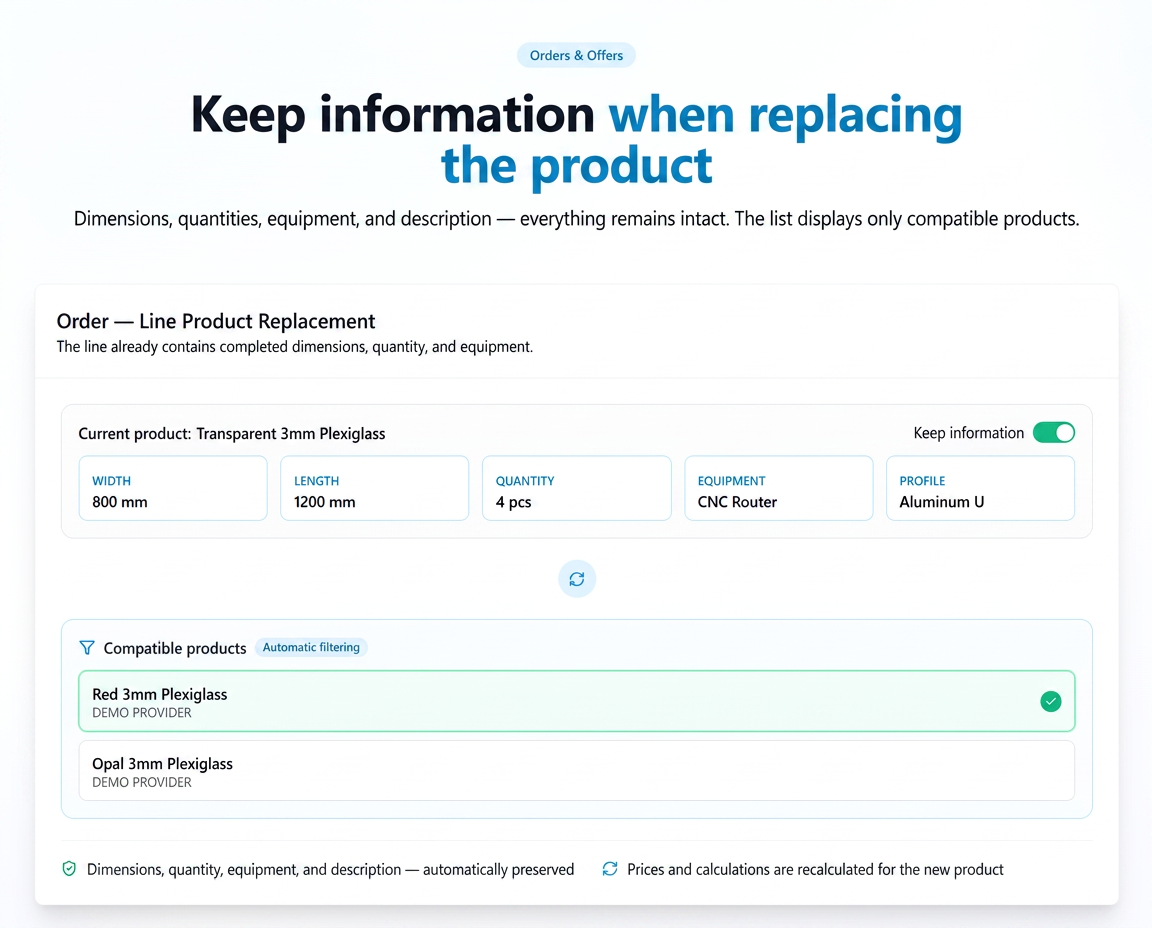
When replacing a product on an existing line within an Opportunity, Quote, or Order, a new toggle allows you to keep all the information already filled in on that line — dimensions, quantity, equipment, profile, equipment quantity.
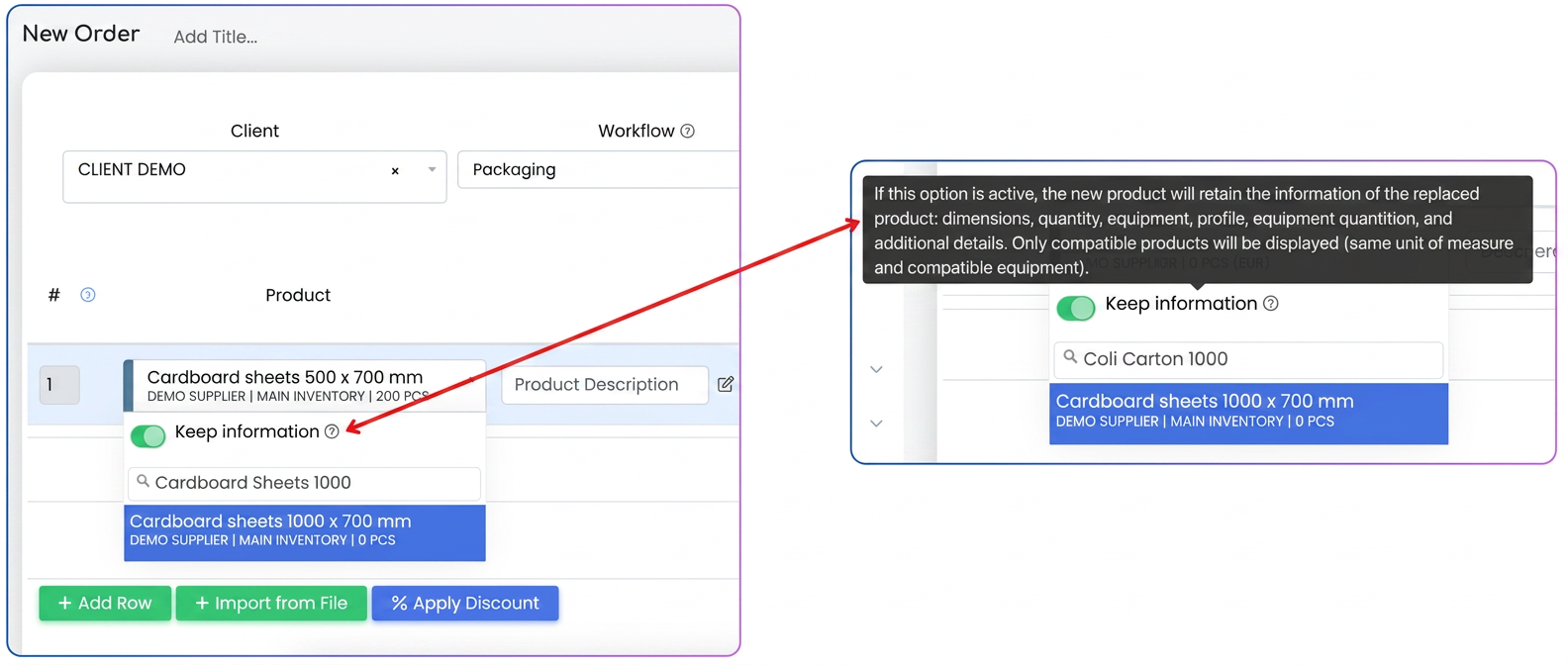
- The "Keep information" toggle appears on the line when it already contains a selected product.
- When the toggle is active, replacing the product retains: dimensions, quantity, units, equipment, profile, description.
- The list of products available for replacement is automatically filtered — only compatible products are displayed (same unit of measure for sales, same unit of measure for dimensions, and the same associated equipment)
- The toggle does not appear on new, empty lines.
How to use
- Open the Opportunity, Quote, or Order.
- On the line with the product to be replaced, enable the "Keep information" toggle.
- From the filtered list, select the replacement product — only products that cumulatively meet these criteria are displayed: same unit of measure for sales, same unit of measure for dimensions, and the same associated equipment.
- The information on the line is automatically preserved.
Practical example
An order line has dimensions, quantity, and equipment filled in. The product needs to be replaced with a different version.
→ With the "Keep information" toggle active — the list displays only products compatible with the existing one.
→ Upon selecting the new product, all data on the line remains unchanged.
Note:
- Even with retention active, prices, values, and calculations are recalculated for the new product (it keeps dimensions/quantities etc., but the price is updated).
- SuperProducts are excluded from the search.
Related articles
How can I send an email to my colleagues regarding a specific order, directly from iFlows, to request additional information?ForumSupplier orders — tags for organizing and filtering ordersTutorialsSupplier orders — requirements from client ordersTutorialsWorkflow — additional details on productsTutorialsOrder without invoicingTutorials