
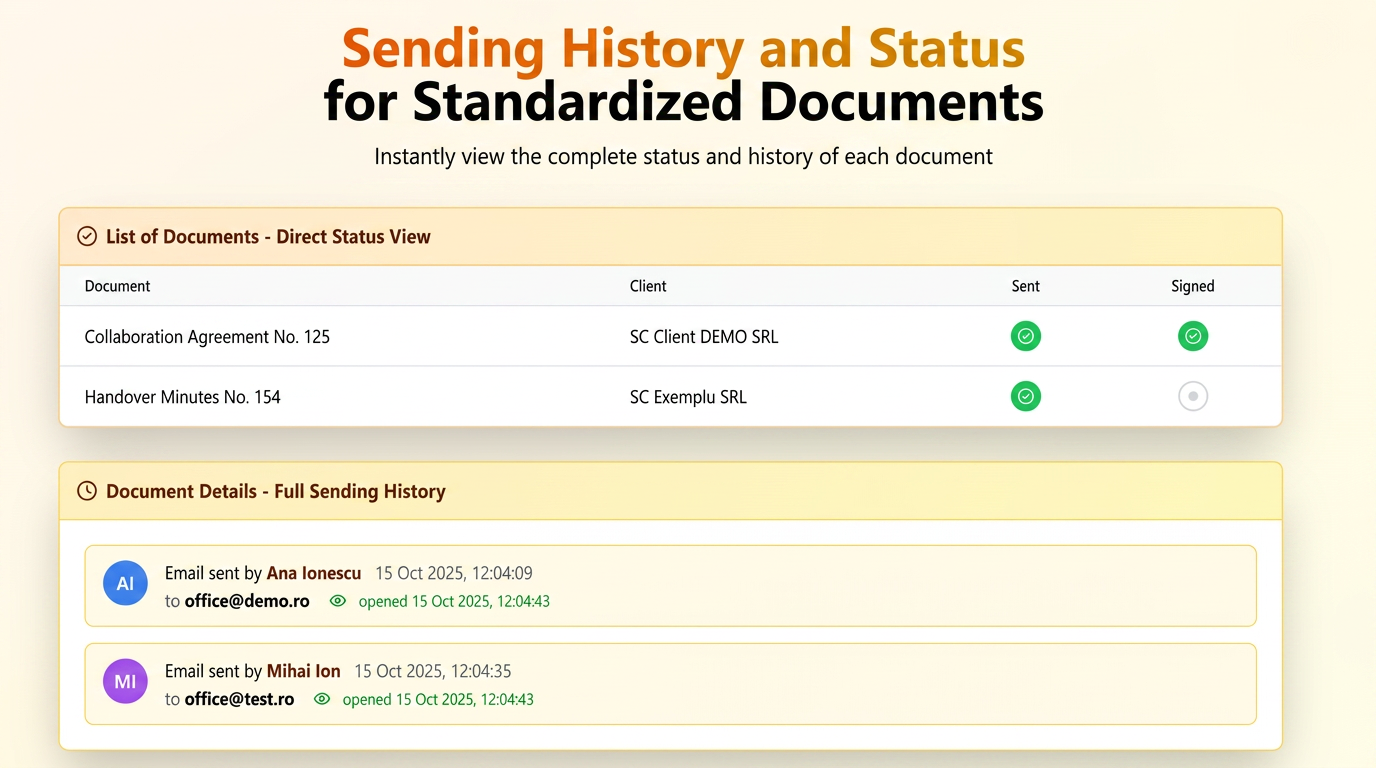
The new update in the Standardized Documents module gives you full visibility over the status of each document — both at the list level and within the individual file details.
1. Direct visibility in the list
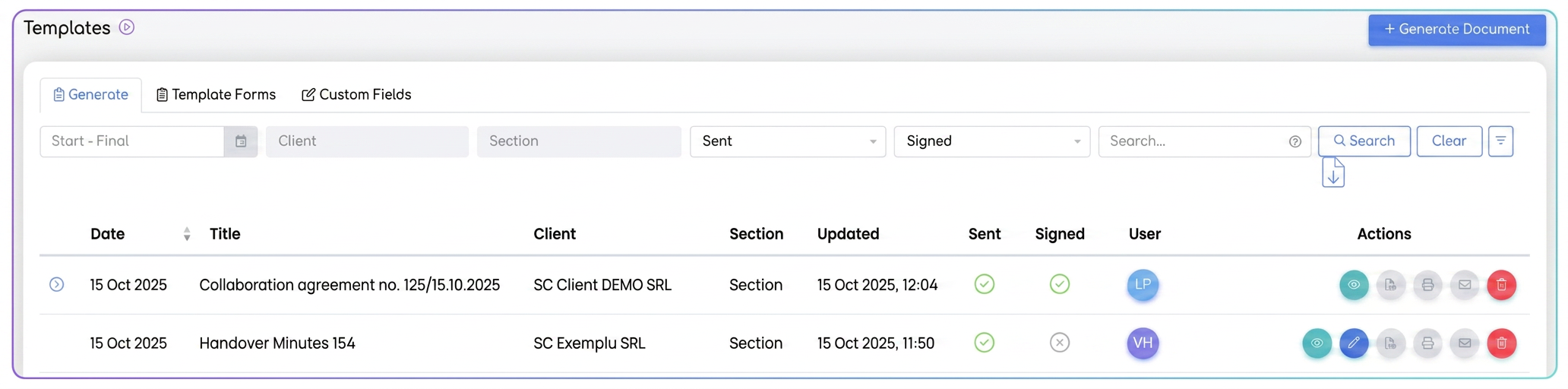
In the main table (section ), you can now instantly see:
- if a document has been sent (green ✓ in the Sent column);
Thus, without opening the document, you already know its status — sent / not sent, signed / unsigned.
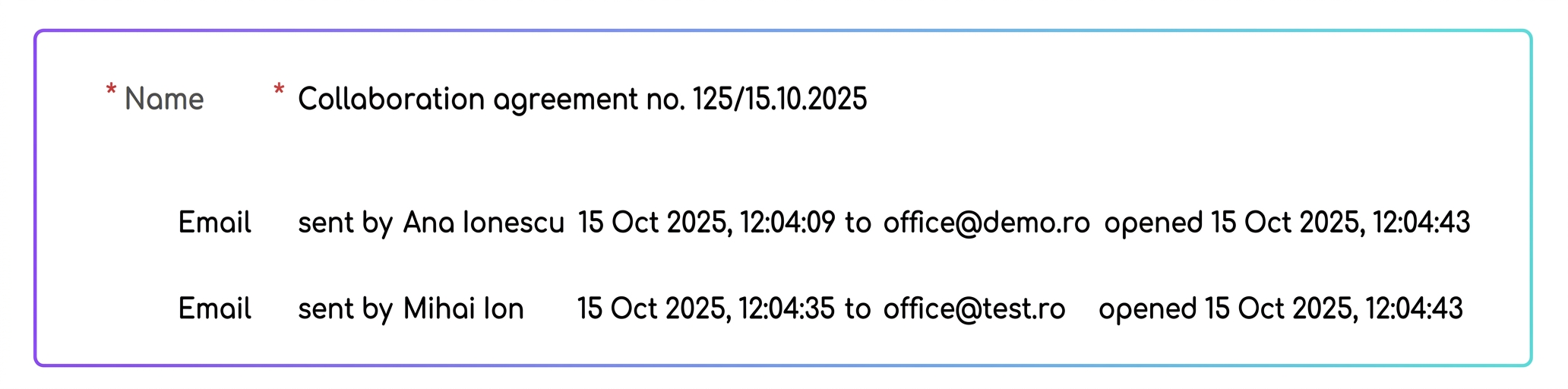
2. Complete details in the document file
When you access the document via the View action, a section with the email sending history now appears at the top, which includes:
- the name of the user who sent the document;
- the exact date and time of dispatch;
- the recipient's email address;
- the moment the recipient opened the email.
If the document was sent multiple times, each dispatch appears separately, providing full traceability.
Related articles
Electronic Signing of Standardized DocumentsTutorialsAdvanced Editor for Standardized DocumentsTutorialsStandard Documents — configurable Products variable and new variablesTutorialsStandard Documents — validation ID under the signatureTutorialsStandardized Document Generator I iflows TutorialTutorials