
The Alias is an alternative name that can be assigned to a customer or product, to allow for rapid, flexible, and intuitive identification in the system, regardless of the official name.
🔹 Customer Alias
✅ Context:
Companies may have an official name (the legal name registered with the Trade Register) and another commercial name or brand name.
Example:
-
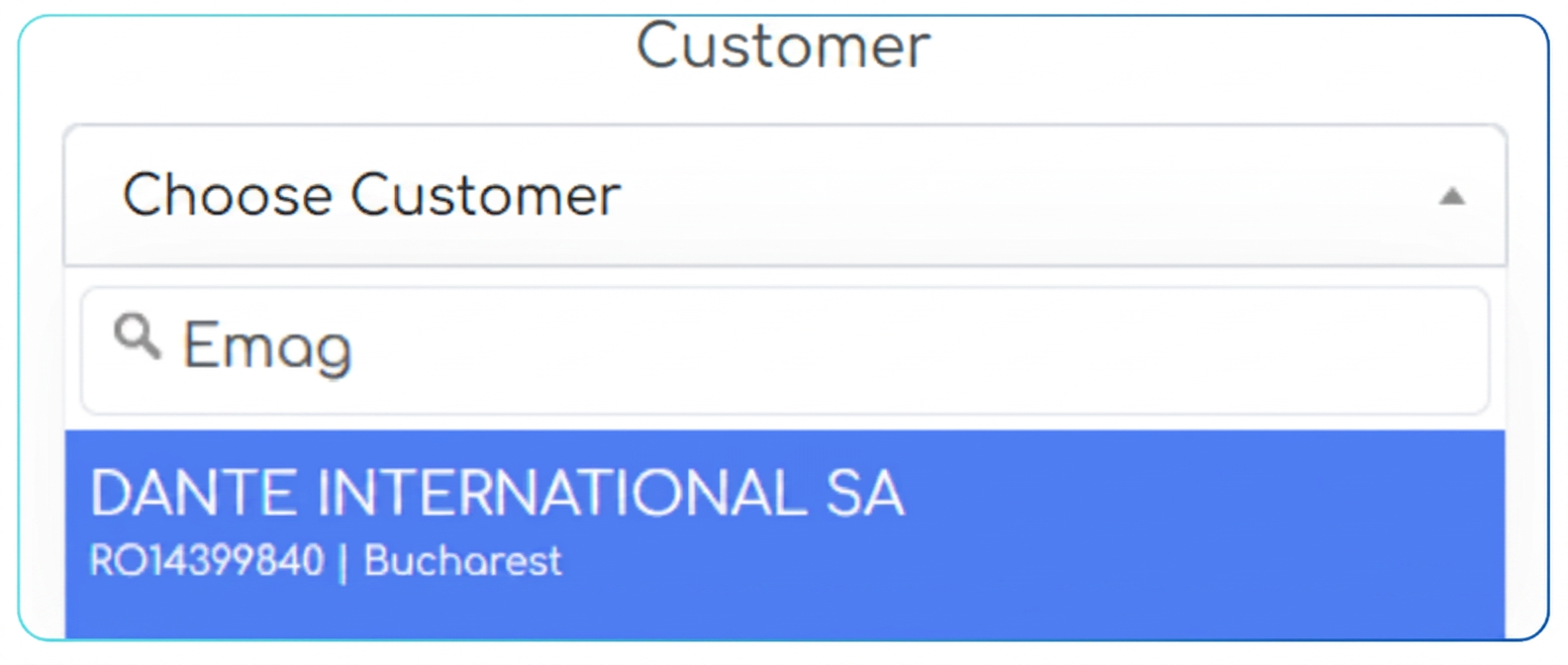
DANTE INTERNATIONAL SA is the legal name.
-
eMAG is the well-known brand.
By filling in the Alias field with „eMAG”, the customer can be found:
-
either by the official name (DANTE INTERNATIONAL SA),
-
or by the alias (eMAG),
🔹 Product Alias
✅ Context:
Products are named differently from one supplier to another and may be known within the company by a different name than the one on the invoice.
✅ Problem:
-
The official name is too technical or too long.
-
Inside the company, the product is known by a short or internal name (e.g.: "Small i5 Laptop" instead of "HP ProBook 440 G9 i5-1240P 16GB 512SSD").
✅ The Solution:
-
In the Product name field, enter the exact name from the invoice.
-
In the Alias field, enter the internally known version.
✅ Example:
| Product name | Alias |
|---|---|
| HP ProBook 440 G9 i5-1240P… | Accounting Laptop |
| Dell U2723QE 27" 4K Monitor | Manager Monitor, Dell 4K |
✅ Utility in workflows:
-
When issuing a purchase order to a supplier, the platform will send the official name (the one from the invoice).
-
Internally, employees can use the alias for quick search or selection.
✅ Benefits:
-
Consistency: the exact name is maintained in the relationship with suppliers.
-
Simplicity: in daily use, teams use common terms.
🔍 Smart Search by Alias
Regardless of whether you are entering a customer or a product into a document:
-
you can type directly by alias in the search field;
-
the system will automatically identify the correct record (and display the official name).
✅ Recommendations for use
-
For Customers:
-
Fill in the alias with the brand name or other commercial names.
-
-
For Products:
-
Fill in the official name exactly as it appears on the supplier's invoice.
-
Add internal names, abbreviations, or internal codes to the alias.
-