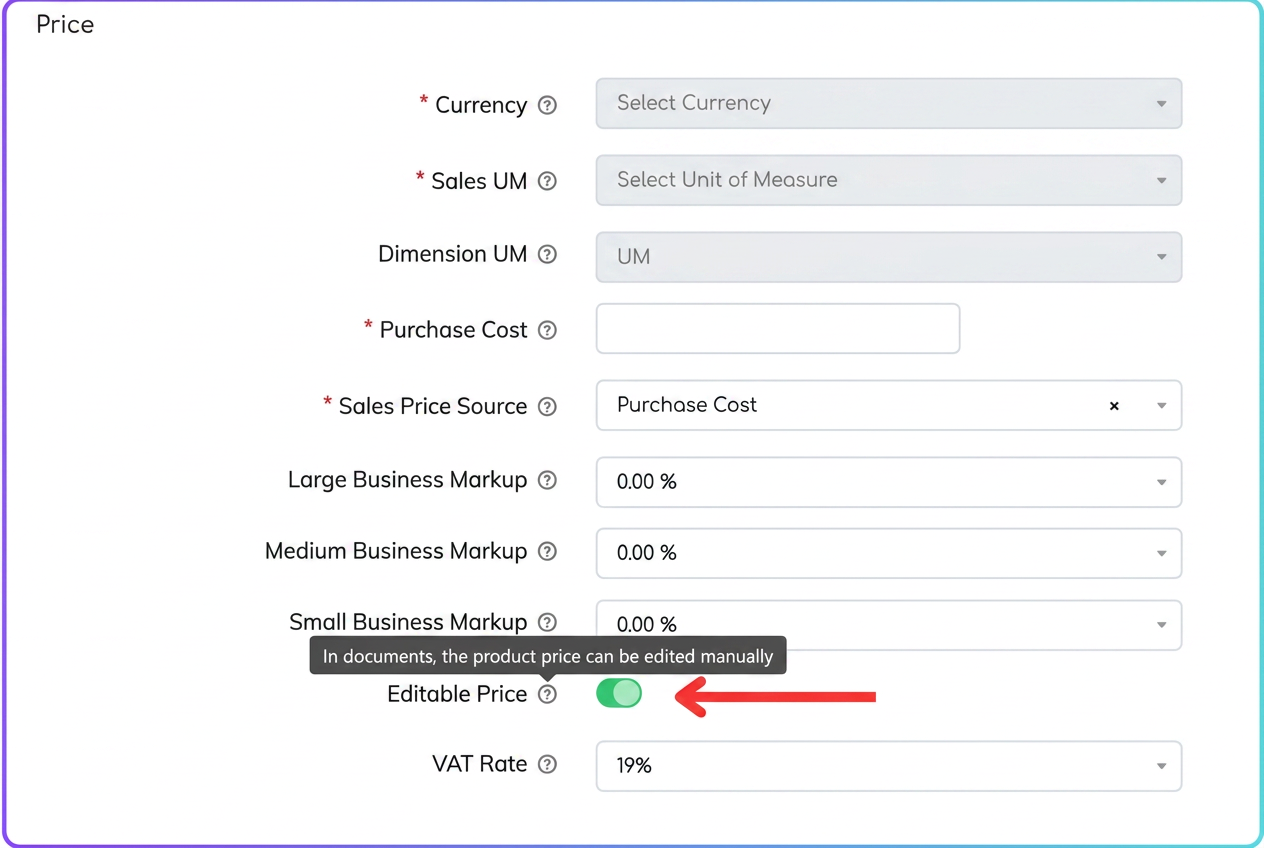
In iflows, there is the possibility to allow (or block) the manual modification of a product's price at the time of generating documents (quote, order, etc.). If you encounter a situation where, during quoting or creating an order, you cannot edit the price, the product most likely has the "Editable price" option disabled.
To fix this:
- Access the "Products" section.
- Search for the product in question.
- Open the product file.
- In the "Price" section, check if the "Editable price" toggle is disabled.
- Enable the "Editable price" option.
- By checking this option, the price will become customizable in issued documents (quotes, orders, invoices, etc.).
- Roles and permissions
- Note that only users with administrator rights or full permissions can modify this setting in the product profile.
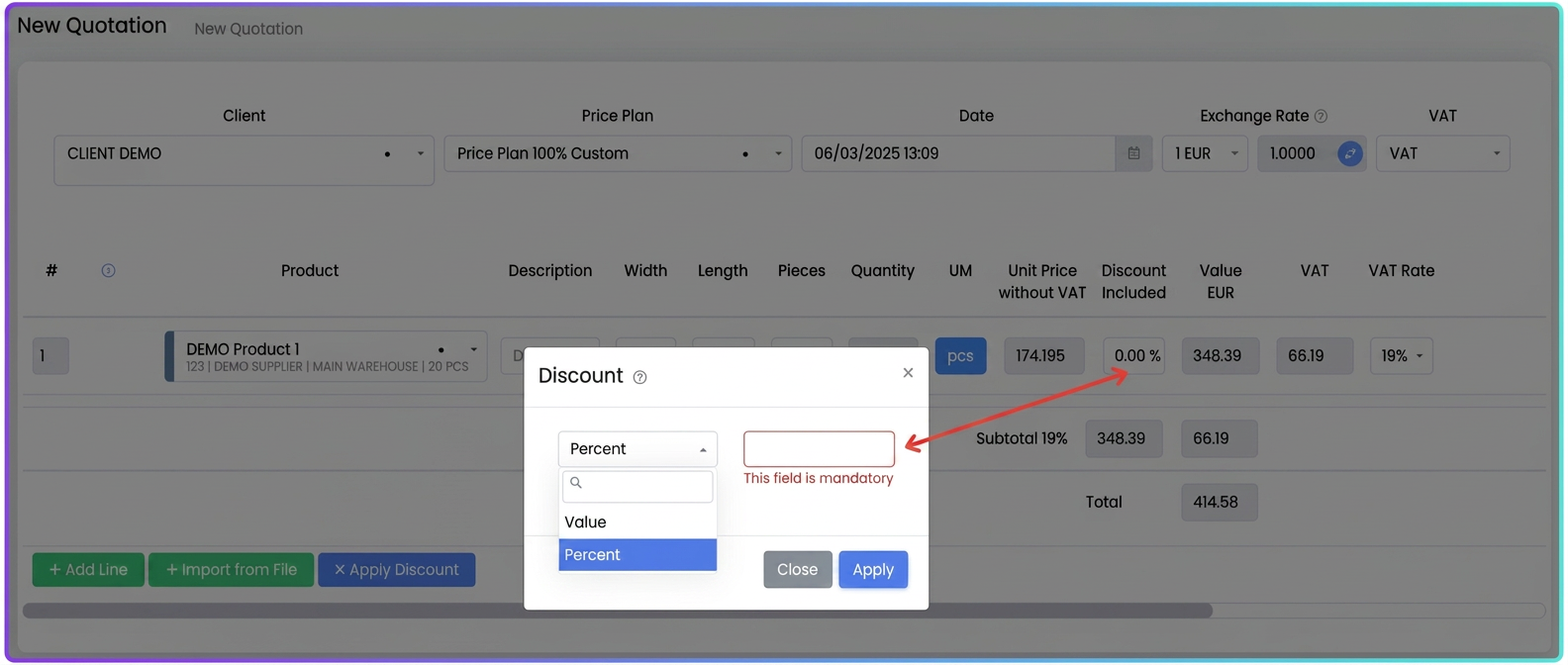
In addition to the ability to directly edit the price on the product line, you also have the option to apply discounts to adjust the price in a flexible way. The discount function can be used both at the line level (for each individual product/service) and at the level of the entire document (quote, order, invoice). This does not change the base price set in the product file, but only influences the final value in the document.
Applying the discount to the product line.
- Next to the product, click on the discount box.
- Select the discount type:
- Percentage (e.g., 10% discount)
- Value (e.g., 50 EUR discount)
- Enter the desired value and save.
- The final price displayed will be reduced by the specified discount, without changing the base price in the product profile.