
Sales Price Setting Methodologies for SUPER PRODUCTS
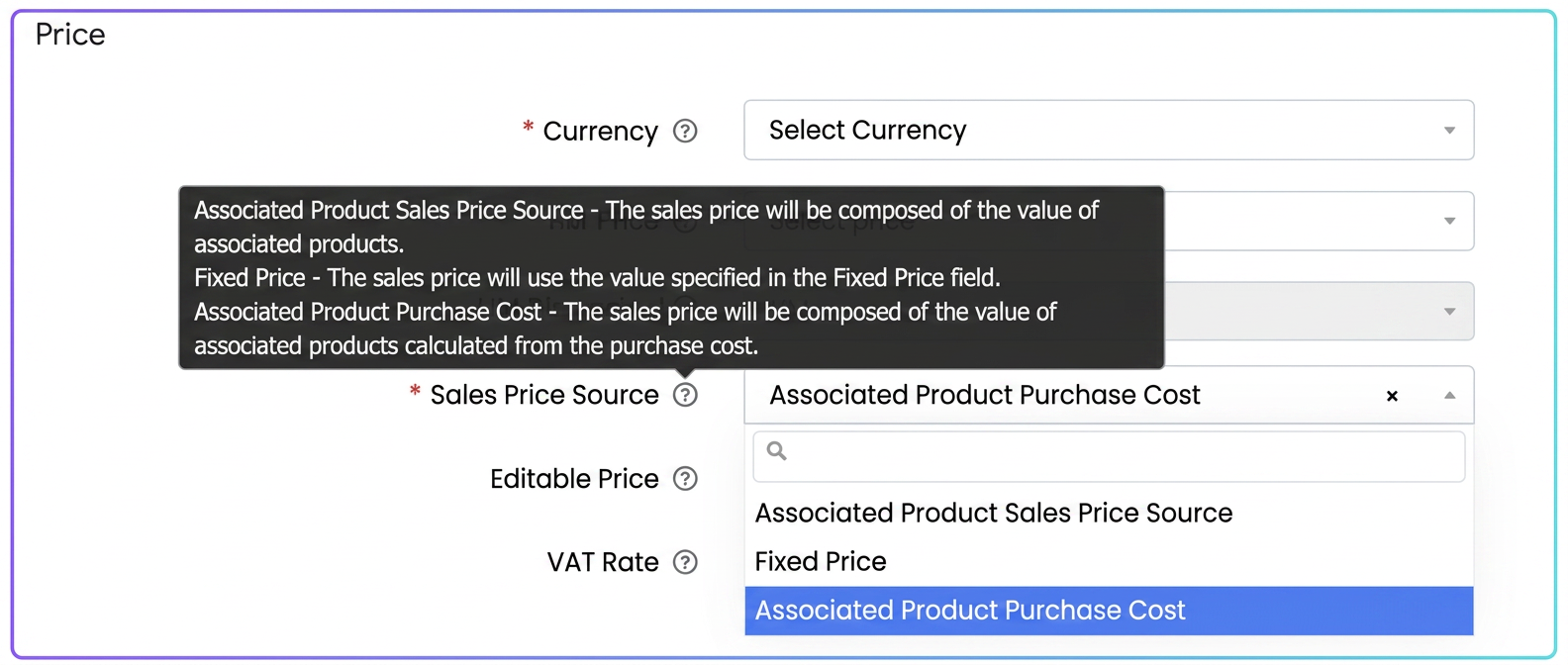
The iFlows system allows three distinct methodologies for automated sales price calculation:
1. Associated Product Sales Price Source: the system will sum the individual SALES PRICES, already defined, of each component product. It is an addition of the list prices of the elements in the bundle/finished product.
2. Fixed Price: The sales price of the Super Product will be exactly the value you manually enter in the Fixed Price field on the product page.
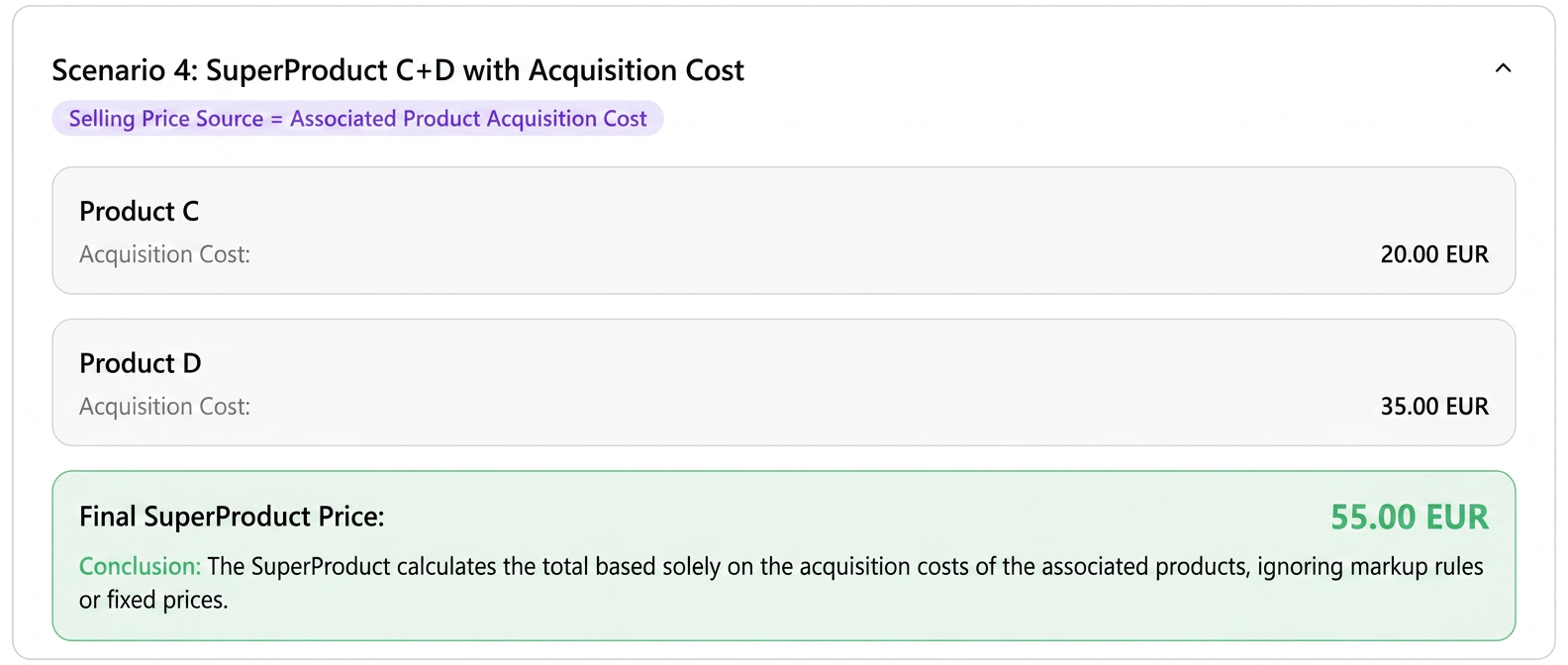
3. Associated Product Acquisition Cost - The sales price will be composed of the value of the associated products, calculated from the acquisition cost.
📌 Basic Principle
For a Super Product, the sales price source can be set in several ways. The final price depends on:
- how the component products (A, B, C, D) are configured
- which setting we choose for the Super Product's “Sales Price Source”
⚠️ In the examples below, I have NOT associated equipment for clarity. If equipment had existed, its consumption would have influenced the price only in certain settings (see the end).
🔧 Explained Examples
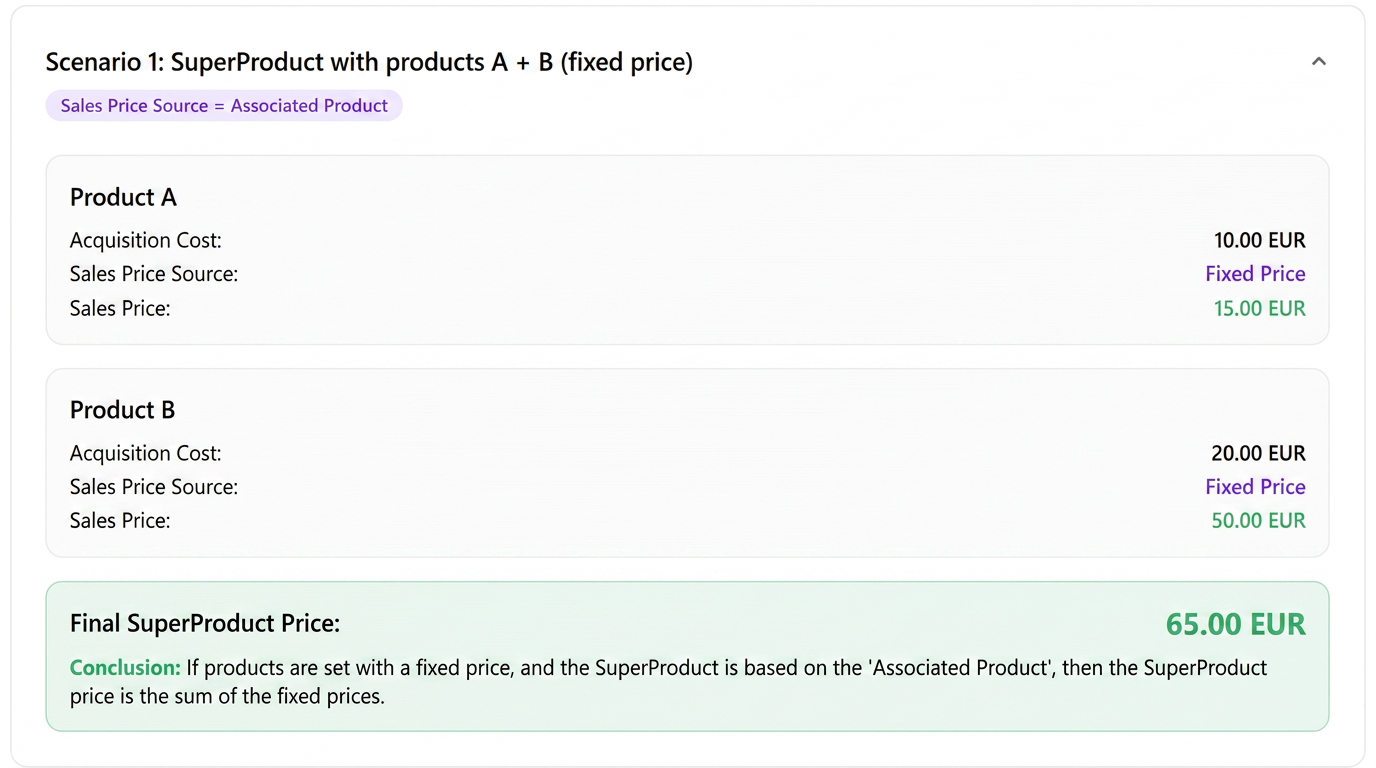
Scenario 1: Super Product with products A + B (both set on their page with Fixed Price)
Strategy chosen for Super Product: Sales Price Source = Associated Product
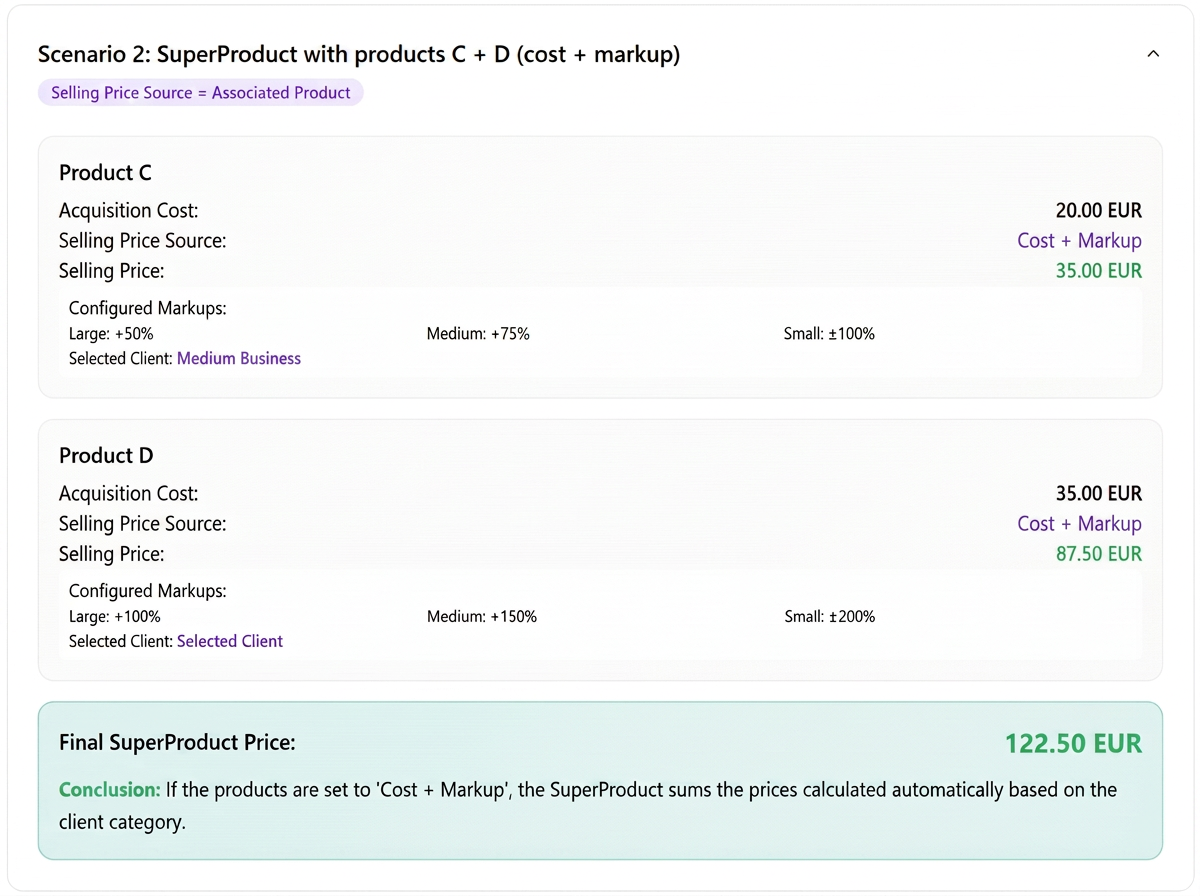
Scenario 2: Super Product with products C + D (both set on their page with Cost + Markup)
Strategy chosen: Sales Price Source = Associated Product
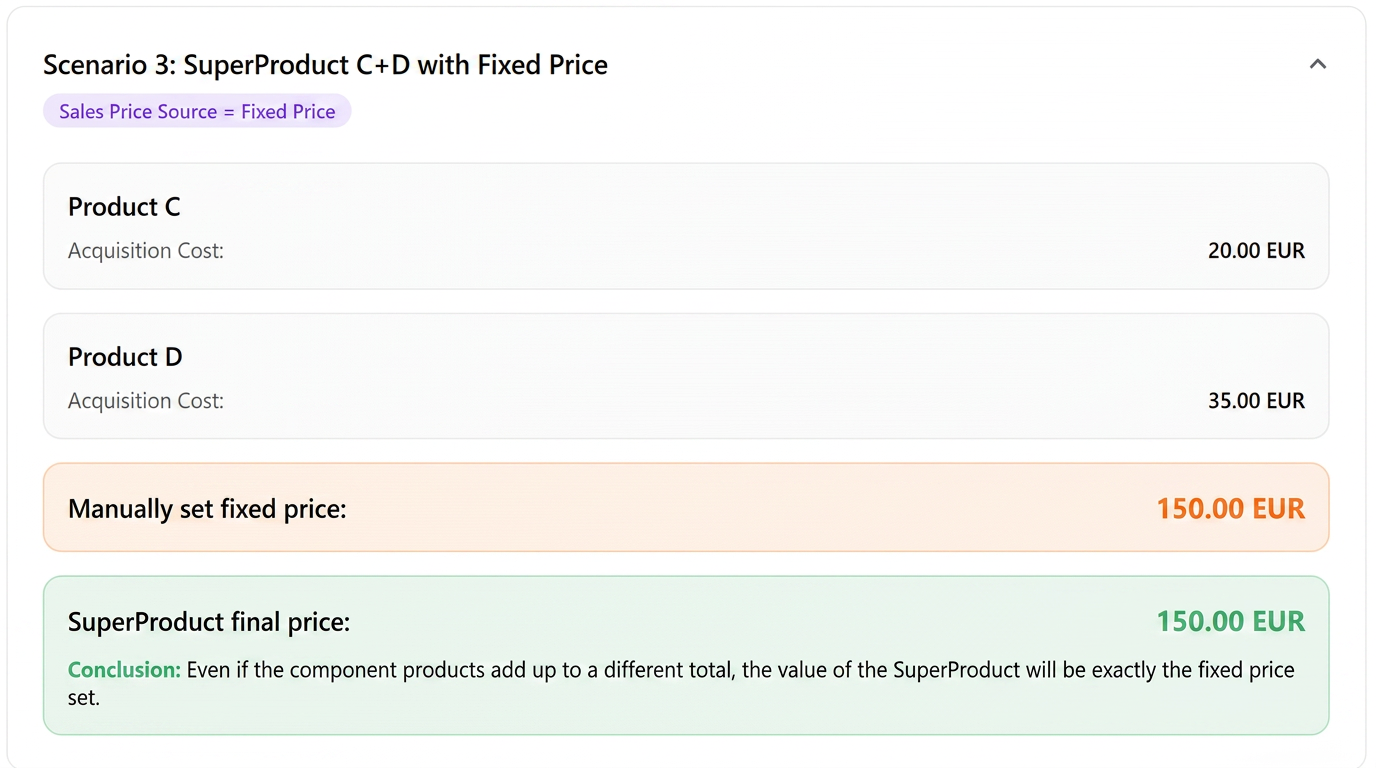
Scenario 3: Super Product C+D with Fixed Price
Super Product (C+D)
Strategy chosen: Sales Price Source = Fixed Price
Scenario 4: Super Product C+D
Strategy chosen: Sales Price Source = Associated Product Acquisition Cost
⚙️ Scenarios with associated equipment
If the Super Product also includes components with equipment, these in turn add a cost or a fixed price, depending on how they were configured.
Essential rules:
- Super Product with Fixed Price
- The equipment price does NOT influence the total (the fixed value overrides everything).
- Super Product with Sales Price Source = Associated Product
- The prices of associated products are summed, to which the equipment price/cost is added, depending on how it was set on the equipment page.
- Super Product with Sales Price Source = Associated Product Acquisition Cost
- The acquisition costs of products + equipment costs are summed.
- Super Product with Products set on Cost + Markup
- The markup is applied only to the product.
- The equipment adds its cost/price separately, without additional markup.