
Typically, reversing an invoice is done by reversing the related order and then issuing a credit note. This approach is correct and useful in situations where the customer cancels products/services or you need to substantially update the order (e.g., quantities, prices, products).
However, there are cases where the order remains valid, and the invoicing requires only minor corrections (for example, rectifying a comment). For these situations, iflows has introduced the "Generate Credit Note" option directly from the , which allows reversing the invoice while keeping the order valid.
- Order Reversal followed by credit note – still useful when the customer cancels the order entirely or substantial changes occur (price, quantities, etc.).
- Credit Note – for corrections exclusively at the invoice level without affecting the order.
How to Use
- , where the list of issued invoices is displayed.
- Identify the invoice you wish to cancel (only at the document level, maintaining the order).
- Press the "Generate Credit Note" button.
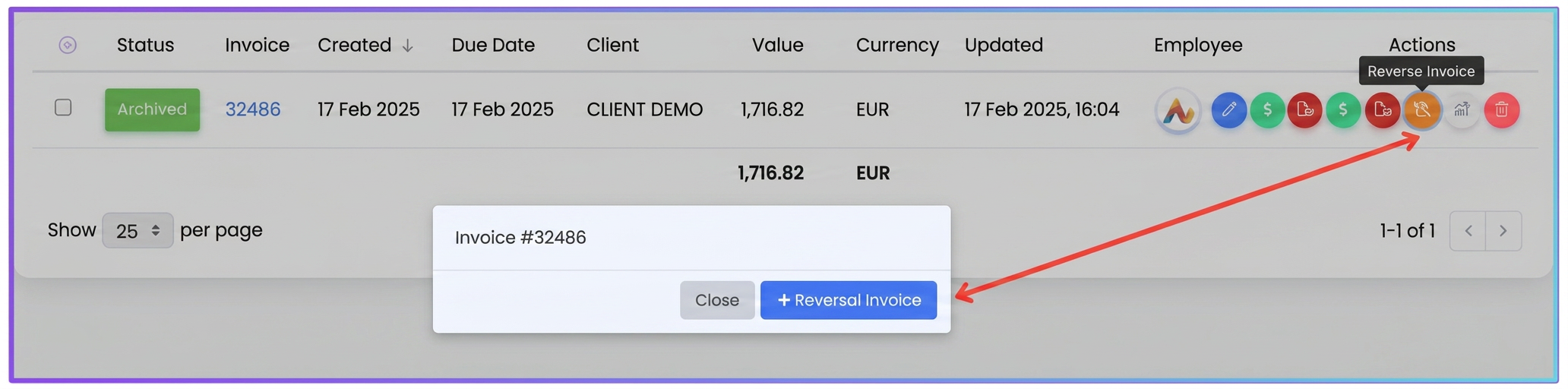
- In the modal window that appears, you will have two options:
- Select "+ Credit Note" to generate the credit note directly.
- Confirm the action and, if necessary, issue the new corrected invoice.
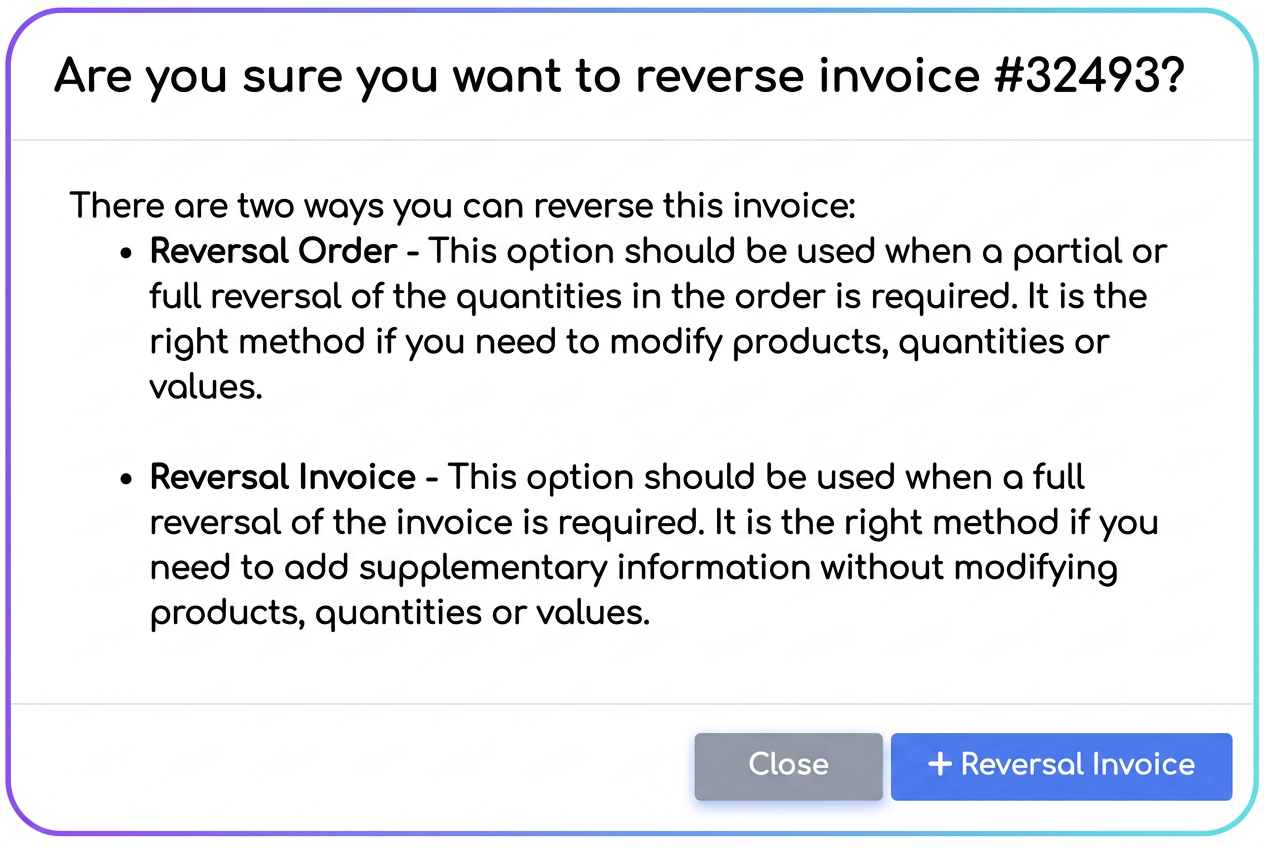
Recommendations: Analyze the impact of changes: If something needs to be modified regarding quantities or prices, opt for Order Reversal and then Credit Note from the order.
Note: Maintain a coherent history: All documents (tax invoices, credit notes) will be visible in the order details.