
iFlows also offers the possibility for the operator to manually enter the number of hours or minutes worked on an activity, using the Working Time instruction.
How it works:
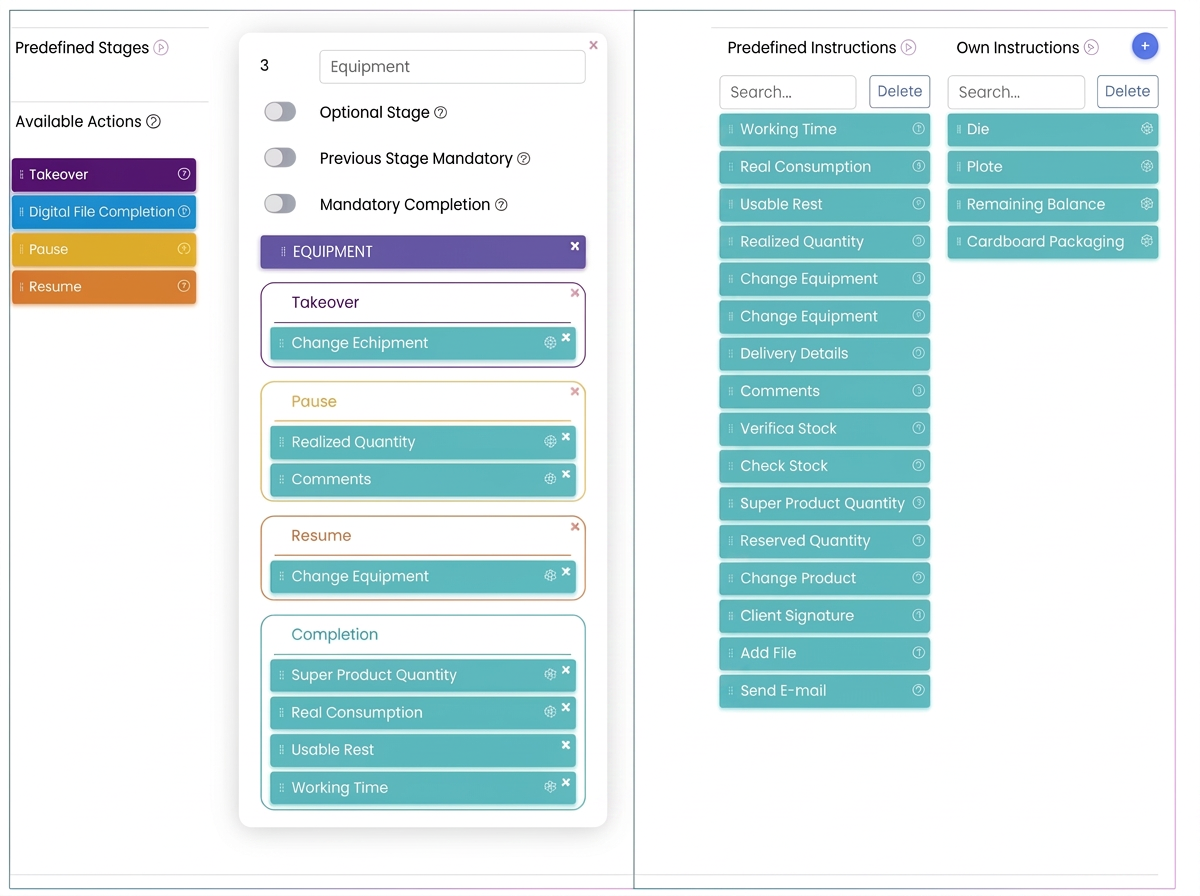
- Configuring the Working Time Instruction:
- Access Settings in the iFlows platform.
- Navigate to the Flows section and select the flow you wish to edit.
- Edit the stage where you want to allow manual time entry.
- From the list of predefined instructions, add Working Time to the specific action (e.g., Finalization).
- Save the flow changes.
- Operator Usage of the Instruction:
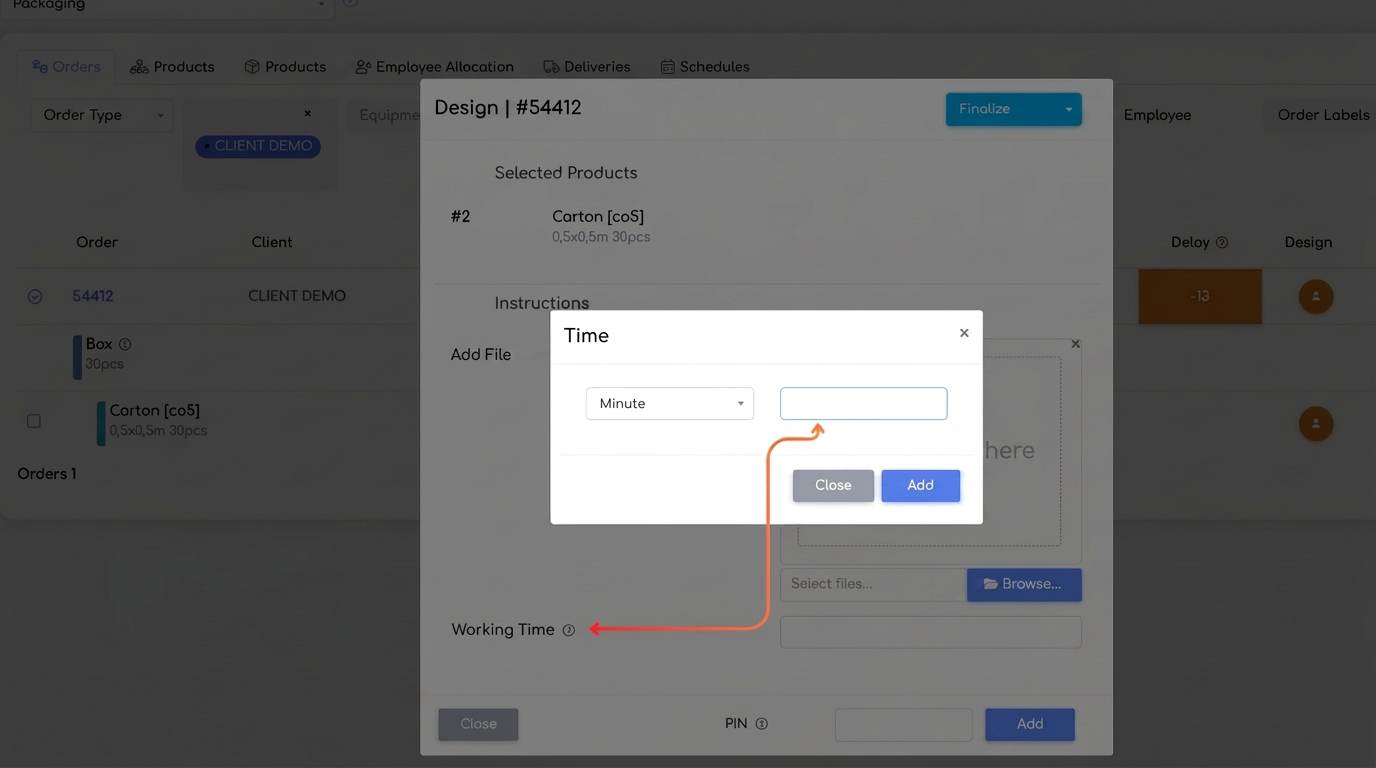
- When the operator reaches the stage/activity configured with the Working Time instruction, the system will display an input window.
- The operator can select the unit of measurement (minutes or hours) and manually enter the desired value.
- After clicking the Add button, the entered time will be saved and will override the automatically calculated time by the system.
- How the manually entered time is used:
- The manually entered time is used for all subsequent reports and analyses. In this way, you have full control over the data related to time worked.