
Yes, and this is achieved through the functionality of setting tasks as private. In this way, users can organize personal or confidential activities within a general task flow without them being visible to other team members.
How to create a private task?
- Adding a new task:
- Navigate to the Task Flow section.
- Click on the "New Task" button.
- Completing task information:
- Enter the title and description of the task, as well as other details such as the deadline, priority, or a reminder (if necessary).
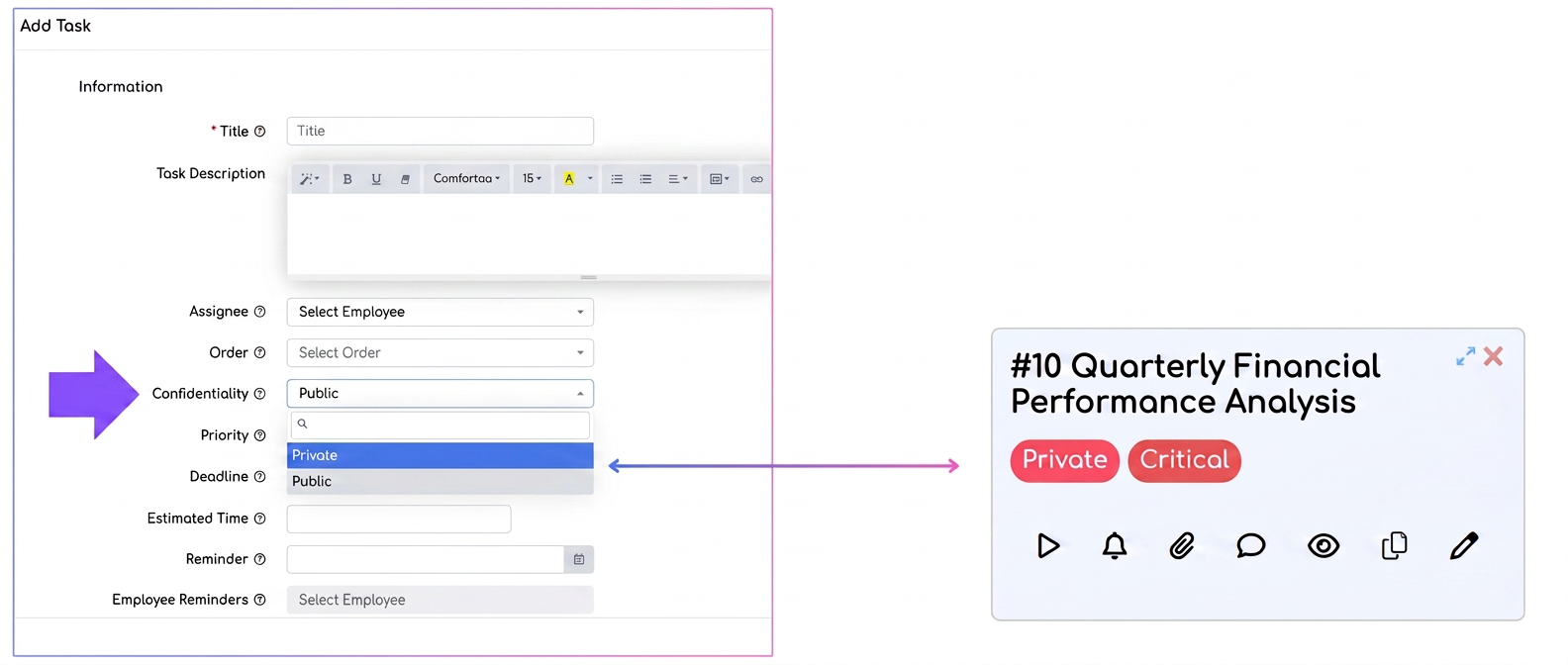
- Setting privacy:
- In the "Privacy" section, select the "Private" option.
- This setting ensures that the task will be visible only to you (the task creator) and, optionally, to a person in charge whom you designate.
- Saving the task:
- After completing the fields, click on "Save". The task will appear in the flow, but will be labeled as Private, indicating it is visible only to you.
Note: Users with the Professional package have the possibility to create private flows that are displayed exclusively to certain employees. This is an advanced feature that allows for more complex organization of tasks, with visibility restricted at the flow level.
How do private flows work?
- When creating a new flow, you have the option to deactivate the Public option and select only the employees who can view the flow.
- These flows are ideal for teams working on sensitive projects or for distributing activities between departments without them being visible to others.