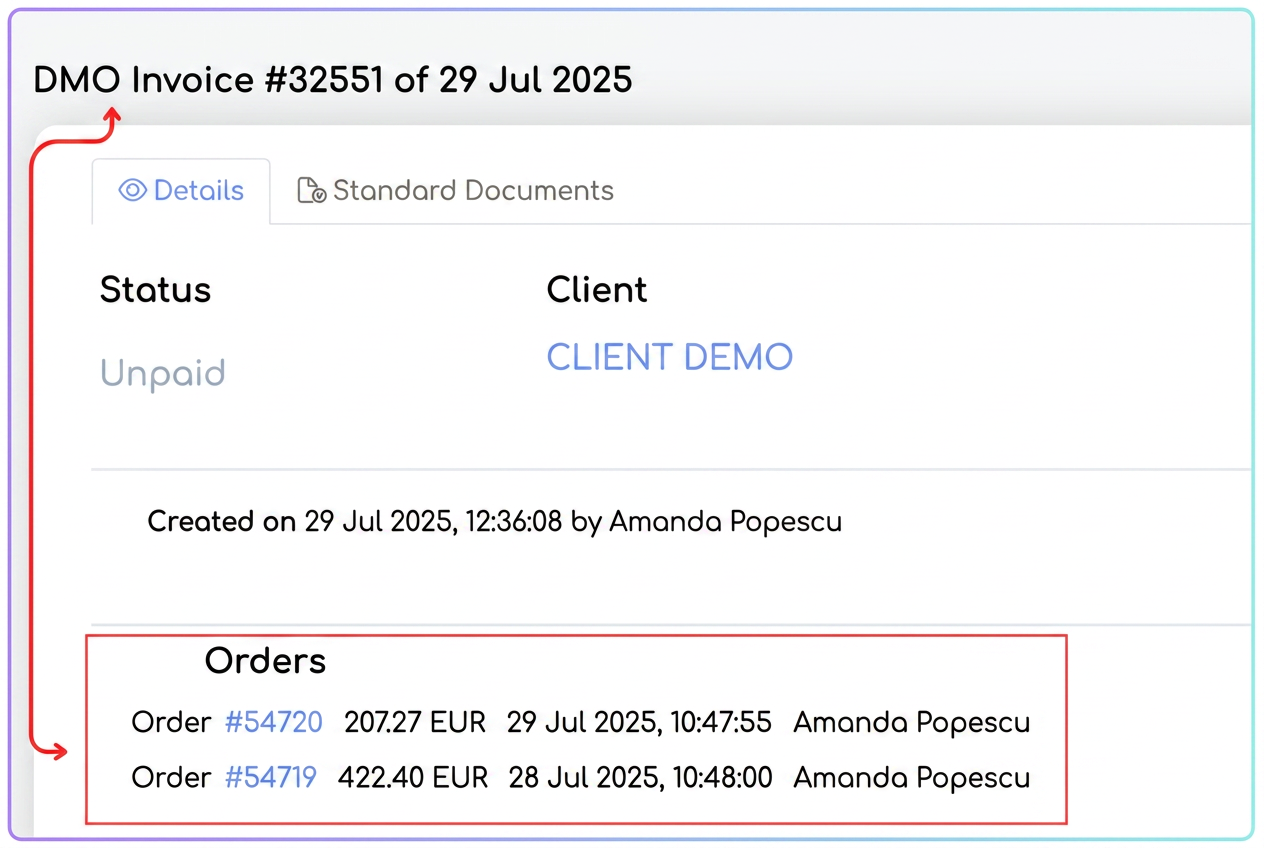
Yes, in iFlows it is possible to generate a single invoice from multiple orders, even if they come from different workflows, both from the Orders section and from the Invoices section.
🔹 Option 1: Invoicing from the "Orders" section
- Navigate to the menu: Sales > Orders.
- Apply a filter by client (optional) to view only the desired orders.
- Select the orders by checking the boxes on the left.
- The bulk actions bar will appear at the bottom.
- Click on the orange "Generate Document" icon.
- Select the "+ Invoice" option.
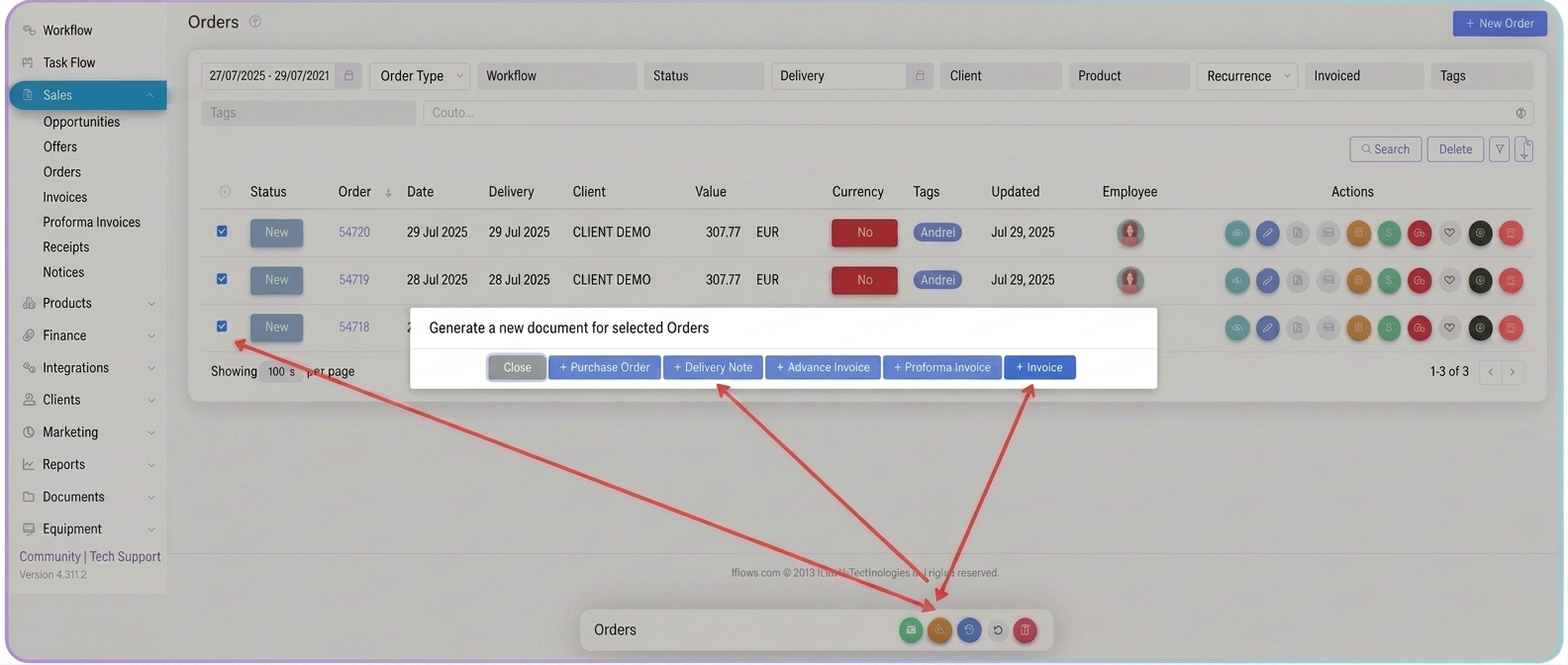
- The invoice will open in edit mode, automatically containing the products and prices from the selected orders.
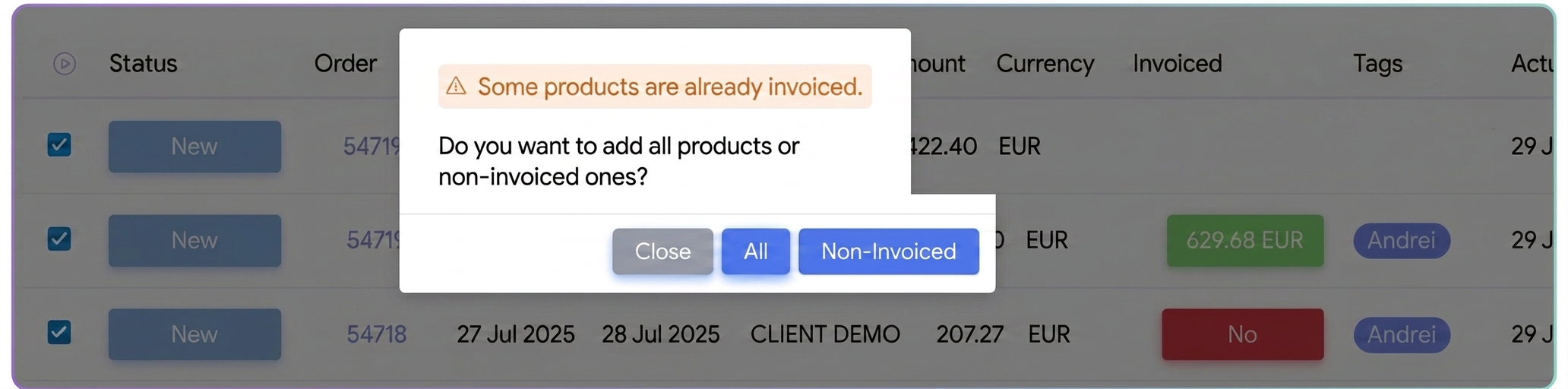
📌 If some products have already been invoiced, the system will ask for confirmation to include only uninvoiced products or all of them.
🔹 Option 2: Invoicing from the "Invoices" section
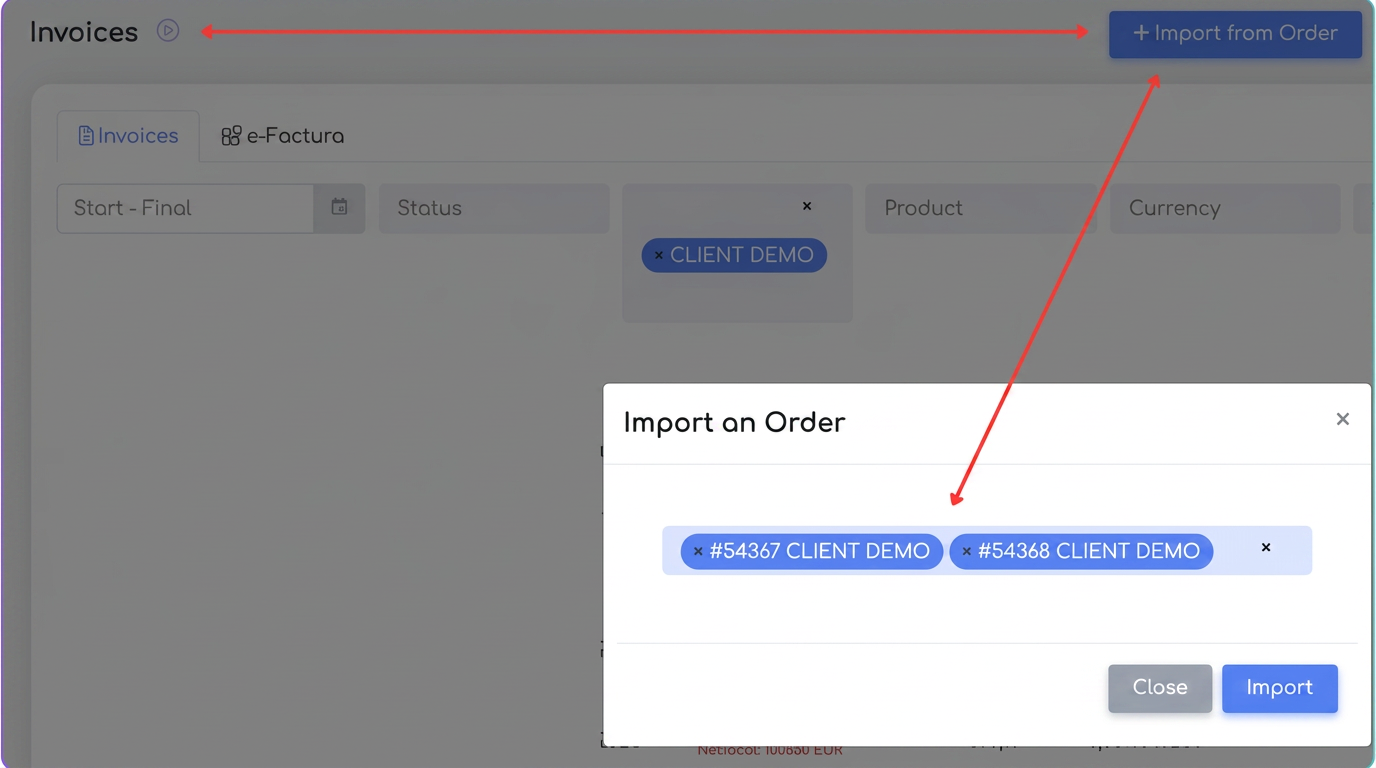
- Navigate to Sales > Invoices.
- Click the "+ Import from Order" button in the top right corner.
- In the window that opens, search for orders by number or client and select them.
- Click "Import".
- The system will create a new invoice in edit mode, with all products from the selected orders.
ℹ️ Remarks:
- Aggregating orders from different workflows is allowed, as long as:
- they belong to the same client;
- they are not fully invoiced.
Additional Questions:
- Can I select orders from different clients for a single invoice?
No. Consolidated invoicing can only be performed for orders belonging to the same client. For multiple invoicing (several orders simultaneously, but generating individual invoices), please consult this tutorial. - Is the link between the invoice and the source orders highlighted?
Yes. In the record of each invoice, in the details area, there is an "Orders" section where all source orders are displayed (with date, value, operator).