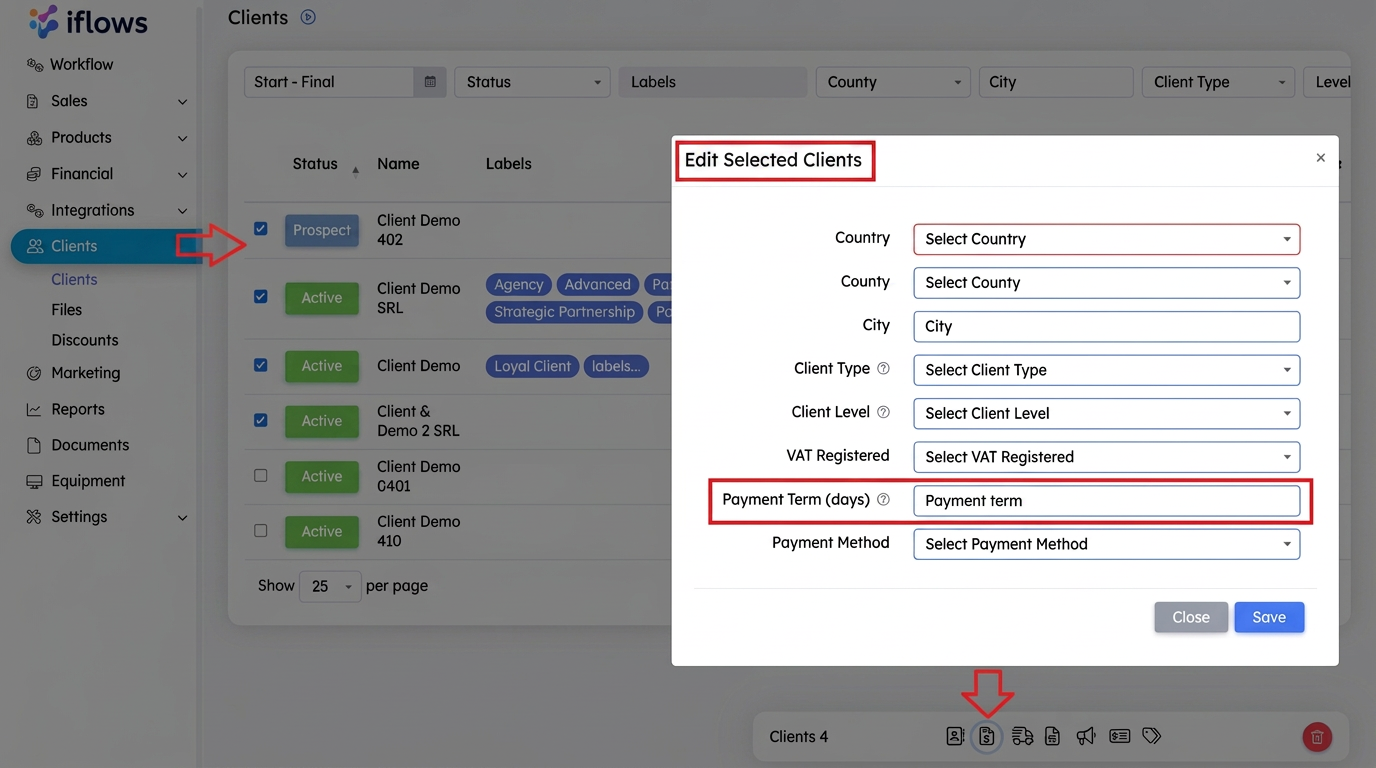
To set a default payment term for invoices, the process is as follows:
Setting the payment term at the individual client level: In each client's profile, there is a field called "Termen de Plata (zile)" (Payment Term (days)). This field allows you to define the number of days within which the client must make the payment after an invoice is issued. Once set, this payment term will be automatically applied to every invoice issued for that client, thus eliminating the need to manually set the payment term for each individual invoice.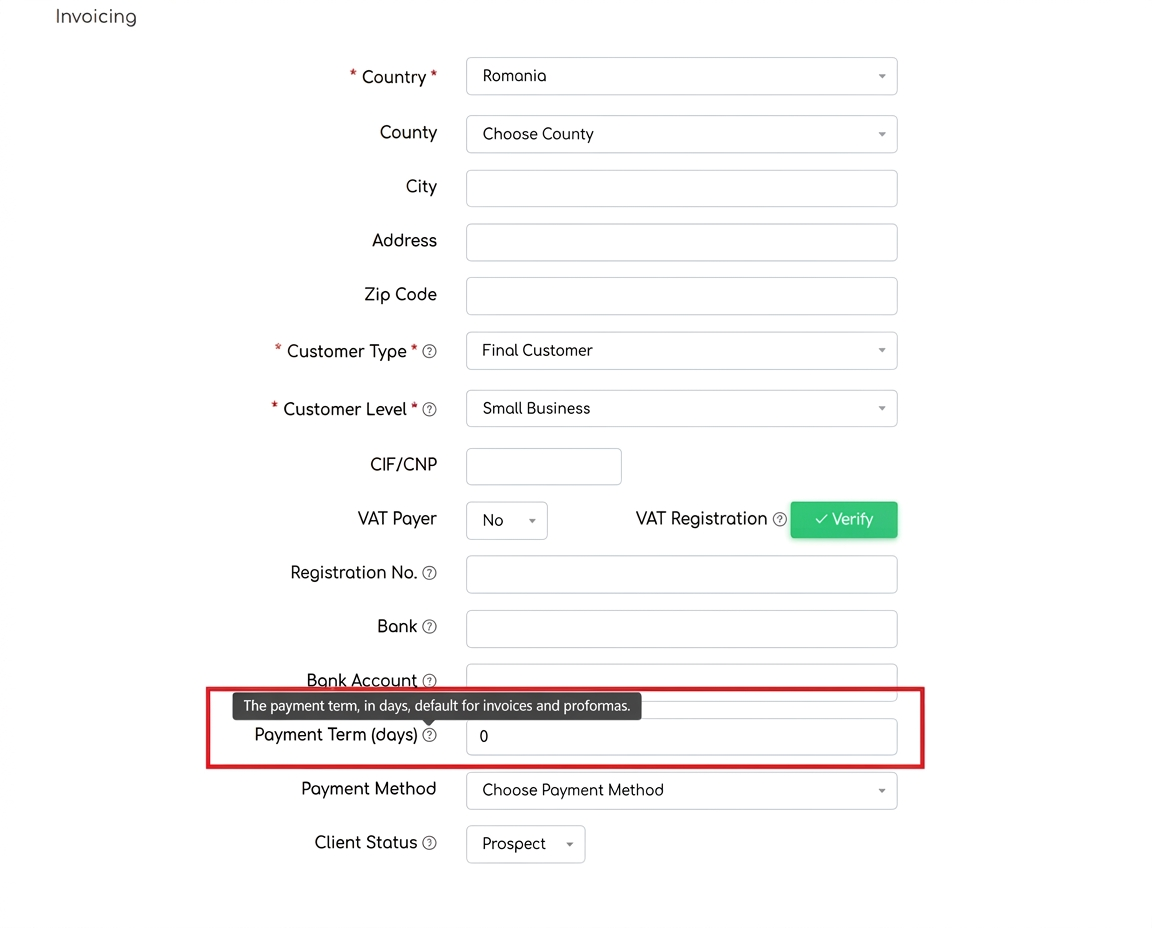
Editing the payment term for multiple clients simultaneously: If you wish to modify the payment term for several clients at once, this can be done from the "Clients" section. Select the desired clients by checking the corresponding boxes on the left side of each client. After selection, a quick menu will open at the bottom of the page. Here, select the billing symbol, and you can modify the payment term for all selected clients at the same time.