
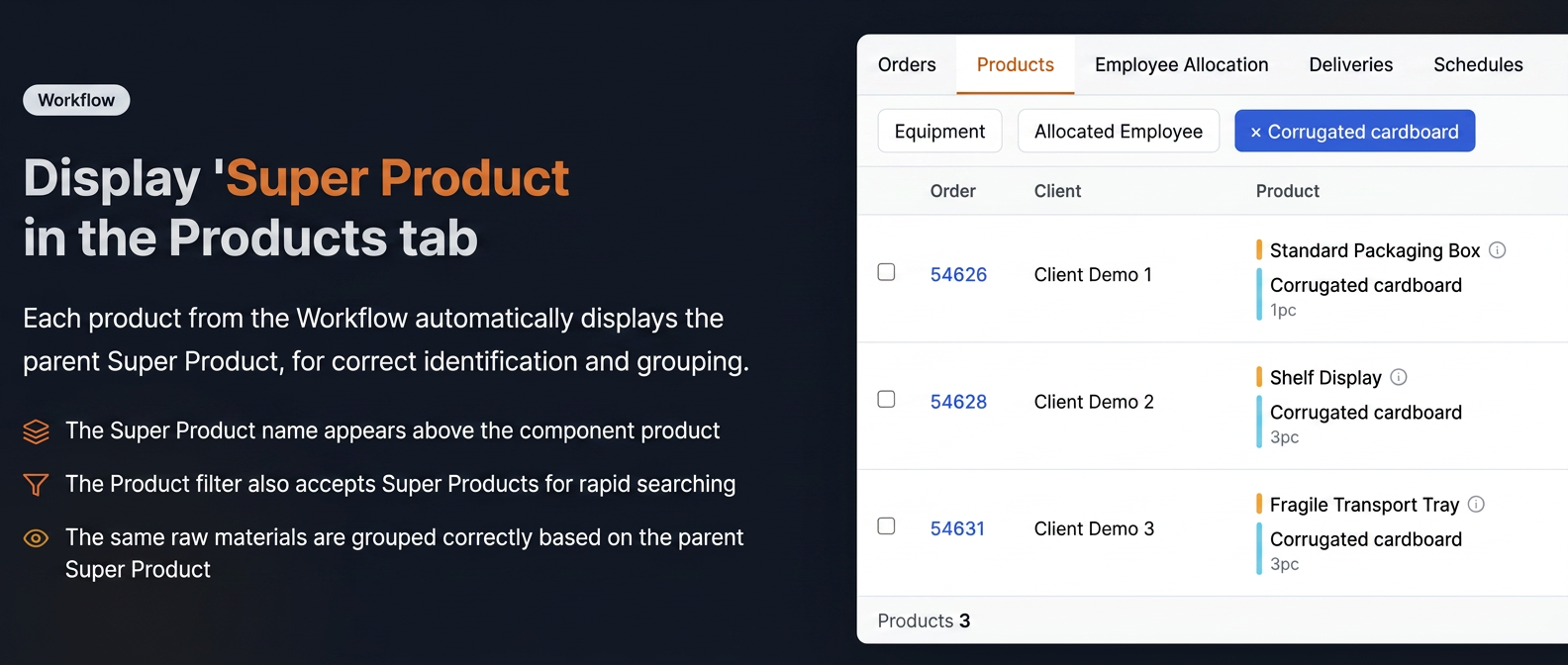
In the Products tab of the Workflow, products that are part of a Super Product display its name above their components.
- The Super Product name is automatically displayed above the component products.
- The "Product" filter allows the selection of both simple products and Super Products.
How to use
- Access Workflow.
- Navigate to the Products tab.
- For products that are part of a Super Product, it appears above its components.
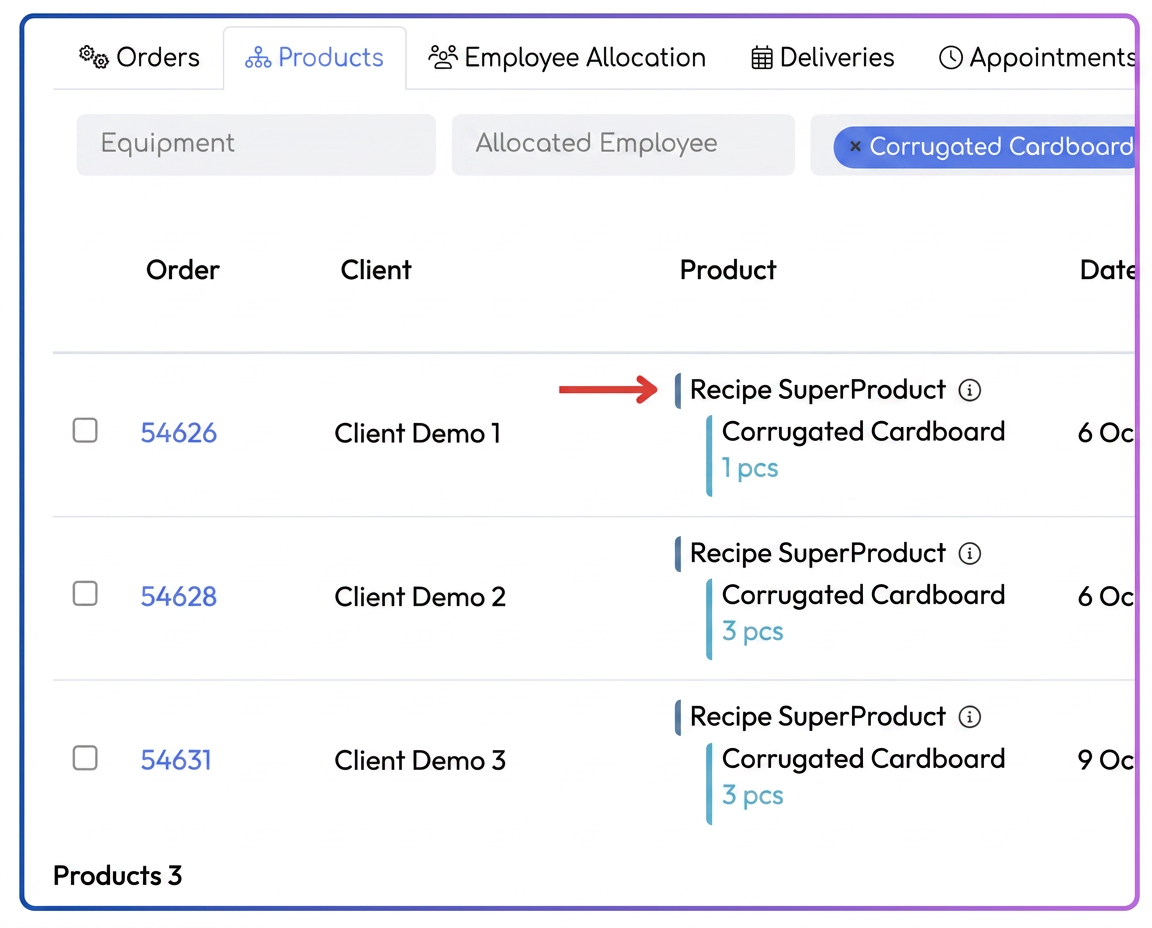 To filter, select the desired Super Product from the Product filter.
Practical example
Order 54626 contains the product "Corrugated cardboard", part of "Reteta SuperProdus".
In the Products tab, the display is:
Reteta SuperProdus
→ Corrugated cardboard – 1pc
→ The operator immediately sees which Super Product each product belongs to
→ Grouping by equipment is done correctly based on the parent Super Product