
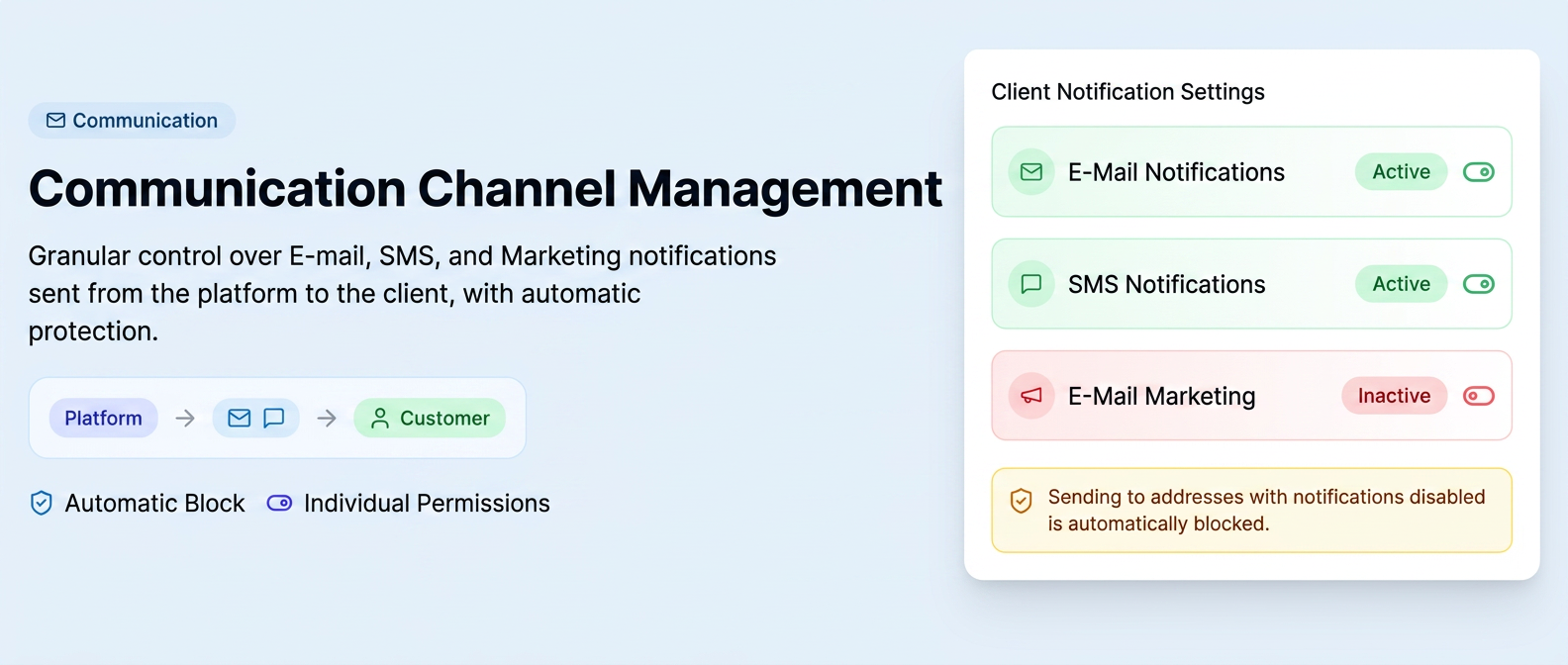
The iFlows system allows granular control over how the platform interacts digitally with your customers. It ensures compliance with message reception preferences and prevents sending communications to restricted addresses, providing a clear hierarchy of permissions.
🎯 Operational Logic
All reception settings are managed individually, at the contact address or phone number level.
1. Permission Configuration (Access Hierarchy)
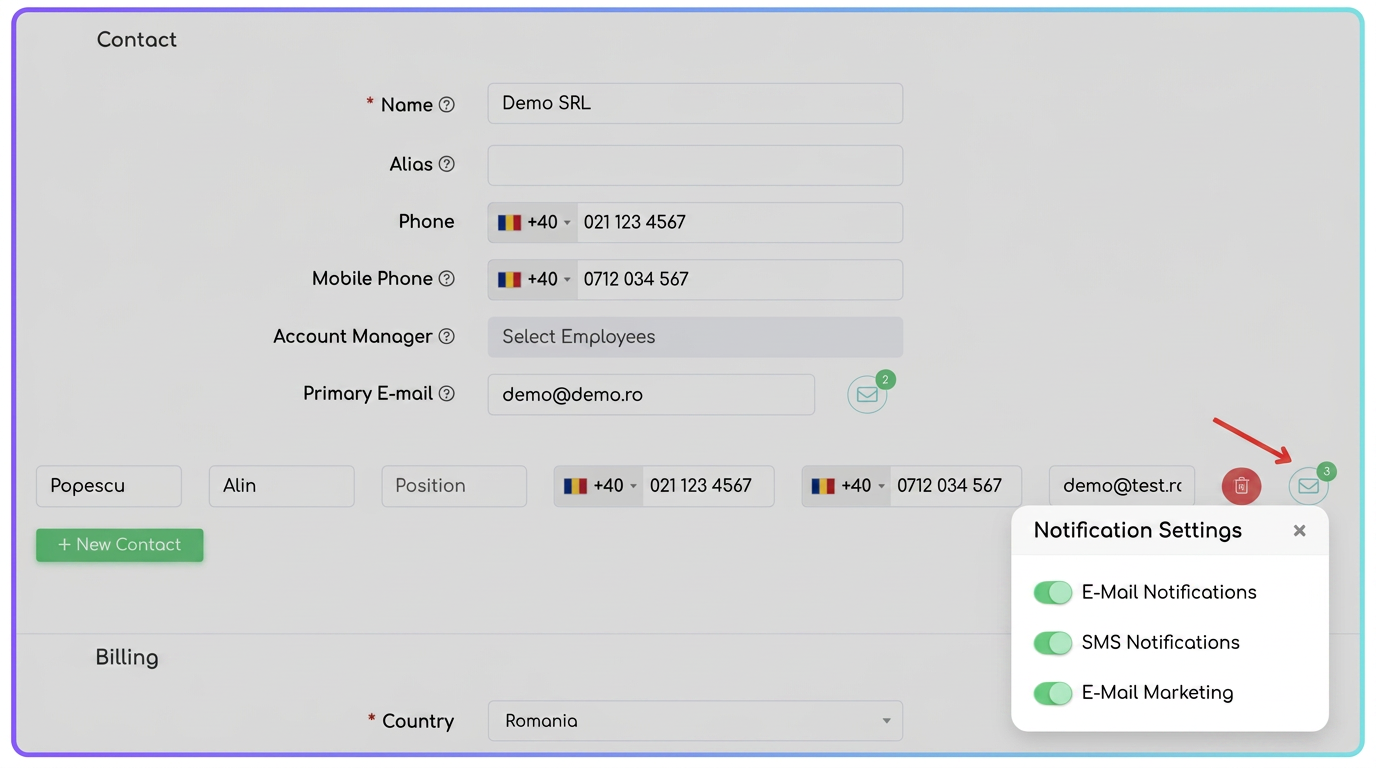
Managing how a customer receives documents is done by accessing the envelope icon ✉️ next to each e-mail address in the customer profile. The configuration menu includes the following rules:
- A. E-mail Notifications to Customer (Main Control):
- ACTIVE Status: Allows sending transactional documents (Quotes, Orders, Invoices, Overdue Notices, workflow E-mails, etc.).
- INACTIVE Status: The address is completely restricted. The system will block any e-mail flow to this destination.
- B. SMS Notifications: Enables or disables permission to transmit text messages to the associated phone number.
- C. E-mail Marketing:
- Strictly manages the inclusion of the address in funnel-type campaigns and newsletters.
2. Protection for Manual Document Dispatch
The platform includes a safety mechanism that intervenes when a user attempts to manually dispatch a document (e.g.: an Invoice / Quote / Order / Delivery Note):
- System Intervention: If an attempt is made to send an e-mail to a recipient who has the E-mail Notifications option disabled, the platform will automatically block the action.
- Error Message: The user will receive a red notification:
"For the address [email], the Email Notification option is disabled. Activate the option in the customer profile to be able to send the email."
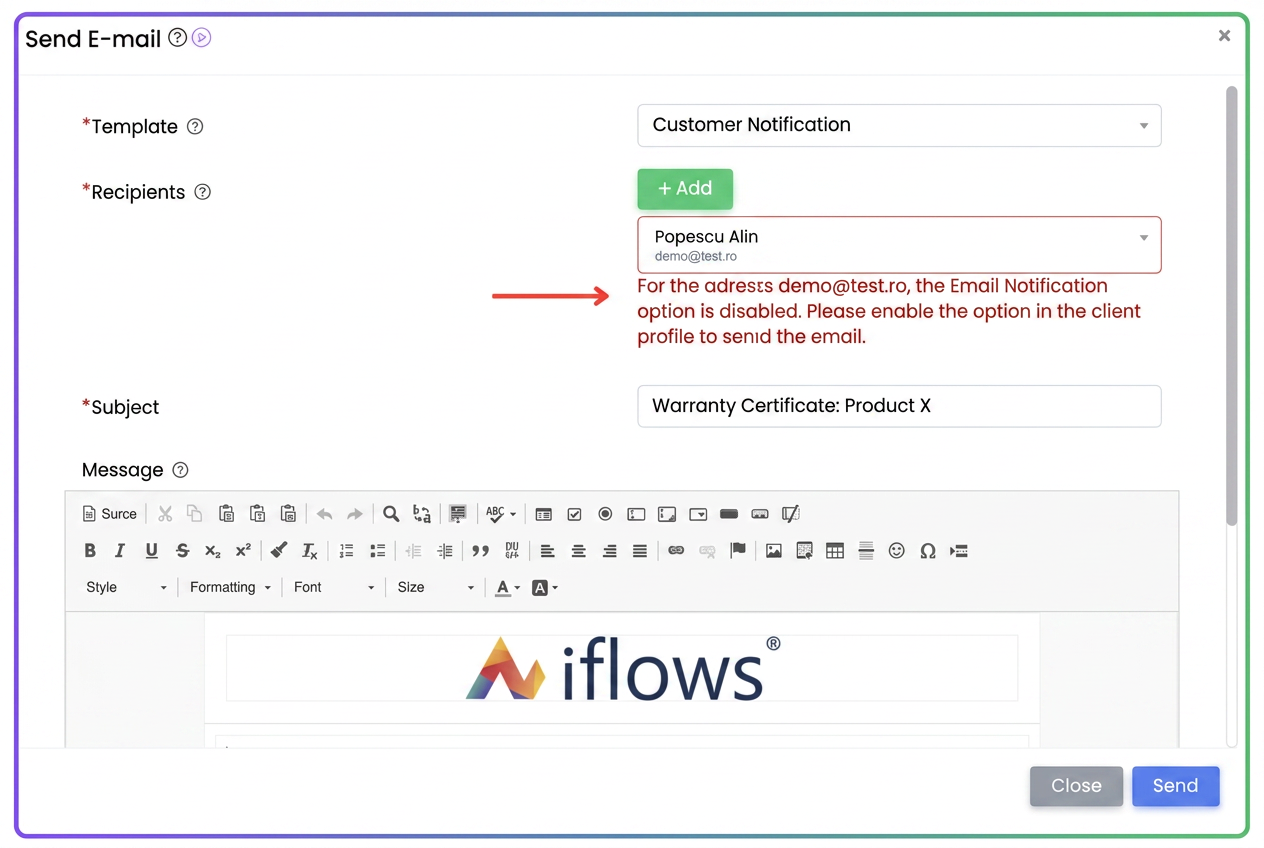
- Correction: To allow dispatch, it is necessary to access the customer profile and reactivate explicit permission for that contact address.
3. Status Monitoring (View Badges)
To quickly verify the availability of communication channels without entering edit mode, the View Customer page includes colored labels (badges) with real-time status:
- E-Mail: 🟩 Green (Active Reception) / 🟥 Red (Restricted Communication)
- SMS: 🟩 Green / 🟥 Red
- Marketing: 🟩 Green / 🟥 Red
These indicators allow the sales or support team to instantly identify if a customer can be contacted digitally, ensuring total transparency over communication flows.
