
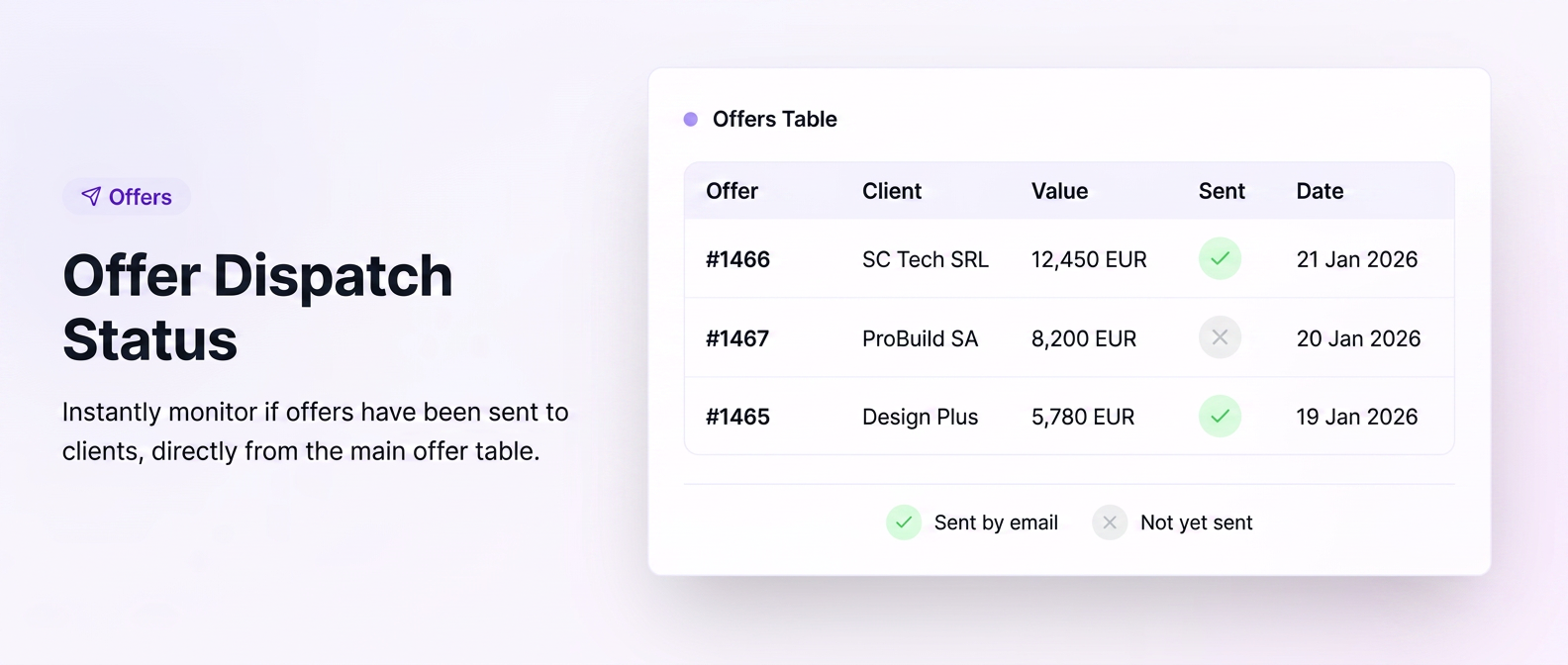
To eliminate the risk of omitting the transmission of offers to customers, iFlows features a shipment monitoring system directly in the Offers table. This functionality allows you to instantly identify the status of communication with the customer without leaving the main workspace.
1. Meaning of Visual Indicators
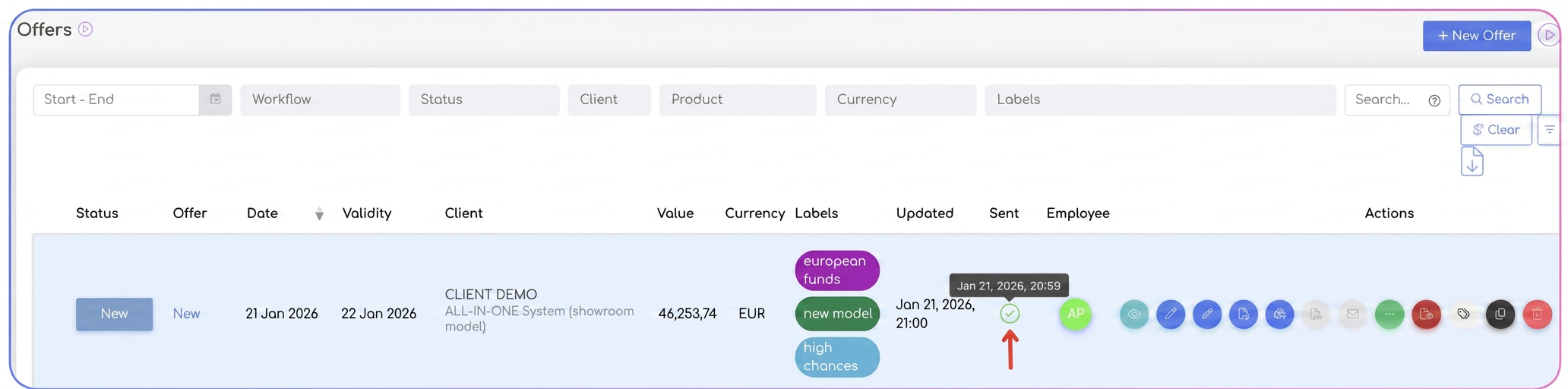
In the dedicated "Sent" column, the system displays the shipment status through two distinct symbols:
- ✅ Green Checkmark: Confirms that the offer has been successfully sent via email to the customer, using the shipping function integrated into the platform.
- Tip: Hovering the cursor over the checkmark will display the exact date and time the sending was performed.
- ❎ "X" Symbol (Gray): Indicates that the offer has been generated but has not yet been transmitted via the iFlows email system.
2. Activating and Customizing the Table
If you want to view this column in your offers panel, follow the configuration steps:
- Navigate to the Sales -> Offers section.
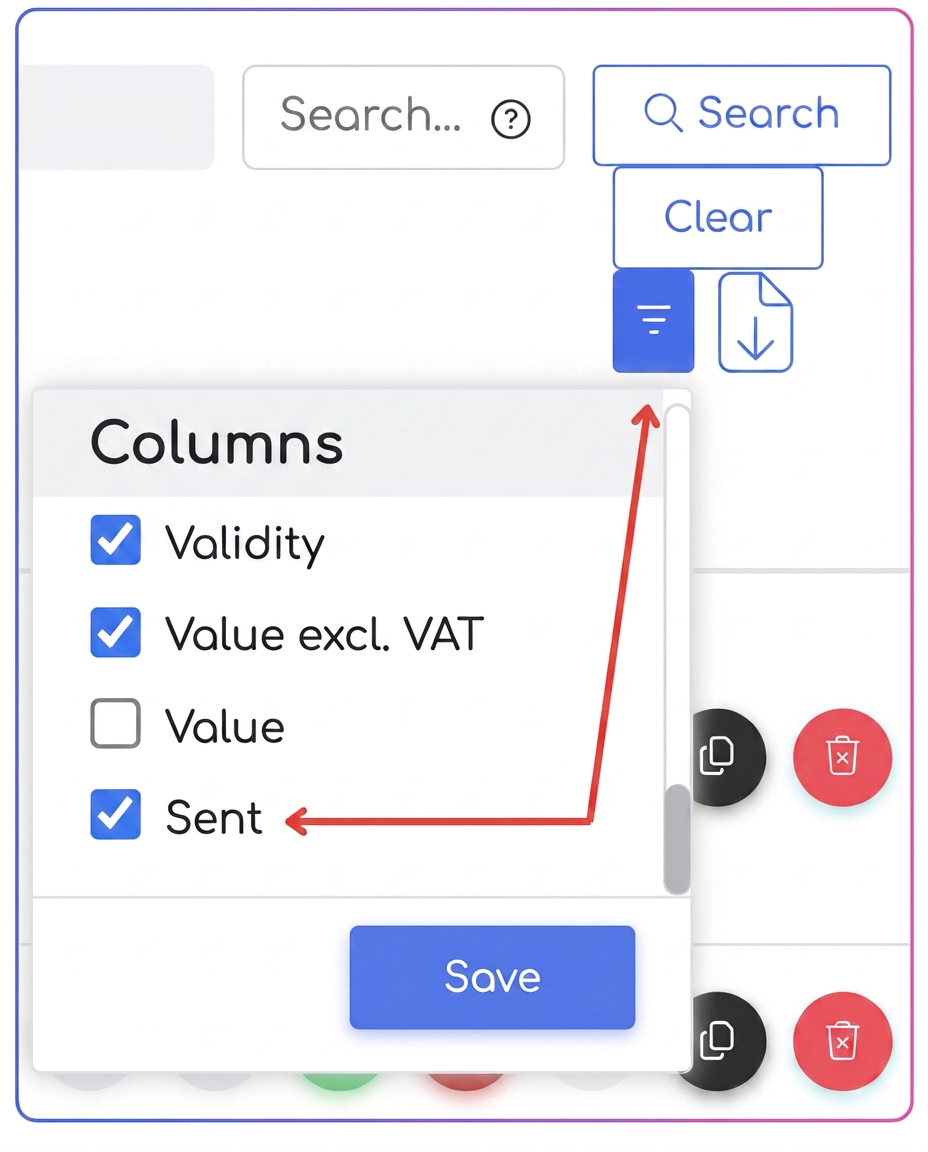
- In the upper-right part of the table, access the Configure Columns button (the icon with horizontal lines/filters).
- In the contextual menu, identify and check the "Sent" option.
- Press the Save button. The preference will be remembered for your account, keeping the table organized according to your monitoring needs.
🔍 Alternative Verification Methods (Extended Traceability)
In addition to the quick indicator in the table, the platform offers two more ways to confirm interaction with the customer:
- Offer View Mode: When accessing a specific offer, the transmission status and its history are visible in the document details.
- Customer File (Communications Section): Any email sent from the system (offer, invoice, notification) is automatically archived in the Communications section of that customer. This provides an overview of the entire correspondence history held with your business partner.
Related articles
Customizing Offer StatusesTutorialsI am no longer sure if I sent the offer to the client directly from the system or not. How can I find out?ForumI noticed in the settings that there are notifications sent to the customer upon offer expiration, which I have enabled, but these are not sent to me as well, like the offers are.ForumQuote expiry notification: advanced funnelTutorialsQuotes — validity and carrying information over to a new versionTutorials