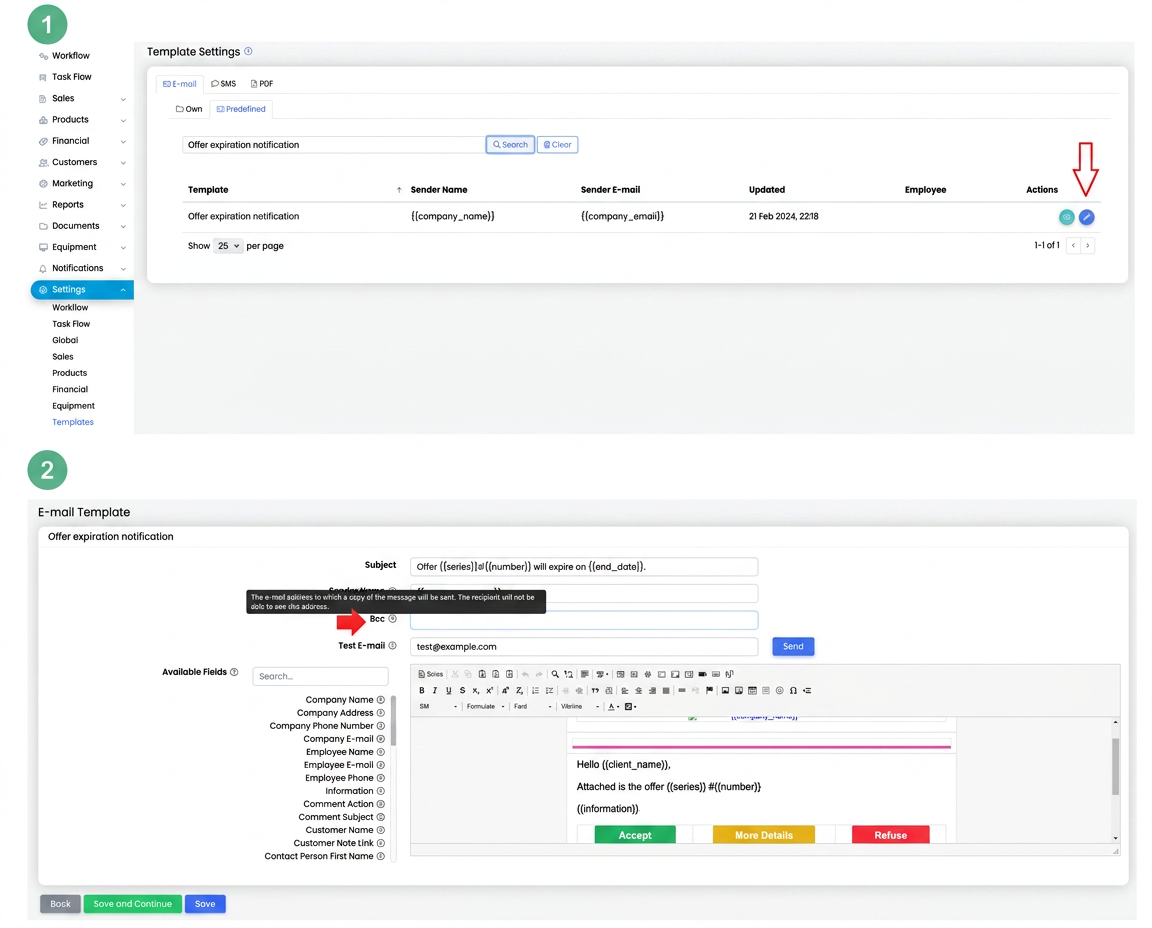
To receive a copy of these notifications yourself (simultaneously with the transmission to customers), follow the steps below:
- Go to the Settings menu → Templates → Predefined.
- Identify the template named “Offer expiration notification” and click the Edit button (the blue icon).
- In the editing window, enter the email address where you wish to receive the copy of the notification in the BCC field.
Note: The BCC (Blind Carbon Copy) field allows sending a copy of the message to another address without it being visible to the other recipients.