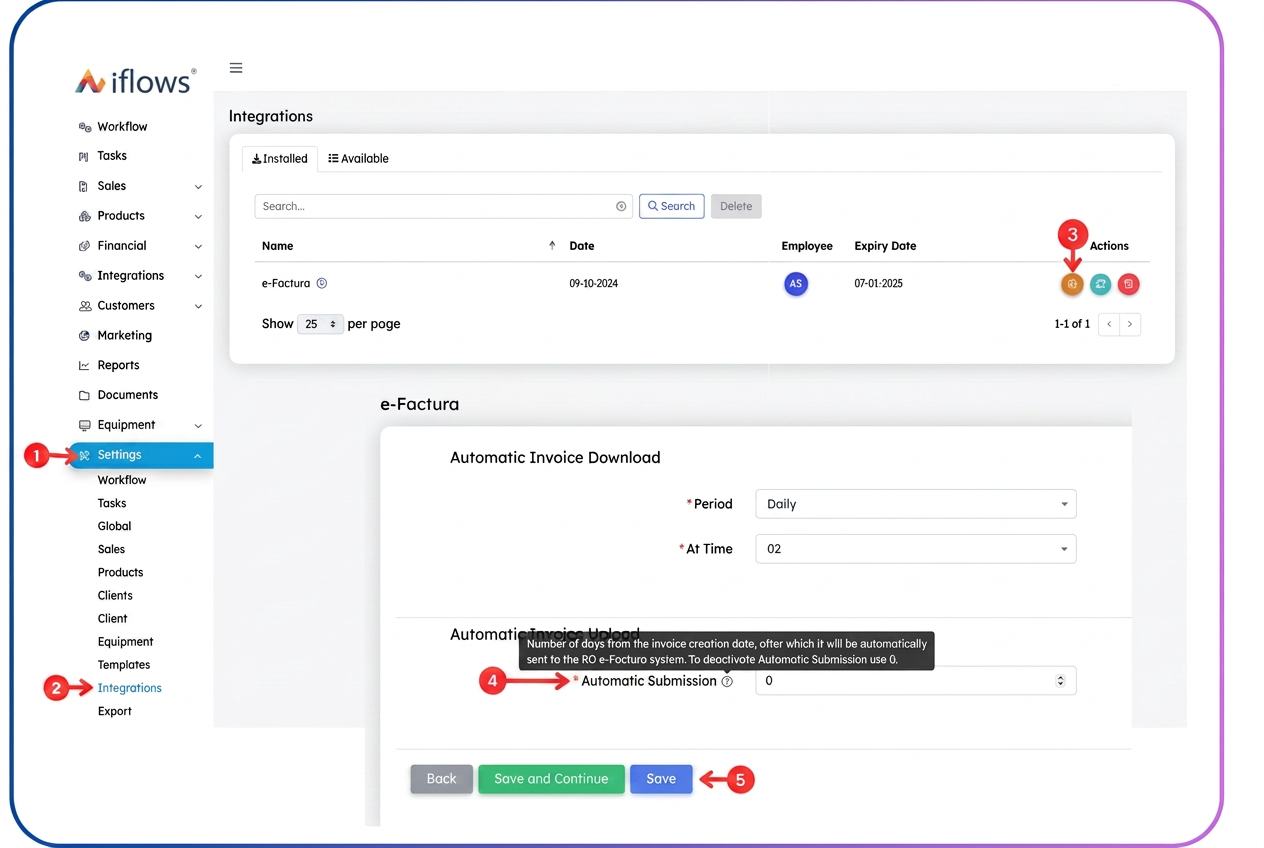
To configure the automatic submission of invoices to the e-Factura system within iflows, follow the steps below:
- Access Settings from the side menu.
- From the displayed list, select Integrations.
- Locate the e-Factura module, then, in the actions column, click on the Integration Settings button.
- In the displayed form, set:
- Time: the time at which invoices will be automatically sent.
- Automatic Submission: the number of days after the invoice generation date when it will be transmitted to e-Factura.
- Using the value "0" means the invoice will be sent on the same day, at the previously configured time.
- Save the settings to complete the configuration process.