
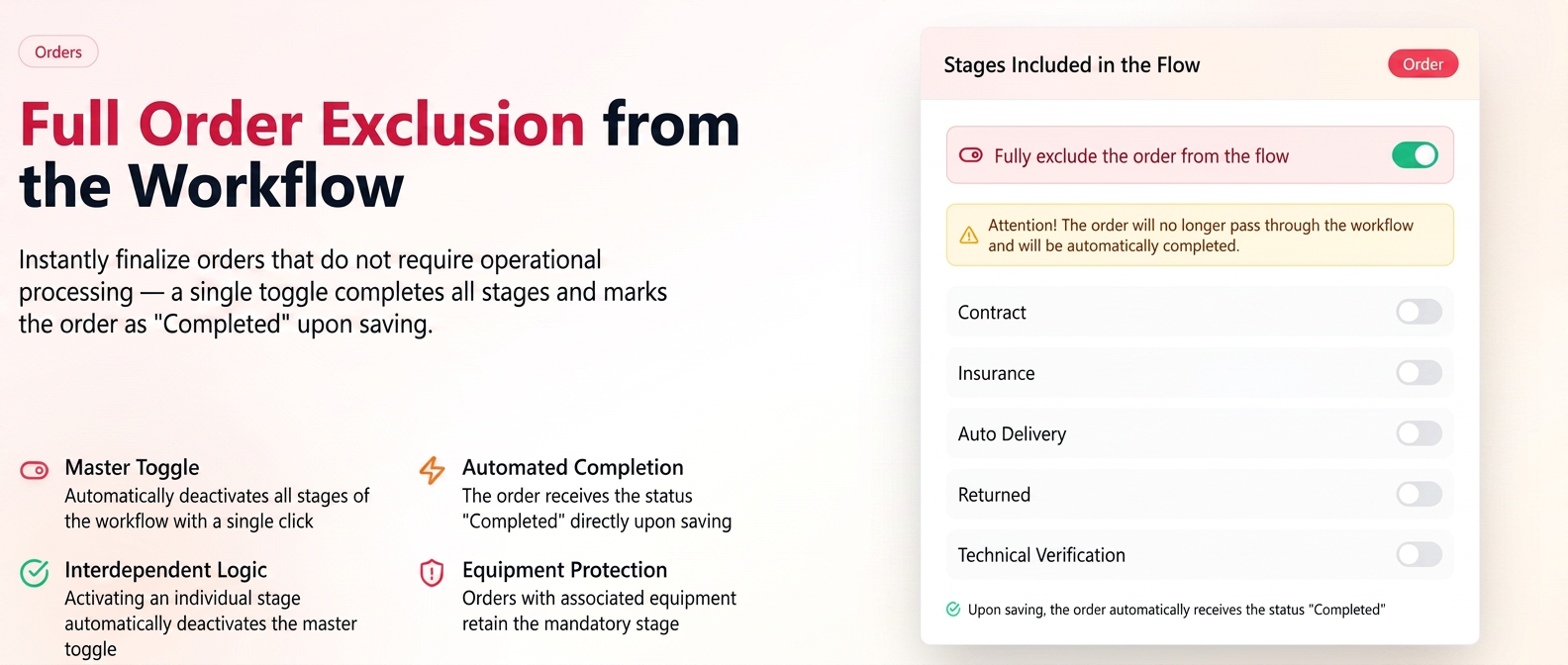
The "Exclude order completely from workflow" button allows for the automatic saving and completion of an order without passing through any operational steps in the Workflow.
- New toggle "Exclude order completely from workflow" — when active, all individual stages are automatically deactivated.
- Upon saving an order with this option active, the order automatically receives the "Completed" status.
- Interdependent logic: if you manually activate any individual stage, the master toggle automatically deactivates and vice versa.
- Orders containing exclusively products marked as "excluded from workflow" can now be saved using this toggle — previously, this was not possible.
- Orders containing products with associated equipment cannot be completely excluded from the workflow — the equipment stage remains mandatory.
How to use
- Open the order and access the ” Stages Included in Workflow” section.
- Activate the "Exclude order completely from workflow" toggle.
- Check the displayed warning banner.
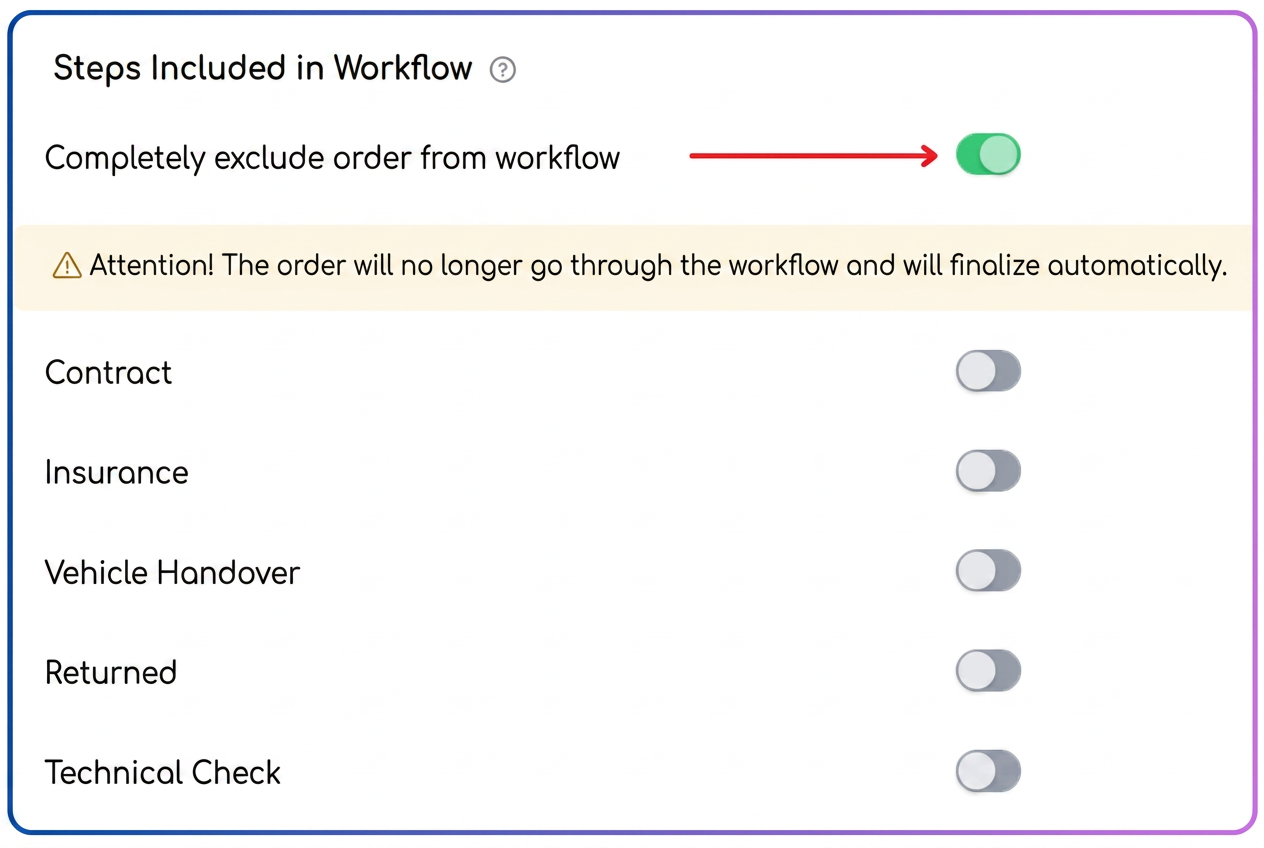
- Save the order — it will be automatically completed without passing through the workflow.
Practical example
A settlement order does not require operational processing.
→ Activate "Exclude order completely from workflow" — all stages are automatically deactivated
→ Upon saving, the order directly receives the "Completed" status, without intervention in the Workflow
Note: If you edit an order currently in progress, upon saving, if you attempt to exclude stages that already have processing history on line items, the order will not be saved (message type: stages currently in processing cannot be excluded).